
Pocket Launcher
v0.52.0 · macOS 15 or later
One shortcut. Everything you run.
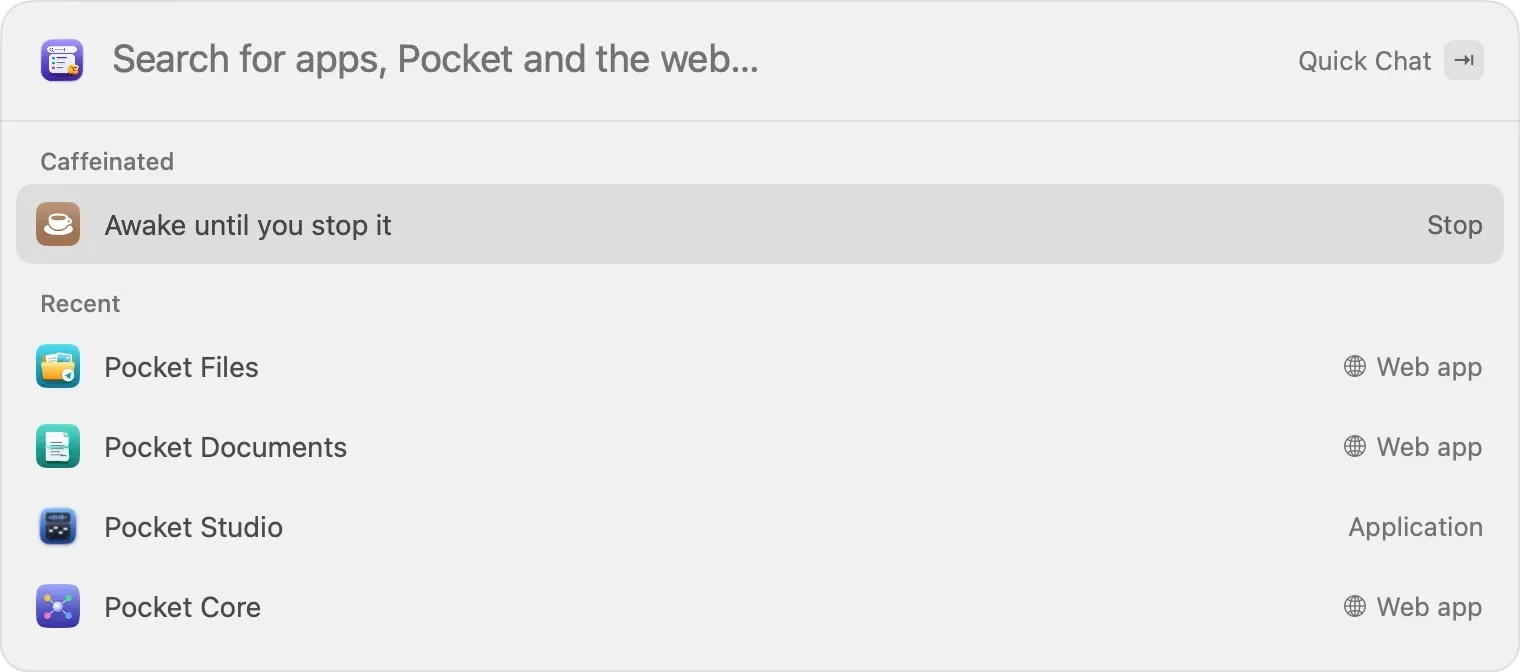
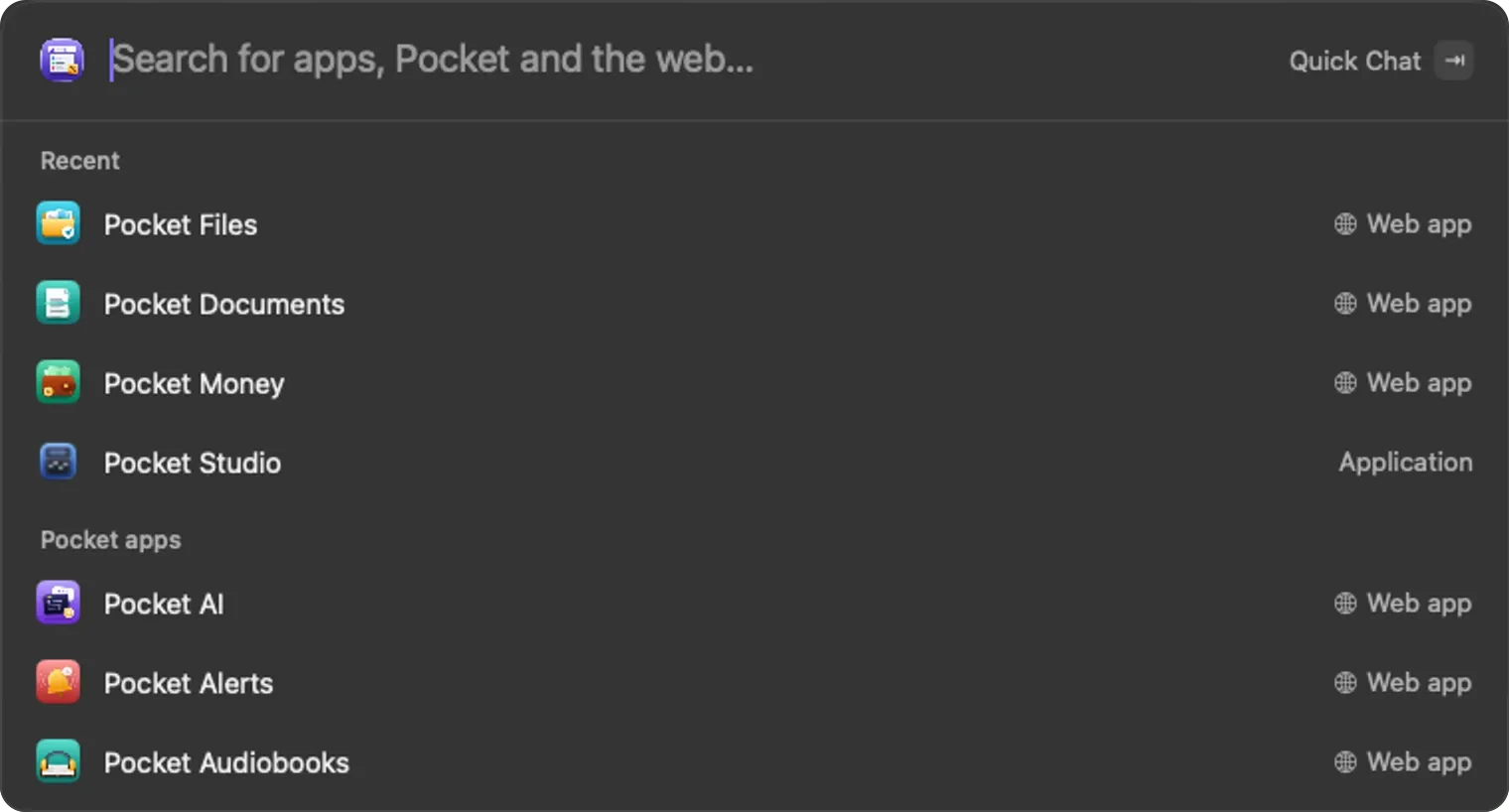
Press ⌃⌥Space (or your own shortcut) anywhere and type. Pocket Launcher opens Mac apps, every Pocket app Pocket Core shares with this Mac and the things inside them, searches the web through Pocket Search, and asks Pocket AI without leaving the keyboard. It looks and works like Raycast, and it is the first step towards replacing it with something that lives on your own server.
- Native for Mac
- Signs in on your own server
- Token in the Keychain
Settings
Every command with an alias and a hotkey.
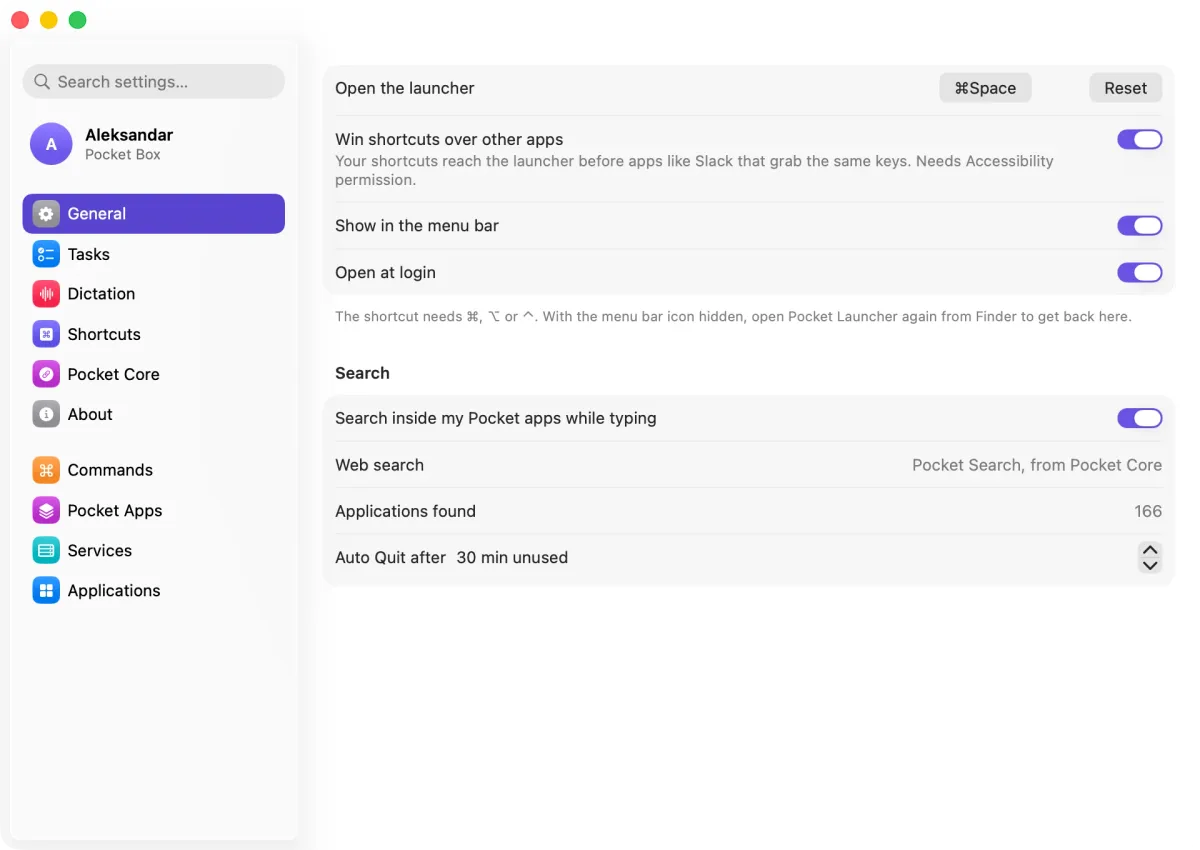
Settings work like Raycast's: every app, Pocket app, service and command has an alias (typed in full, it comes first), a global hotkey and an enabled checkbox. Filter by category or search by name.
- The launcher shortcut is yours to change and needs no Accessibility permission
- Menu bar icon, Open at login and Auto Quit after a set time unused
- pocketlauncher://show and pocketlauncher://settings links
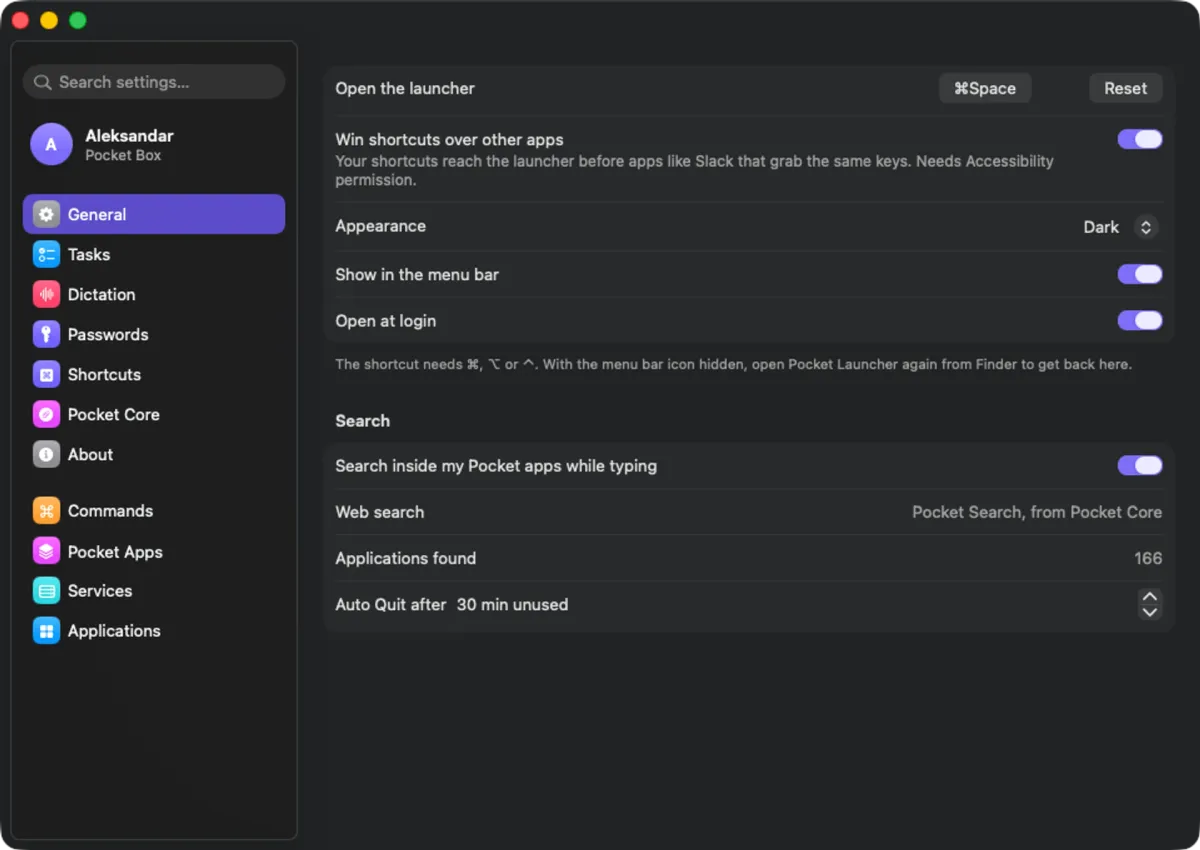
And the rest of it
Apps, Pocket apps and the web
Mac apps match fuzzily, so “vsc” finds Visual Studio Code, and the ones you use most come first. Then the Pocket apps Core shares with this Mac, live results from Notes, Tasks and Reader through Pocket Search, and the web with your history, suggestions and bangs like !w and !yt.
Calculator and actions
2+3*4, 200*15% or 1,5 × 4, and ↩ copies the answer. ⌘K on any result: open, show in Finder, copy the path or link, search it or ask Pocket AI.
Quick Chat with Pocket AI
Press Tab and ask. Chips hold every choice, as in Pocket AI's composer: Claude Code or Codex, server, worktree, branch and folder, then account, model, effort, permissions and speed. Every question is a real Pocket AI conversation; ⌘O opens it there and ⌘E brings back a recent one.
Add Task
Write it like on the iPhone, “Pay rent tomorrow 5pm p1 #Home @bills”, and chips show the date, priority, list, labels and repeat as you type. ↩ adds to Pocket Tasks and closes, ⌘↩ keeps going.
Add Transaction
The Pocket Homelab app's quick entry against Pocket Money: “gorivo (50+20)/2 full tank -1d” shows the amount, day, account, category and tags before it books.
Dictation, like Wispr Flow
Hold fn and talk; let go and the words are typed where the cursor is, in any app. Parakeet or Whisper write them out on this Mac's GPU through whisper.cpp, or Pocket Voice does it on your server, and Pocket AI can take the “um”s out first.
A music mini player
Pocket Music or Navidrome as you type: songs, albums, artists and playlists. ↩ plays, ⌥↩ queues, ⌘P pauses; media keys and Now Playing work and plays are scrobbled.
Habits and Translate
Pocket Habits' month grid with ✓ and ✕ per day and trackers as a line, and Pocket Translate that follows your typing, Tab swapping the languages.
Caffeinate
Keep the Mac awake until you stop it, or for a while: “caf 1h 30m”. The menu bar shows a cup and the time left.
Away from home
Through Pocket Core's end-to-end encrypted relay, without Tailscale. Requests, Quick Chat and the players go direct at home and through the relay when the box does not answer.
How it connects
Paired with Pocket Core.
In Settings → Pocket Core, enter Core's address and a pairing code from Core → Devices → Pair a device, or paste the whole pockethomelab://pair link. The launcher gets its own device sign-in and keeps it in the Keychain.
- Refreshes the device profile at start and every six hours
- Removing the Mac under Core → Devices revokes it
- Built on the Pocket Homelab and Pocket AI apps' own Swift packages
Works with these servers
 Pocket Corev0.50.0The hub of your box: one sign-in for every app, one QR code to set up your phone, and apps that work together.
 Pocket Searchv0.25.0Private web search through your own server, with your Pocket apps in the same results.
 Pocket AIv0.125.1Claude Code and Codex on your own server, from any browser or phone, with approvals and scheduled checks.
 Pocket Tasksv0.8.0Tasks with areas, lists and smart views, synced to Apple Reminders and other apps over CalDAV.
 Pocket Moneyv0.24.0Personal finance on your own server: quick entry, any currency, bills, budgets and what is safe to spend.
 Pocket Musicv0.10.0Your music library for the whole household on top of Navidrome, with daily mixes, lyrics and listening stats.
 Pocket Habitsv0.6.0A habit tracker based on the one-page bullet-journal spread: a month grid, a few scores and one good thing a day.
 Pocket Voicev0.10.0Voice memos written out on your own server, tidied up by AI, with the tasks, appointments and spending you mentioned one tap from your other apps.
More native apps
 Pocket StudioMacA small DAW for the Mac: record, edit and mix, then play along with the tabs in Pocket Guitar.
 Pocket Files for iPhone and MacMac · iPhoneYour server's files in Finder and in the Files app, through Apple's File Provider. The Nextcloud client replacement.
 Pocket Hub for iPhone, iPad and MaciPhone · MacYour whole box on one home screen: every Pocket app you may use, opened inside the hub and signed in as you.
 Pocket AI for iPhoneiPhoneClaude Code and Codex on your server, from your phone: live threads, approvals, forks, worktrees and schedules.
 Pocket Voice for iPhoneiPhoneA recorder that never loses a memo: record on the phone, your server writes it out and finds the tasks, events and spending.
 Pocket Jam for iPhoneiPhoneRecord music layer by layer on the phone: a guitar, then the bass over it on headphones, lined up and kept even without signal.
 Pocket Bookshelf for iPhoneiPhoneWhat you are reading and where you are in it, your library, thoughts and quotes, and a Pocket AI chat for every book.
 Pocket Remote for iPhoneiPhoneYour Mac's screen, a Windows PC or a Linux terminal over your tailnet, from the phone, with a real keyboard around it.
 Pocket Sphere for iPhoneiPhoneYour video library on the phone, and VR videos on a flat screen: look around, one eye, or a phone headset.