
Pocket AI for iPhone
iOS 18 or later
Your coding agents, in your pocket.
A native client for Pocket AI: the Claude Code and Codex threads running on your server, live over the same API and Server-Sent Events as the web app. See what needs you, watch a run, answer a question or approve a plan, and start the next chat in the same folder with one pull.
- Native for iPhone
- Signs in on your own server
- Token in the Keychain
Conversations
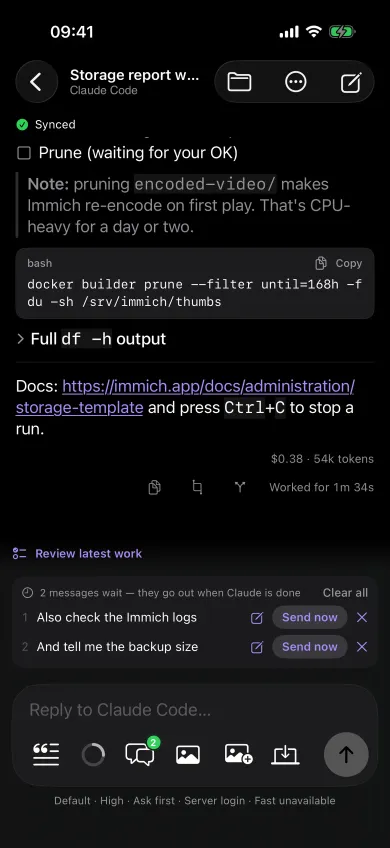
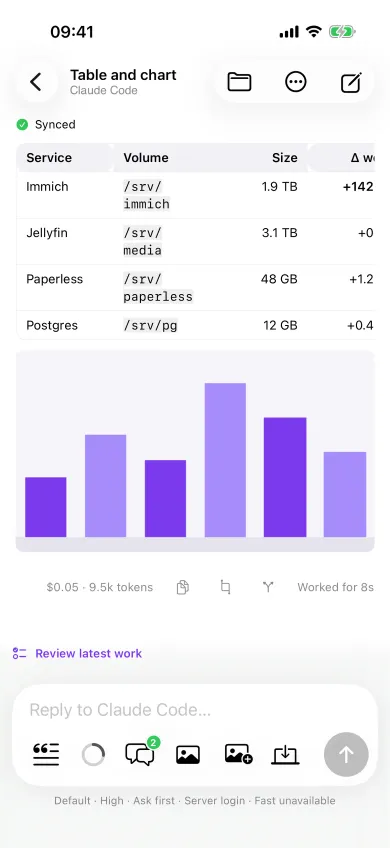
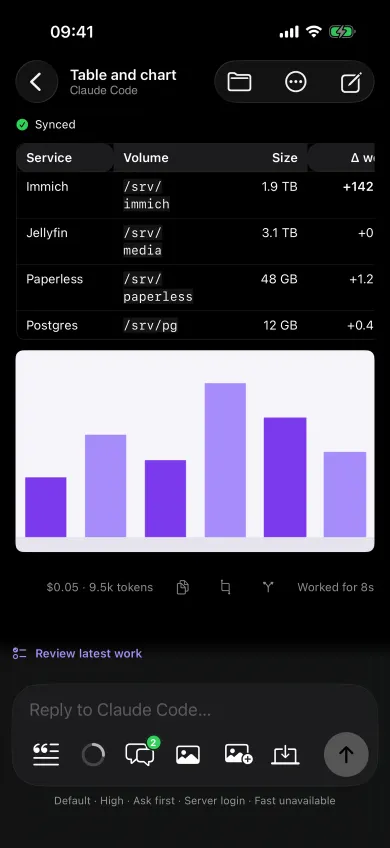
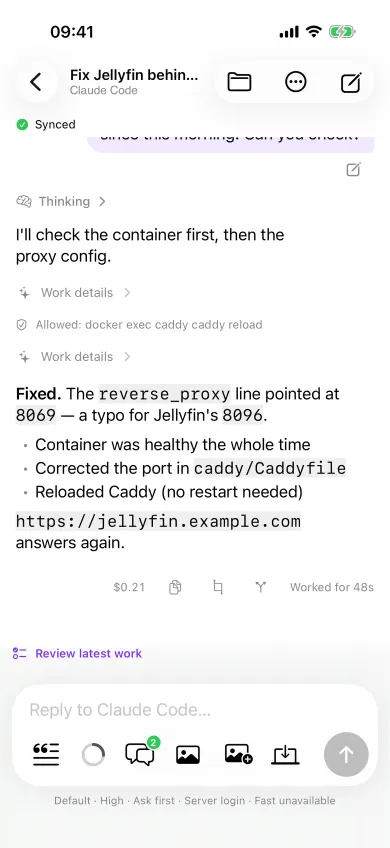
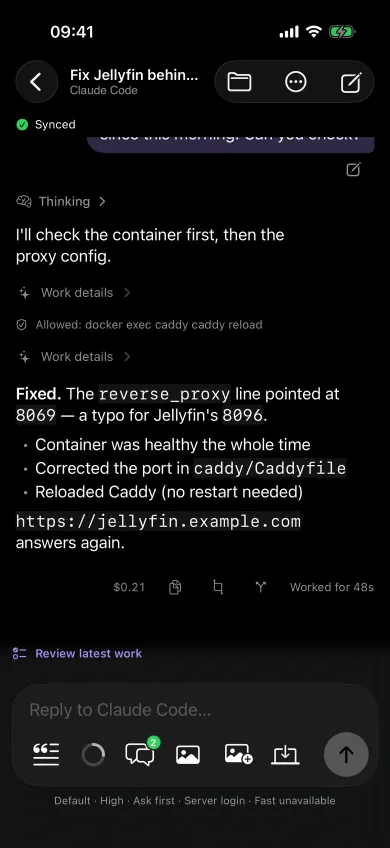
Replies drawn natively, not in a web view.
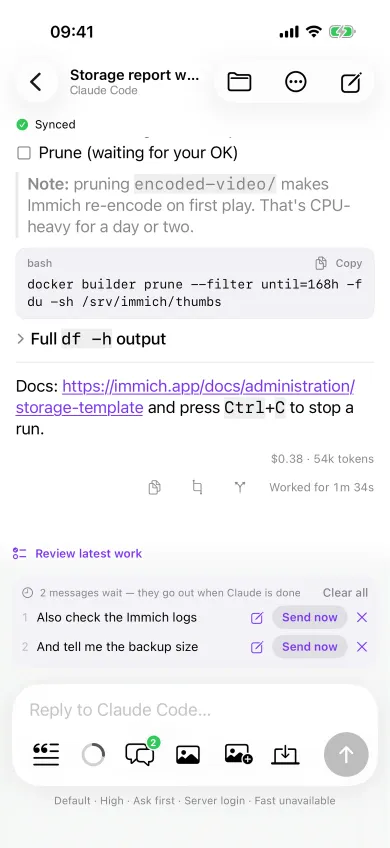
GitHub-flavoured Markdown rendered in Swift: tables that fit the screen or scroll, code with Copy, task lists, details and pictures. Tool calls fold into one line like “Ran 3 commands, read 2 files”, with the commands and exit codes one tap away.
Today
What needs you, first.
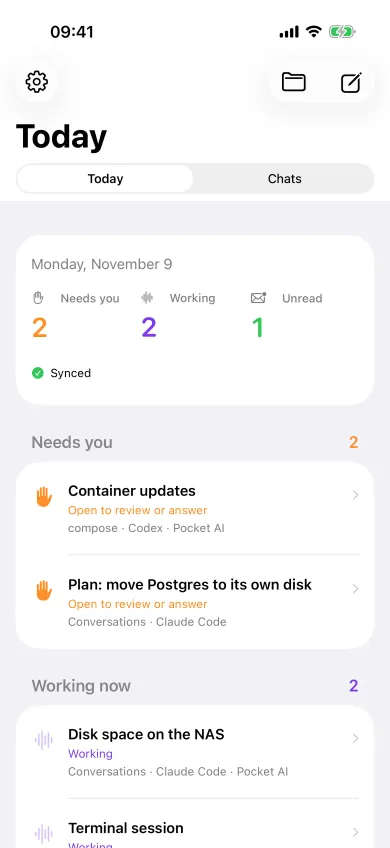
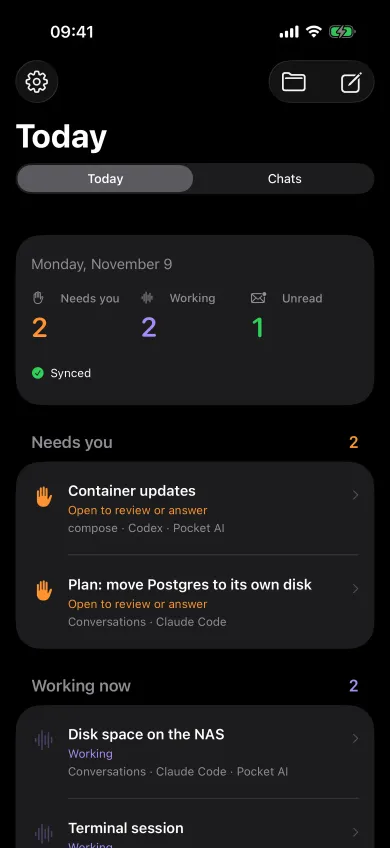
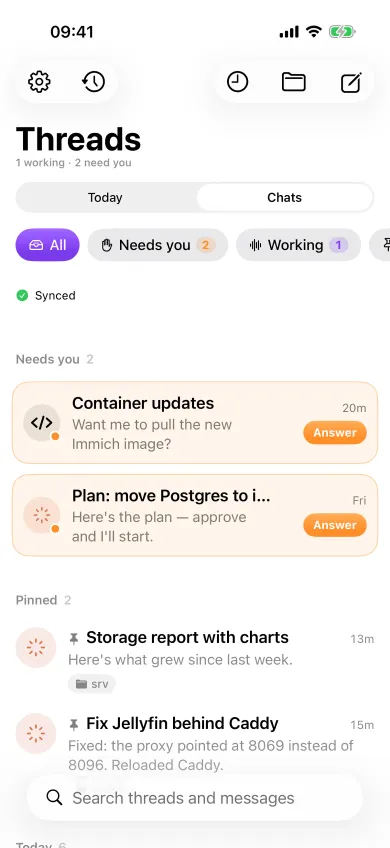
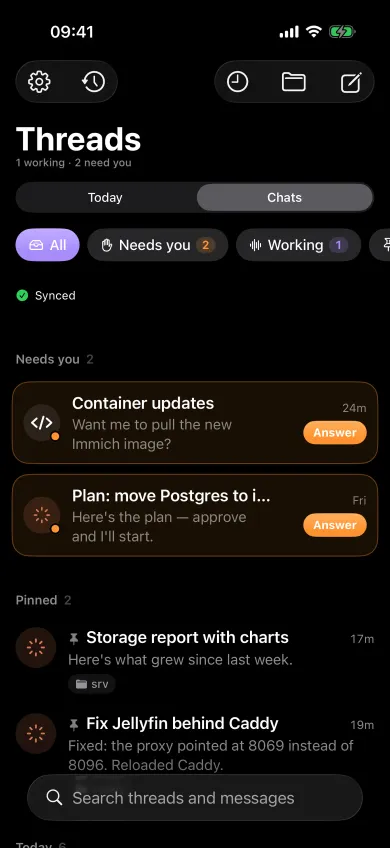
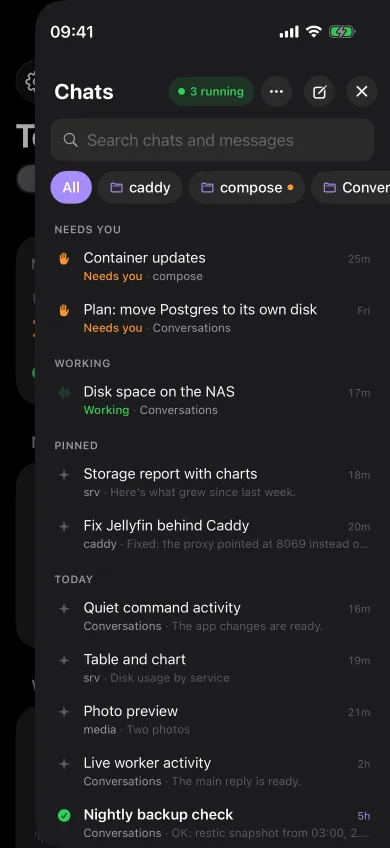
The app opens on Today: chats waiting for an answer or a review, running chats and terminal sessions, unread replies and the next scheduled runs. Questions, permission requests and plans can be answered right there.
- Native push for finished, waiting and failed runs, chosen per device
- The app icon counts finished replies you have not read
- Chats keeps the full searchable list, with full-text search in messages
Plans and approvals
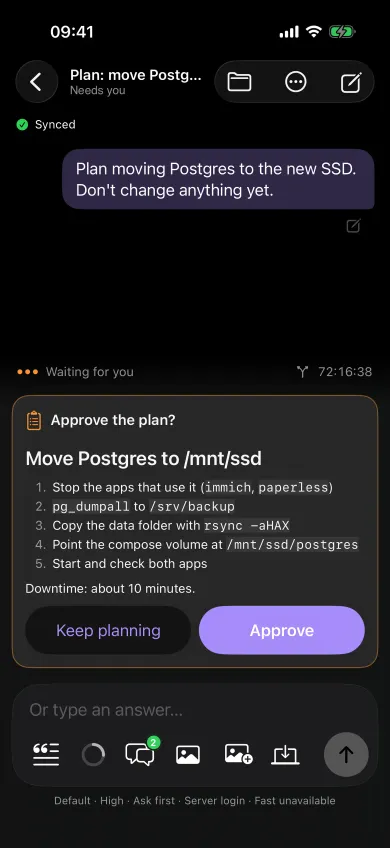
Approve from the couch.
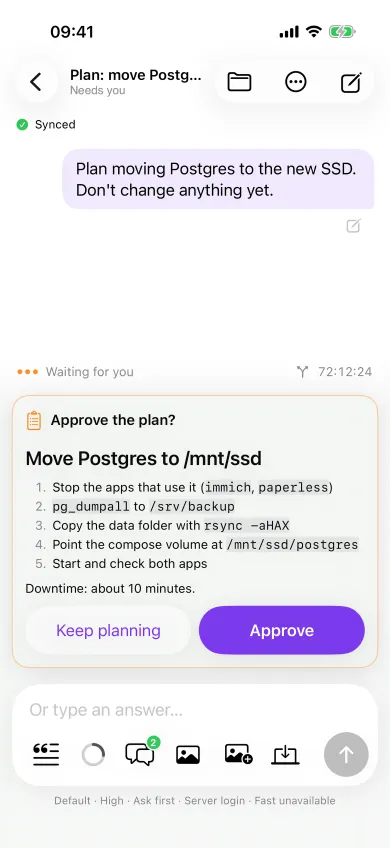
Permission requests, questions and plans dock above the composer with their buttons. Keep planning, approve, or answer in your own words; the run carries on on the server.
- Fork with the same model, or any Claude Code or Codex model
- Rewind to an earlier message and continue from there
- Review latest work: the edits, test commands with their real exit codes, and the Git diff
Composer
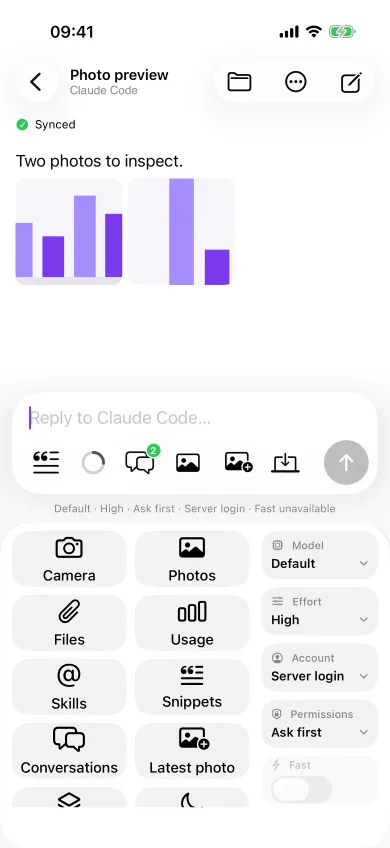
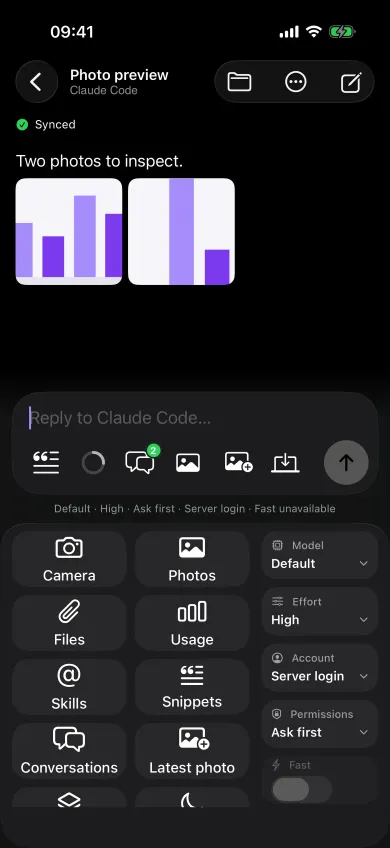
Everything in the keyboard's place.
The Tools button swaps the keyboard for a drawer of the same height: camera, recent photos, files, usage, snippets and skills, with model, effort, account, permissions and Fast mode beside them. Hold and slide to pick, release to choose.
- Dictation on the phone, or through Pocket Voice on your server
- Snippets send saved text in one tap without losing your draft
- Queue a message, send it now, or run it after another chat finishes
Folders and projects
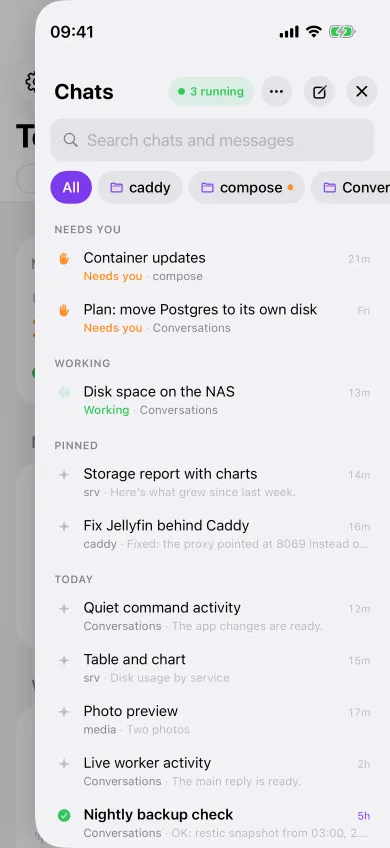
Every project, across machines.
Swipe from the right edge for Folders and chats: Git repositories group under one project across your server and SSH machines, with their branch and machine on each chat. Worktrees, running sessions, schedules and session history live in the same panel.
- Worktrees: status, diffs, commit, merge, push and pull requests
- Schedules: interval, daily, weekly or cron runs, previewed before saving
- Session history imports a terminal session so you can continue it
New chat
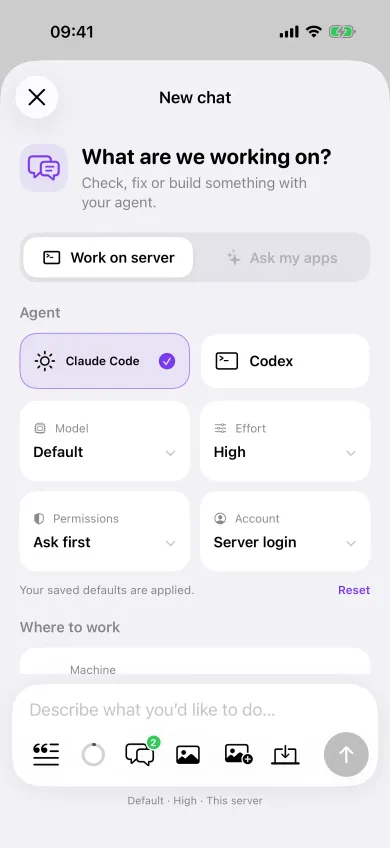
Start where the work is.
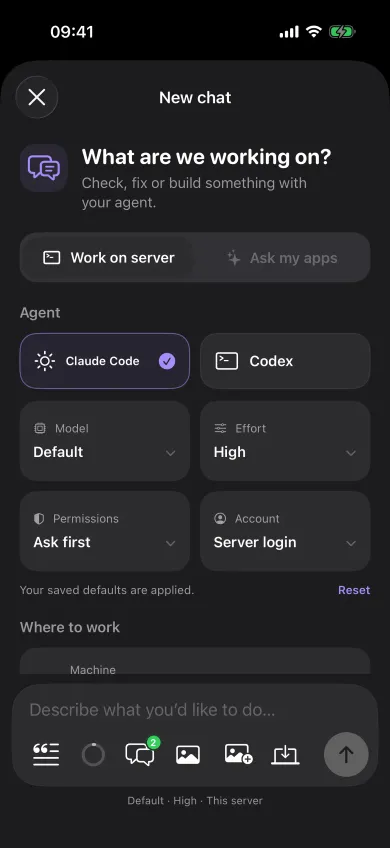
Pick the agent, model, effort, permissions and account, then where to work: a saved folder, a folder on the server or an SSH machine, a branch or a new worktree. Pull up past the newest message to start a new chat in the same folder.
- The last 12 folders per machine, synced with the web app
- Ask my apps: a chat that works with your Pocket apps through Pocket Core
- Share text, links and photos into a chat from any app
And the rest of it
Usage at a glance
Every Claude and Codex plan window grouped by login, with progress bars and reset countdowns, and this chat's context, cost and turns. It opens from the context ring next to the input.
Offline and on the move
Downloaded conversations stay readable offline. Streams pause in the background and restart from a fresh snapshot, and a strip shows Connecting, Synced, Reconnecting or Offline.
Safe retries
Every message has an ID and the server keeps receipts, so a send that may not have arrived is checked, never sent twice.
Subagents
Claude's workers and what each is doing right now, above the composer, with their transcripts a tap away.
Drafts kept
Unsent text and attachments are saved per account, including New chat. Failed uploads have their own Retry.
How it connects
A client of your Pocket AI server.
Sign in with email and password, traded for a per-device API token in the Keychain, or paste a pai_ token. Sign out revokes it. It talks to the same /api/v1 and event streams as the web app.
- Swift 6 with strict concurrency, no third-party code
- Lenient decoding, so a newer server never blanks a screen
- Native push through your own APNs key on the server

More native apps
 Pocket LauncherMacA Raycast-style launcher for the Mac: your apps, every Pocket app, Pocket AI, tasks, money and dictation behind one shortcut.
 Pocket StudioMacA small DAW for the Mac: record, edit and mix, then play along with the tabs in Pocket Guitar.
 Pocket Files for iPhone and MacMac · iPhoneYour server's files in Finder and in the Files app, through Apple's File Provider. The Nextcloud client replacement.
 Pocket Hub for iPhone, iPad and MaciPhone · MacYour whole box on one home screen: every Pocket app you may use, opened inside the hub and signed in as you.
 Pocket Voice for iPhoneiPhoneA recorder that never loses a memo: record on the phone, your server writes it out and finds the tasks, events and spending.
 Pocket Jam for iPhoneiPhoneRecord music layer by layer on the phone: a guitar, then the bass over it on headphones, lined up and kept even without signal.
 Pocket Bookshelf for iPhoneiPhoneWhat you are reading and where you are in it, your library, thoughts and quotes, and a Pocket AI chat for every book.
 Pocket Remote for iPhoneiPhoneYour Mac's screen, a Windows PC or a Linux terminal over your tailnet, from the phone, with a real keyboard around it.
 Pocket Sphere for iPhoneiPhoneYour video library on the phone, and VR videos on a flat screen: look around, one eye, or a phone headset.