
Pocket Remote for iPhone
v0.1.0 · iOS 18 or later
Every computer you own, from the phone.
The iPhone app for Pocket Remote, the self-hosted remote desktop: who is online, the ways in that work for each computer, and sessions drawn by Apache Guacamole with native controls around them. A Mac over Screen Sharing, a Windows PC over Remote Desktop, a Linux box over SSH.
- Native for iPhone
- Signs in on your own server
- Token in the Keychain
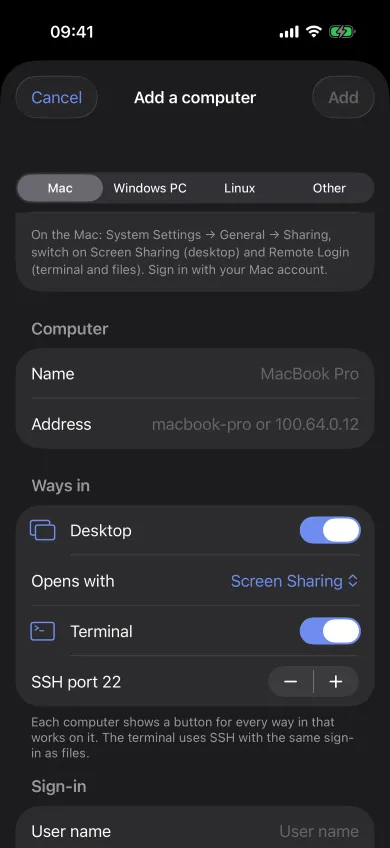
Add a computer
Set up from the phone.
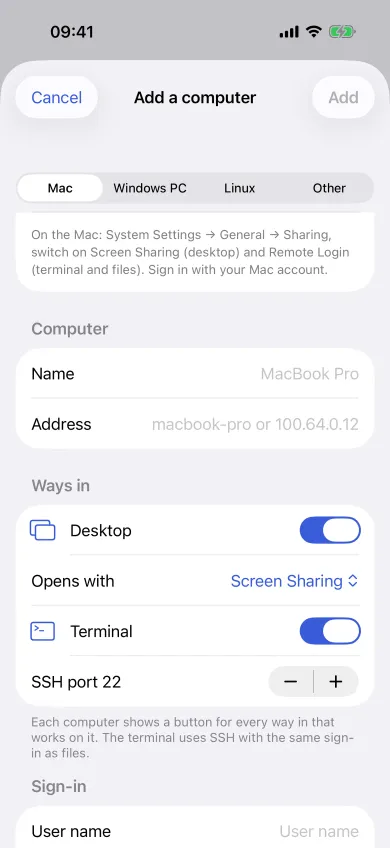
Pick Mac, Windows PC, Linux or other and the form explains what to switch on there. Name and address, the ways in with their protocol and port, and the sign-in for each.
- Screen Sharing for a Mac, Remote Desktop for Windows, VNC, RDP or SSH for Linux
- The terminal uses SSH with the same sign-in, and so do files
- Add from your tailnet fills in the address
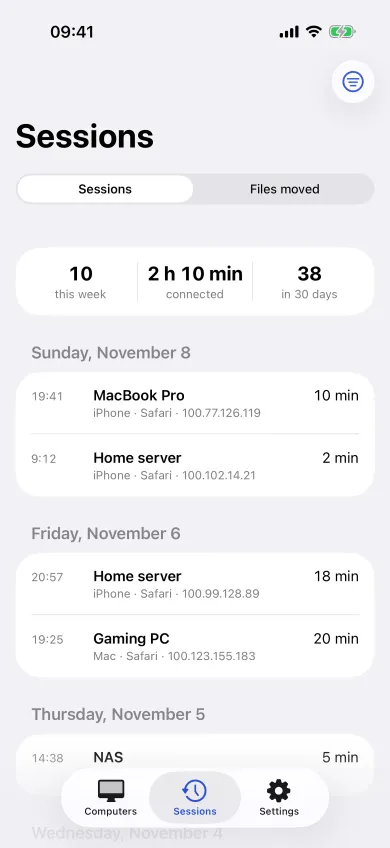
Sessions
Who connected where, and for how long.
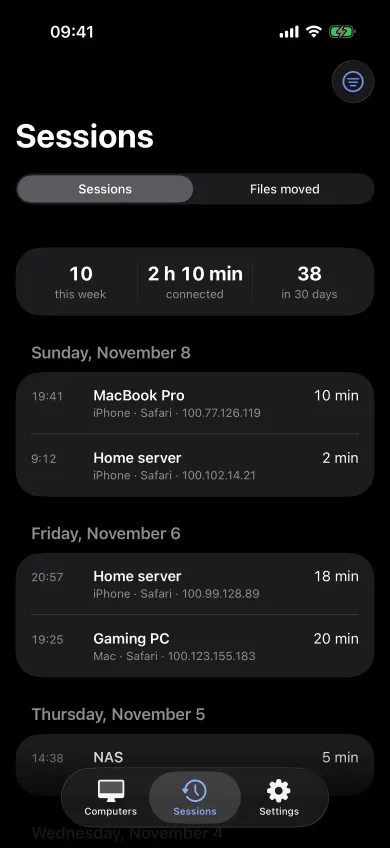
This week's sessions, the time connected and the last 30 days, by day, with the computer, the device and where it came from. A second tab lists files moved in and out.
- Kept on the server, the same log as the web app
- A filter for the list
- Files moved over SFTP are logged too
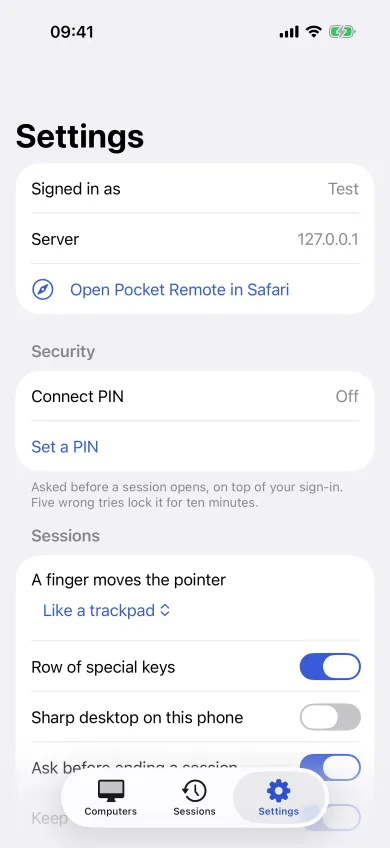
Settings
A PIN, a pointer and the keys you need.
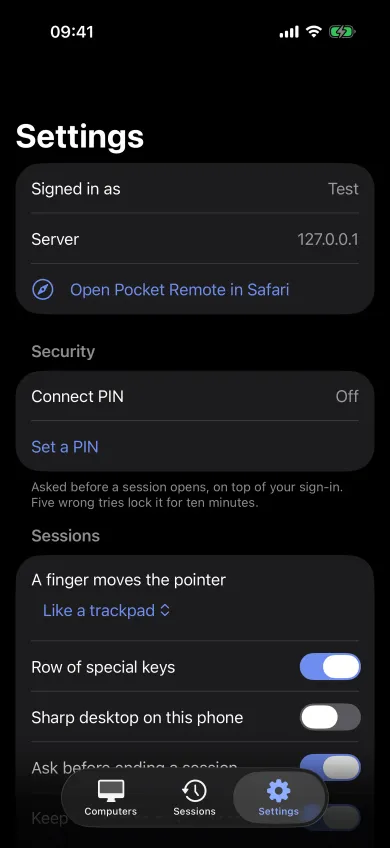
A connect PIN asked before every session, on top of your sign-in, that can unlock with Face ID. Choose whether a finger moves the pointer like a trackpad or taps where it lands, the row of special keys, and a sharp desktop on this phone.
- Five wrong PINs lock connecting for ten minutes
- Ask before ending a session
- Open Pocket Remote in Safari from here
And the rest of it
Only the ways in that work
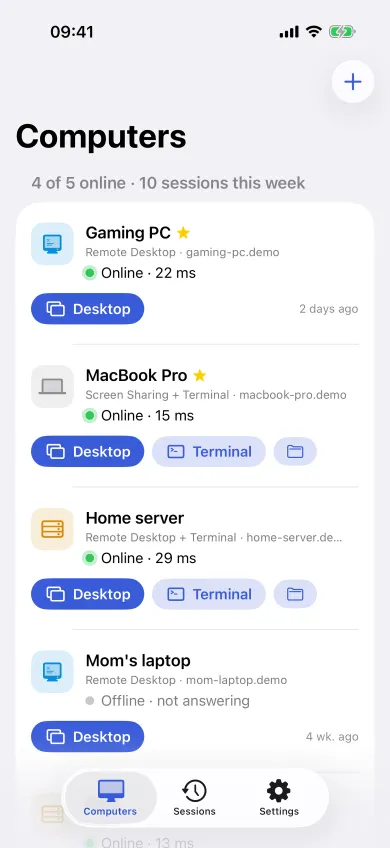
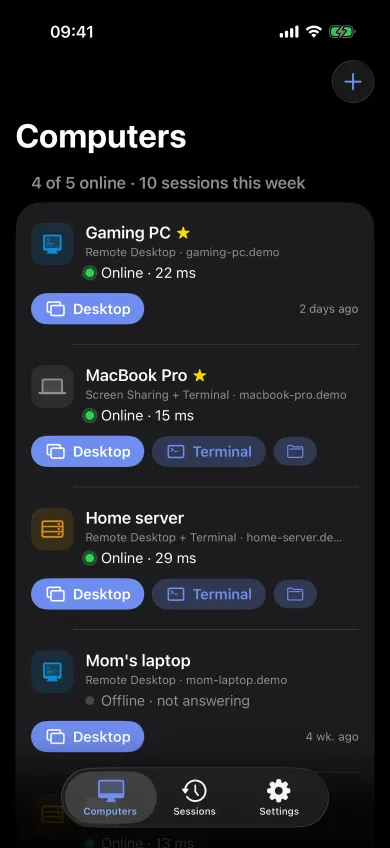
Each computer shows whether it answers and how fast, and a button for every way in that works on it: Desktop, Terminal and Files. Wake a sleeping one with Wake-on-LAN, add one from your tailnet, or edit and remove it.
A real keyboard
The iPhone keyboard or a hardware one with its shortcuts, and a row of Esc, Tab, Ctrl, Alt, ⌘, arrows and F-keys that stay pressed for the next key. Type it out pastes long text as keystrokes; Ctrl+Alt+Delete is a button.
Trackpad or touch
A finger moves the pointer like a trackpad, or taps where it lands. Pinch to zoom follows the pointer; landscape and keep the screen on.
A terminal that fits
Sized to the phone and the keyboard, the keyboard up at once, a key row with ^C ^D ^Z ^L and shell characters, one-finger scrollback and a select mode that copies to the iPhone.
Files over SFTP
Open with Quick Look, share or save to Files, save to Pocket Files, and send files and photos to the computer.
Face ID for the PIN
Sign in on the server's own page with Pocket Core and passkeys. A connect PIN on top of it can unlock with Face ID.
How it connects
A client of your Pocket Remote server.
Sign in on the server's page in the system sheet; the phone's token stays in the Keychain. Sessions go through the server's ticket-only tunnel to Guacamole, so the computers' passwords never reach the phone.
- Needs Pocket Remote 0.2.0 or newer
- Apache Guacamole's guacamole-common-js, bundled
- Settings: the PIN, the pointer mode, the key row and a sharp desktop

More native apps
 Pocket LauncherMacA Raycast-style launcher for the Mac: your apps, every Pocket app, Pocket AI, tasks, money and dictation behind one shortcut.
 Pocket StudioMacA small DAW for the Mac: record, edit and mix, then play along with the tabs in Pocket Guitar.
 Pocket Files for iPhone and MacMac · iPhoneYour server's files in Finder and in the Files app, through Apple's File Provider. The Nextcloud client replacement.
 Pocket Hub for iPhone, iPad and MaciPhone · MacYour whole box on one home screen: every Pocket app you may use, opened inside the hub and signed in as you.
 Pocket AI for iPhoneiPhoneClaude Code and Codex on your server, from your phone: live threads, approvals, forks, worktrees and schedules.
 Pocket Voice for iPhoneiPhoneA recorder that never loses a memo: record on the phone, your server writes it out and finds the tasks, events and spending.
 Pocket Jam for iPhoneiPhoneRecord music layer by layer on the phone: a guitar, then the bass over it on headphones, lined up and kept even without signal.
 Pocket Bookshelf for iPhoneiPhoneWhat you are reading and where you are in it, your library, thoughts and quotes, and a Pocket AI chat for every book.
 Pocket Sphere for iPhoneiPhoneYour video library on the phone, and VR videos on a flat screen: look around, one eye, or a phone headset.