

Pocket Sphere for iPhone
v0.1.2 · iOS 18 or later
Your video library, and VR on a flat phone.
The native iPhone app for Pocket Sphere: continue watching, the library with every filter and order Sphere has, a player that plays the file itself when it can, and VR scenes shown on a flat phone with the same math as the web player's shader, in Metal.
- Native for iPhone
- Signs in on your own server
- Token in the Keychain
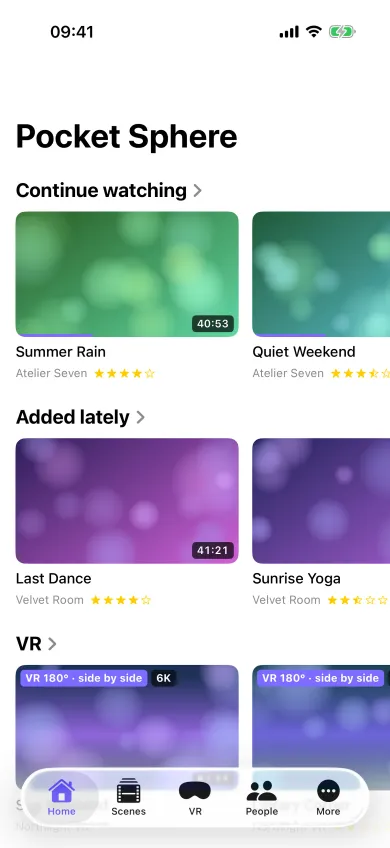
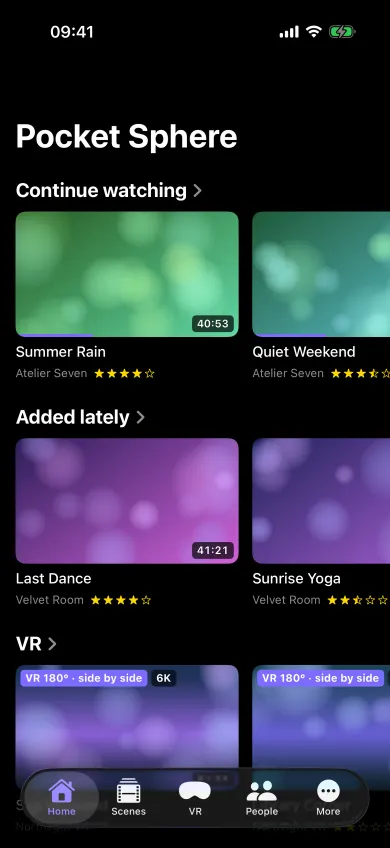
Library
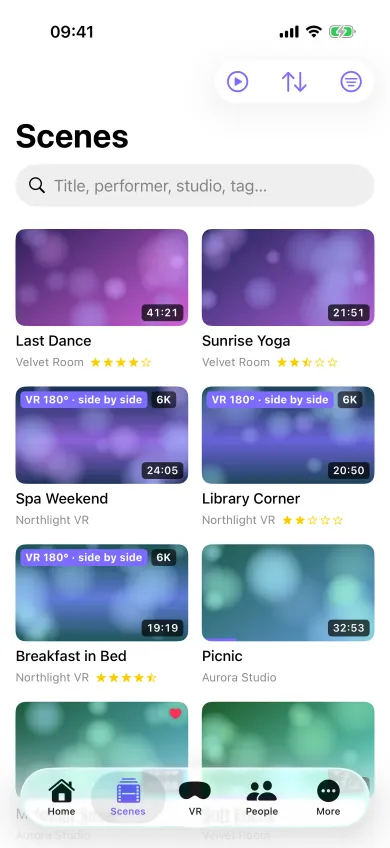
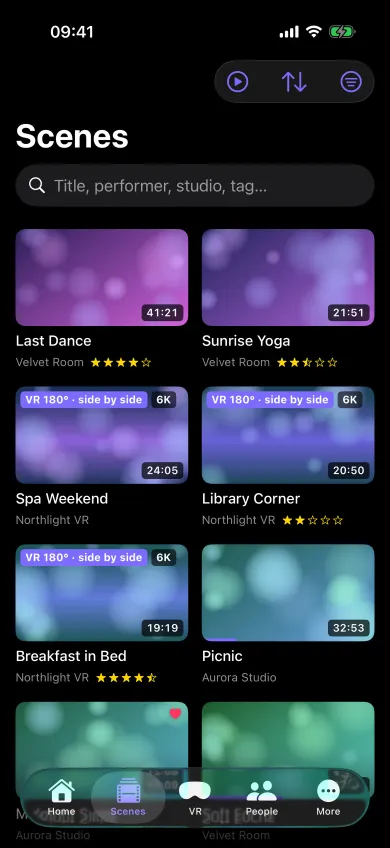
Every scene, every order.
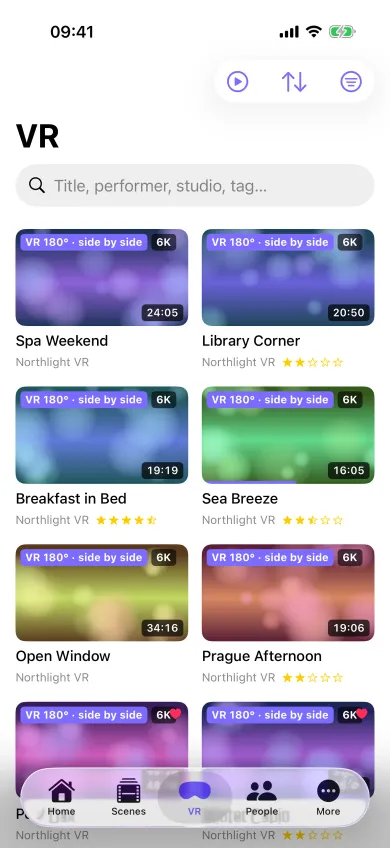
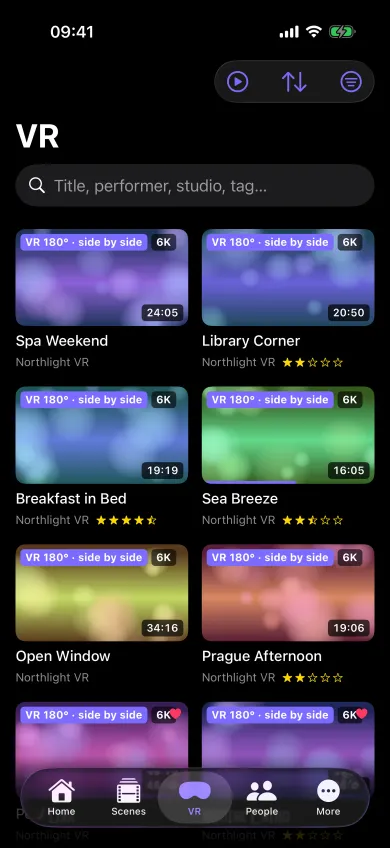
The library as a grid, searchable, filtered by VR or flat, favourites, not seen, started and rating, in every order Sphere has. Play all queues the list.
- Search by title, performer, studio or tag
- Long press a scene for its moving preview and quick actions
- Favourites, the O counter and half-star ratings
VR on a flat phone
Four ways to watch a VR scene.
Look around by dragging, pinching or turning the phone; one eye as a flat picture at its real shape; the whole frame as it is; or two views side by side for a Cardboard-style headset, steered by the phone.
- 180°, 360° and fisheye, side by side, top-bottom or mono
- The same projection math as the web player's shader, in Metal
- Drag, pinch or the phone's gyro to look around
People
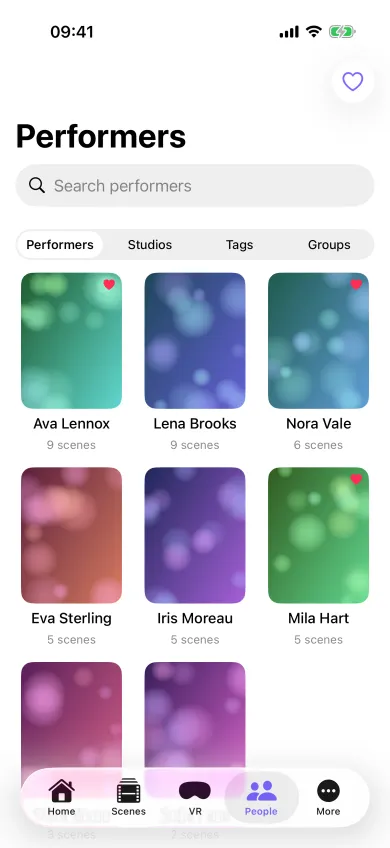
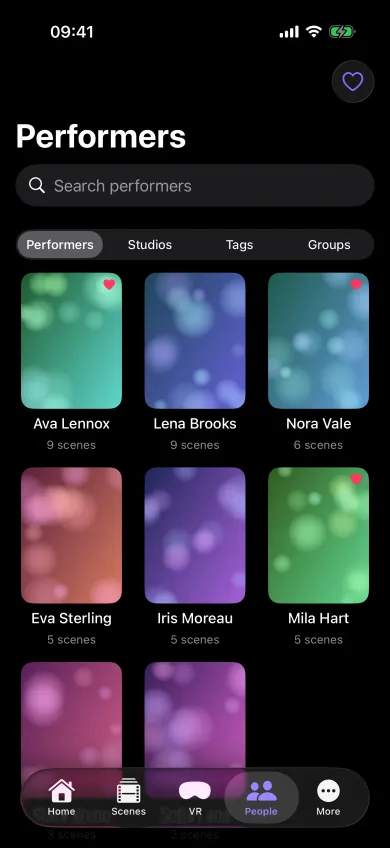
Performers, studios, tags and groups.
Each with its scenes and favourites, from the same library as the web app.
- Favourite performers marked on their card
- Scene counts on every card
- Tap through to their scenes
And the rest of it
The player
Instant seeking on files the phone plays; otherwise Sphere converts the scene as HLS while you watch. A scrubber with Sphere's sprite pictures and markers, speed, quality, AirPlay and Picture in Picture.
Downloads
Paste a link, watch the progress, pick the file on pages yt-dlp does not know, retry, pause or remove. Share a page from Safari to Sphere to download it.
Private by design
Face ID or the Sphere PIN, pictures blurred until touched when discreet mode is on, a plain card in the app switcher, and nothing of the library cached on disk.
A scene page
Play or go on, half-star rating, favourite, performers, tags, studio, markers to jump to, the VR shape and the file.
How it connects
A client of your Pocket Sphere server.
Enter the server's address and allow the app in the system sign-in sheet, with a Sphere account or Pocket Core. A one-time code is traded with PKCE for the phone's own token, shared with the share extension.
- Swift 6 with strict concurrency, no third-party code
- The VR shader is compiled at run time
- Sign out revokes the token

More native apps
 Pocket LauncherMacA Raycast-style launcher for the Mac: your apps, every Pocket app, Pocket AI, tasks, money and dictation behind one shortcut.
 Pocket StudioMacA small DAW for the Mac: record, edit and mix, then play along with the tabs in Pocket Guitar.
 Pocket Files for iPhone and MacMac · iPhoneYour server's files in Finder and in the Files app, through Apple's File Provider. The Nextcloud client replacement.
 Pocket Hub for iPhone, iPad and MaciPhone · MacYour whole box on one home screen: every Pocket app you may use, opened inside the hub and signed in as you.
 Pocket AI for iPhoneiPhoneClaude Code and Codex on your server, from your phone: live threads, approvals, forks, worktrees and schedules.
 Pocket Voice for iPhoneiPhoneA recorder that never loses a memo: record on the phone, your server writes it out and finds the tasks, events and spending.
 Pocket Jam for iPhoneiPhoneRecord music layer by layer on the phone: a guitar, then the bass over it on headphones, lined up and kept even without signal.
 Pocket Bookshelf for iPhoneiPhoneWhat you are reading and where you are in it, your library, thoughts and quotes, and a Pocket AI chat for every book.
 Pocket Remote for iPhoneiPhoneYour Mac's screen, a Windows PC or a Linux terminal over your tailnet, from the phone, with a real keyboard around it.