
Pocket Voice for iPhone
v0.1.0 · iOS 18 or later
Talk now. File it later.
One big button, and the recording goes to your Pocket Voice server, which writes out the words, tidies them up and finds the tasks, events, journal lines and expenses in what you said. Each one is a tap away from Pocket Tasks, Calendar, today's note or Pocket Money.
- Native for iPhone
- Signs in on your own server
- Token in the Keychain
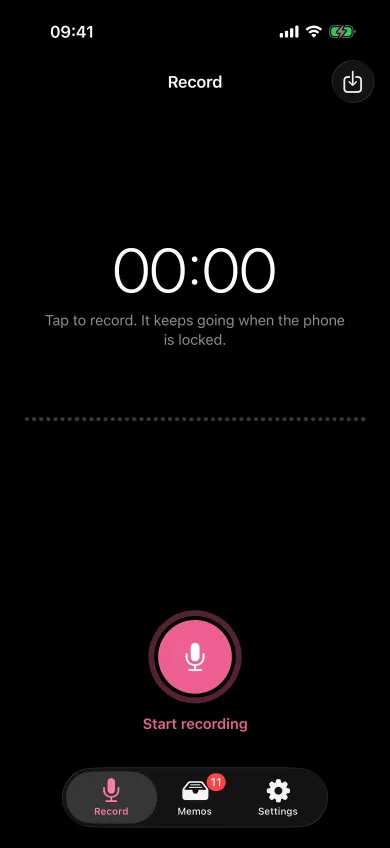
Record
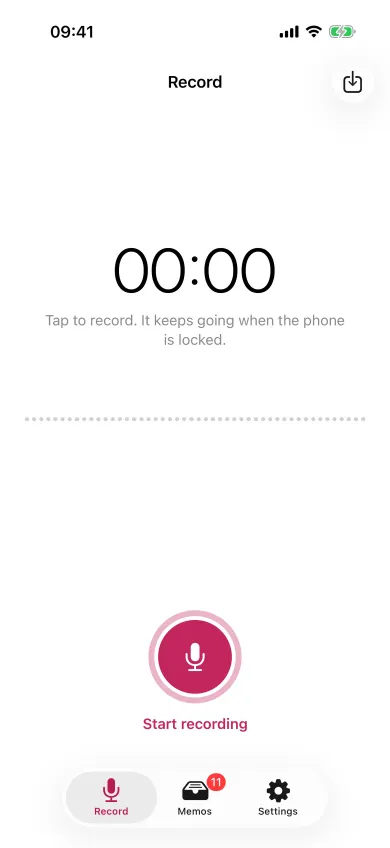
Never loses a recording.
Each recording is saved to an outbox first, then sent by a background upload that keeps going when the app is closed. Its id travels with it, so a retry never makes a second memo, and a recording left behind by a crash is recovered.
- Keeps recording with the screen locked, with pause and resume
- A Live Activity on the Lock Screen and in the Dynamic Island with Pause and Stop
- Action button, Control Center, Siri and Shortcuts start and stop it in the background
Inbox
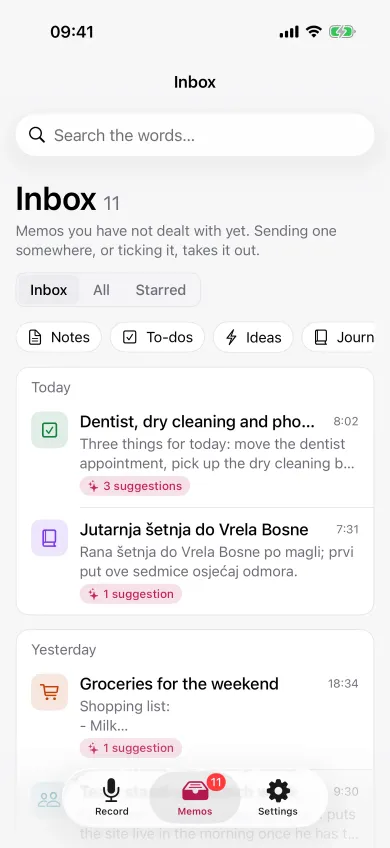
What you said and have not dealt with.
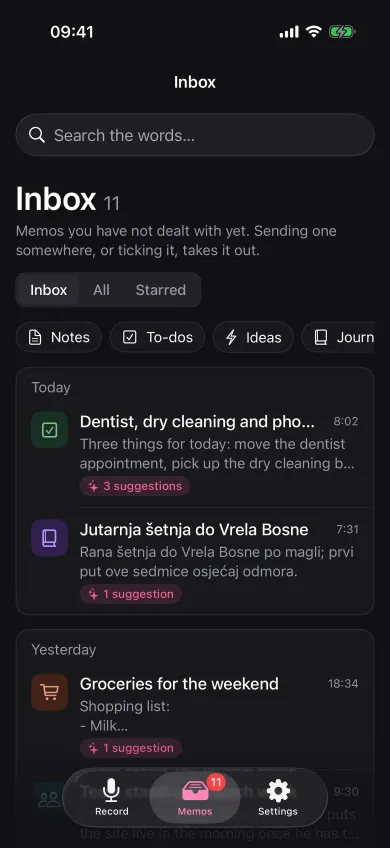
Inbox, All and Starred, by day, with each memo's kind, a short summary and how many suggestions it has. Search the words, swipe to star or mark done, and watch a new memo being written out live.
- Filter by notes, to-dos, ideas and journal
- Sending a memo somewhere or ticking it takes it out of the inbox
- Lock Screen and Home Screen widgets with the inbox count and the latest memos
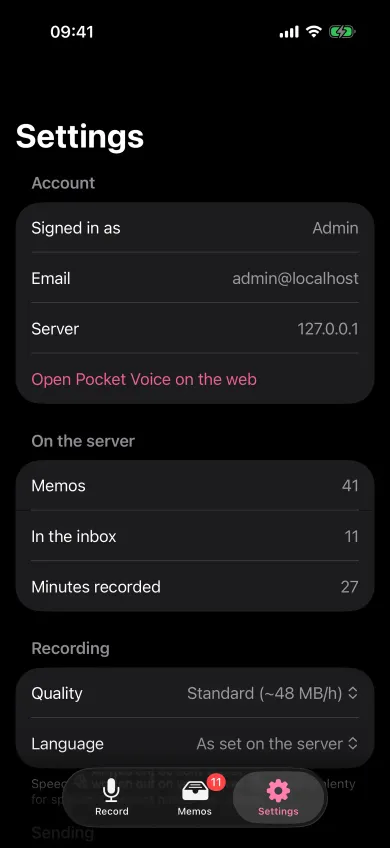
Settings
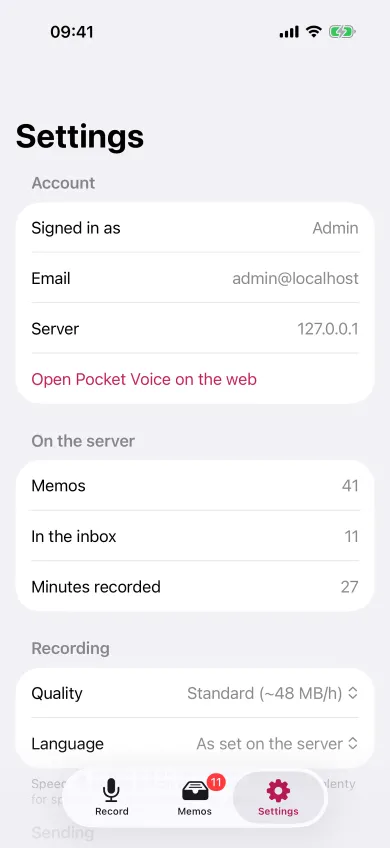
Your server, your quality.
Who you are signed in as and the server, your memo and minute counts on it, the recording quality from compact to high, a language override and whether uploads may use mobile data.
- Standard quality is about 48 MB an hour
- The language follows the server unless you set one
- The outbox shows anything still waiting to upload
And the rest of it
Found in it, one tap away
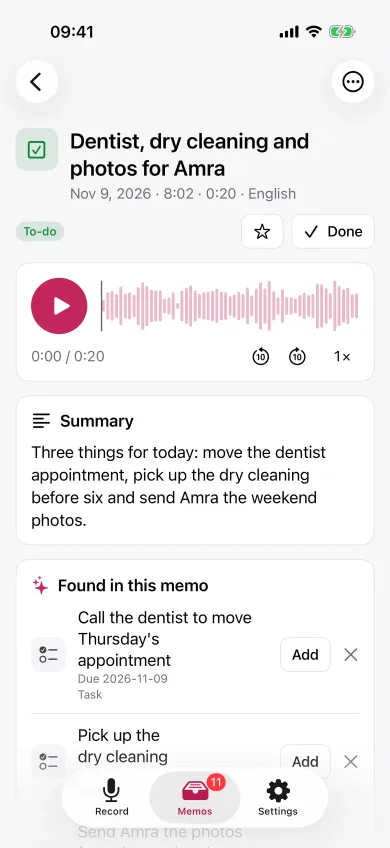
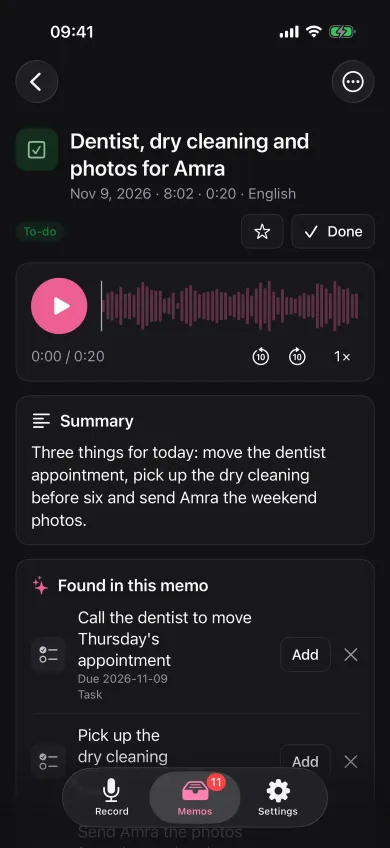
A memo has the player with its waveform, the summary, the tidy words or the words as said, and what the AI found: tasks with their day, appointments with their time, expenses with their amount, each with Add or Book.
Import
Share → Pocket Voice from Voice Memos, WhatsApp or Files, or Import on the Record tab.
Widgets and controls
A record button and the inbox on the Home and Lock Screen, and a Control Center control.
Mobile data your way
Quality from compact to high, a language override and whether uploads may use mobile data.
Its own token
Sign in like on the web, with a password or Pocket Core; the phone makes its own token, keeps it in the Keychain and leaves the browser session. Or paste a pvo_ token.
How it connects
A client of your Pocket Voice server.
Enter your server's address and sign in. Recordings go to POST /api/v1/memos; the server writes them out with whisper.cpp, so no audio leaves your own machines.
- An app, a share extension and widgets, sharing one app group
- Sign out revokes the token
- Settings shows your memo and minute counts on the server

More native apps
 Pocket LauncherMacA Raycast-style launcher for the Mac: your apps, every Pocket app, Pocket AI, tasks, money and dictation behind one shortcut.
 Pocket StudioMacA small DAW for the Mac: record, edit and mix, then play along with the tabs in Pocket Guitar.
 Pocket Files for iPhone and MacMac · iPhoneYour server's files in Finder and in the Files app, through Apple's File Provider. The Nextcloud client replacement.
 Pocket Hub for iPhone, iPad and MaciPhone · MacYour whole box on one home screen: every Pocket app you may use, opened inside the hub and signed in as you.
 Pocket AI for iPhoneiPhoneClaude Code and Codex on your server, from your phone: live threads, approvals, forks, worktrees and schedules.
 Pocket Jam for iPhoneiPhoneRecord music layer by layer on the phone: a guitar, then the bass over it on headphones, lined up and kept even without signal.
 Pocket Bookshelf for iPhoneiPhoneWhat you are reading and where you are in it, your library, thoughts and quotes, and a Pocket AI chat for every book.
 Pocket Remote for iPhoneiPhoneYour Mac's screen, a Windows PC or a Linux terminal over your tailnet, from the phone, with a real keyboard around it.
 Pocket Sphere for iPhoneiPhoneYour video library on the phone, and VR videos on a flat screen: look around, one eye, or a phone headset.