
Pocket Studio
v0.9.6 · macOS 15 or later
Record, edit and mix. On your Mac.
Pocket Studio is a small digital audio workstation: multitrack recording, clip editing, a piano roll, automation, effects and any Audio Unit or VST3 plugin. A SwiftUI interface sits on Tracktion Engine and JUCE through a plain C bridge, and a song from Pocket Guitar becomes a project you can play along with.
- Native for Mac
- Signs in on your own server
- Token in the Keychain
Timeline
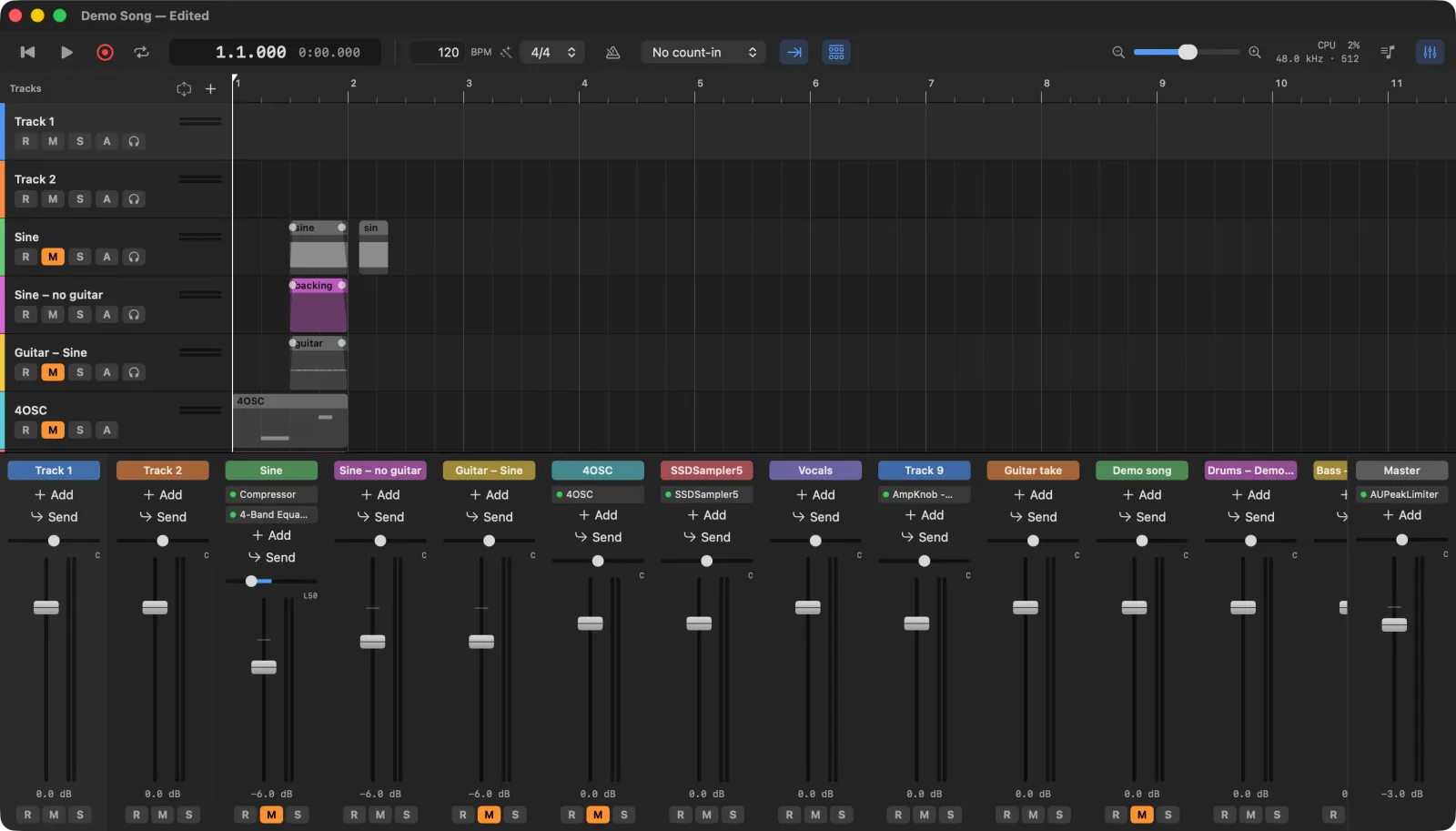
Audio and MIDI on one timeline.
Arm tracks, pick each one's input, count in and record with the metronome; recordings are lined up for the device's latency by themselves. Drag in WAV, AIFF, FLAC, MP3, M4A or OGG, move clips between tracks, trim, fade, split at the playhead and snap to the beat.
- Instrument tracks with any AU or VST3 instrument, or the built-in 4OSC synth
- A piano roll with velocity, quantise and triplets; drum tracks show General MIDI names
- Press A on a track to draw its volume, pan or any effect parameter over time
Mixer
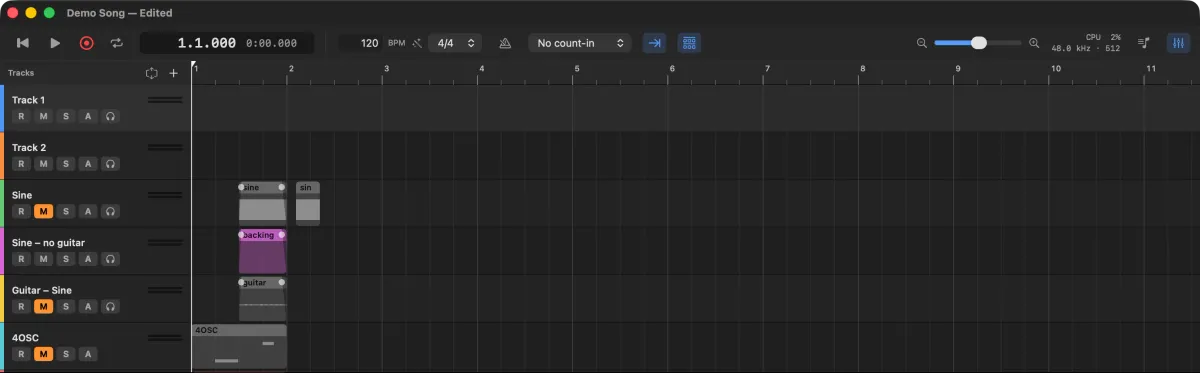
A mixer with real effects.
Volume, pan, mute, solo and peak meters on every track and the master. Each strip takes the built-in EQ with draggable bands, compressor, reverb, tempo-synced delay, chorus, phaser, filter and pitch shift, each with its own editor, or any Audio Unit or VST3 effect in the plugin's own window.
- Buses and sends: several tracks share one reverb, each with its own level
- Plugin delay is compensated
- Your own VST3 folders, a scan at start and a clean rescan
Pocket Guitar and Pocket Music
Play along with your own library.
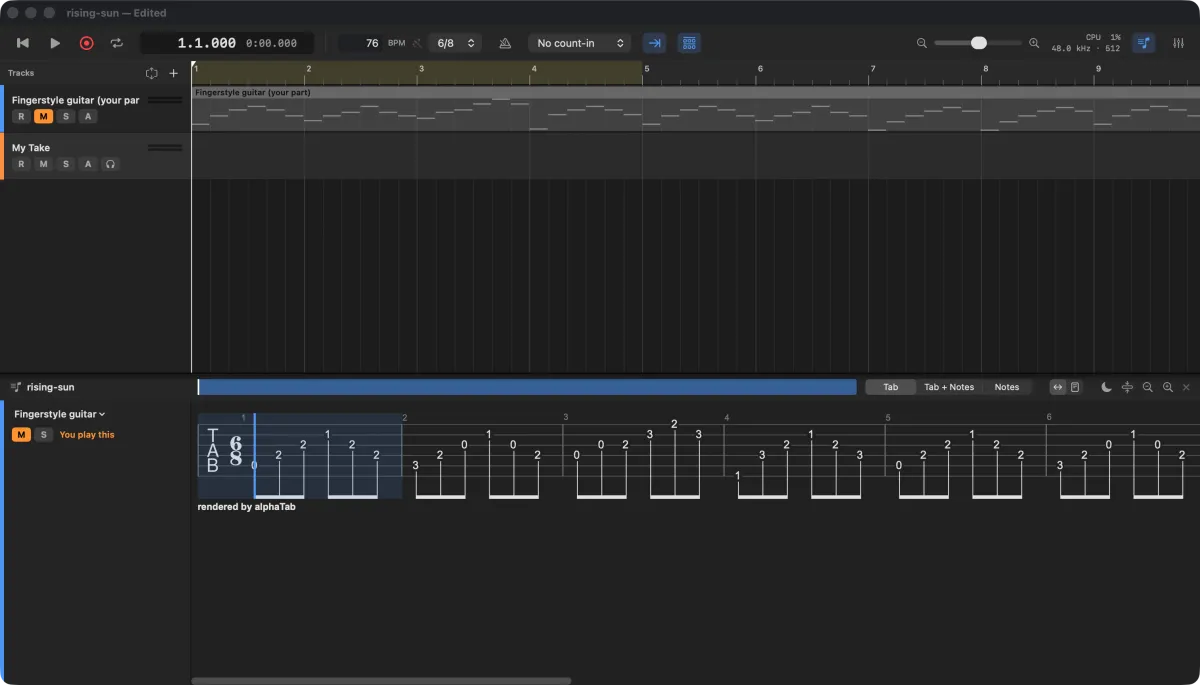
Connect Studio to Pocket Core once and two Play Along commands appear. Tab from Pocket Guitar turns a song from your tab library into a project: its tempo and time-signature changes, a General MIDI backing track for every part, your part muted and an armed “My Take” track ready to record. Song from Pocket Music takes a recording from your music library instead and lays it on the timeline.
- The tab sits under the timeline and follows the playhead; click a bar to jump there
- Tab, Tab + Notes or Notes, and the part you play marked “You play this”
- When the song in Pocket Guitar has its recording, it is lined up under the tab, and the sections become markers
- Playing along counts as practice time in Pocket Guitar
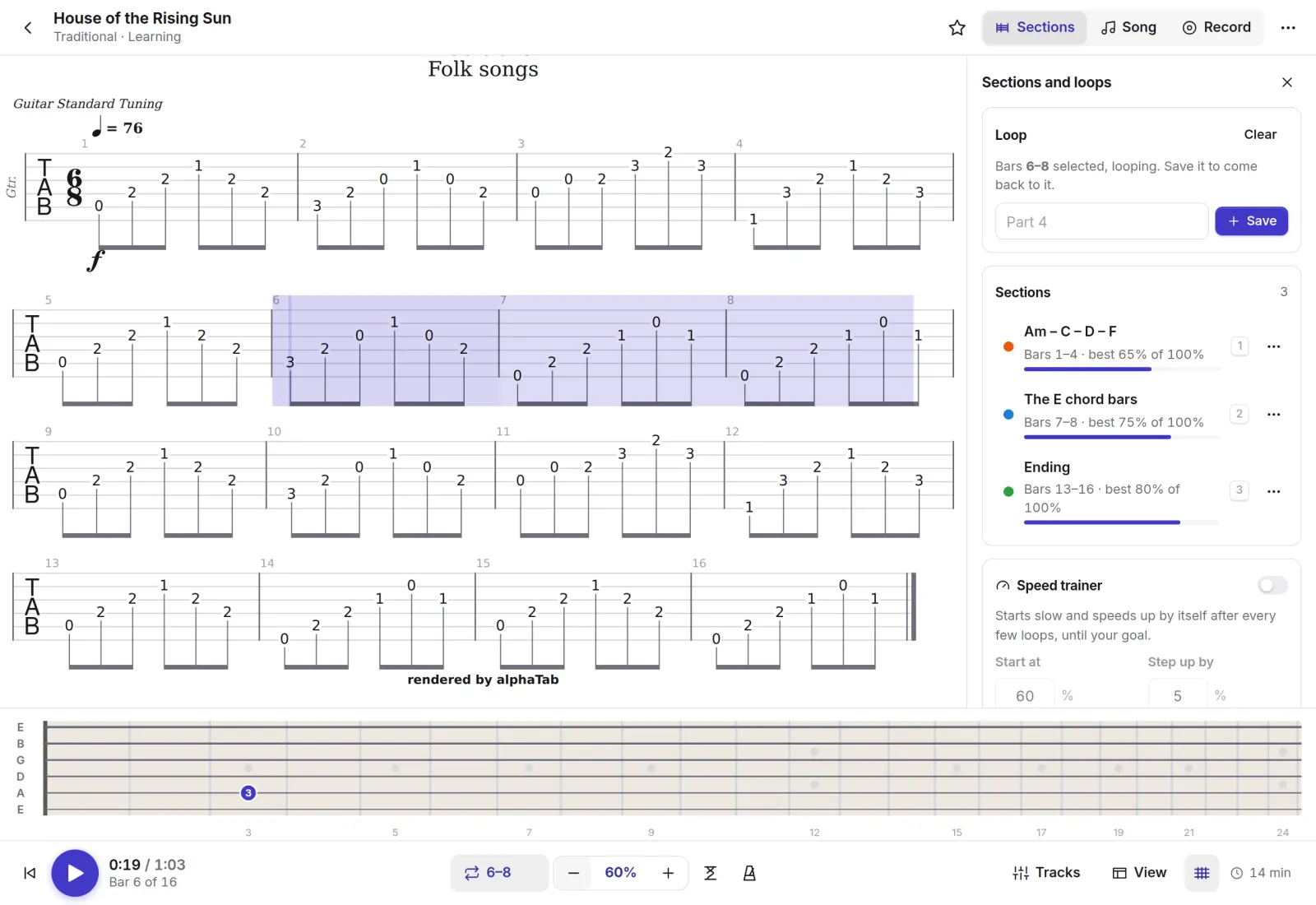
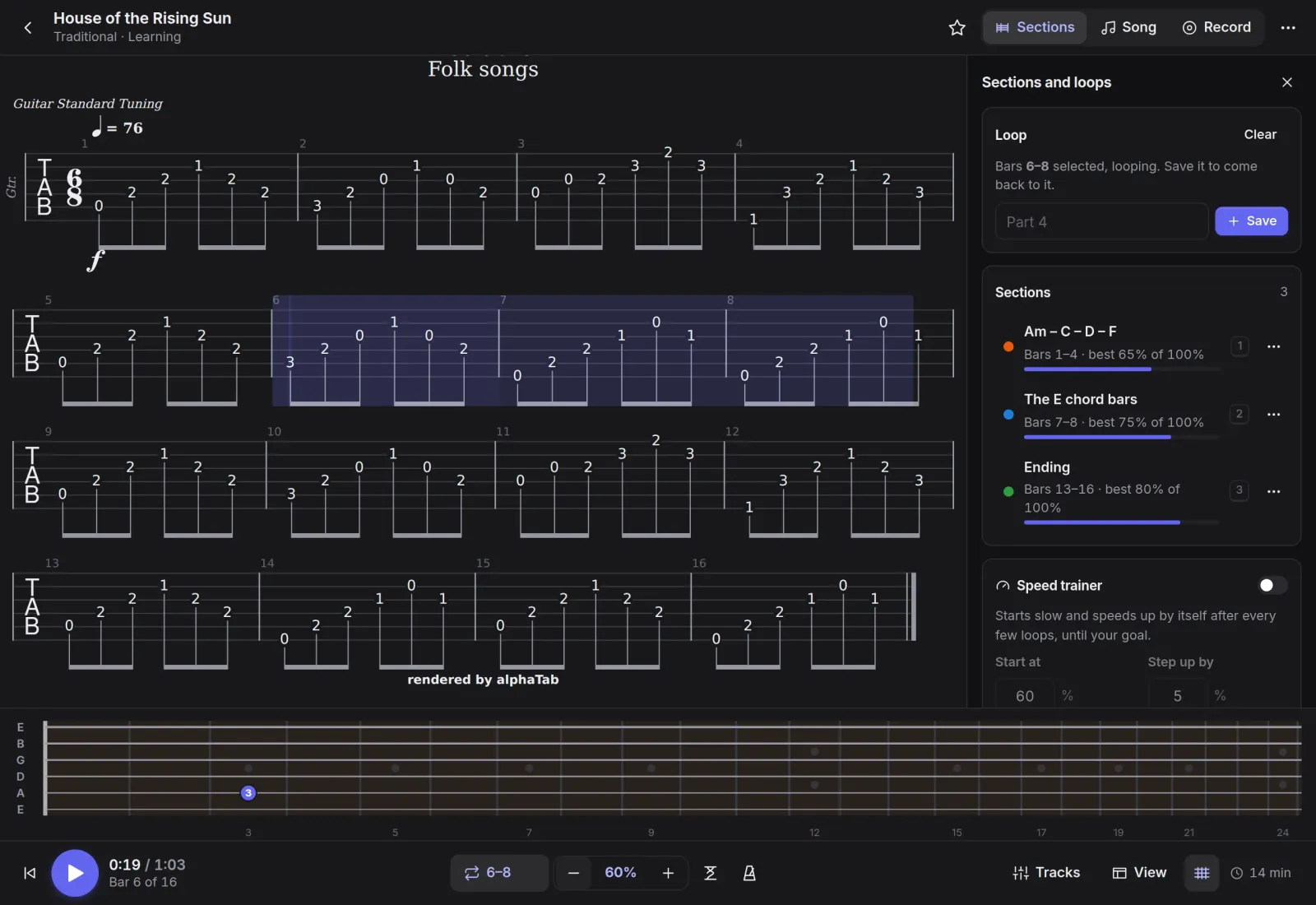
The same tab in Pocket Guitar
Pocket Guitar keeps the tabs, the sections you practise and your progress. Studio reads the song from it through Pocket Core, so there is nothing to export or copy.
Split into instruments
Every instrument on its own track.
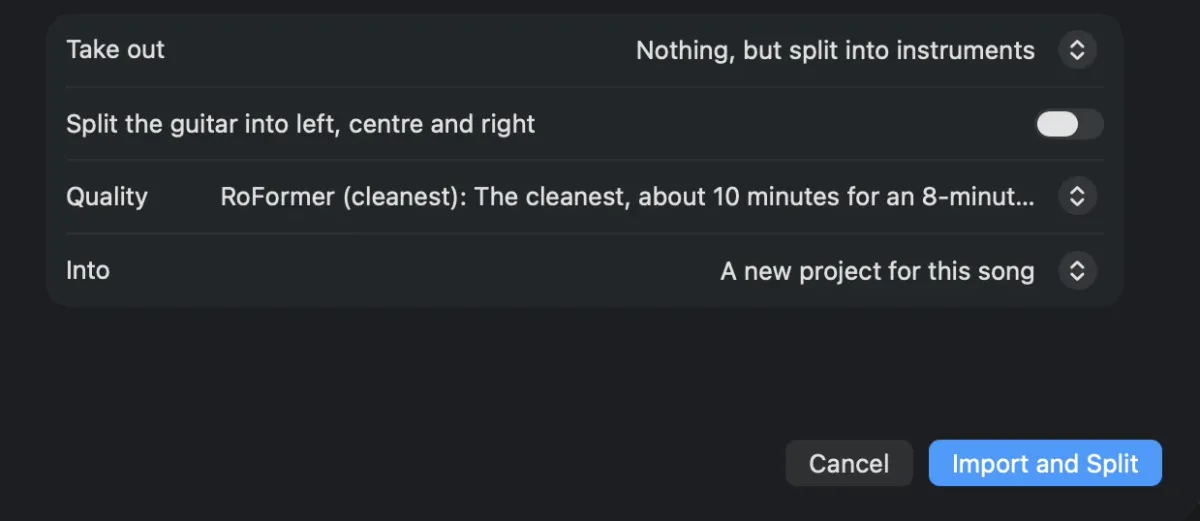
Splitting a song is built in. Studio separates a recording into vocals, drums, bass, guitar, piano and other on your Mac, each on its own track with its own fader, so you can mute the part you play, loop the bass to learn it, or keep everything and mix it yourself. It works on a song from Pocket Music while it is imported, or on any clip with Track → Take an Instrument Out.
- Take out one instrument, or nothing and keep every part as its own track
- Split a guitar by where it sits in the stereo field: left, centre and right
- Demucs does it by default, Fast in about a minute or Best for cleaner parts, set up once on first use; RoFormer is an optional extra download for the cleanest split
- It all runs on the Mac: the song never leaves it
And the rest of it
Song ideas
Describe a song and get a starting point to record over, generated on this Mac.
Takes and comping
Recording over a part keeps every pass as a take. Drag across a take to use that stretch, then keep the comp and delete the rest.
Autosave and recovery
Every minute while there are unsaved changes. After a crash the project offers them back and keeps the last saved version as a backup.
Export
WAV, AIFF, FLAC or M4A at 16, 24 or 32 bits and 44.1 to 96 kHz, normalised if you like, the whole song or the loop.
How it connects
A project is a folder.
Each project is a folder with its edit file and an Audio folder for recordings and imports, so it backs up like anything else. Pocket Guitar and Pocket Music are reached through Pocket Core: connect once in Settings → Pocket with a code from Core, and both Play Along commands use your own libraries.
- Swift and SwiftUI with an AppKit timeline
- Tracktion Engine and JUCE behind a C bridge, so a Windows or Linux interface can share the engine
- Shared as a notarised DMG that opens on any Mac without a warning

More native apps
 Pocket LauncherMacA Raycast-style launcher for the Mac: your apps, every Pocket app, Pocket AI, tasks, money and dictation behind one shortcut.
 Pocket Files for iPhone and MacMac · iPhoneYour server's files in Finder and in the Files app, through Apple's File Provider. The Nextcloud client replacement.
 Pocket Hub for iPhone, iPad and MaciPhone · MacYour whole box on one home screen: every Pocket app you may use, opened inside the hub and signed in as you.
 Pocket AI for iPhoneiPhoneClaude Code and Codex on your server, from your phone: live threads, approvals, forks, worktrees and schedules.
 Pocket Voice for iPhoneiPhoneA recorder that never loses a memo: record on the phone, your server writes it out and finds the tasks, events and spending.
 Pocket Jam for iPhoneiPhoneRecord music layer by layer on the phone: a guitar, then the bass over it on headphones, lined up and kept even without signal.
 Pocket Bookshelf for iPhoneiPhoneWhat you are reading and where you are in it, your library, thoughts and quotes, and a Pocket AI chat for every book.
 Pocket Remote for iPhoneiPhoneYour Mac's screen, a Windows PC or a Linux terminal over your tailnet, from the phone, with a real keyboard around it.
 Pocket Sphere for iPhoneiPhoneYour video library on the phone, and VR videos on a flat screen: look around, one eye, or a phone headset.