
Pocket Tasks
v0.3.3 · Self-hosted · MIT
Tasks that sync everywhere, on your own server.
Pocket Tasks is a to-do app with areas, lists and sections, a Today view, deadlines kept apart from the day you plan to do something, and repeats that start after you finish. Underneath is a real CalDAV server, so Apple Reminders, Thunderbird and Tasks.org sync the same tasks, and Nextcloud Tasks can be imported or kept in sync.
- Included in Pocket Box
- Sign in with Pocket Core
- Works with Apple Reminders and Nextcloud Tasks and Thunderbird
Lists
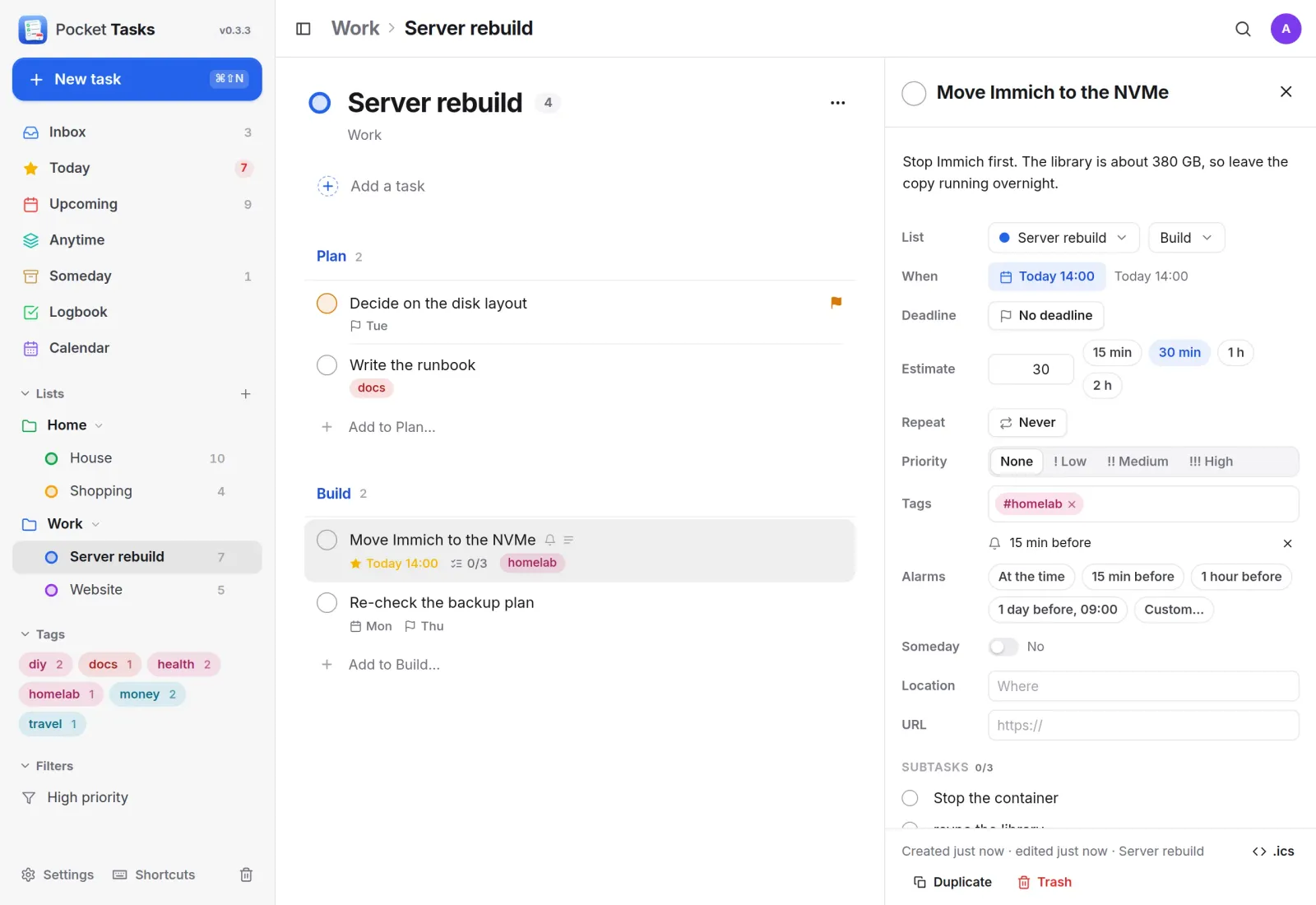
Projects with room to breathe.
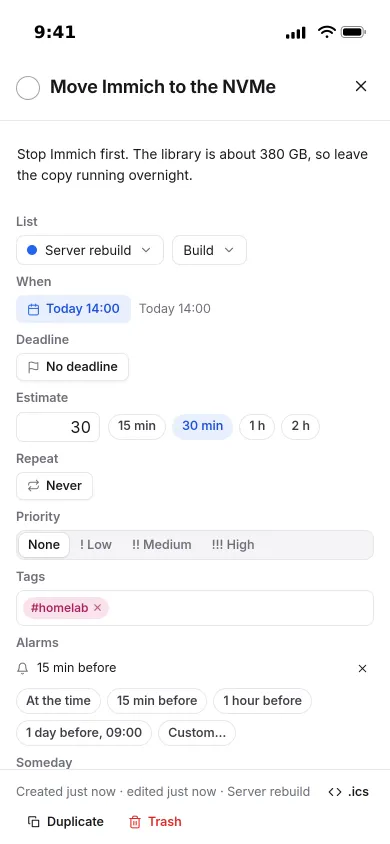
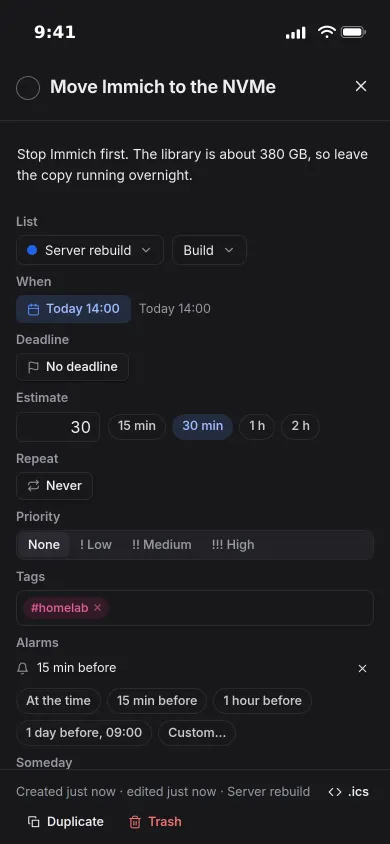
Areas hold lists, lists hold sections, tasks hold subtasks. Open a task and everything about it sits beside the list: when, deadline, estimate, repeat, priority, tags and reminders.
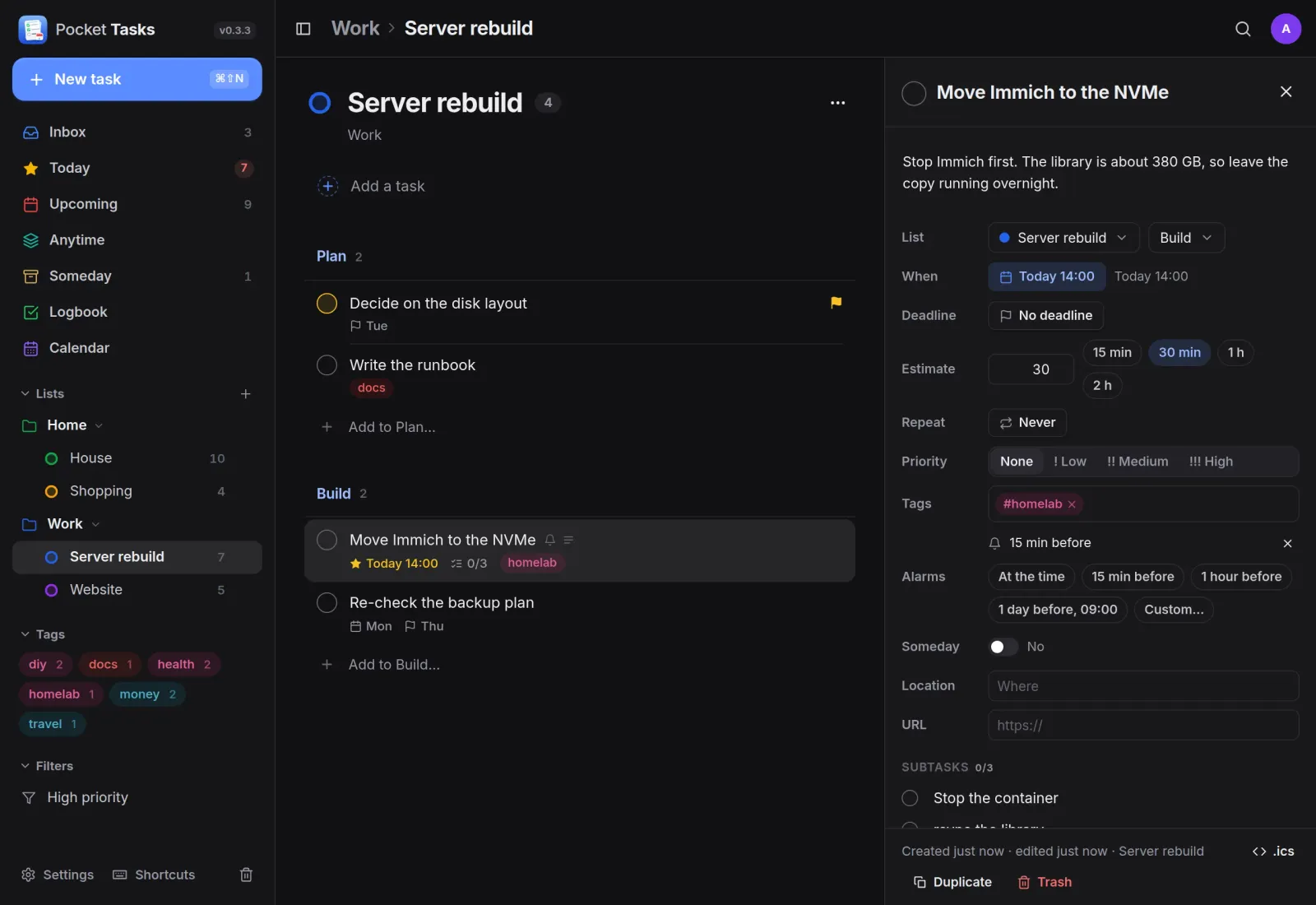
Quick add
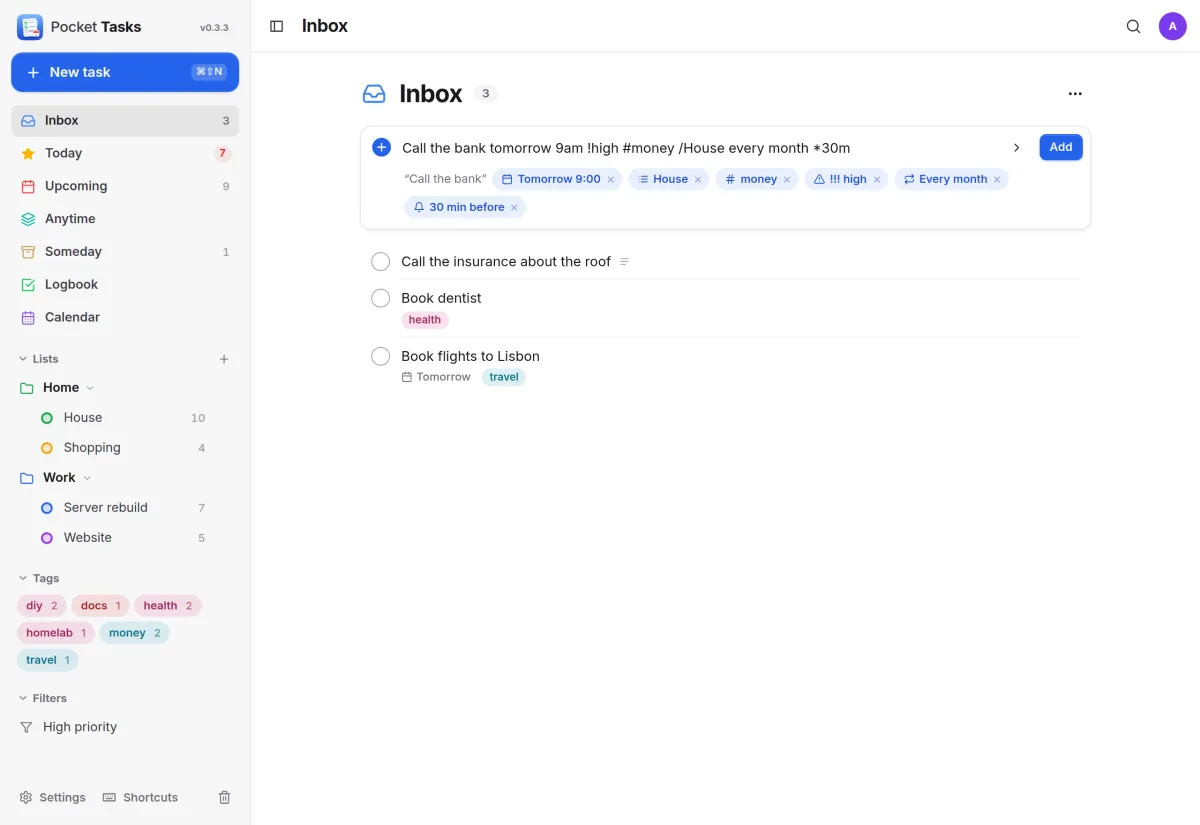
Type it the way you say it.
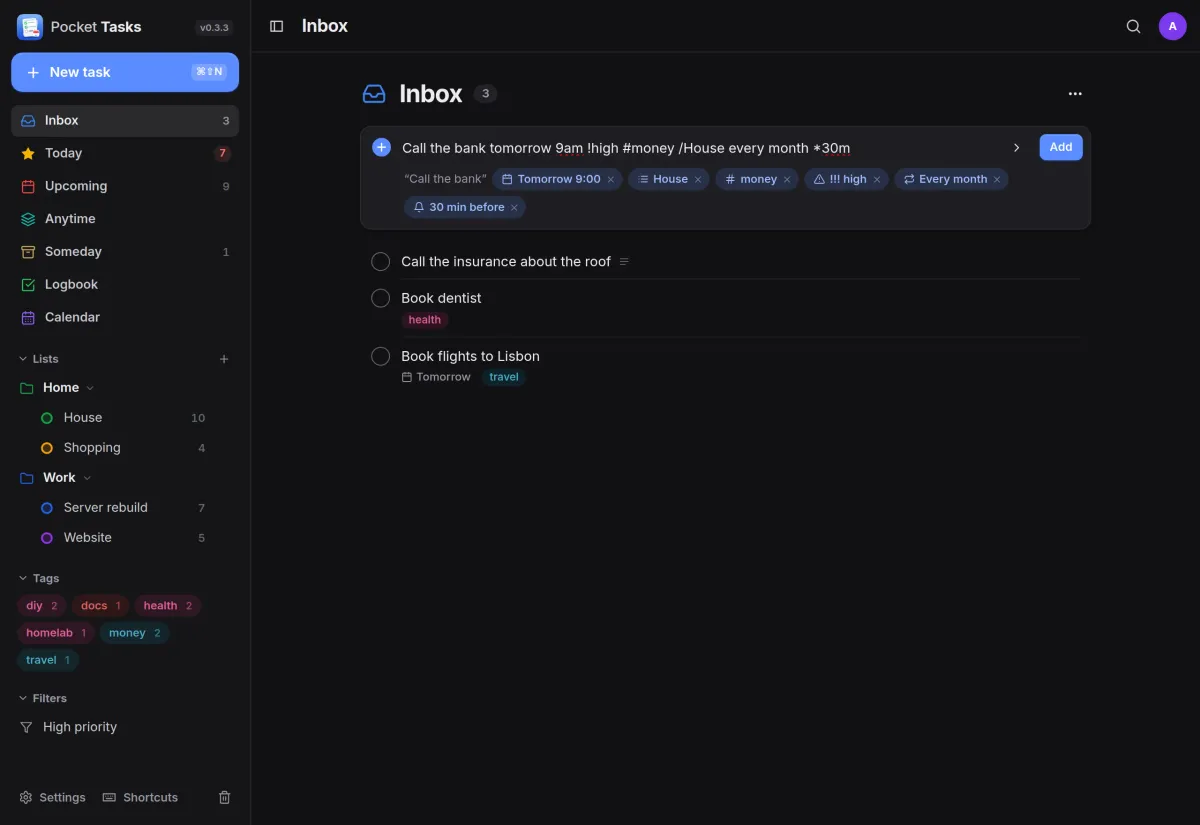
Write the task in plain words and the preview shows what was understood before you press Enter: the day and time, list, tag, priority, repeat and reminder.
- Repeats like every 2 weeks on Monday or 3 days after I finish
- Keyboard first: n new, / quick add, ⌘K find, Space done
- Saved filters, full-text search and a Logbook
Calendar
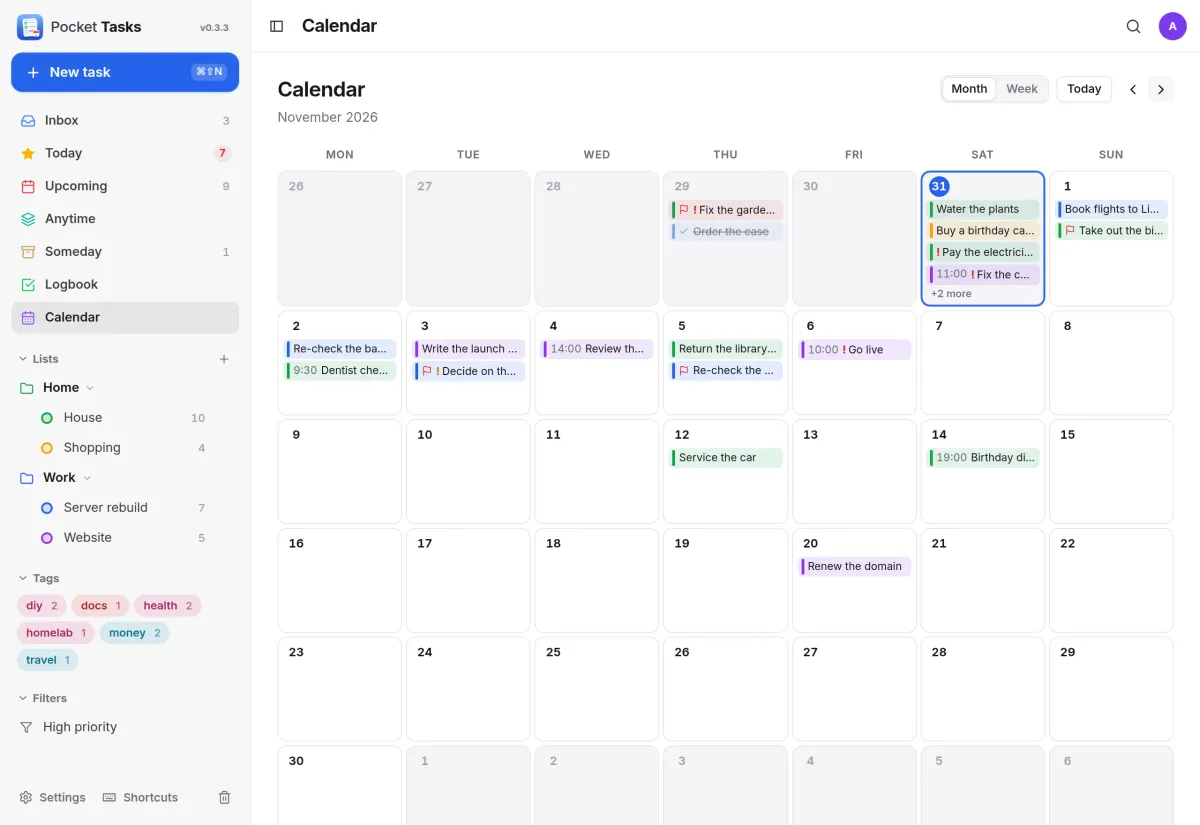
Dated tasks on a calendar.
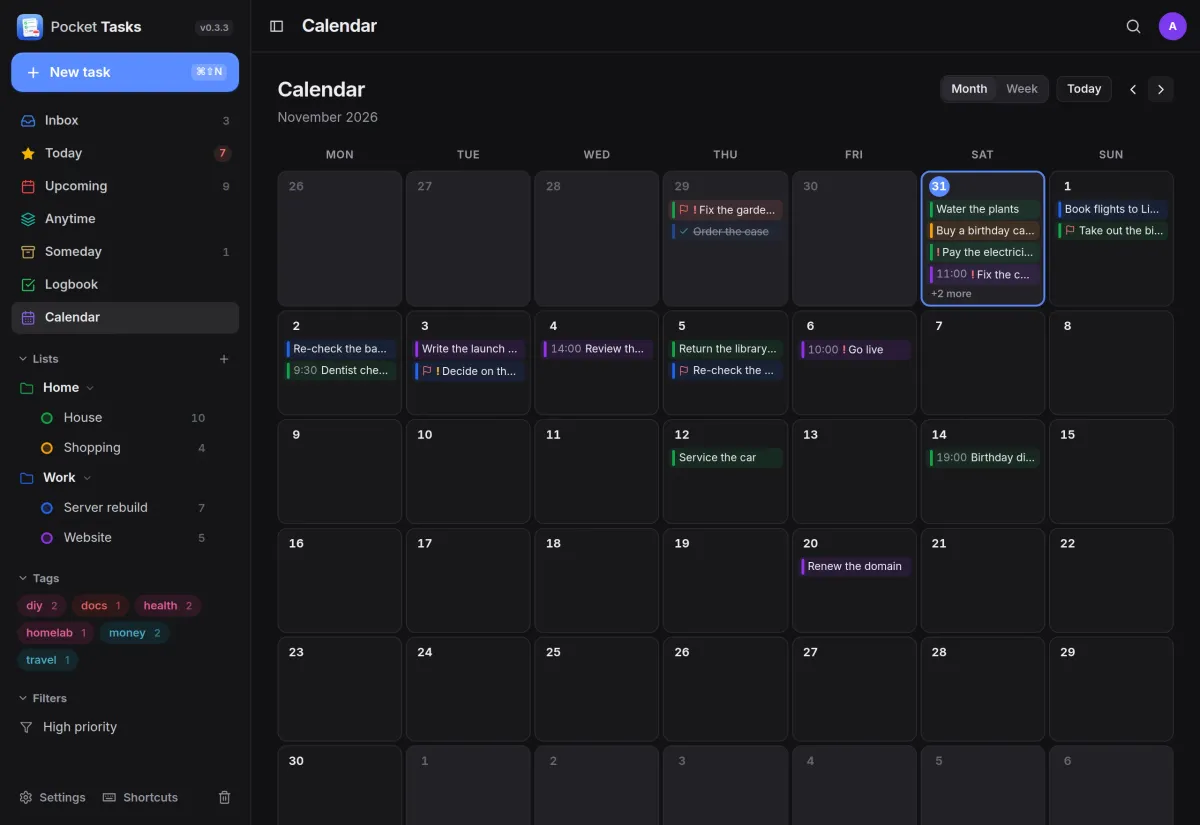
Every task with a day or a time shows on the month and week calendar, coloured by its list. Drag one to another day to reschedule it.
- A Tasks calendar for iOS Calendar, BusyCal and Thunderbird, two-way
- A secret feed for Google Calendar and apps that only subscribe
Details
Everything about a task, on your phone.
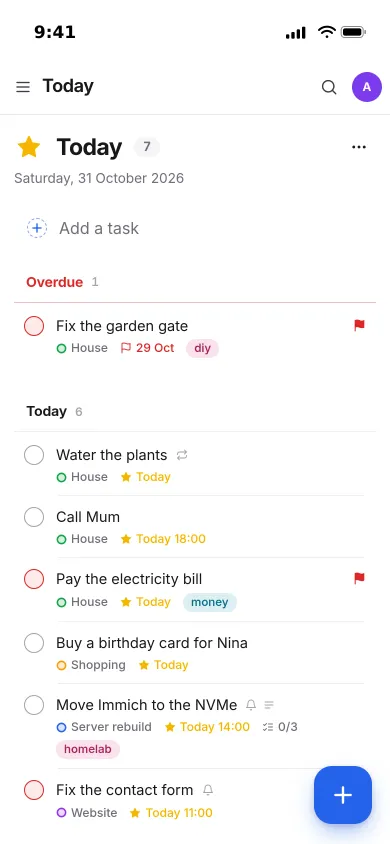
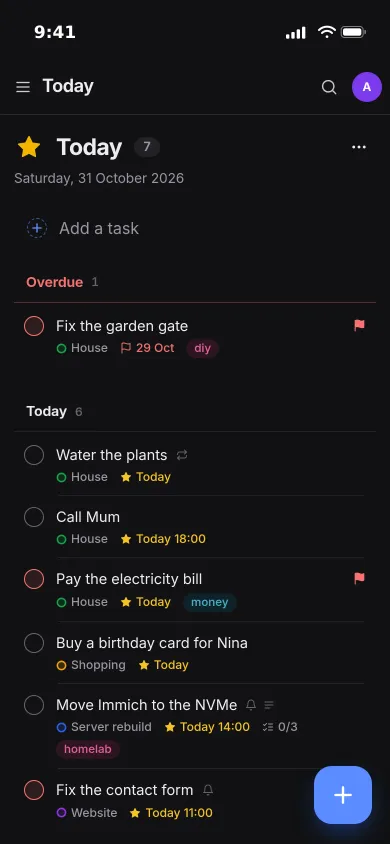
On a phone the sidebar becomes a drawer and a task opens full screen, with notes, list and section, when, deadline, estimate, repeat, priority, tags and alarms.
- Alarms fire from the server through Apprise, ntfy or a webhook
- A morning digest of today's and overdue tasks
And the rest of it
A real CalDAV server
Every task is a VTODO and every list a CalDAV collection. Apple Reminders, BusyCal, Fantastical, Thunderbird and Tasks.org sync with an API token as the app password.
Nextcloud Tasks, imported or in sync
Import lists, tasks, subtasks, alarms and repeats once, or keep both sides in sync so phones still connected to Nextcloud see your edits within minutes.
Strictly per person
Everyone in the household has their own lists, and admins see nobody else's tasks. Sign in with Pocket Core, any OpenID Connect provider or a password.
Works with your Pocket apps
Pocket Notes turns a line into a task, Pocket Day's journal reads your tasks, and Pocket Calendar shows dated ones on their day.
Install
One container, one volume.
Run the image, open it and create the admin. Settings, Calendar & apps shows the CalDAV address and how to add it to each app; Nextcloud sync imports what you already have.
On a Pocket Box it is already installed and linked to Pocket Core.
docker run -d --name pocket-tasks -p 8080:8080 -v ./data:/data \
  -e TZ=Europe/Berlin -e BASE_URL=https://tasks.example.com -e SECURE_COOKIES=true \
  ghcr.io/abjelosevic88/pocket-homelab-tasks:latest
More in Notes, files and office
 Pocket Notesv0.8.3Markdown notes kept as plain files where you choose, with search, backlinks, tasks and history.
 Pocket Calendarv0.7.1A shared calendar for the household that syncs to every phone and pulls in iCloud, Google and Nextcloud.
 Pocket Contactsv0.2.2Everyone you know in one searchable place, synced to every phone over CardDAV.
 Pocket Mailv0.1.2All your email accounts in one calm inbox, with fast search, snooze, send later and undo send.
 Pocket Documentsv0.6.1Scans and paper files made searchable, tagged and filed for you. A lighter Paperless-ngx replacement.
 Pocket Filesv0.4.4Your files on your own server, with private folders, shares, a WebDAV drive and encrypted links that expire.
 Pocket Officev0.6.4Open and edit Word, Excel and PowerPoint files in the browser, wherever they are stored.
 Pocket Drawv0.2.4Sketches, text diagrams and detailed diagrams in one place, with history and search.
 Pocket Clipsv0.2.3Clipboard history, text snippets and search shortcuts on your own server, searchable from every device.