
Pocket Documents
v0.6.1 · Self-hosted · MIT
Every letter and receipt, found in seconds.
Pocket Documents turns scans, PDFs and phone photos into searchable PDF/A files, keeps the untouched original beside each one, and learns how you file. Tags, correspondents, types and custom fields are suggested for you, and the Paperless-ngx API means the mobile apps you already use keep working.
- Included in Pocket Box
- Sign in with Pocket Core
- Works with OCRmyPDF and Tesseract and Paperless-ngx apps and Nextcloud
Dashboard
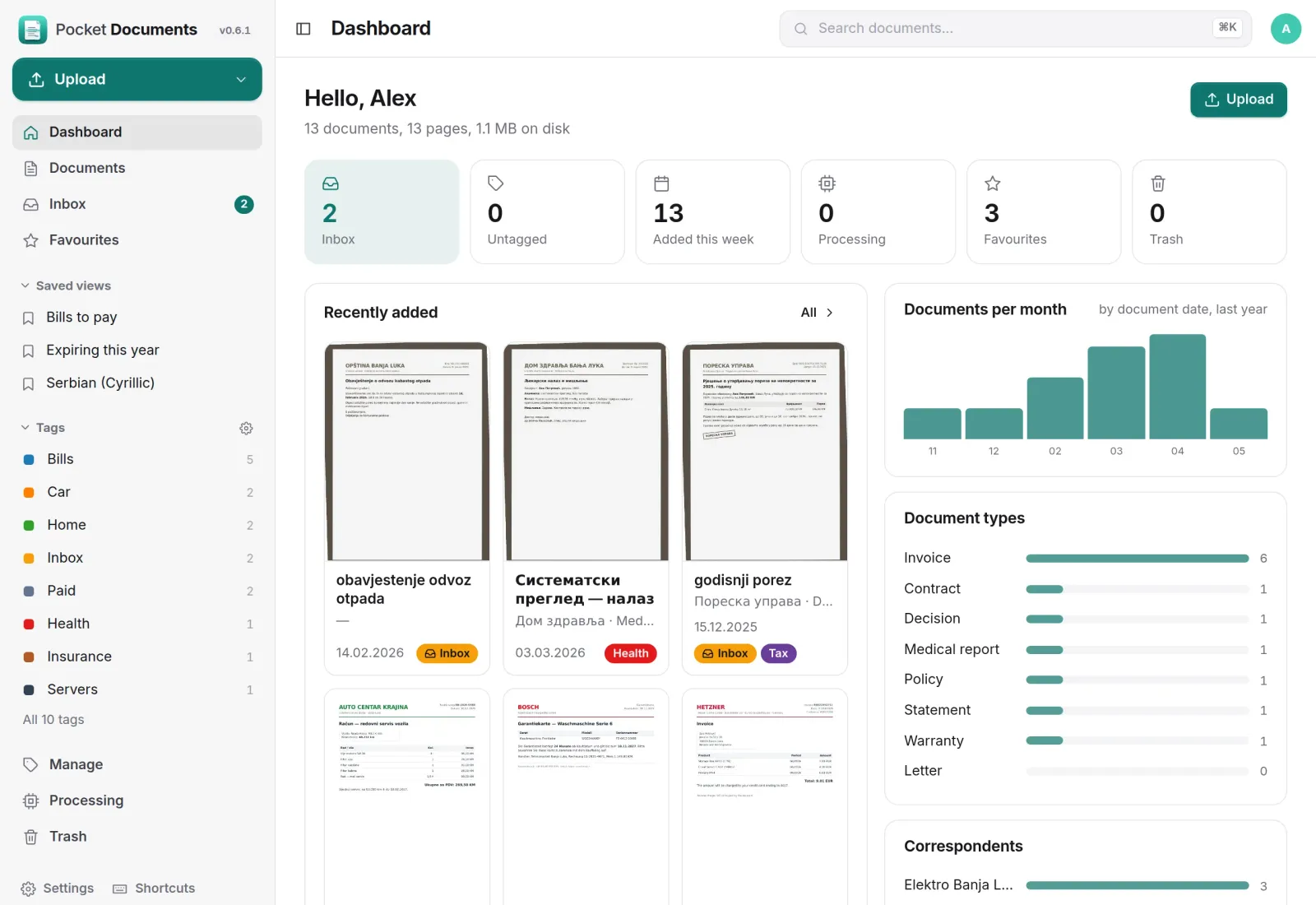
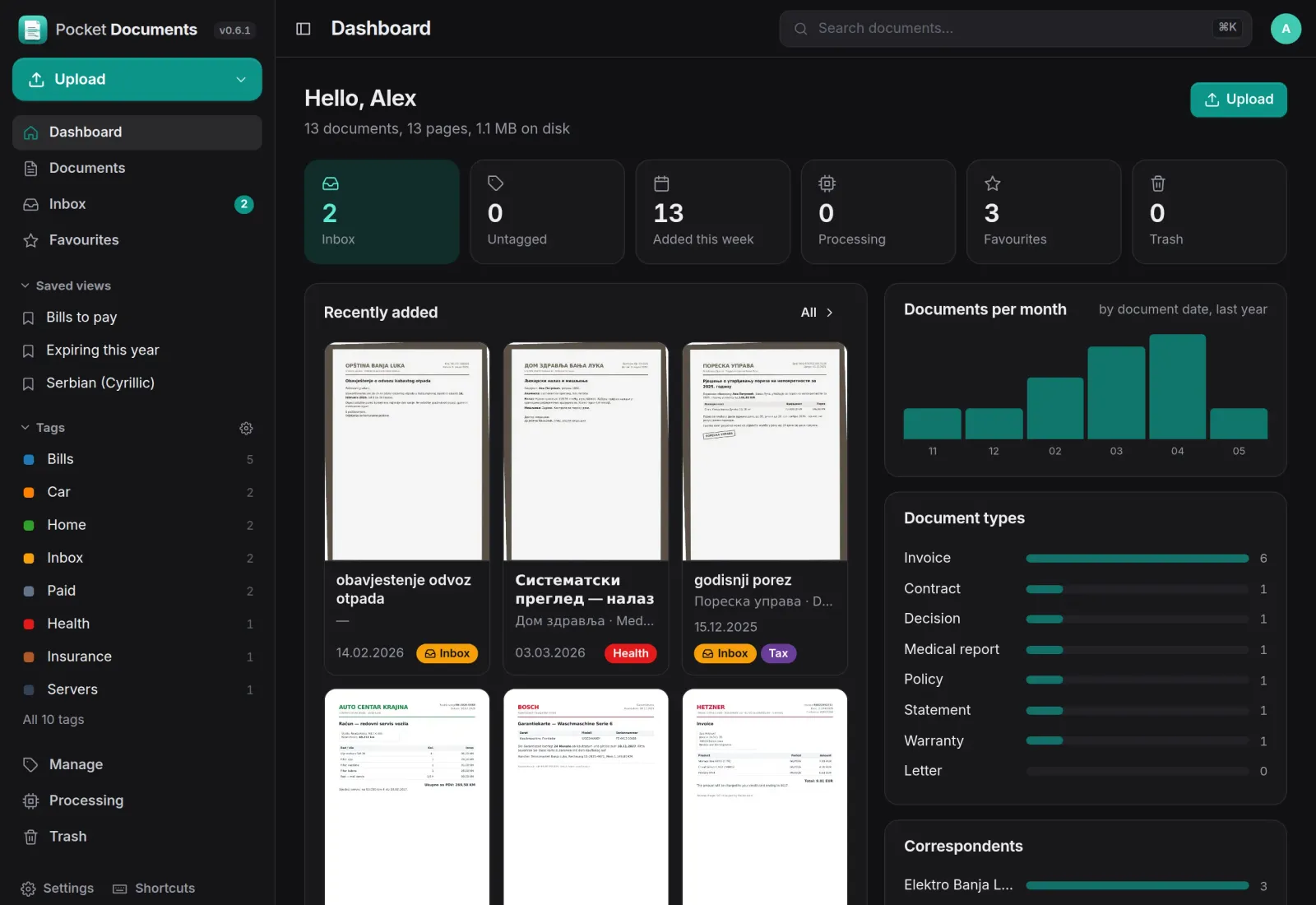
Your paperwork at a glance.
The inbox, what came in this week and your favourites sit at the top, with the latest scans as thumbnails. Charts show documents per month, by type and by correspondent.
Search
Search that reads the paper.
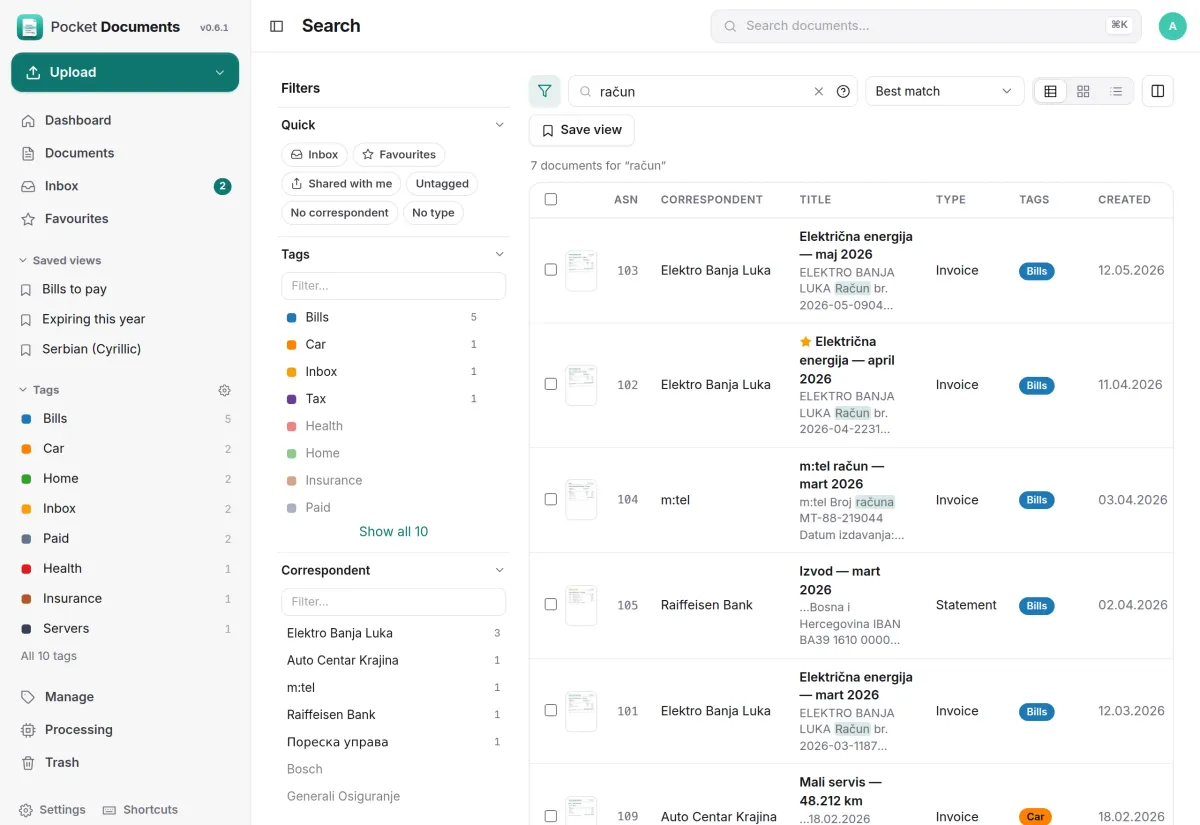
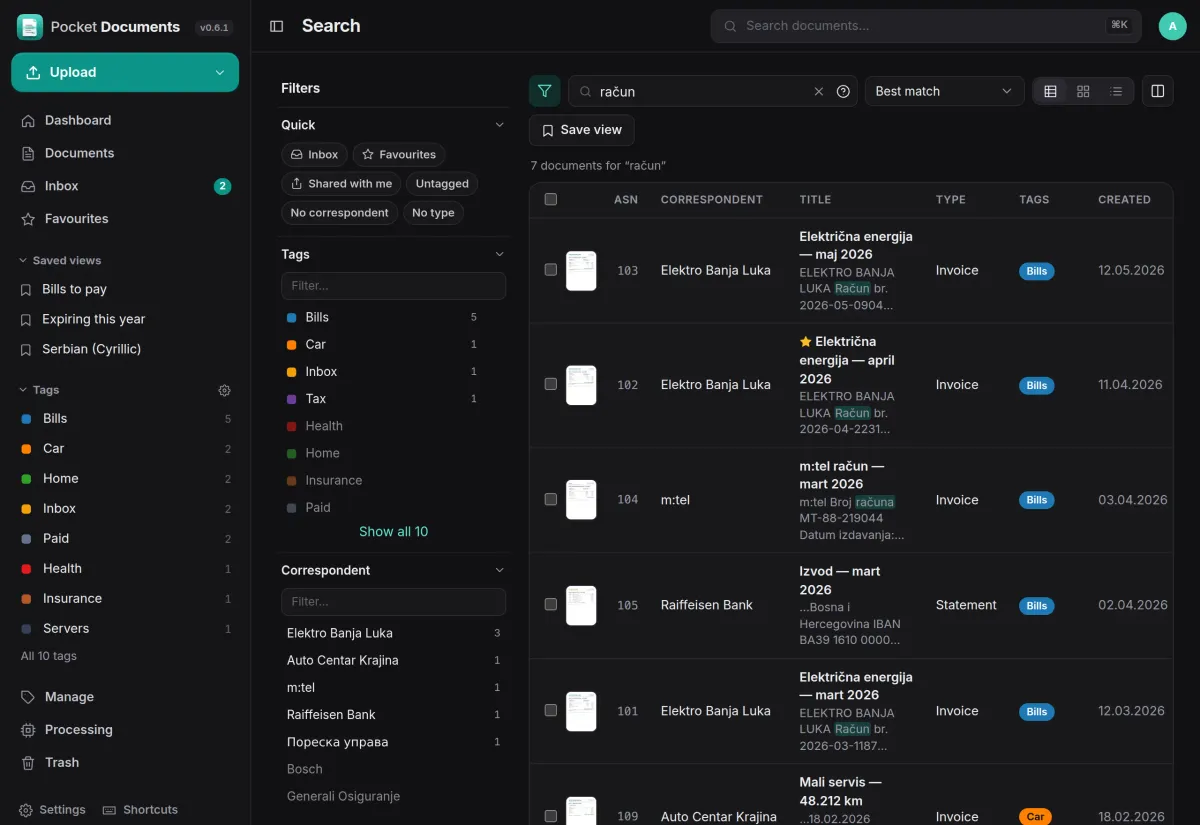
Full-text search over the OCR text, titles, notes and labels, ranked by relevance, with the matching passage highlighted. Every filter shows how many documents it would leave.
- One box for words, tags, dates and fields: ikea tag:receipts created:2024
- Save a search as a view for the sidebar and the dashboard
- Table, cards or list, with your own columns
Filing
Filing that learns from you.
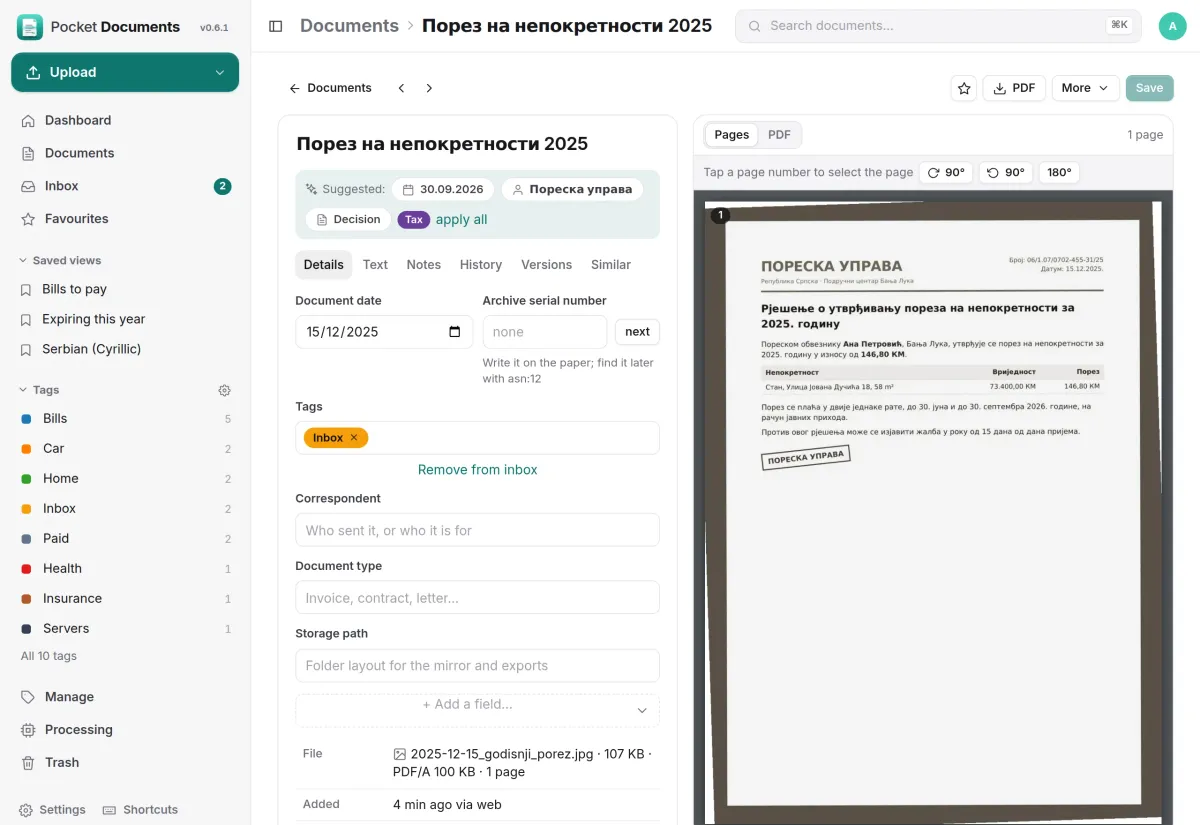
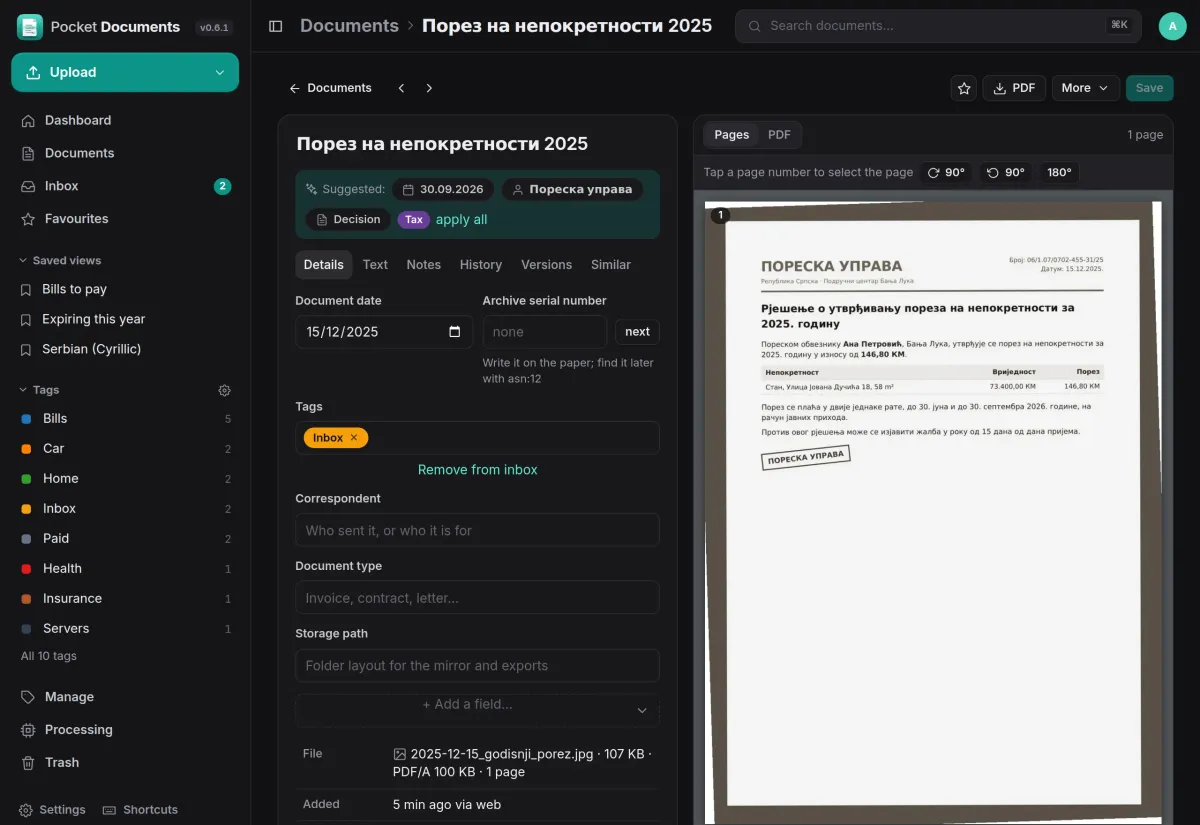
A photographed tax decision in Cyrillic is OCR’d, and the app suggests its sender, type, tag and dates from your matching rules and from how you filed the last ones. One tap applies them all.
- Rules match words, phrases, regular expressions or fuzzy text
- Pocket AI or your own OpenAI key can fill in title and fields
- Serbian Latin and Cyrillic built in, and search finds both
On your phone
Everything about one document.
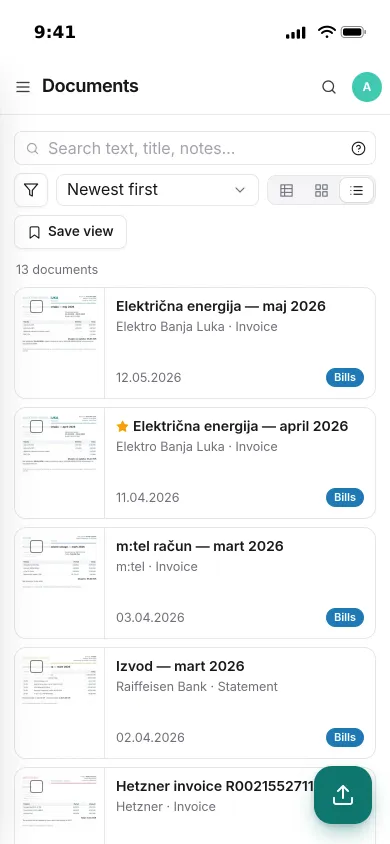
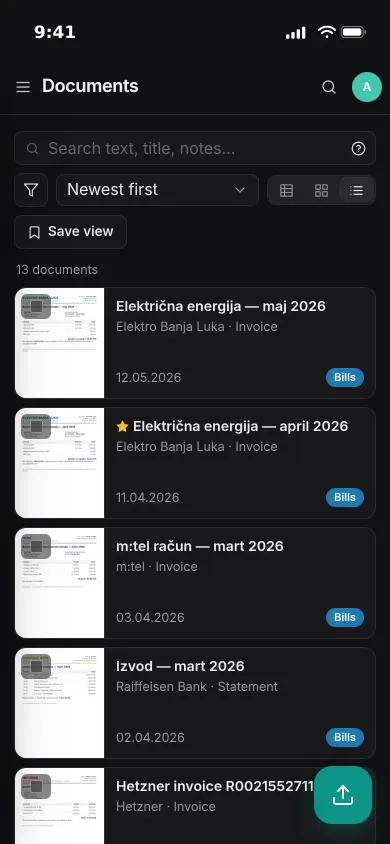
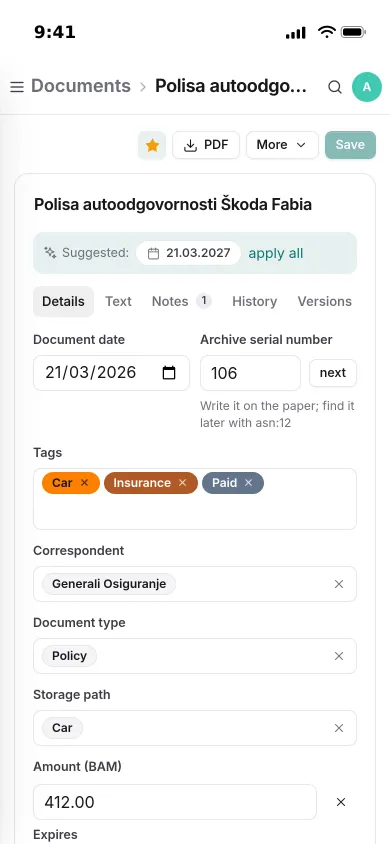
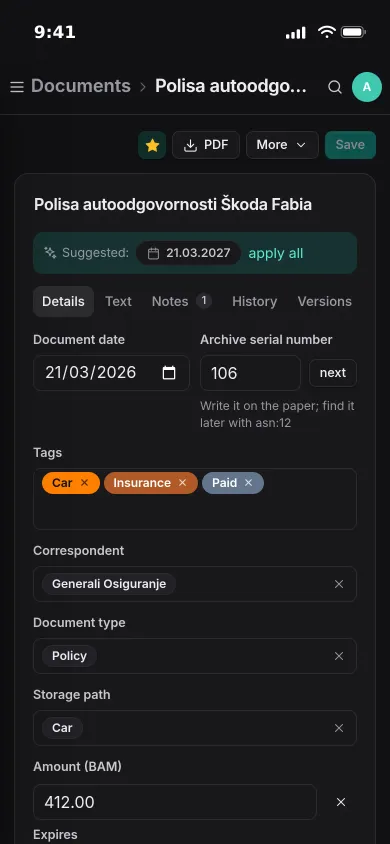
Open a car insurance policy on the phone and see its tags, sender, type, storage path and amount, with notes, history and earlier versions a tap away.
- Custom fields for money, dates, choices and links to other documents
- Archive serial numbers to find the paper copy again
- An installable app that accepts photos shared from the phone
And the rest of it
A folder you can browse
Each person can keep a readable copy of every document in Pocket Files, Nextcloud, WebDAV or a server folder, laid out by storage path. Drop a scan in its Inbox and it becomes a document.
Paper tools with versions
Rotate, delete or split pages, merge documents or replace a file. The old file stays as a version you can get back.
Rules, mail and reminders
Rules run when a document arrives, changes or a date comes near. Mail accounts turn attachments into documents, and barcode sheets split batch scans.
Move in from Paperless-ngx
Import from a running Paperless-ngx or an exporter zip, with tags, correspondents, fields and notes. Export everything of yours as one zip.
Install
One container, OCR included.
One container with OCRmyPDF, Tesseract, Ghostscript and Poppler inside. Documents are plain files in the data folder and everything else is one SQLite database, so backing up that folder backs up the lot. Add DEMO_DATA=true and AUTH_MODE=none to look around first.
On a Pocket Box it is already installed, with sign-in through Pocket Core.
docker run -d --name pocket-documents -p 8080:8080 \
  -v ./data:/data -e TZ=Europe/Berlin -e OCR_LANGUAGE=eng+deu \
  ghcr.io/abjelosevic88/pocket-homelab-documents:latest
# open http://localhost:8080 and create your account
More in Notes, files and office
 Pocket Notesv0.8.3Markdown notes kept as plain files where you choose, with search, backlinks, tasks and history.
 Pocket Tasksv0.3.3Tasks with areas, lists and smart views, synced to Apple Reminders and other apps over CalDAV.
 Pocket Calendarv0.7.1A shared calendar for the household that syncs to every phone and pulls in iCloud, Google and Nextcloud.
 Pocket Contactsv0.2.2Everyone you know in one searchable place, synced to every phone over CardDAV.
 Pocket Mailv0.1.2All your email accounts in one calm inbox, with fast search, snooze, send later and undo send.
 Pocket Filesv0.4.4Your files on your own server, with private folders, shares, a WebDAV drive and encrypted links that expire.
 Pocket Officev0.6.4Open and edit Word, Excel and PowerPoint files in the browser, wherever they are stored.
 Pocket Drawv0.2.4Sketches, text diagrams and detailed diagrams in one place, with history and search.
 Pocket Clipsv0.2.3Clipboard history, text snippets and search shortcuts on your own server, searchable from every device.