
Pocket Core
v0.29.2 · Self-hosted · MIT
The quiet hub that ties your apps together.
Pocket Core is the piece in the middle of a Pocket Box. Apps announce themselves to it, pass events to each other through it and sign everyone in with it, and your phone gets every service on the box from one QR code. One binary, one SQLite file, one volume.
- Included in Pocket Box
- Sign in with Pocket Core
Overview
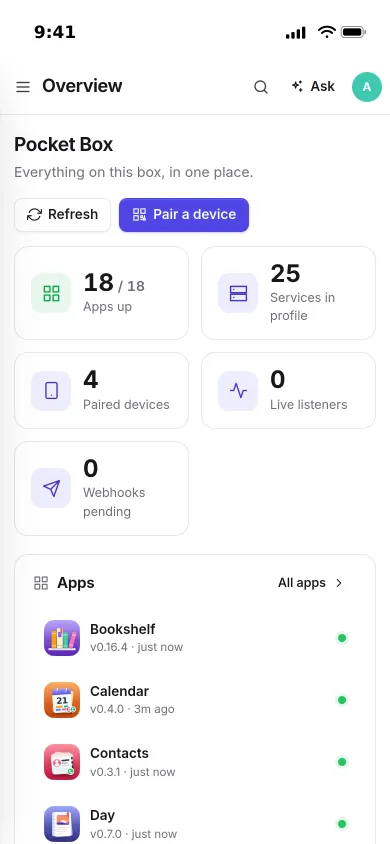
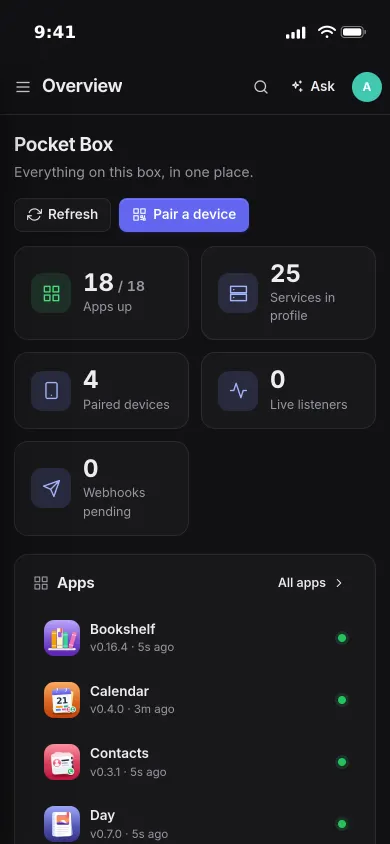
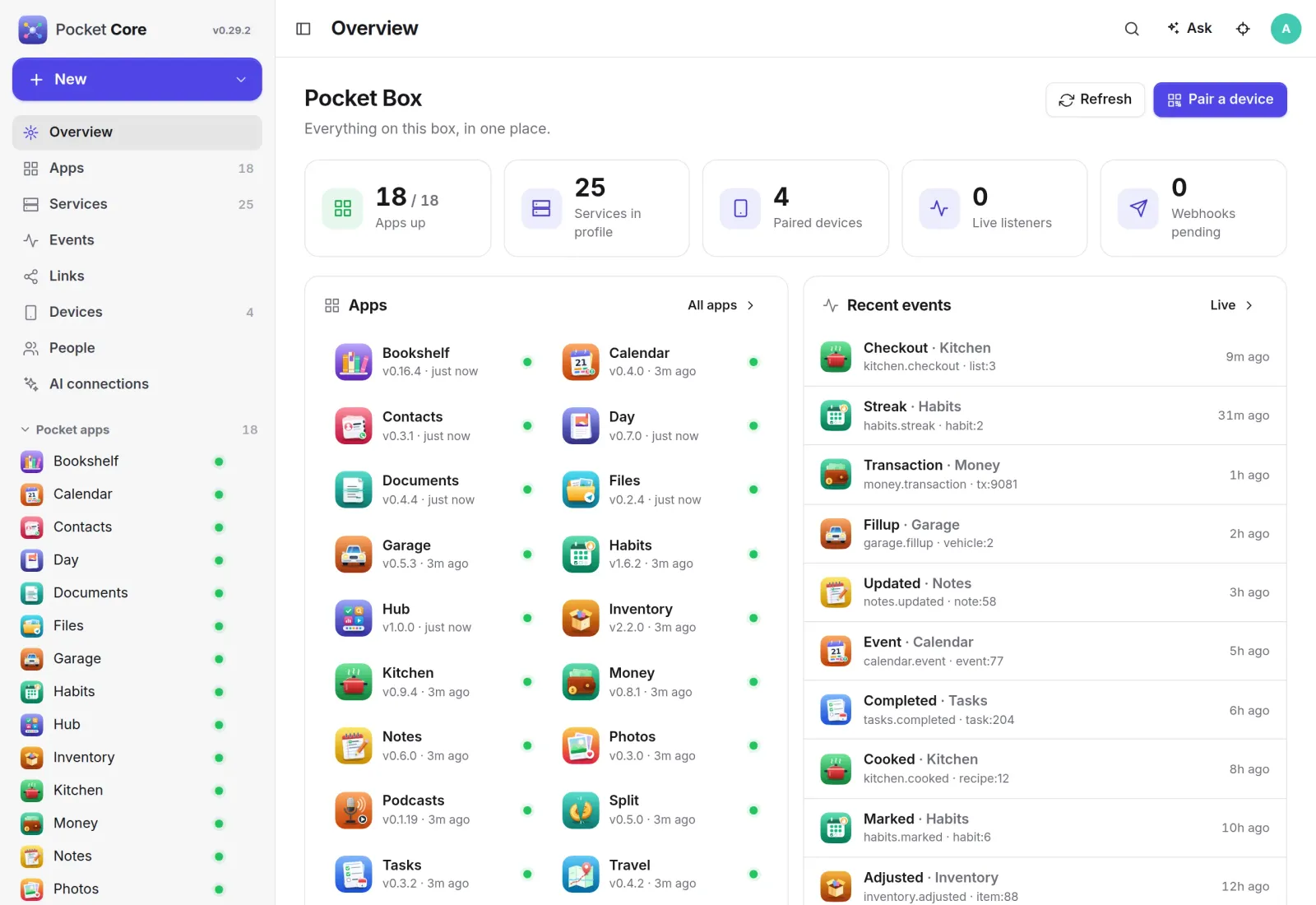
Everything on the box, on one page.
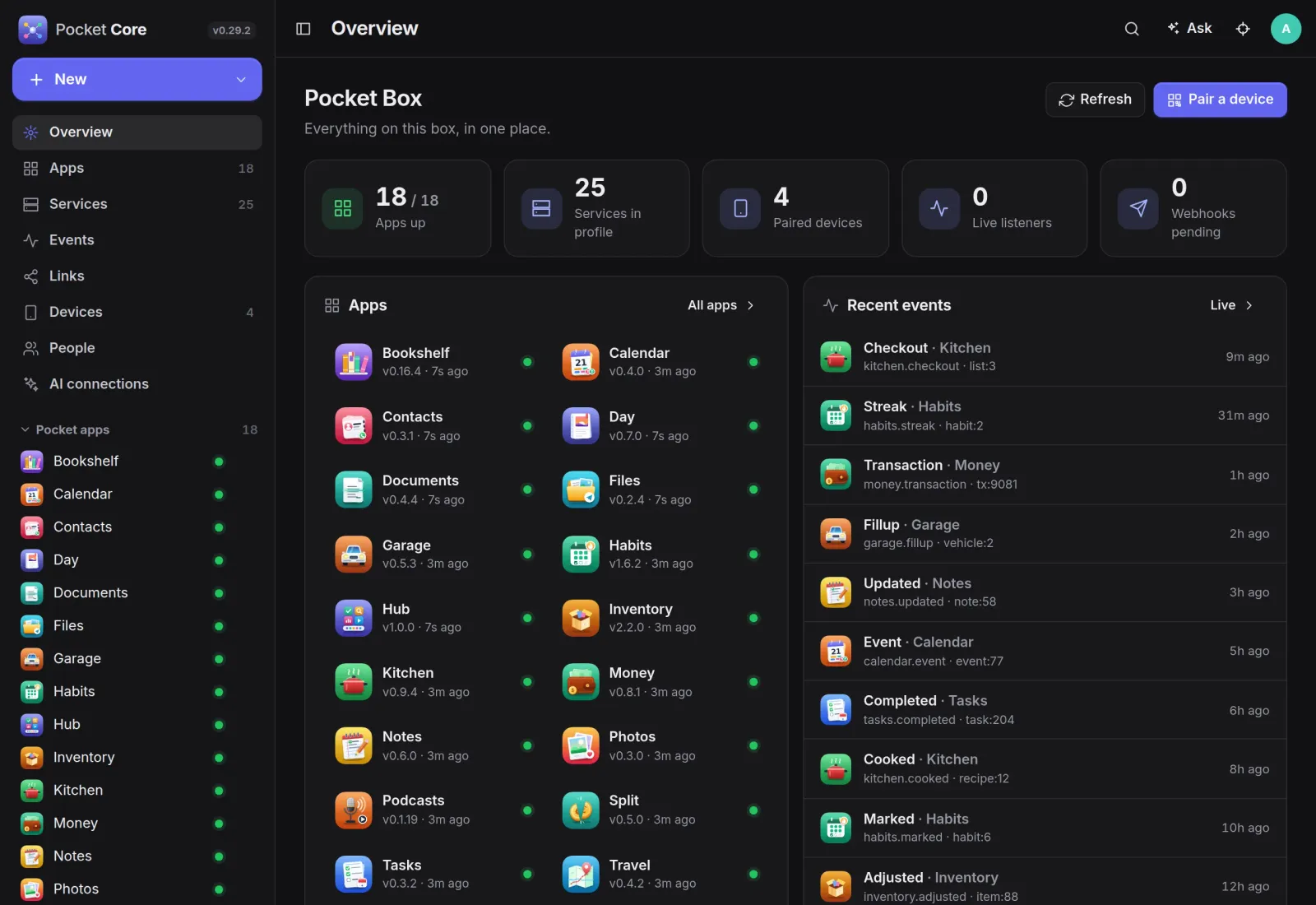
Every Pocket app registers itself when it starts, and Core checks its health from then on. The overview shows which apps are up, their versions, the paired devices and the latest events on the bus.
Links
Apps that help each other.
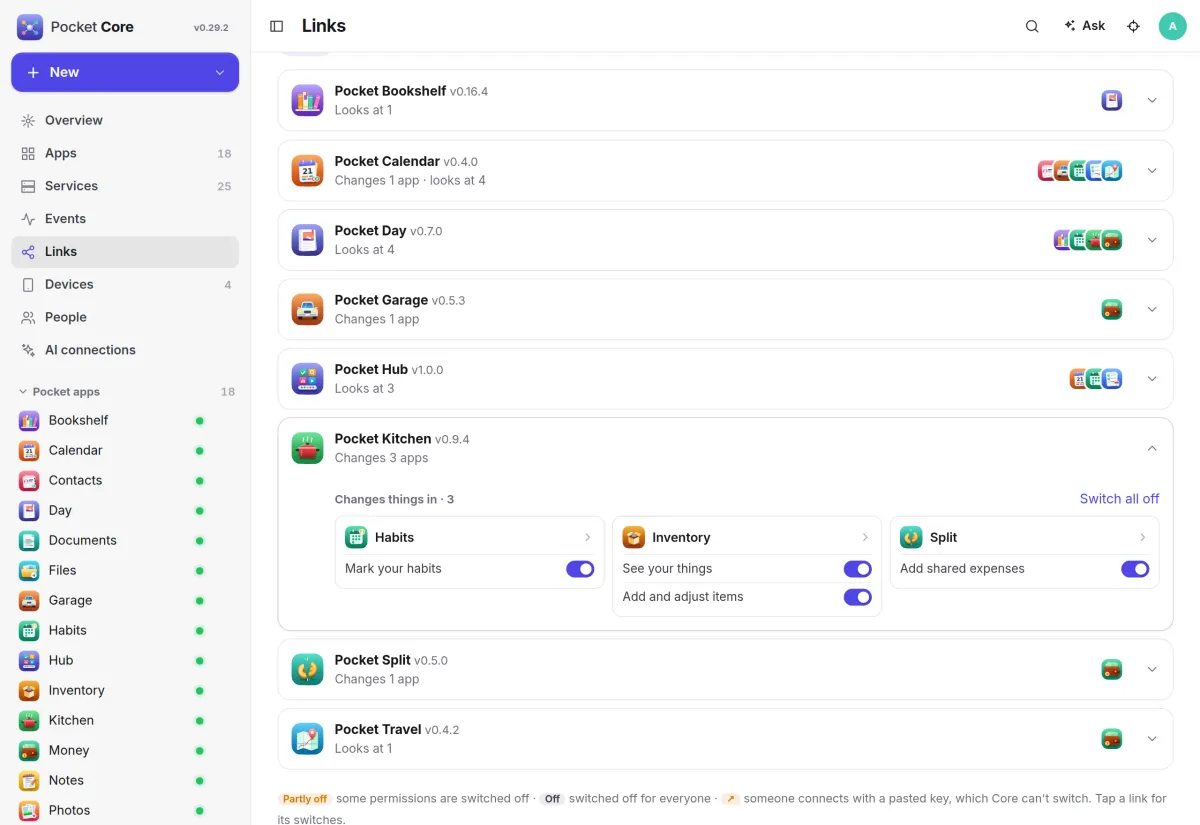
One app can act for a person in another without tokens pasted between them. Kitchen keeps its pantry in Inventory, posts receipts to Split and marks a habit, and every permission has its own switch.
- Apps ask in their manifest, the target app says what it allows
- Core hands out five-minute tokens for one app and one person
- A switch for the admin and one for each person
Pairing
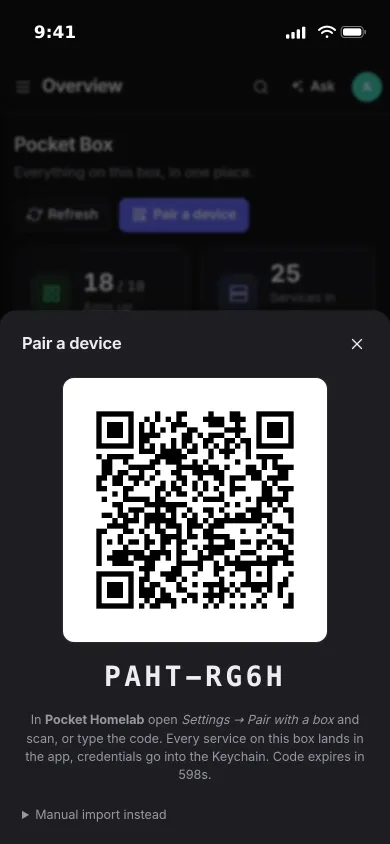
One QR code, every service.
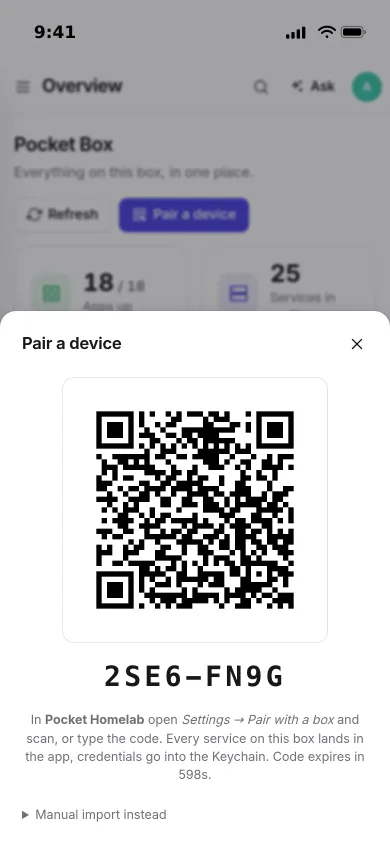
Tap Pair a device and scan the code with the Pocket Homelab app. The phone receives every service on the box with its own token, and the credentials go into the Keychain.
- Type the eight-character code if the camera is not handy
- Revoke a device and its token stops working everywhere
- Each person only receives the services meant for them
Events
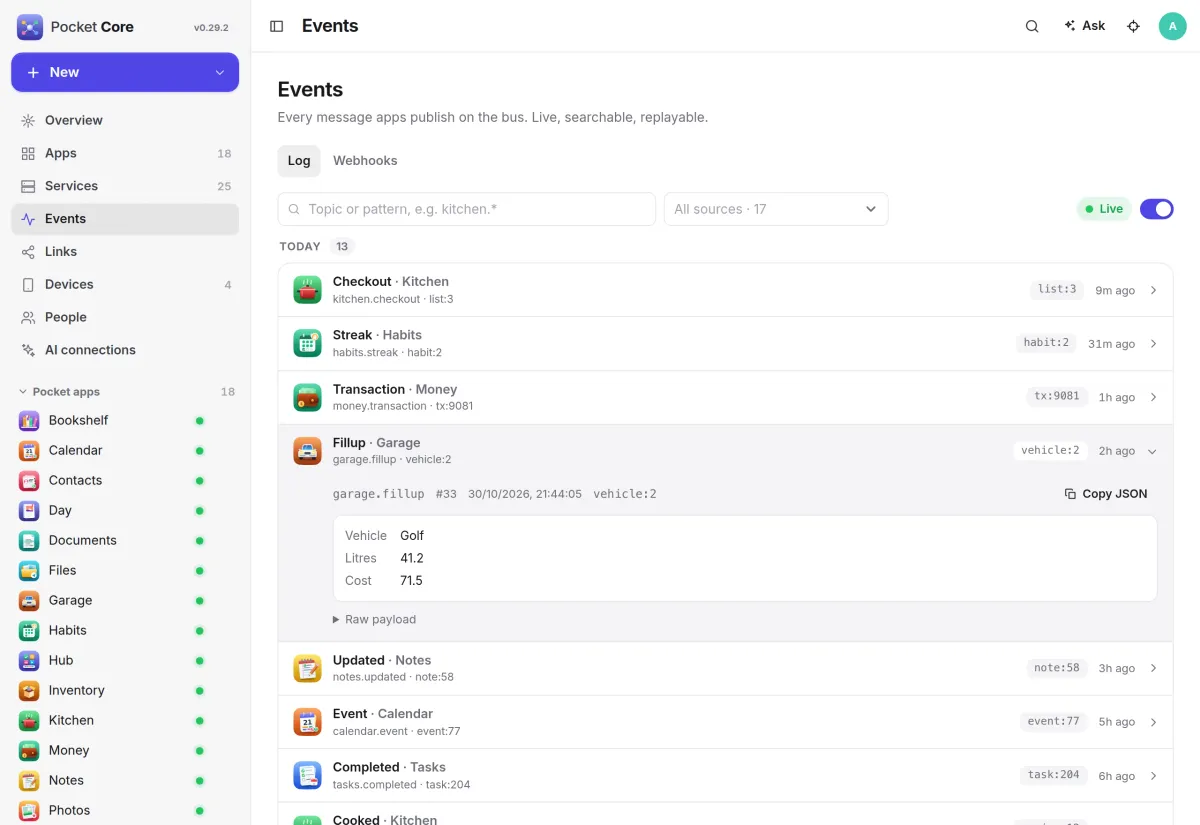
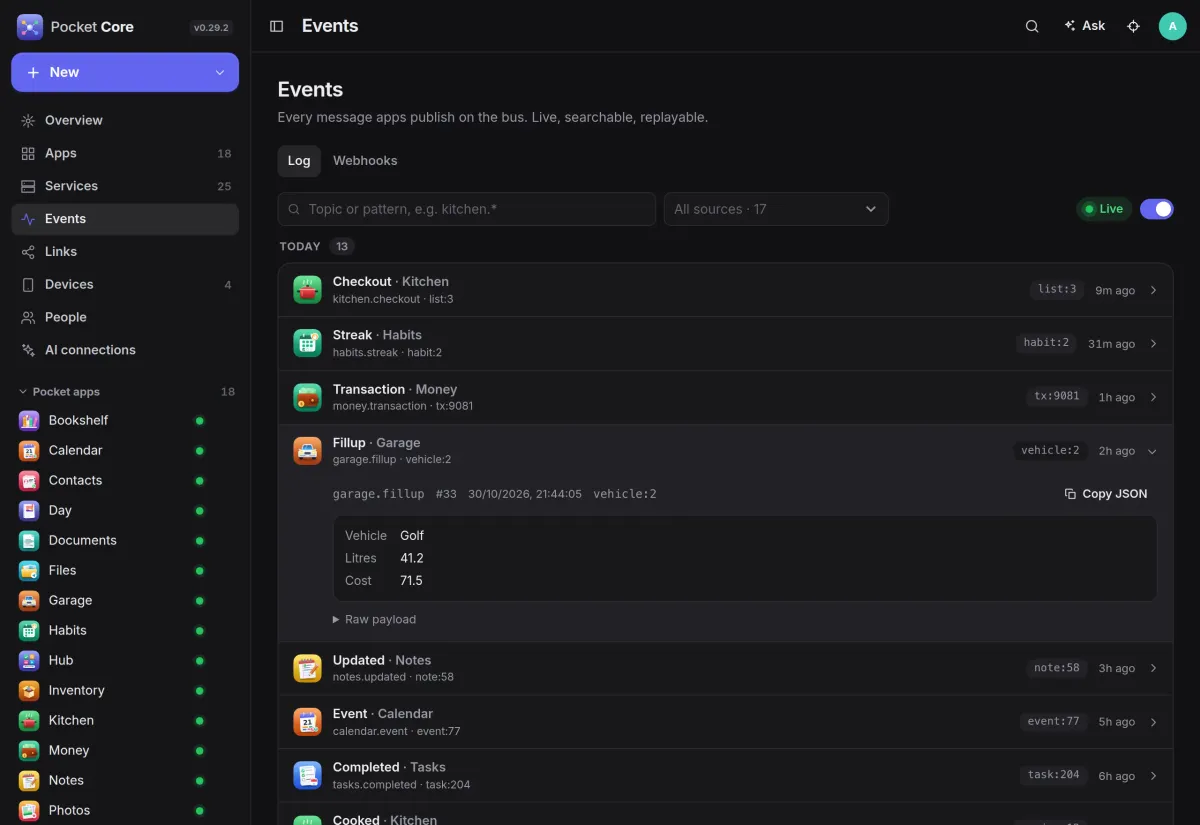
Every event on the bus.
Apps publish what happens, like a fill-up in Garage or a recipe cooked in Kitchen. Core stores each event, streams it live to listeners and delivers it to webhooks, so other apps can react without knowing who sent it.
- Filter by topic pattern or source, grouped by day
- Open an event to see its payload, or copy it as JSON
- Signed webhooks with retries, and replay after a reconnect
And the rest of it
One sign-in for everything
Core is an OpenID Connect provider. One account per person signs in to every Pocket app, and to apps like Immich, Nextcloud, Jellyfin or Audiobookshelf on the same box.
A household, not a user
Admins and members. Each service says who receives it, so a shared key never lands on a child's phone, and members see only their own devices and logins.
Connectors for other apps
Core can create each person's account in apps like Forgejo, Immich, Jellyfin or Paperless-ngx, switch on sign-in with Core there and turn what happens in them into events. Off until you switch them on.
Your apps for AI assistants
An optional MCP endpoint lets Claude Code or Codex check your apps and read or add items, after each person signs in with their own account and approves the access.
Install
One container, one volume.
Run the image, open it and create the admin account. Settings shows the registration key: give every Pocket app the Core address and that key, and they appear under Apps on their next start. Set BASE_URL to the address your phones really use before you pair anything.
On a Pocket Box it is already installed, and every app on the box is registered with it.
docker run -d --name pocket-core -p 8080:8080 -v ./data:/data \
  -e BASE_URL=https://core.example.com -e SECURE_COOKIES=true \
  ghcr.io/abjelosevic88/pocket-homelab-core:latest
More in Platform
 Pocket Hubv0.6.1A personal home page for your box: your apps, today's tasks and meals, quick capture and widgets in one place.
 Pocket AIv0.42.3Claude Code and Codex on your own server, from any browser or phone, with approvals and scheduled checks.
 Pocket Flowsv0.1.1Automations for your server: when something happens, Flows sends a push, adds a task or calls a web address.
 Pocket Alertsv0.2.0One inbox for every alert your server and apps send, with only what matters reaching your phone.