

Pocket Photo Lab
A picture editor on your own server: crop, fix the light and colour, add text, blur faces, remove backgrounds and save a copy, with the original never changed.
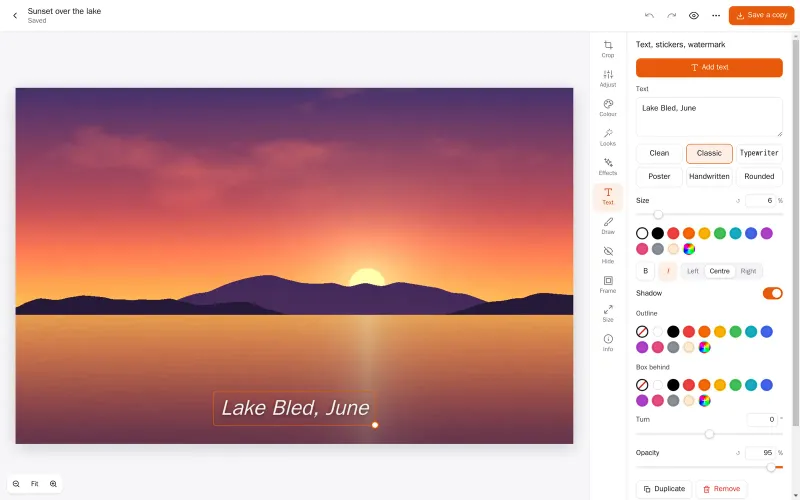
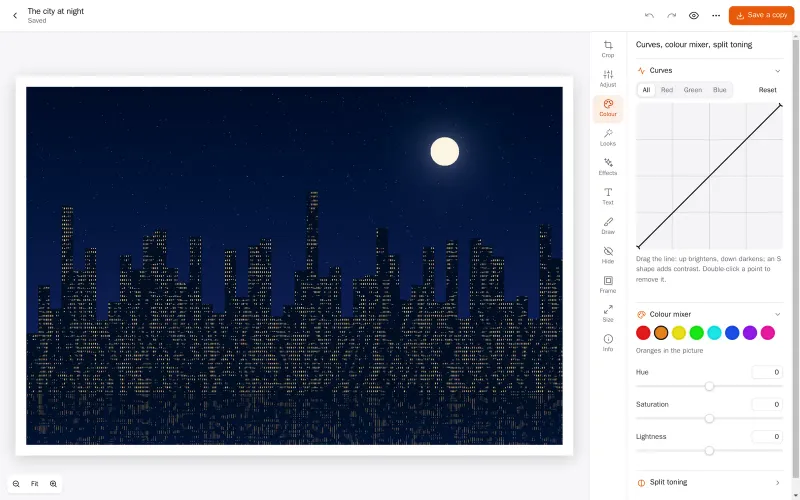
Pocket Photo Lab edits pictures from Pocket Photos, Pocket Files, your phone's share sheet or an upload. Crop and straighten, fix the light and colour with sliders, curves and a colour mixer, put on a look, add text, stickers and arrows, blur out faces and number plates, and save a copy where you want it. The original is never changed: every edit is kept as a recipe you can undo, revisit and save as versions.
- v0.3.1
- On Pocket Box
- MIT licence
Install Photo Lab with Pocket Core in one command:
curl -fsSL https://pockethomelab.com/install.sh | sh -s -- --apps photolabOn any Linux machine or a Mac. Already running Pocket Core? Apps → Install app → Photo Lab. Add more apps to the line →
What Photo Lab does
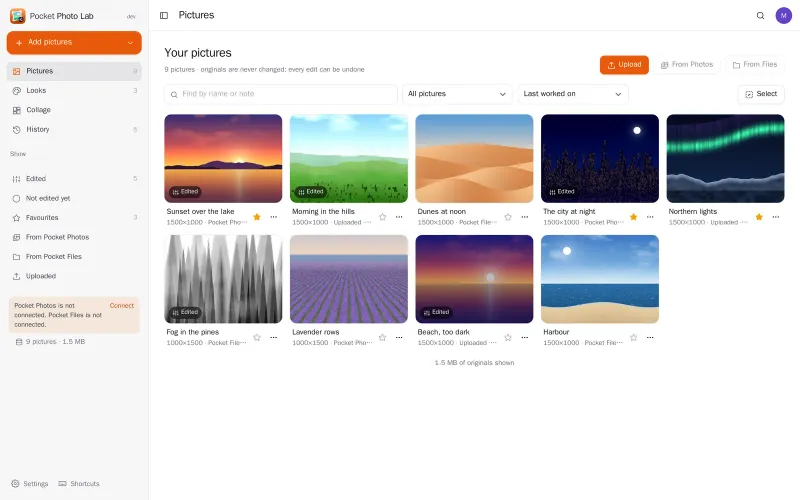
Bring pictures in
JPEG, PNG, WebP, HEIC and camera RAW files, dropped, pasted, shared from a phone or picked from Pocket Photos and Pocket Files. “Edit in Photo Lab” in Pocket Photos opens a photo here.
Crop, turn and straighten
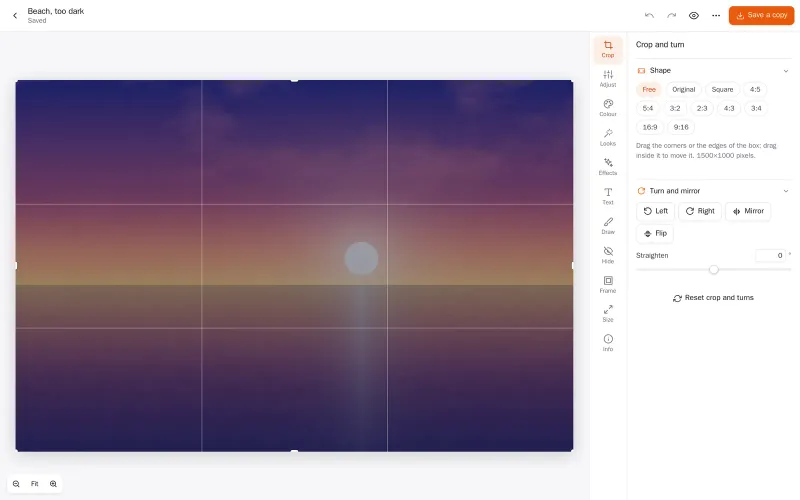
Free or fixed shapes like square, 4:5 or 9:16, mirror and flip, straighten with the corners filled in, and perspective correction for leaning buildings and photographed pages.
Light and colour
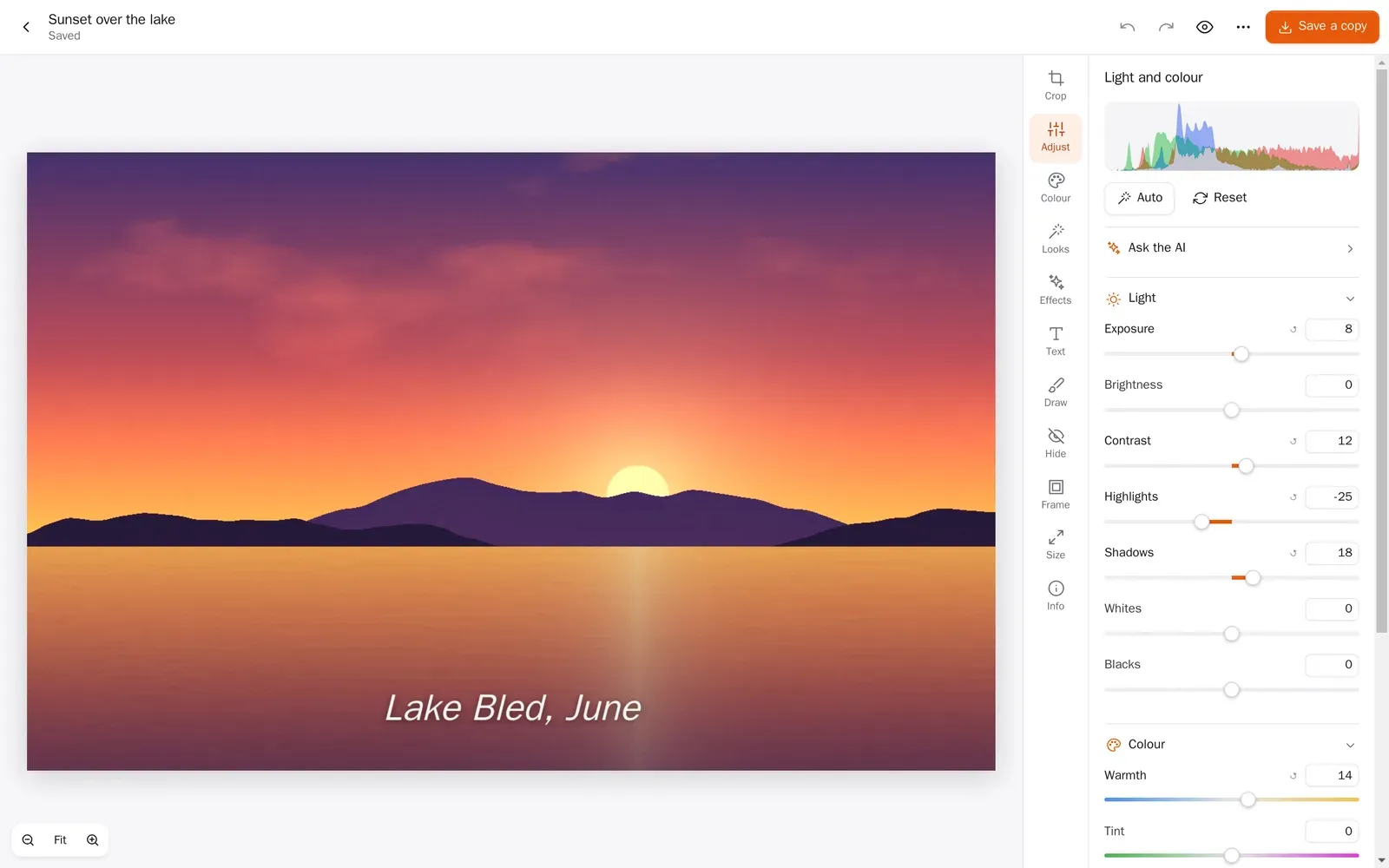
Exposure, contrast, highlights, shadows, warmth, clarity, sharpening, noise reduction and more, Auto levels and white balance, tone curves and a colour mixer. A gradient, circle or brush changes just the sky or a face.
Fix and cut out
Tap a speck of dust or a power line and it is painted over from nearby. A small model in the browser finds the subject, so the background can be blurred, coloured or taken away.
Looks and effects
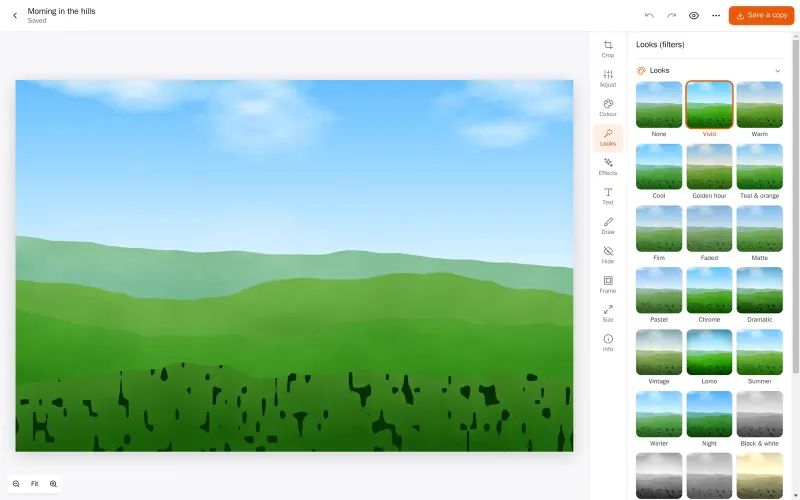
Twenty ready-made looks shown on your own picture at any strength, your own saved looks, and black and white, sepia, duotone and miniature.
Text, drawing and hiding
Captions, stickers, a logo or a watermark, arrows and boxes. Blur, pixelate or black out faces, number plates and addresses, with nothing underneath left in the saved picture.
Never lose anything
Undo and redo for every step, named versions, copies to try something else and a before and after to compare. Saved copies keep the date taken but never the location.
Many at once
One look and size on a whole selection, downloaded as a ZIP or sent to Pocket Photos or Files, and collages of two to nine pictures.
Works with your other apps
Save to Pocket Photos stacked on the original, into a Pocket Files folder, as a Pocket Blog draft, a Pocket Chat message, a Pocket Notes note or a Pocket Documents document. Pocket AI suggests an edit or describes a picture.
Run it yourself
One Go binary with the web interface built in and one SQLite file. Install it with Docker or from a release; the repository README has the steps and every setting.
Sign in with Pocket Core
Connect it to Pocket Core and your household signs in with one account. Each person sees only their own data, and other Pocket apps can work with it on your behalf.
Included in Pocket Box
On a Pocket Box it is already installed and waiting at photolab.pocket.local, with HTTPS and nightly updates.
More in Media
 Pocket Watchv0.9.0Films and shows for the whole household on top of Jellyfin, with a watch history, watchlist and requests.
 Pocket Musicv0.10.0Your music library for the whole household on top of Navidrome, with daily mixes, lyrics and listening stats.
 Pocket Photosv0.8.0Your household's photos in one calm, private app on top of the Immich server you already run.
 Pocket Podcastsv0.6.0A podcast server that also turns YouTube channels into podcasts, with your place kept on every device.
 Pocket Audiobooksv1.8.0An audiobook library and player for the household, with chapters, bookmarks and your place kept everywhere.
 Pocket Libraryv0.13.1Every ebook, comic and manga you own in one place, with a browser reader and your place synced to KOReader.
 Pocket Bookshelfv0.25.0A private reading log: what you read, what you thought of it, the lines worth keeping and what to read next.
 Pocket Readerv0.3.0Your feeds and read-later list in one calm place, with highlights, search and sync to your phone's RSS app.
 Pocket Radiov0.3.0Internet radio from around the world, plus radio channels made from your own music library.
 Pocket Requestsv0.12.0Ask for a film, a show or an album and follow it until it is ready to watch or listen to.
 Pocket Subtitlesv0.6.2Keeps your library's subtitles in sync with the audio, automatically, without ever making a file worse.
 Pocket Guitarv0.8.0Your guitar tabs and your practice in one place, with playback, loops, a speed trainer and a practice log.
 Pocket Gamesv0.4.0Your retro game library: play in the browser, saves that follow you, and RomM apps on your handheld.
 Pocket Spherev0.6.0Your video library with a VR player in the browser, previews, lookups that name your files, and downloads from a link.
 Pocket Karaokev0.2.0Karaoke at home: songs from your files, YouTube or Pocket Music with the words lighting up, in any key, and nights where guests pick songs on their phones.
 Pocket Jamv0.9.0Record music one layer at a time: a guitar, then the bass over it on headphones, then the voice, all lined up, every take kept, mixed down to one file.
 Pocket Game Builderv0.2.0Make small games without code: draw levels on a grid, give things looks and behaviours, write rules as sentences, then share a link anyone can play.
 Pocket Puzzlecraftv0.3.0Make crosswords, sudoku, word searches, quizzes and more, each checked for one fair answer, then print them or share a link; plus escape rooms and treasure hunts.
 Pocket Questv0.3.0Run your fifth-edition tabletop games: character sheets built by the rules, campaigns with game nights, fights with an initiative tracker, fair dice and the rules built in.