
Pocket Library
v0.1.2 · Self-hosted · MIT
Every book you own, in one place.
Pocket Library files the ebooks, comics and manga in your own folders, opens them in a reader in the browser, keeps your place in step with KOReader and the Xteink X4, and sends books to your Kindle and e-readers. One Go binary, one SQLite file, your book folders.
- Included in Pocket Box
- Sign in with Pocket Core
- Works with KOReader and Kindle and Xteink X4 and Calibre and Kavita
Home
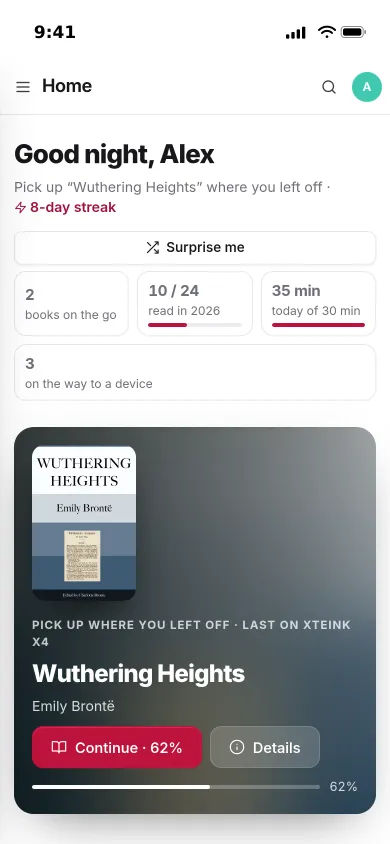
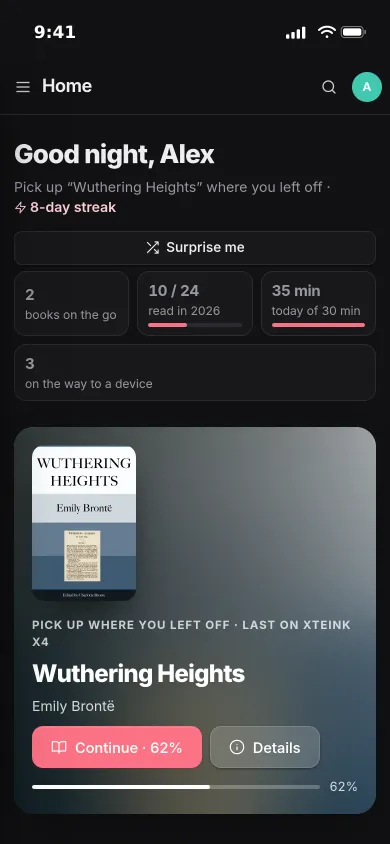
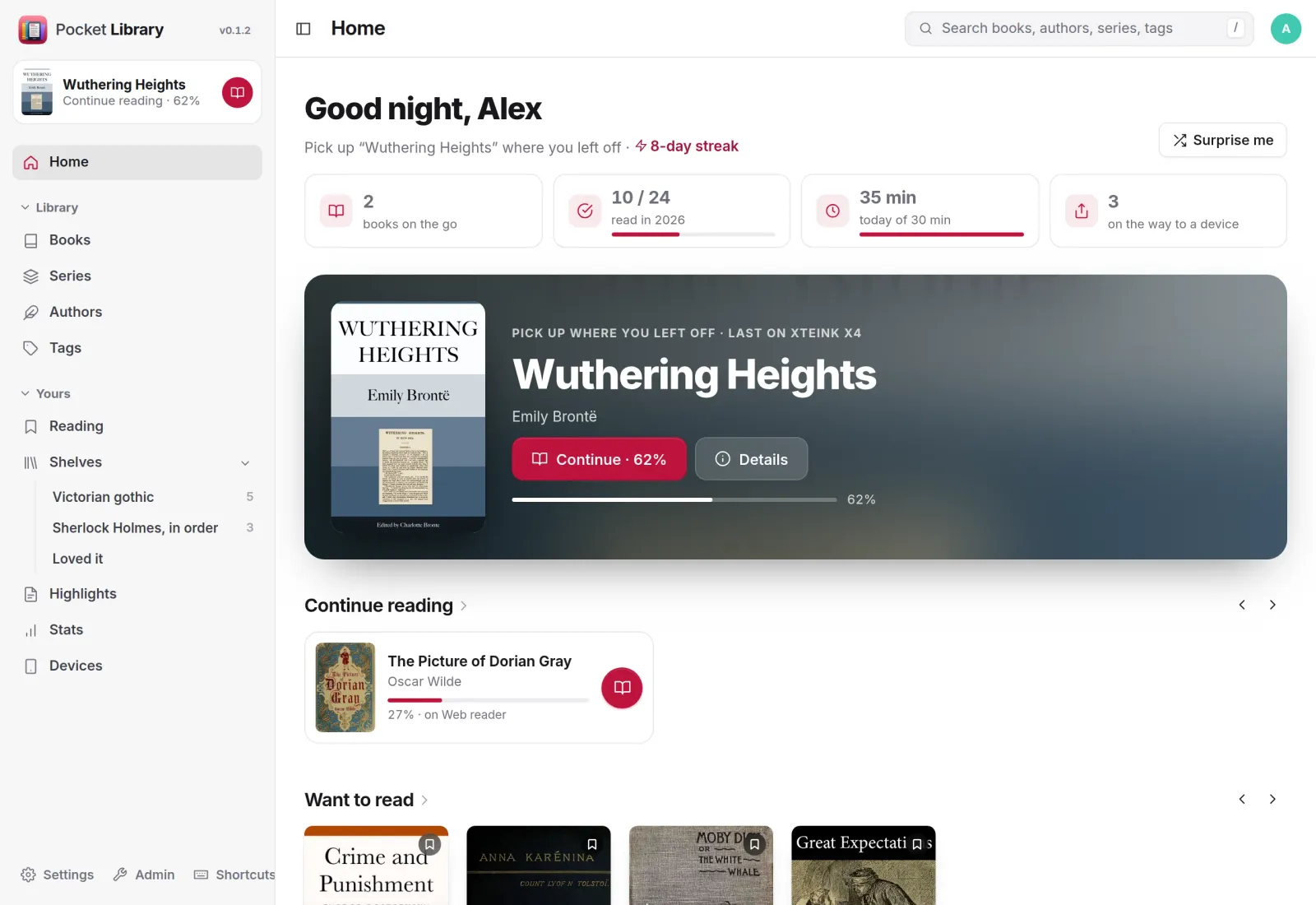
Pick up where you left off.
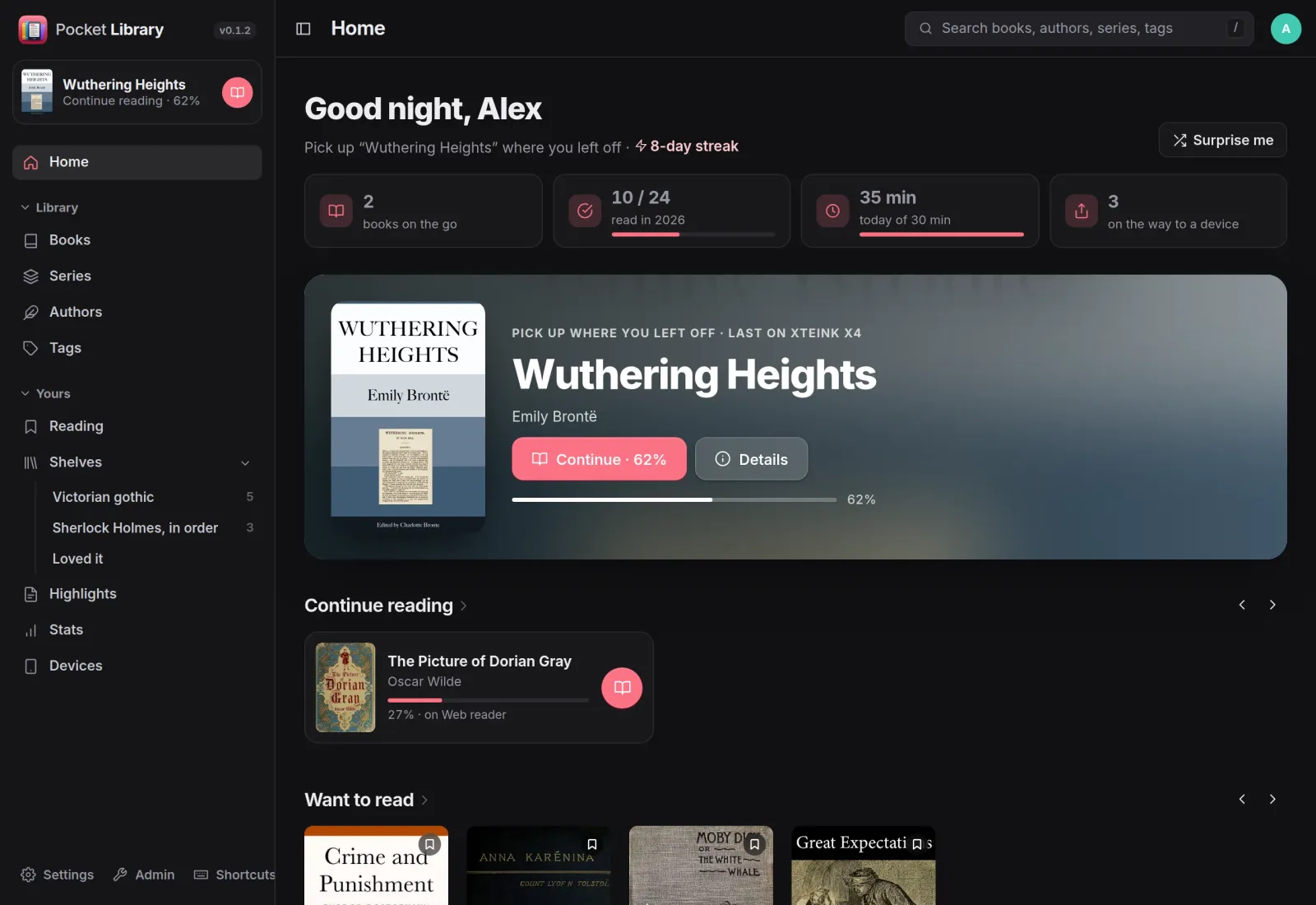
Home opens on the book you read last, on whichever device that was, with your daily and yearly goals, your streak, books on their way to a device, what else you are reading and what you want to read next.
Read anywhere
A calm reader in the browser.
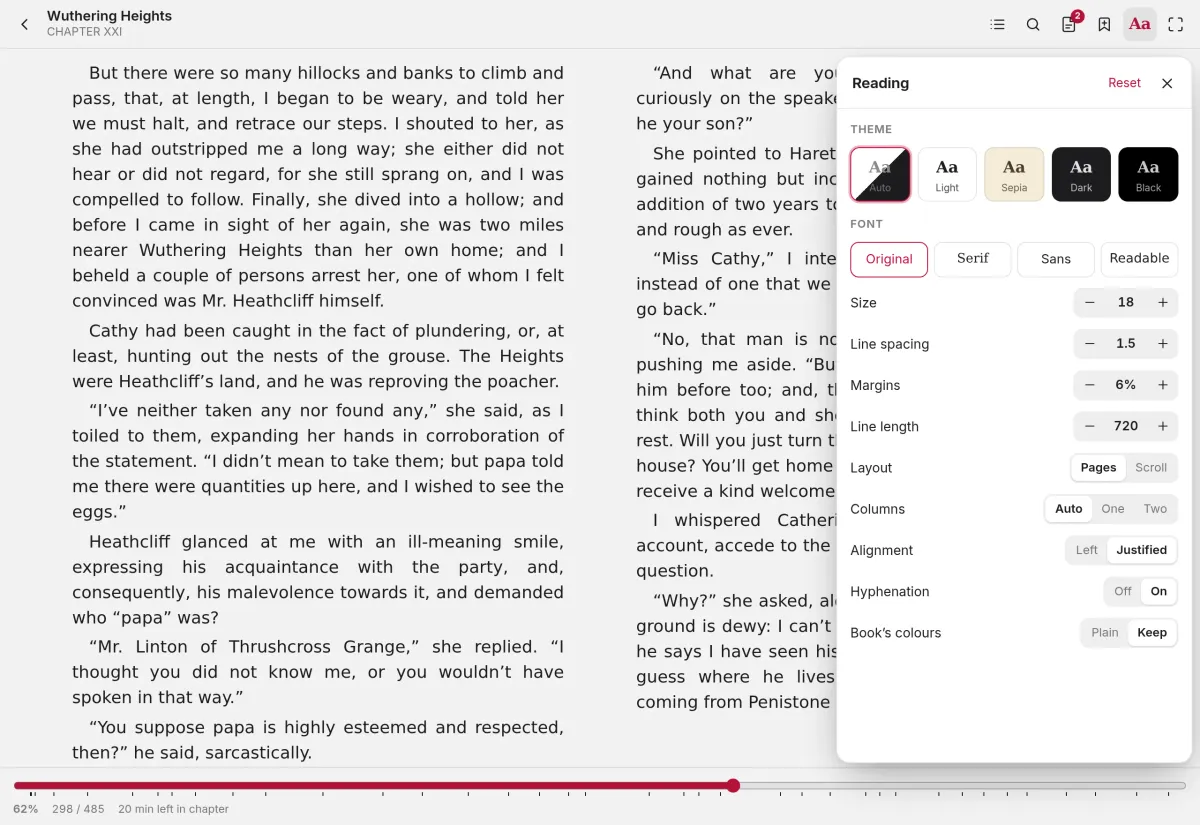
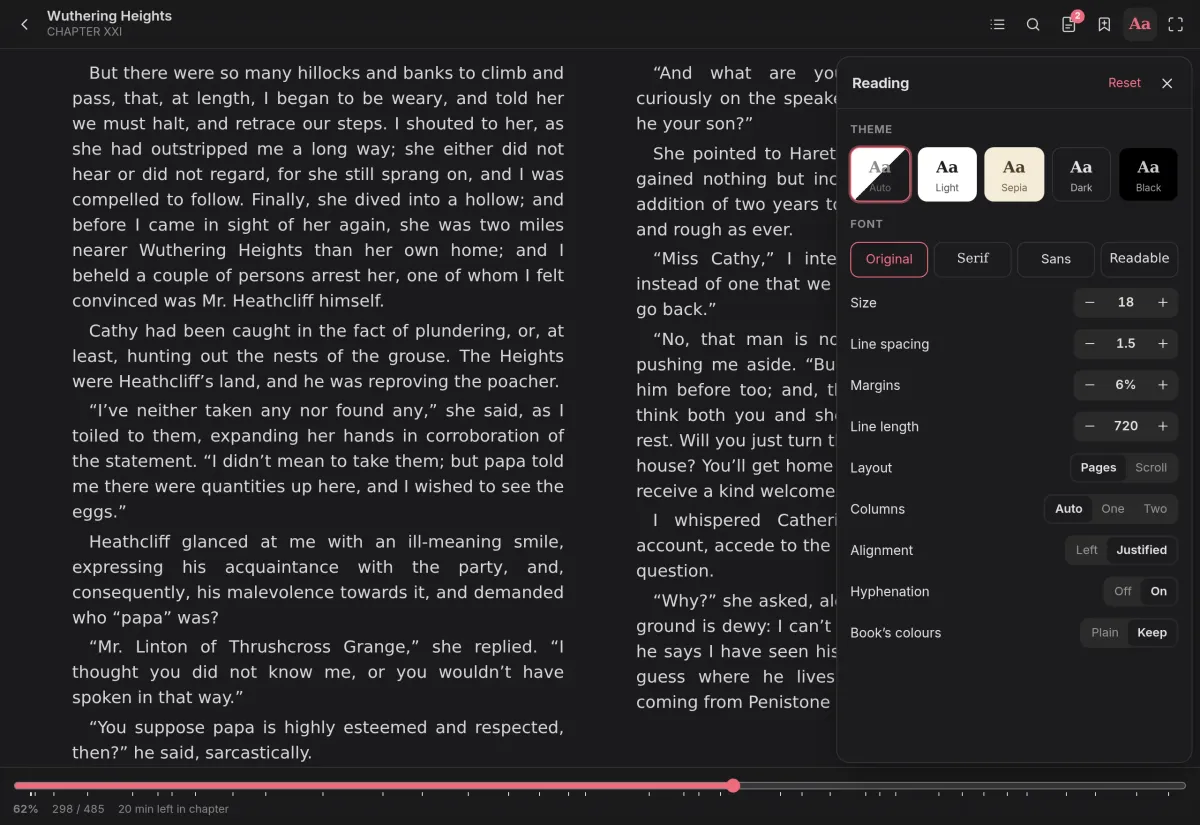
EPUB, KEPUB, MOBI, AZW3, FB2, PDF and comics open right in the browser. Choose pages or scrolling, a theme, font, size, margins and line length, and your place is kept as you read.
- Contents, search, footnotes, bookmarks and highlights in five colours
- Comics one or two pages at a time, manga right to left, webtoons as one strip
- Your place follows you to KOReader and the Xteink X4 with CrossPoint
Send it
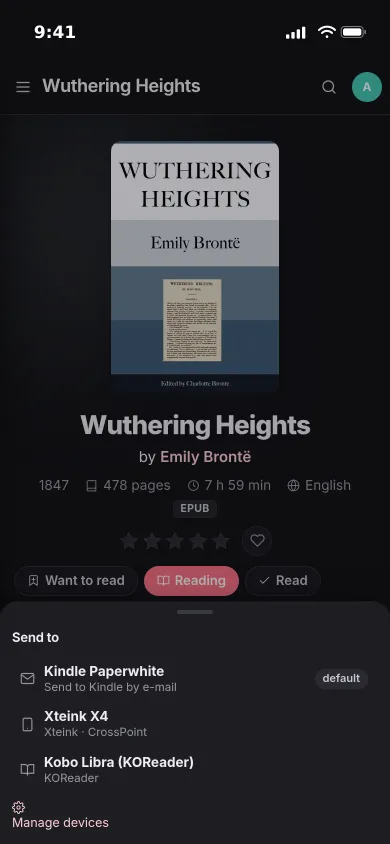
One tap to your e-reader.
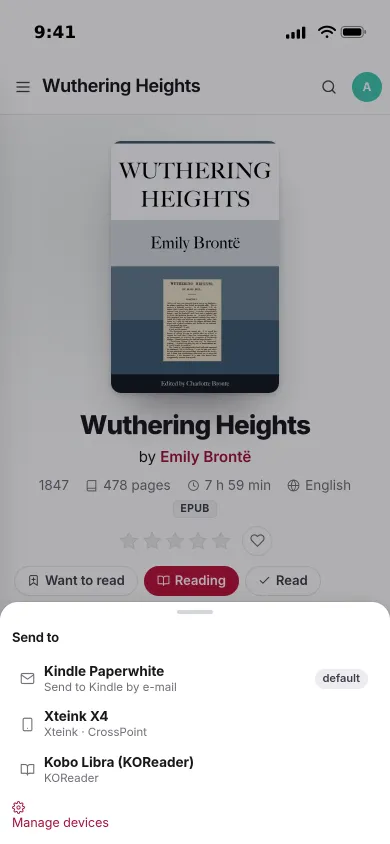
Send a book to your Kindle by e-mail, straight to an X4 on your network, or into a device's catalogue to fetch later. Downloads come in any format, converted on the way.
- Amazon's EPUB fixes and your edited details written in for Kindle
- An OPDS catalogue for KOReader, CrossPoint and any OPDS app
- A KOReader plugin downloads what you sent and uploads highlights
Yours
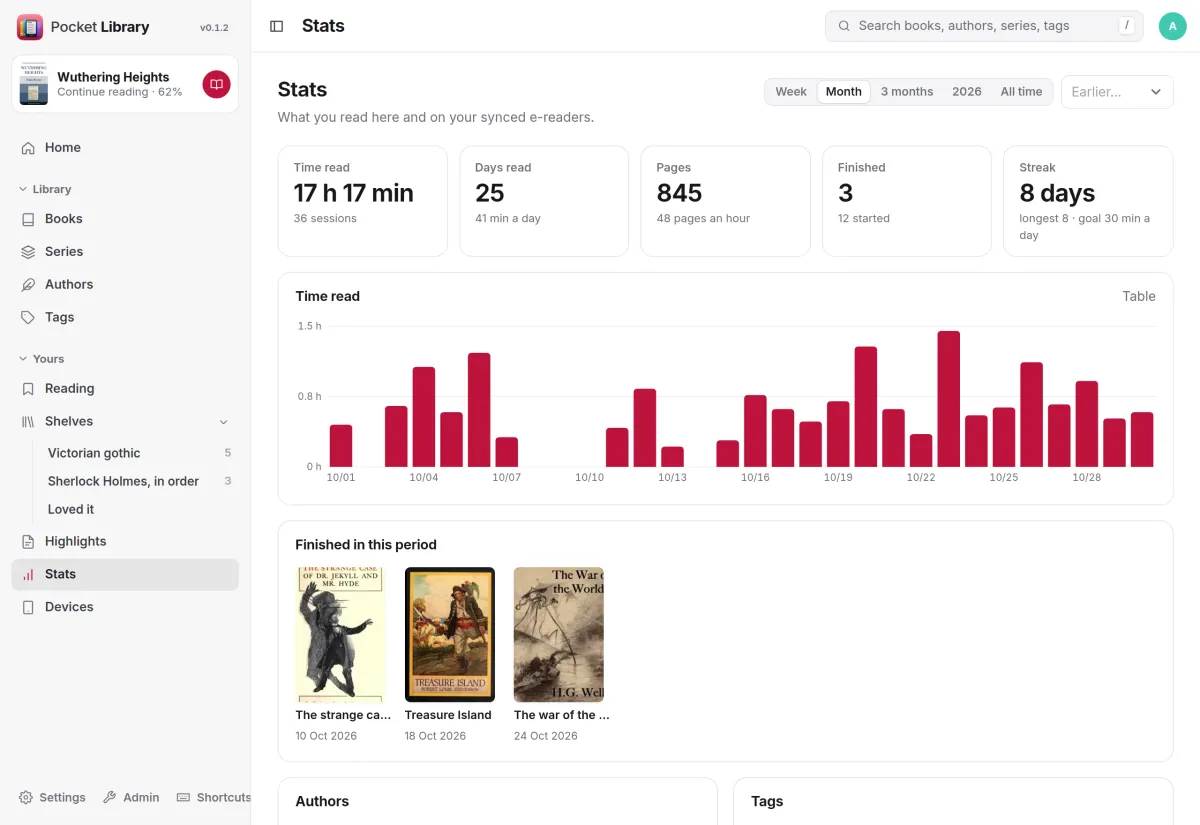
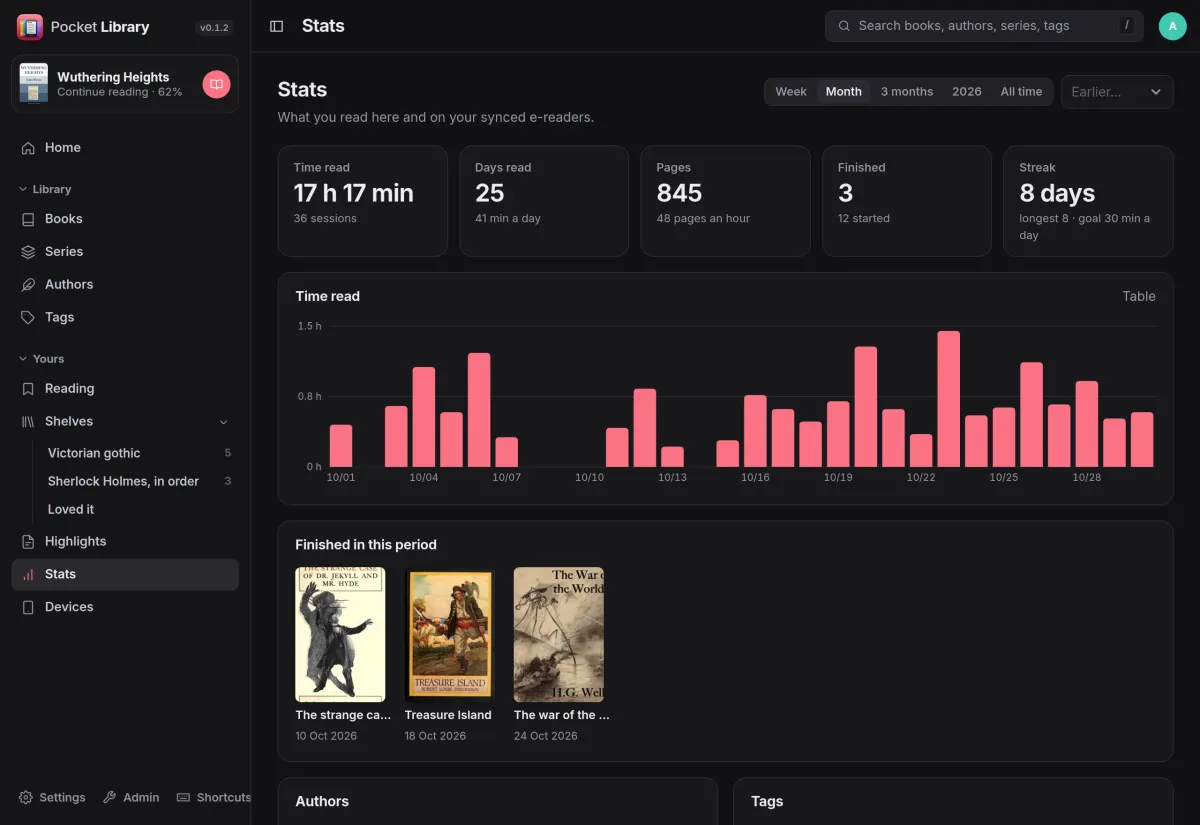
Time read, on every device.
Reading time from the web reader and your synced e-readers lands in one place: time per day, pages, days read, your streak against a daily goal, and the books you finished.
- Want to read, reading, read and didn't finish, with half-star ratings
- Hand-picked shelves, ordered reading lists and smart shelves
- Highlights from every device, searchable and exported as Markdown
And the rest of it
Your folders, kept tidy
Point it at your book folders. The EPUB, MOBI and PDF of one book become one book with three formats, Calibre's .opf files are read as they are, and rescans only open what changed.
Edits that stay
Edit titles, authors, series, tags and covers one book at a time or in bulk. Edited fields are locked so a rescan never undoes them, and details can come from Open Library and Google Books.
An ingest folder
Upload in the browser or drop files into an ingest folder, and they are filed as Author/Author - Title. Duplicates are found by file, ISBN and title.
Moving in
Import from Calibre-Web (Kindle addresses, shelves, read status) and Kavita (progress, ratings, collections, reading lists), and your Kindle's My Clippings.txt.
Install
Point it at your books.
One container next to your book folders. Mount each folder and name it in LIBRARIES (books, comics or manga), then create the first account and add your e-readers under Devices. The latest-calibre image adds conversions such as MOBI to EPUB.
On a Pocket Box it is already installed, and you sign in with Pocket Core.
docker run -d --name pocket-library -p 8080:8080 \
  -v ./data:/data -v /path/to/books:/books \
  -e BASE_URL=https://library.example.com -e SECURE_COOKIES=true \
  -e LIBRARIES="Books=/books" \
  ghcr.io/abjelosevic88/pocket-homelab-library:latest   # :latest-calibre adds conversions
More in Media
 Pocket Watchv0.4.3Films and shows for the whole household on top of Jellyfin, with a watch history, watchlist and requests.
 Pocket Musicv0.4.2Your music library for the whole household on top of Navidrome, with daily mixes, lyrics and listening stats.
 Pocket Photosv0.4.1Your household's photos in one calm, private app on top of the Immich server you already run.
 Pocket Podcastsv0.4.3A podcast server that also turns YouTube channels into podcasts, with your place kept on every device.
 Pocket Audiobooksv1.4.3An audiobook library and player for the household, with chapters, bookmarks and your place kept everywhere.
 Pocket Bookshelfv0.16.6A private reading log: what you read, what you thought of it, the lines worth keeping and what to read next.
 Pocket Readerv0.1.1Your feeds and read-later list in one calm place, with highlights, search and sync to your phone's RSS app.
 Pocket Radiov0.1.0Internet radio from around the world, plus radio channels made from your own music library.
 Pocket Requestsv0.7.1Ask for a film, a show or an album and follow it until it is ready to watch or listen to.
 Pocket Subtitlesv0.5.2Keeps your library's subtitles in sync with the audio, automatically, without ever making a file worse.
 Pocket Guitarv0.6.0Your guitar tabs and your practice in one place, with playback, loops, a speed trainer and a practice log.