
Pocket Radio
v0.1.0 · Self-hosted · MIT
Internet radio, and stations of your own.
Pocket Radio plays internet radio through your own server. Find stations from all over the world, keep your favourites and see the song that is on. Then make channels from your own music library that play like real radio, with one address for the phone, the car and any radio app.
- Included in Pocket Box
- Sign in with Pocket Core
- Works with Navidrome and radio-browser.info
Listen
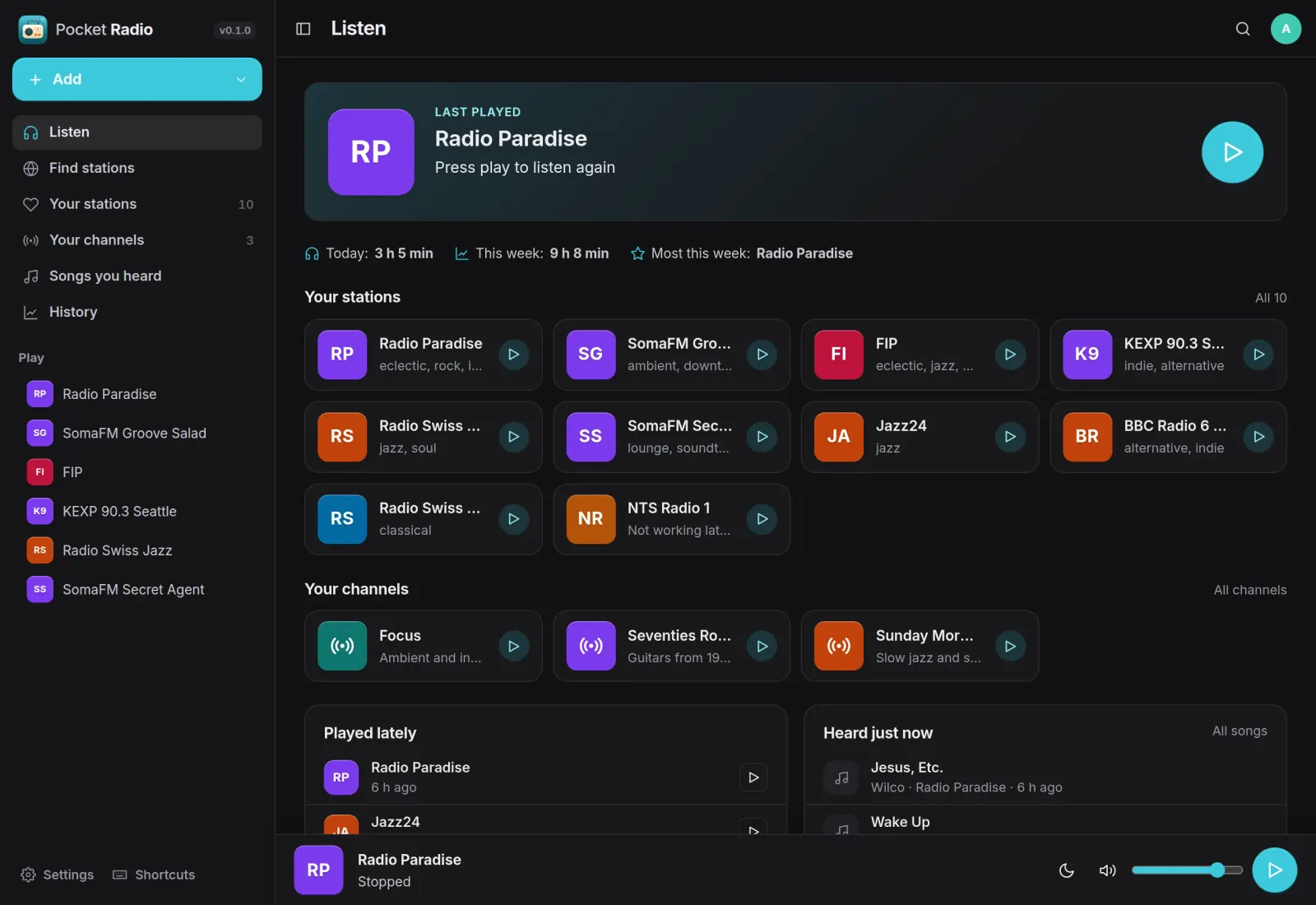
Your stations and channels, one tap away.
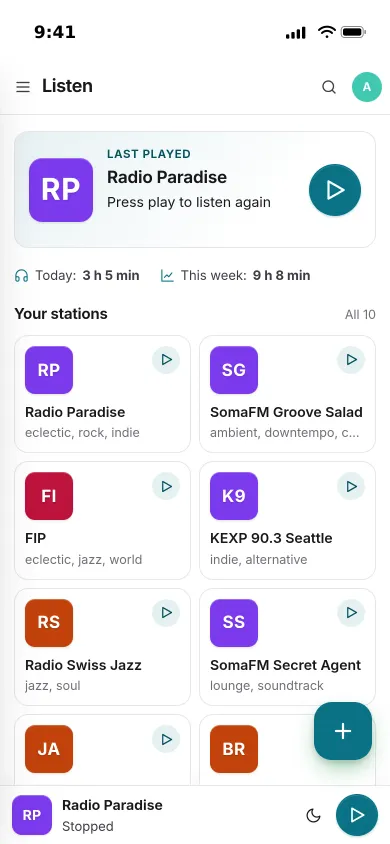
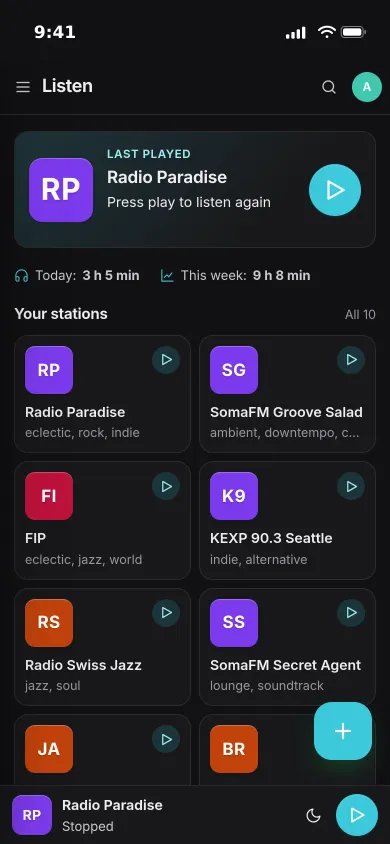
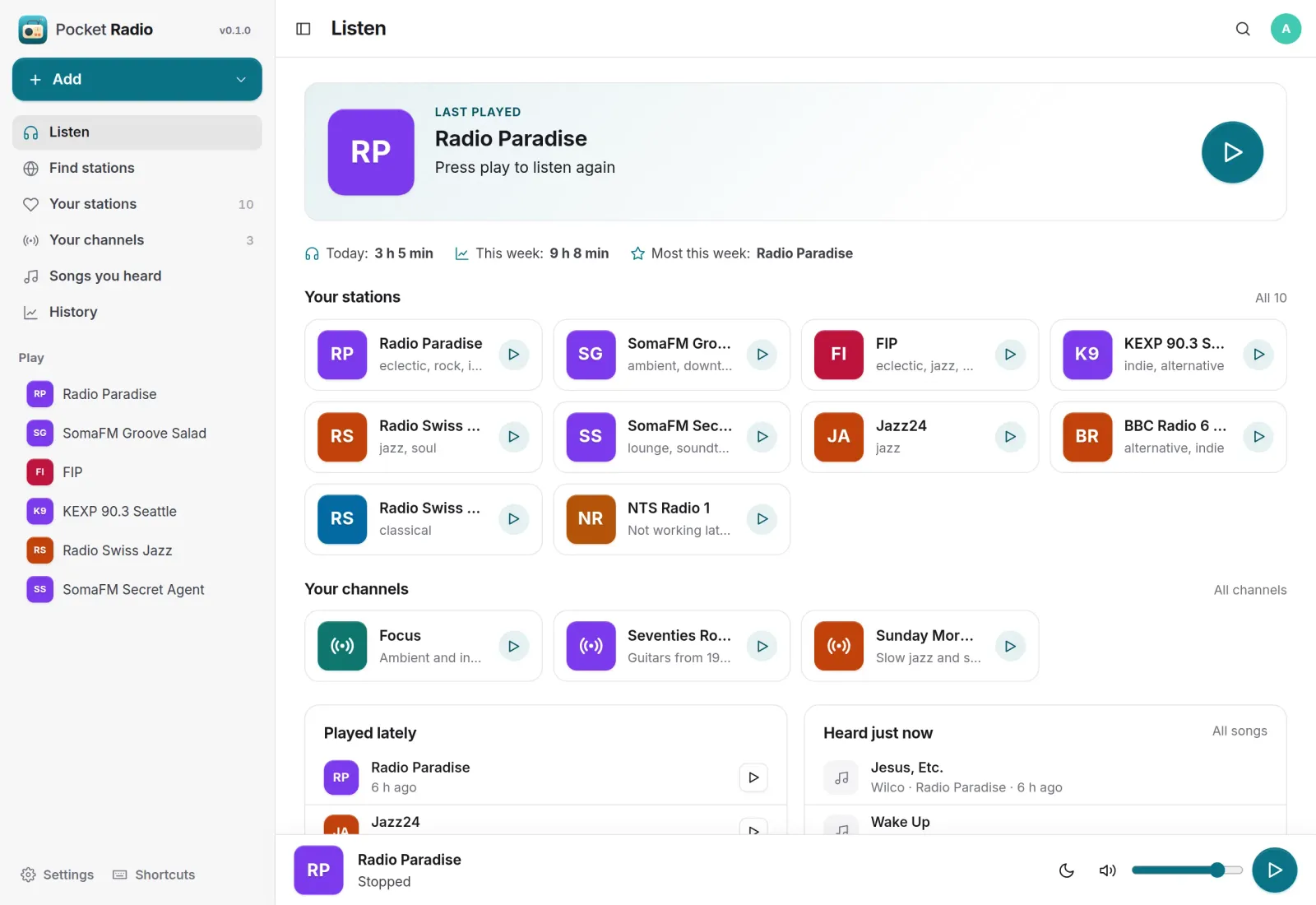
The last station waits at the top, with how long you listened today and this week. Your stations, your channels, what you played lately and the songs you heard sit underneath, and the player stays at the bottom of every page.
Find stations
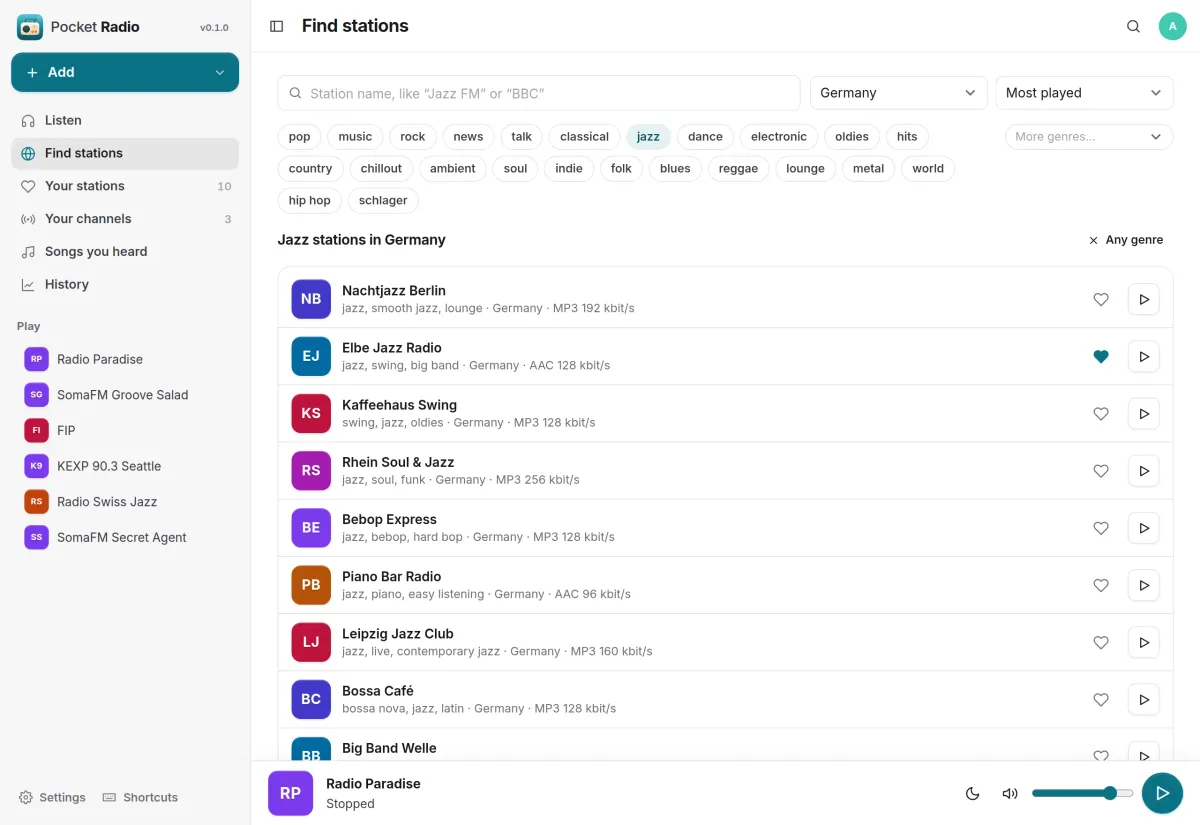
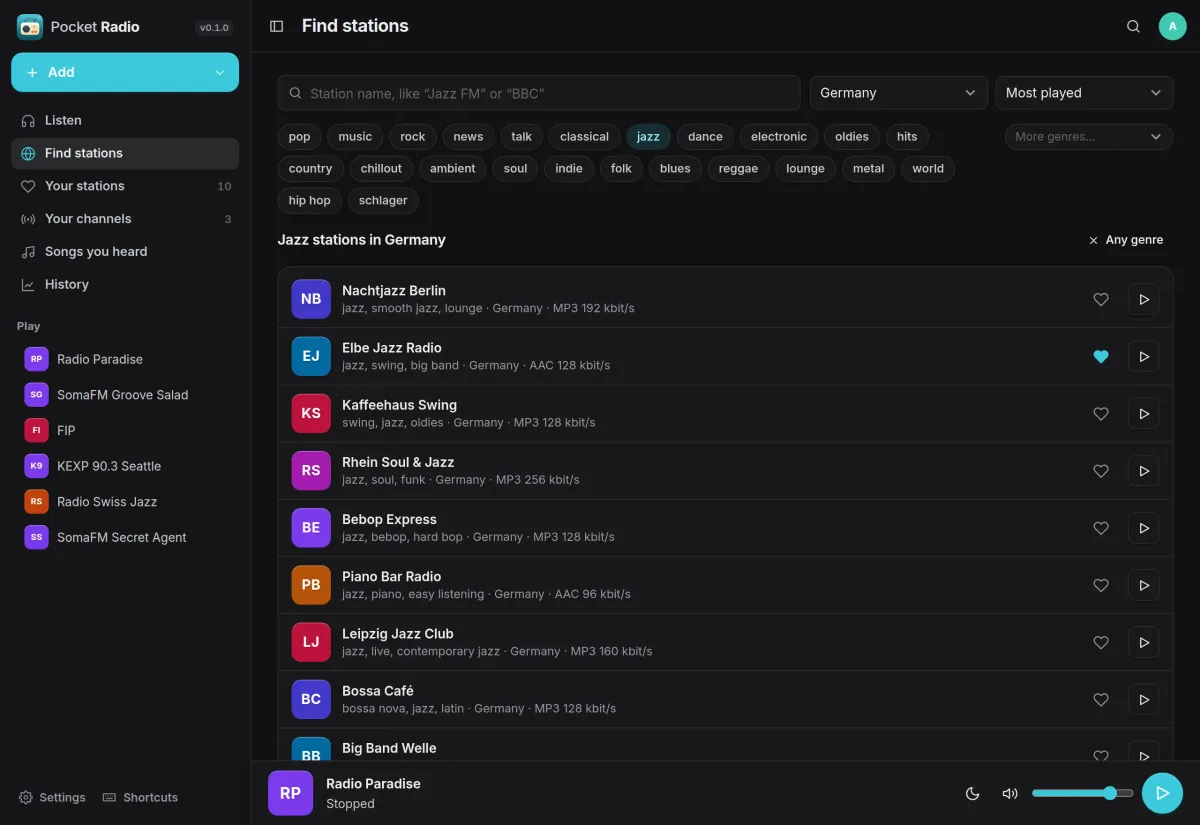
About 50,000 stations to choose from.
Search the open radio-browser.info list by name, genre and country, or see what is popular where you live. Play a station without keeping it, or tap the heart to add it to your stations.
- Add any station by its address; .pls and .m3u files are unwrapped for you
- Plain-http stations play through the server, even on an https page
- Import and export your stations as M3U for other radio apps
Channels
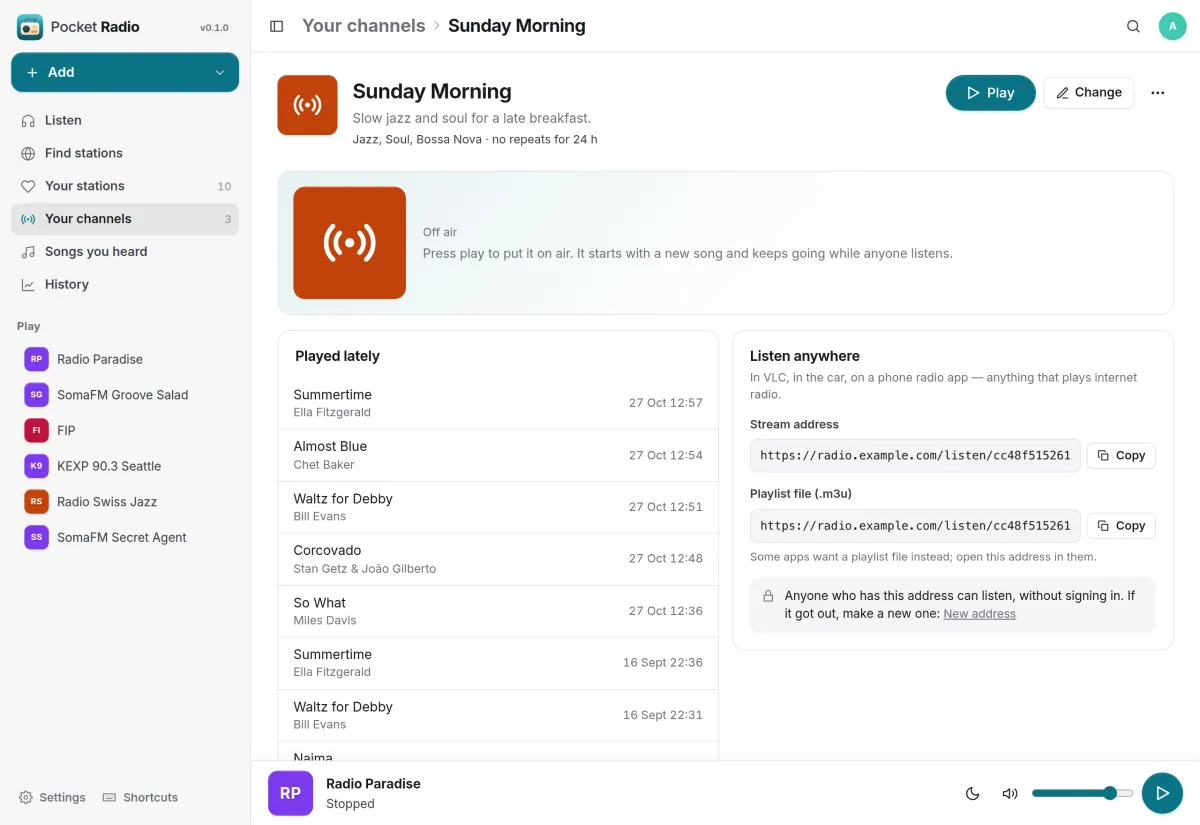
Radio made from your own music.
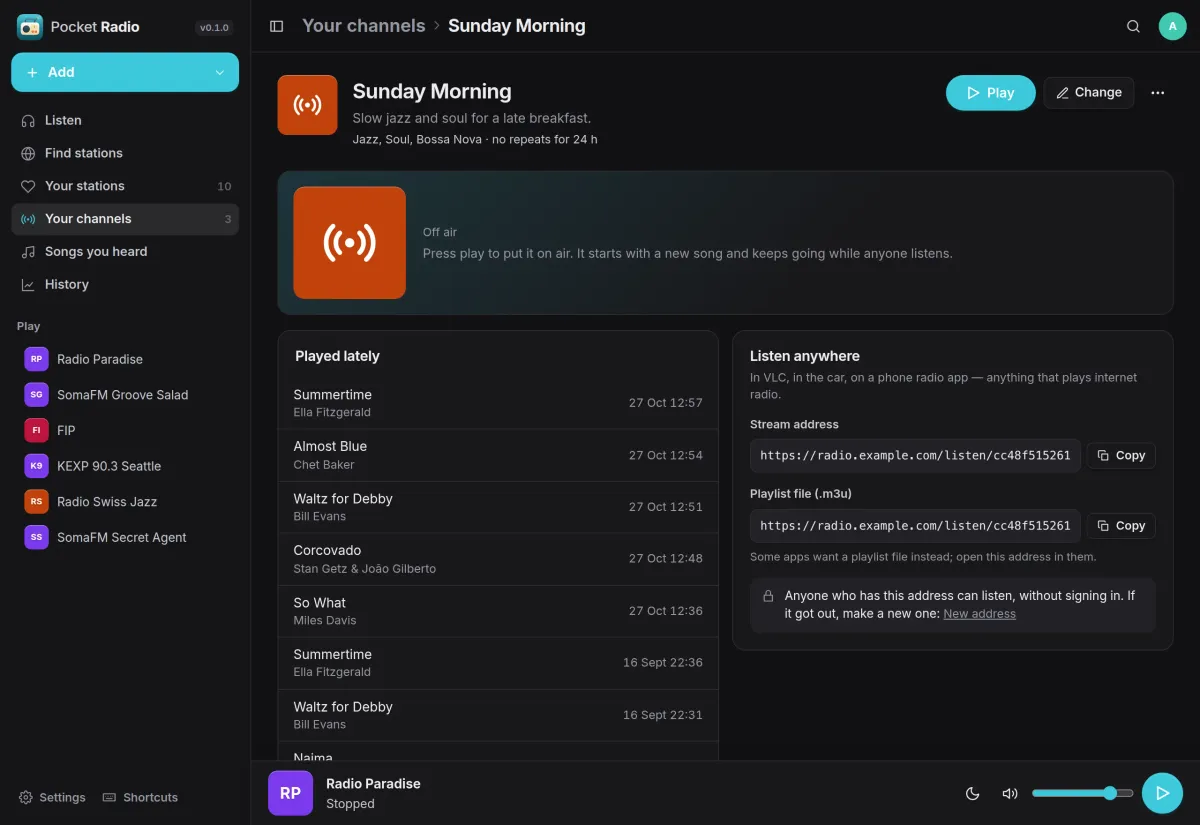
Pick genres, artists, playlists, years or only your starred songs from your Navidrome library. A channel plays them like a station: one broadcast for everyone listening, with its own address for VLC, the car or a radio app.
- No song again within the hours you choose, and a gap between artists
- Describe a channel in your own words and let AI pick the genres
- Song titles in other players, with .m3u and .pls files that point at it
Songs you heard
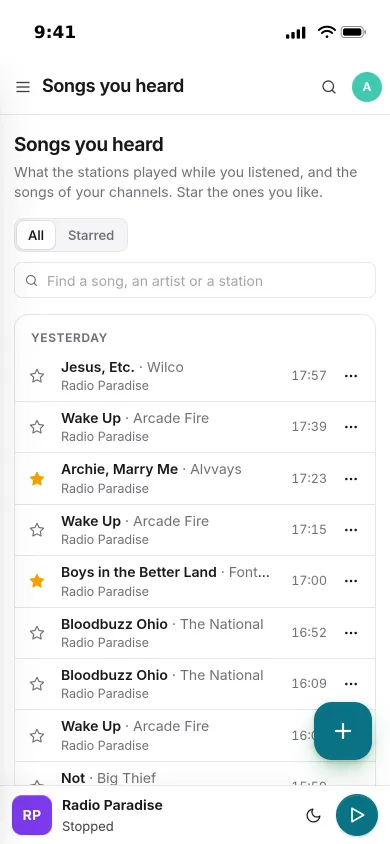
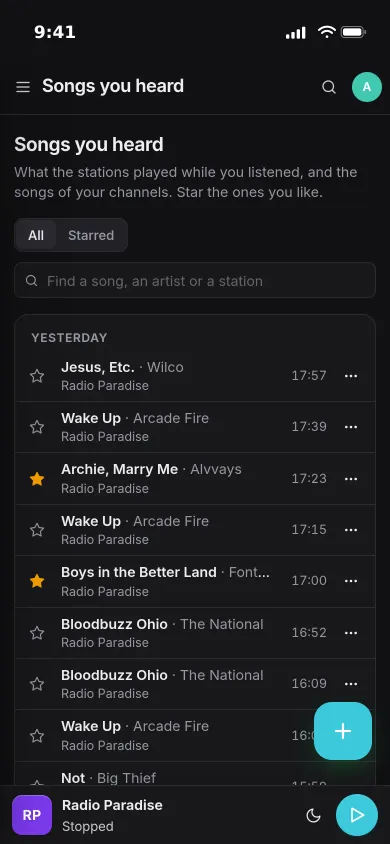
Every song the stations played.
Pocket Radio reads the song titles a station sends inside its stream, so you see what is on and every title lands in a list by day. Star the songs you want to find again.
- Starred songs are kept for good
- Ask whether a song is already in your music library
- Keep it in a Pocket Music playlist
And the rest of it
History
Minutes per day and week, the hours you listen, and your top stations and channels. Export it all as CSV.
Stations that stop playing
A daily check that each of your stations still plays, and a message when one has been silent for three days.
Sleep timer and lock screen
A sleep timer, lock-screen and headphone controls, and keyboard shortcuts: space plays and stops.
Everyone their own
Each person has their own stations, channels, history, music library and settings. Admins see no one else’s.
Install
One container, one volume.
Start it with Docker, open it, create the first account and find a station. For channels, connect your Navidrome under Settings, Connected apps; its MP3 transcoding must be on, as it is by default. Stations on your own network need ALLOW_LOCAL_STREAMS=true.
On a Pocket Box it is already installed: you sign in with Pocket Core, and your Navidrome login comes from Core.
docker run -d --name pocket-radio -p 8080:8080 -v ./data:/data \
  -e BASE_URL=https://radio.example.com -e SECURE_COOKIES=true \
  ghcr.io/abjelosevic88/pocket-homelab-radio:latest
More in Media
 Pocket Watchv0.4.3Films and shows for the whole household on top of Jellyfin, with a watch history, watchlist and requests.
 Pocket Musicv0.4.2Your music library for the whole household on top of Navidrome, with daily mixes, lyrics and listening stats.
 Pocket Photosv0.4.1Your household's photos in one calm, private app on top of the Immich server you already run.
 Pocket Podcastsv0.4.3A podcast server that also turns YouTube channels into podcasts, with your place kept on every device.
 Pocket Audiobooksv1.4.3An audiobook library and player for the household, with chapters, bookmarks and your place kept everywhere.
 Pocket Libraryv0.1.2Every ebook, comic and manga you own in one place, with a browser reader and your place synced to KOReader.
 Pocket Bookshelfv0.16.6A private reading log: what you read, what you thought of it, the lines worth keeping and what to read next.
 Pocket Readerv0.1.1Your feeds and read-later list in one calm place, with highlights, search and sync to your phone's RSS app.
 Pocket Requestsv0.7.1Ask for a film, a show or an album and follow it until it is ready to watch or listen to.
 Pocket Subtitlesv0.5.2Keeps your library's subtitles in sync with the audio, automatically, without ever making a file worse.
 Pocket Guitarv0.6.0Your guitar tabs and your practice in one place, with playback, loops, a speed trainer and a practice log.