
Pocket Puzzlecraft
Make crosswords, sudoku, word searches, quizzes and more, each checked for one fair answer, then print them or share a link; plus escape rooms and treasure hunts.
Pocket Puzzlecraft makes eleven kinds of puzzle: crosswords, word searches, sudoku, picture puzzles, secret codes, word scrambles, quizzes and riddles, mazes, logic grids, word ladders and photo jigsaws. Build them from your own words, a ready-made list or Pocket AI, and every one is checked for a single fair answer before anyone plays. Print them with the answer key, gather them in a puzzle book, share a link anyone can play without an account, or build a whole escape room or treasure hunt.
- v0.3.0
- On Pocket Box
- MIT licence
Install Puzzlecraft with Pocket Core in one command:
curl -fsSL https://pockethomelab.com/install.sh | sh -s -- --apps puzzlecraftOn any Linux machine or a Mac. Already running Pocket Core? Apps → Install app → Puzzlecraft. Add more apps to the line →
What Puzzlecraft does
Eleven kinds of puzzle
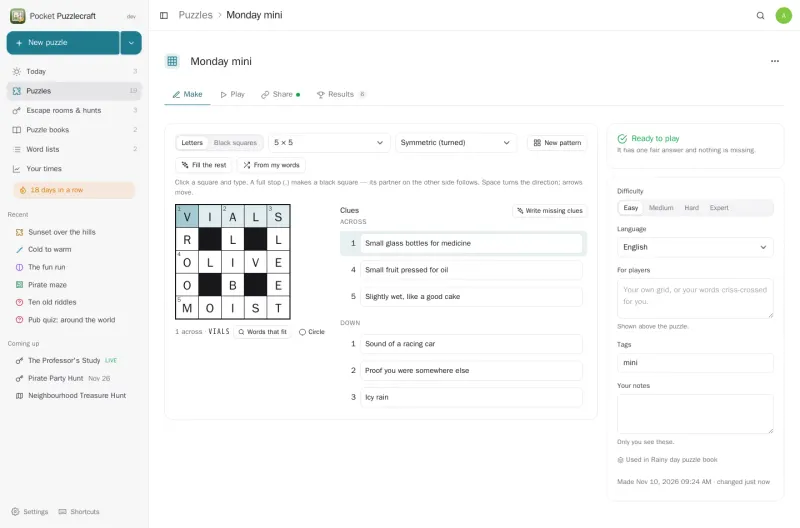
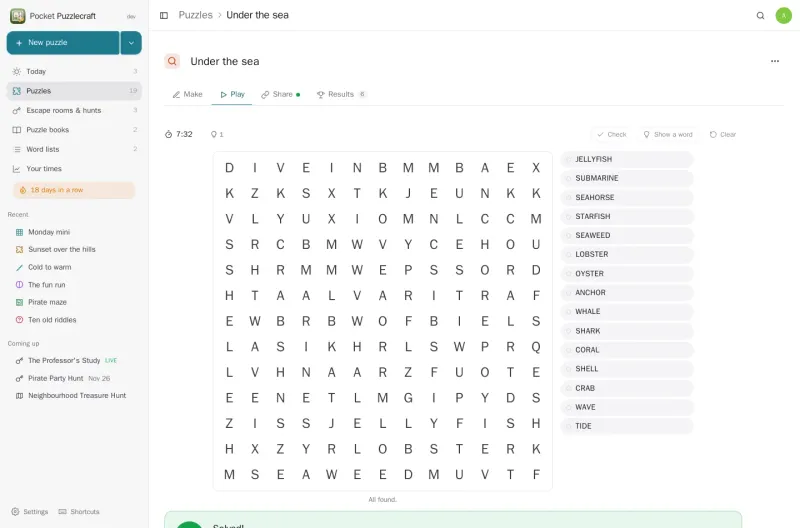
Crosswords as a classic grid or your words criss-crossed, word searches with a hidden message, sudoku from 4 × 4 for children to expert, picture puzzles (also from a photo), secret codes, scrambles, quizzes, mazes, logic grids, word ladders and jigsaws.
Made for you, or by hand
From your own words and clues, a word list, a ready-made list like animals or the kitchen, or Pocket AI on any topic. The crossword editor suggests words that fit, fills the rest and writes clues.
Checked to be fair
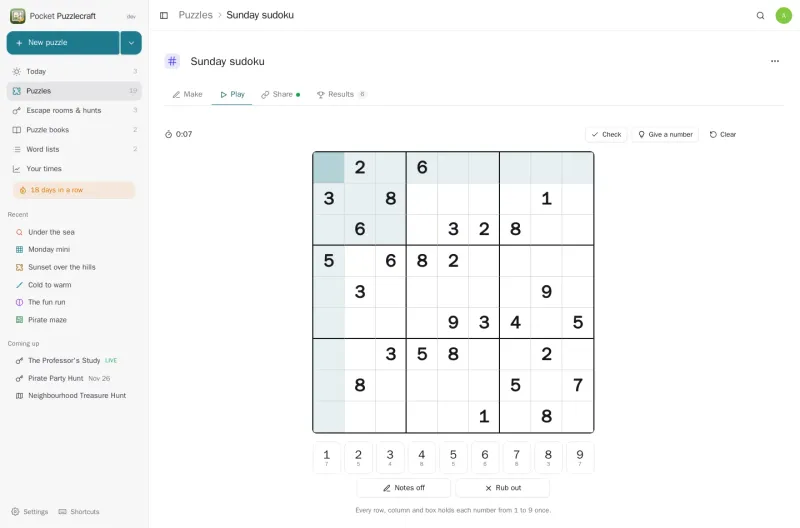
Sudoku are solved and rated, picture puzzles solved line by line, logic clues searched for one answer, and crossword words, clues and hidden messages checked before you share.
Play anywhere
In the app or through a share link with no account: a clock, hints that count, mistakes marked, progress kept and best times. The answer never leaves the server.
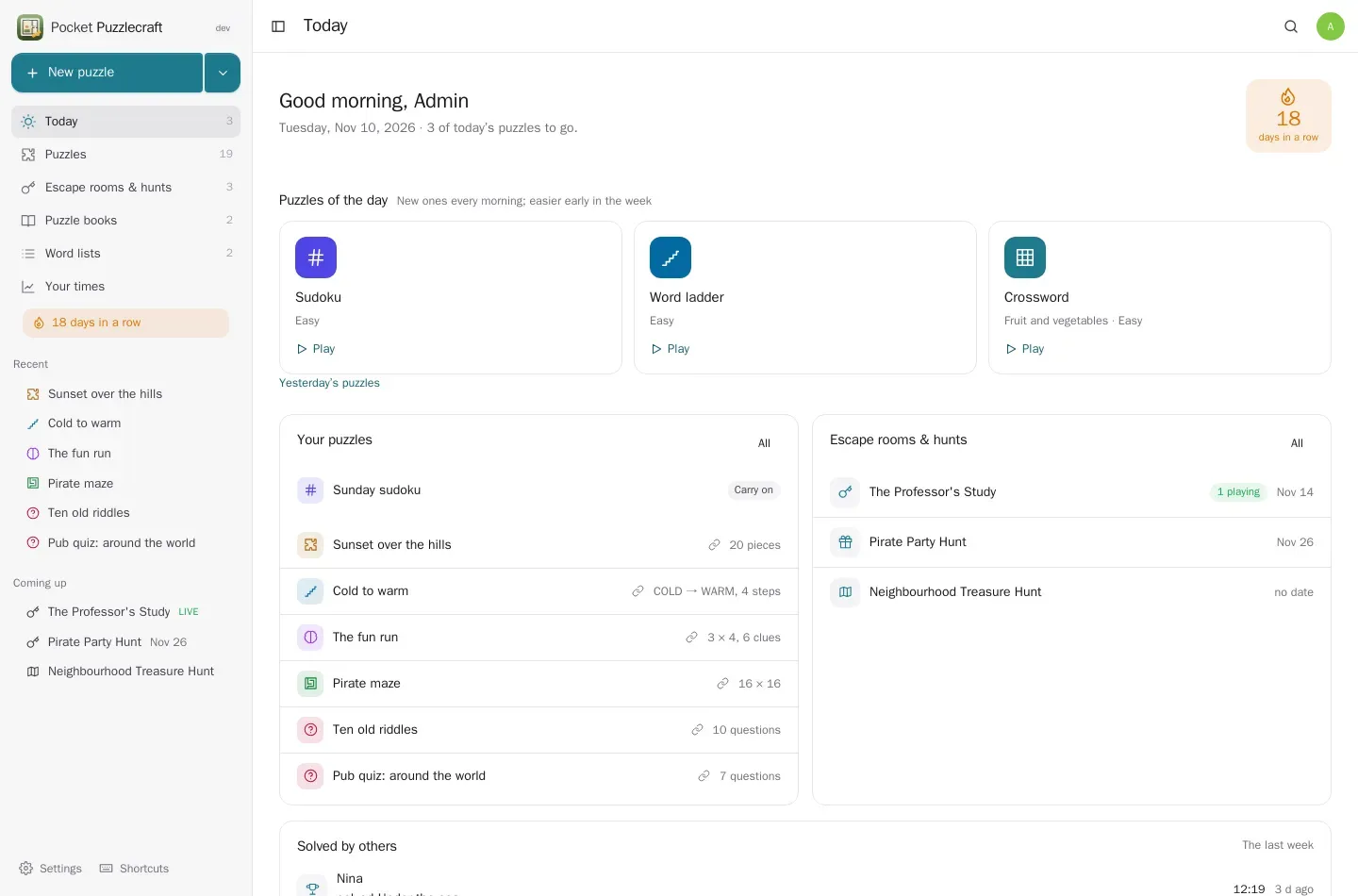
Puzzles of the day
A sudoku, a word ladder and one more every day, easier early in the week, with your run of days.
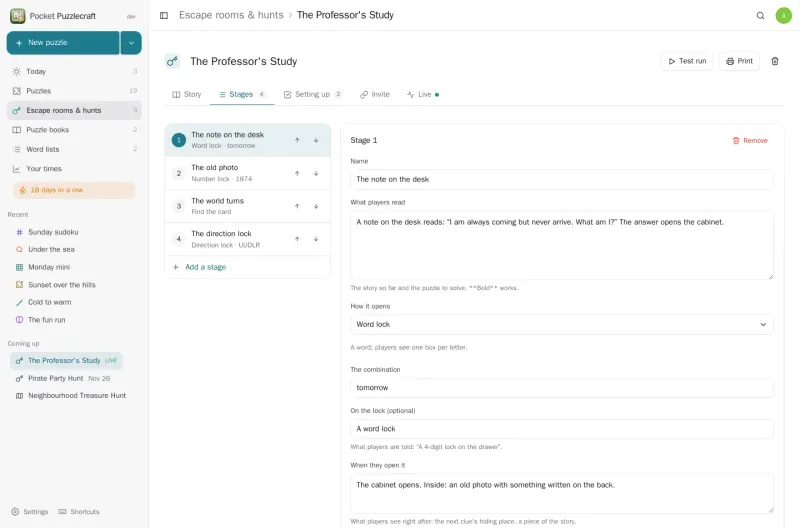
Escape rooms and treasure hunts
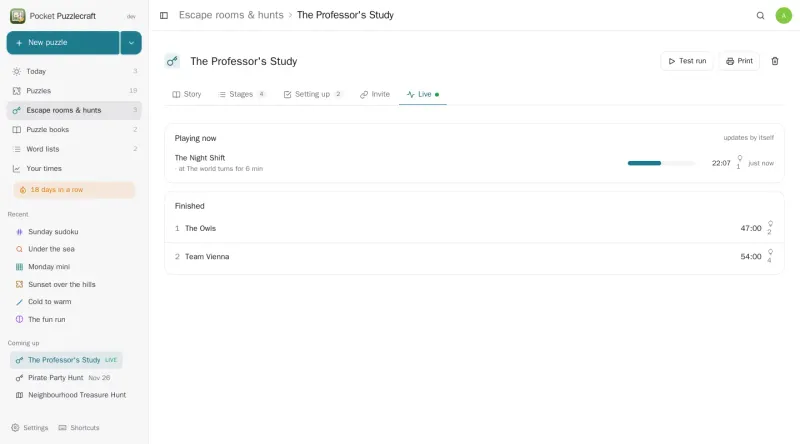
Stages with a story, a picture and a lock: an answer, a number, word, direction or colour lock, a QR card to find, or one of your puzzles. Timed hints, ready-made stories, printable cards and a host sheet, a test run and a live view of every team.
Books, print and files
Puzzle books with the answers at the back, in large print if you like. Opens and saves .puz and .ipuz crosswords, and Bosnian, Croatian and Serbian puzzles keep LJ, NJ and DŽ in one square.
Works with your other apps
Puzzle nights in Pocket Calendar, puzzles sent to Pocket Chat or emailed to Pocket Contacts, jigsaws from Pocket Photos, hunt stops from Pocket Places onto Pocket Map, setting-up lists in Pocket Tasks, and Pocket Habits ticked when you solve today's puzzle.
Run it yourself
One Go binary with the web interface built in and one SQLite file. Install it with Docker or from a release; the repository README has the steps and every setting.
Sign in with Pocket Core
Connect it to Pocket Core and your household signs in with one account. Each person sees only their own data, and other Pocket apps can work with it on your behalf.
Included in Pocket Box
On a Pocket Box it is already installed and waiting at puzzlecraft.pocket.local, with HTTPS and nightly updates.
More in Media
 Pocket Watchv0.9.0Films and shows for the whole household on top of Jellyfin, with a watch history, watchlist and requests.
 Pocket Musicv0.10.0Your music library for the whole household on top of Navidrome, with daily mixes, lyrics and listening stats.
 Pocket Photosv0.8.0Your household's photos in one calm, private app on top of the Immich server you already run.
 Pocket Podcastsv0.6.0A podcast server that also turns YouTube channels into podcasts, with your place kept on every device.
 Pocket Audiobooksv1.8.0An audiobook library and player for the household, with chapters, bookmarks and your place kept everywhere.
 Pocket Libraryv0.13.1Every ebook, comic and manga you own in one place, with a browser reader and your place synced to KOReader.
 Pocket Bookshelfv0.25.0A private reading log: what you read, what you thought of it, the lines worth keeping and what to read next.
 Pocket Readerv0.3.0Your feeds and read-later list in one calm place, with highlights, search and sync to your phone's RSS app.
 Pocket Radiov0.3.0Internet radio from around the world, plus radio channels made from your own music library.
 Pocket Requestsv0.12.0Ask for a film, a show or an album and follow it until it is ready to watch or listen to.
 Pocket Subtitlesv0.6.2Keeps your library's subtitles in sync with the audio, automatically, without ever making a file worse.
 Pocket Guitarv0.8.0Your guitar tabs and your practice in one place, with playback, loops, a speed trainer and a practice log.
 Pocket Gamesv0.4.0Your retro game library: play in the browser, saves that follow you, and RomM apps on your handheld.
 Pocket Spherev0.6.0Your video library with a VR player in the browser, previews, lookups that name your files, and downloads from a link.
 Pocket Photo Labv0.3.1A picture editor on your own server: crop, fix the light and colour, add text, blur faces, remove backgrounds and save a copy, with the original never changed.
 Pocket Karaokev0.2.0Karaoke at home: songs from your files, YouTube or Pocket Music with the words lighting up, in any key, and nights where guests pick songs on their phones.
 Pocket Jamv0.9.0Record music one layer at a time: a guitar, then the bass over it on headphones, then the voice, all lined up, every take kept, mixed down to one file.
 Pocket Game Builderv0.2.0Make small games without code: draw levels on a grid, give things looks and behaviours, write rules as sentences, then share a link anyone can play.
 Pocket Questv0.3.0Run your fifth-edition tabletop games: character sheets built by the rules, campaigns with game nights, fights with an initiative tracker, fair dice and the rules built in.