

Pocket Slides
Make and give presentations from your own server: reusable layouts and themes, speaker notes, a presenter screen on your phone, and live polls and questions from the audience.
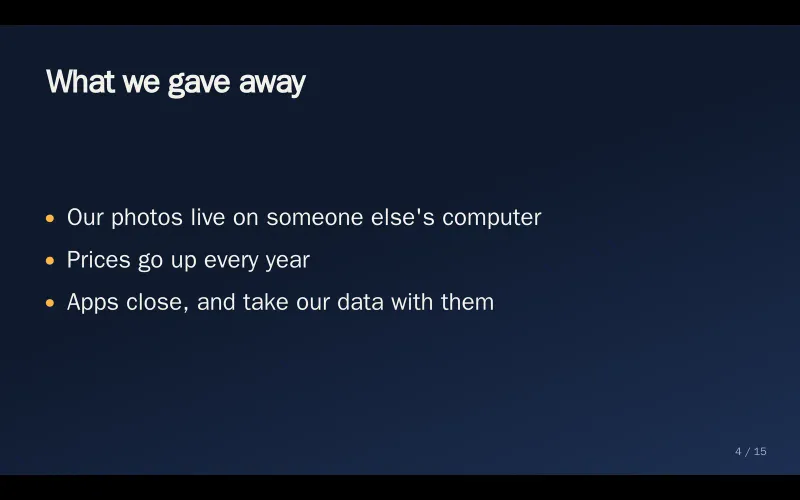
Pocket Slides makes presentations that look the same in the editor, on the projector, on a phone and in the PDF. Present full screen and scan a code to turn your phone into the presenter screen with the next slide, your notes and a timer, while the audience follows on their own phones, answers polls and asks questions. Rehearse with a timer per slide, bring decks in from PowerPoint or Markdown, and share a link, a PDF or one web page that opens anywhere.
- v0.3.0
- On Pocket Box
- Instead of Google Slides
- MIT licence
Install Slides with Pocket Core in one command:
curl -fsSL https://pockethomelab.com/install.sh | sh -s -- --apps slidesOn any Linux machine or a Mac. Already running Pocket Core? Apps → Install app → Slides. Add more apps to the line →
What Slides does
Slide layouts
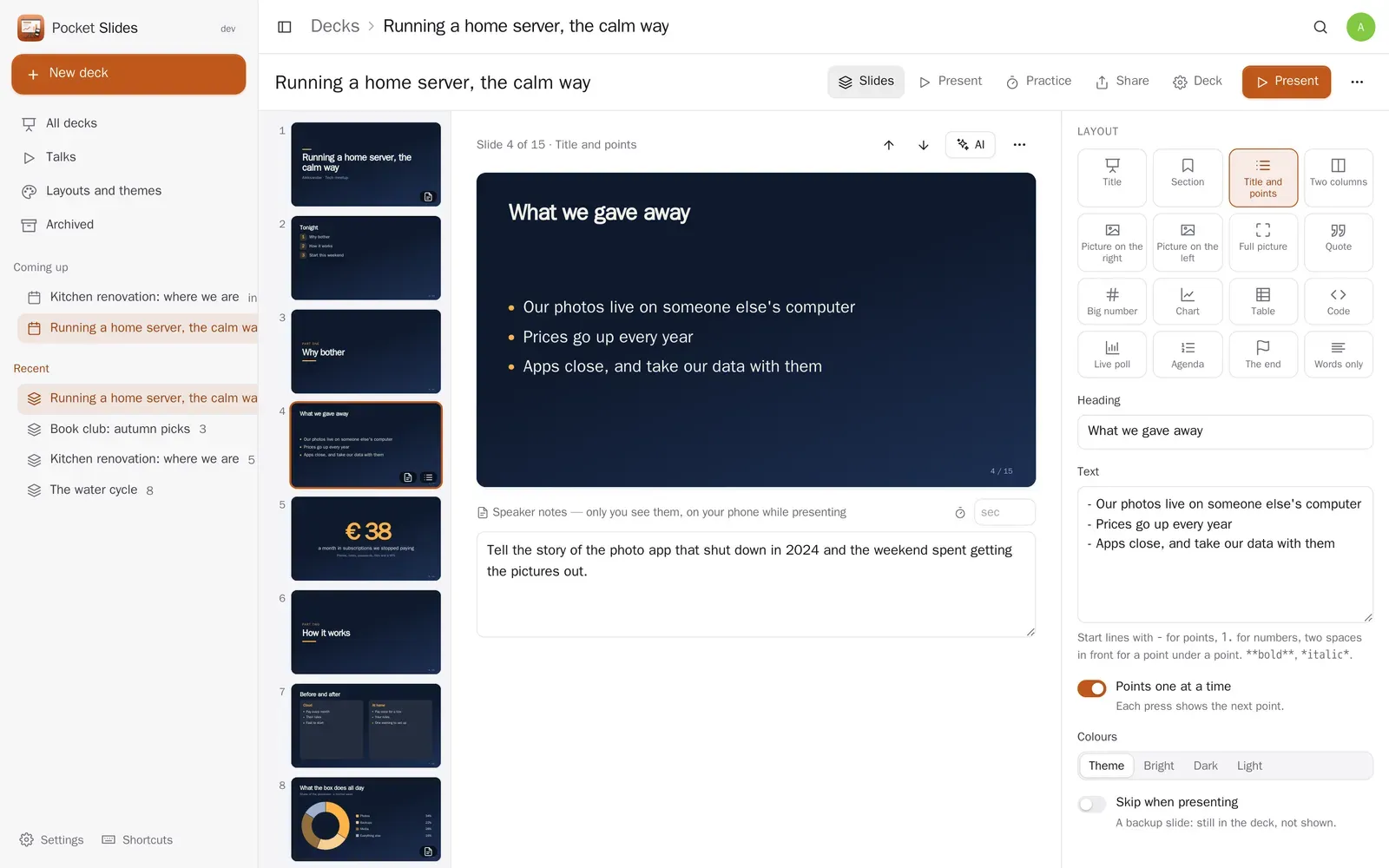
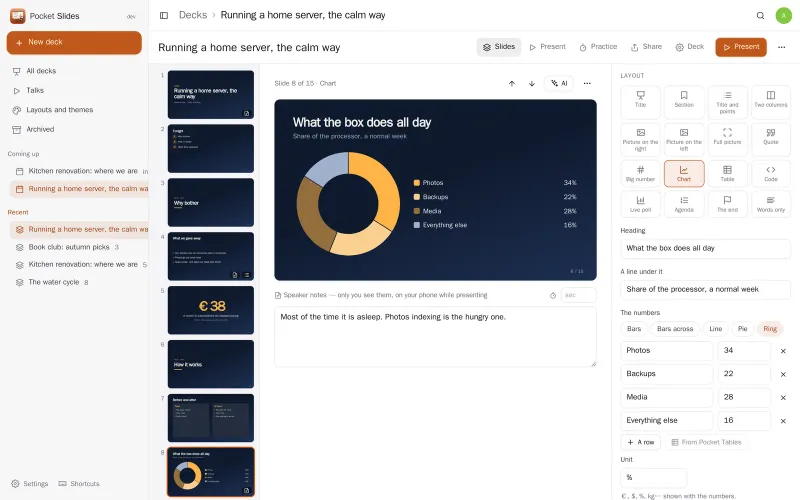
Title, points, two columns, pictures, quote, big number, charts, tables, code, a live poll or quiz, an agenda made from your sections, and an end slide with a code to scan for the slides.
Make it once, use it again
Keep any slide as your own layout, make themes with your colours, fonts and logo on top of ten built-in ones, or start from seven deck templates like a lesson, a pitch or a project update.
Your phone as presenter
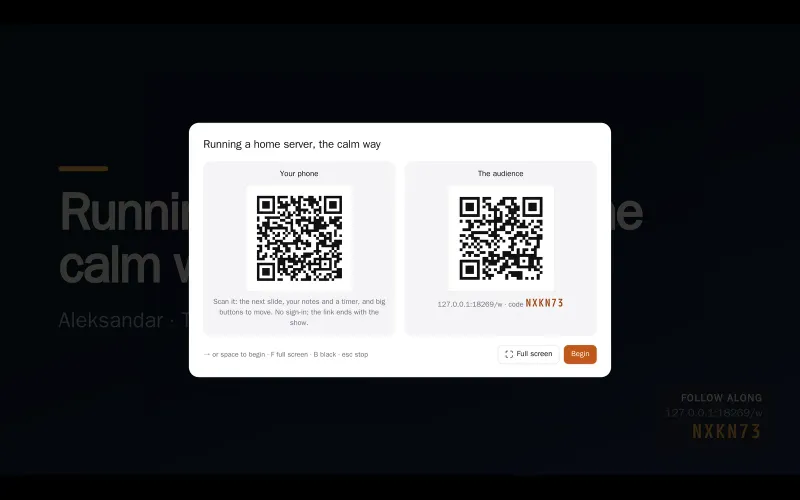
Scan the code on the screen, no sign-in: the slide on the screen and the next one, notes at the size you like, time gone and left with a warning, audience questions and big buttons. A laptop window works too.
The audience joins in
A short code to follow on their phones, only the slides so far and never your notes, live polls filling in on the screen, questions with “me too”, reactions, and stars and a comment afterwards.
Rehearse
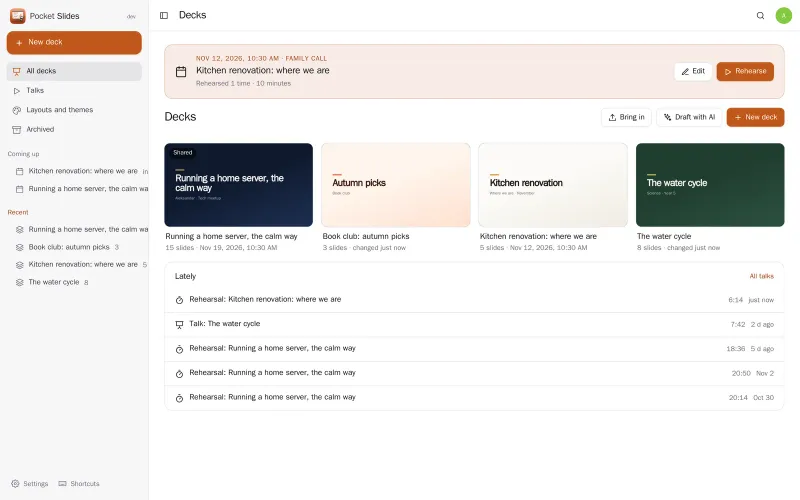
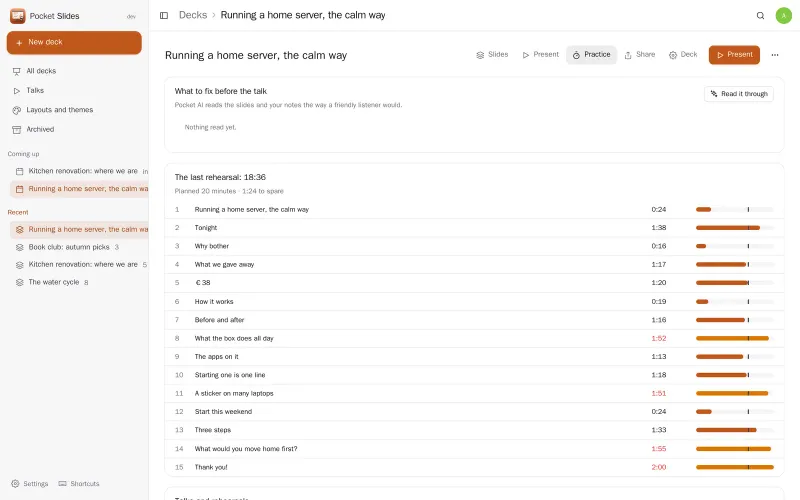
Each rehearsal keeps the time of every slide, and Practice shows where you run over the minutes you planned. Pocket AI reads the deck like a friendly listener and says what to fix.
In and out
PowerPoint files (Keynote and Google Slides save them too) with the words, notes and first picture of each slide, or Markdown. Out as a read-only link, a PDF with or without notes, one offline web page or a Markdown outline.
Works with your other apps
A deck from a note in Pocket Notes, photos from Pocket Photos, the talk in Pocket Calendar, chart slides from Pocket Tables, slides emailed to the people who came, a translated copy through Pocket Translate and a first draft from a Pocket Voice memo.
Run it yourself
One Go binary with the web interface built in and one SQLite file. Install it with Docker or from a release; the repository README has the steps and every setting.
Sign in with Pocket Core
Connect it to Pocket Core and your household signs in with one account. Each person sees only their own data, and other Pocket apps can work with it on your behalf.
Included in Pocket Box
On a Pocket Box it is already installed and waiting at slides.pocket.local, with HTTPS and nightly updates.
More in Notes, files and office
 Pocket Notesv0.17.0Markdown notes kept as plain files where you choose, with search, backlinks, tasks and history.
 Pocket Voicev0.10.0Voice memos written out on your own server, tidied up by AI, with the tasks, appointments and spending you mentioned one tap from your other apps.
 Pocket Tasksv0.8.0Tasks with areas, lists and smart views, synced to Apple Reminders and other apps over CalDAV.
 Pocket Boardsv0.2.0Trello-style boards, lists and cards for plans, chores and projects, on your own or shared with your household.
 Pocket Calendarv0.9.0A shared calendar for the household that syncs to every phone and pulls in iCloud, Google and Nextcloud.
 Pocket Contactsv0.9.0Everyone you know in one searchable place, synced to every phone over CardDAV.
 Pocket Mailv0.5.0All your email accounts in one calm inbox, with fast search, snooze, send later and undo send.
 Pocket Chatv0.3.0Private chat for your household and friends on your own server: groups, polls, shared to-do lists and cards from your apps, with a catch-up only you see.
 Pocket Documentsv0.10.0Scans and paper files made searchable, tagged and filed for you. A lighter Paperless-ngx replacement.
 Pocket Signv0.3.0E-signatures on your own server: send a PDF to sign from any phone without an account, or sign one yourself, and get back a sealed PDF with who signed when.
 Pocket Filesv0.15.0Your files on your own server, with private folders, shares, a WebDAV drive and encrypted links that expire.
 Pocket Officev0.9.0Open and edit Word, Excel and PowerPoint files in the browser, wherever they are stored.
 Pocket Drawv0.5.0Sketches, text diagrams and detailed diagrams in one place, with history and search.
 Pocket Clipsv0.4.0Clipboard history, text snippets and search shortcuts on your own server, searchable from every device.
 Pocket Blogv0.2.0Your own blog without any programming: pick a look, write in an editor that shows the post as it will read, and publish to fast pages with no trackers.
 Pocket Forumv0.2.0Forums for your family, club, team or community: topics and replies, questions with an accepted answer, events with who is coming, private or public, with real moderation.