
Pocket Subtitles
Subtitle sync status, what needs attention, the history and the library of Pocket Subtitles, with sync, verify, nudge, pin and restore per file.
iPhoneMacOn this page
Pocket Subtitles keeps a library’s subtitles in sync
with the audio: every download from Bazarr is re-timed, the library is swept every night, and any file can be nudged
by hand. Pocket Homelab shows it on the shared Subtitles screen. The older Subtitle Sync Server (the
sync-status-server scripts Pocket Subtitles replaced) still works with the same setting.
With only the URL, the app shows the sync status and the queue and lets you nudge files. Add an API token and it uses Pocket Subtitles’ own API: what needs attention, rejected downloads, the history, the queue, the library by show, and per file Sync now, Verify, Pin, Restore original. Bazarr’s missing list then comes through Pocket Subtitles, with Search now, so the Bazarr key in the app is optional.
What you get
- Home tile (“Subtitles”): value
<n> missing, captionsync idle · <n> queuedorsyncing <current file>, and with a token· <n> need attention. - Subtitle Sync section on the Subtitles screen: idle or what is syncing now, and the queue. The line under it
reads
<n> queued · <n> missing, with a token also<n> need attention · <n> today. When Pocket Subtitles cannot reach Bazarr the missing count shows — instead of failing the section. - With a token, a Pocket Subtitles section opens Needs Attention, History, Sync Queue and Library. Without one, the row Add a Pocket Subtitles API token opens the Subtitles settings.
- Wanted episodes and movies with a Search button per item: pick a language and Bazarr searches for it now.
- Nudge screen: search the subtitle library, then shift a file’s cues earlier or later, in presets of ±100/250/500/1000 ms or a custom value; the file is pinned so the nightly sync stops re-timing it until you unpin it.
- Quick action: Nudge subtitles opens the Nudge screen directly as a sheet.
Set up
- In Pocket Subtitles, open Settings → API tokens and create a token (it starts with
pst_and is shown once). - In the app, go to Settings → Services → Subtitles, enter the Pocket Subtitles URL and the Pocket Subtitles API token, then press Test connection (“Pocket Subtitles OK, token accepted”).
- Optional: Bazarr’s URL and key, only if Pocket Subtitles is not connected to Bazarr or you use the older sync server.
| Key | Field | Required | Secret | Where to get it |
|---|---|---|---|---|
SUBSYNC_URL | Pocket Subtitles URL | Optional | — | Base address of Pocket Subtitles (or the older Subtitle Sync Server). |
SUBSYNC_API_KEY | Pocket Subtitles API token | Optional | Secret | Pocket Subtitles → Settings → API tokens (starts with pst_). |
BAZARR_URL | Bazarr URL | Optional | — | Optional with a token: Pocket Subtitles serves the missing list. |
BAZARR_API_KEY | API key | Optional | Secret | Bazarr → Settings → General. |
On iPhone
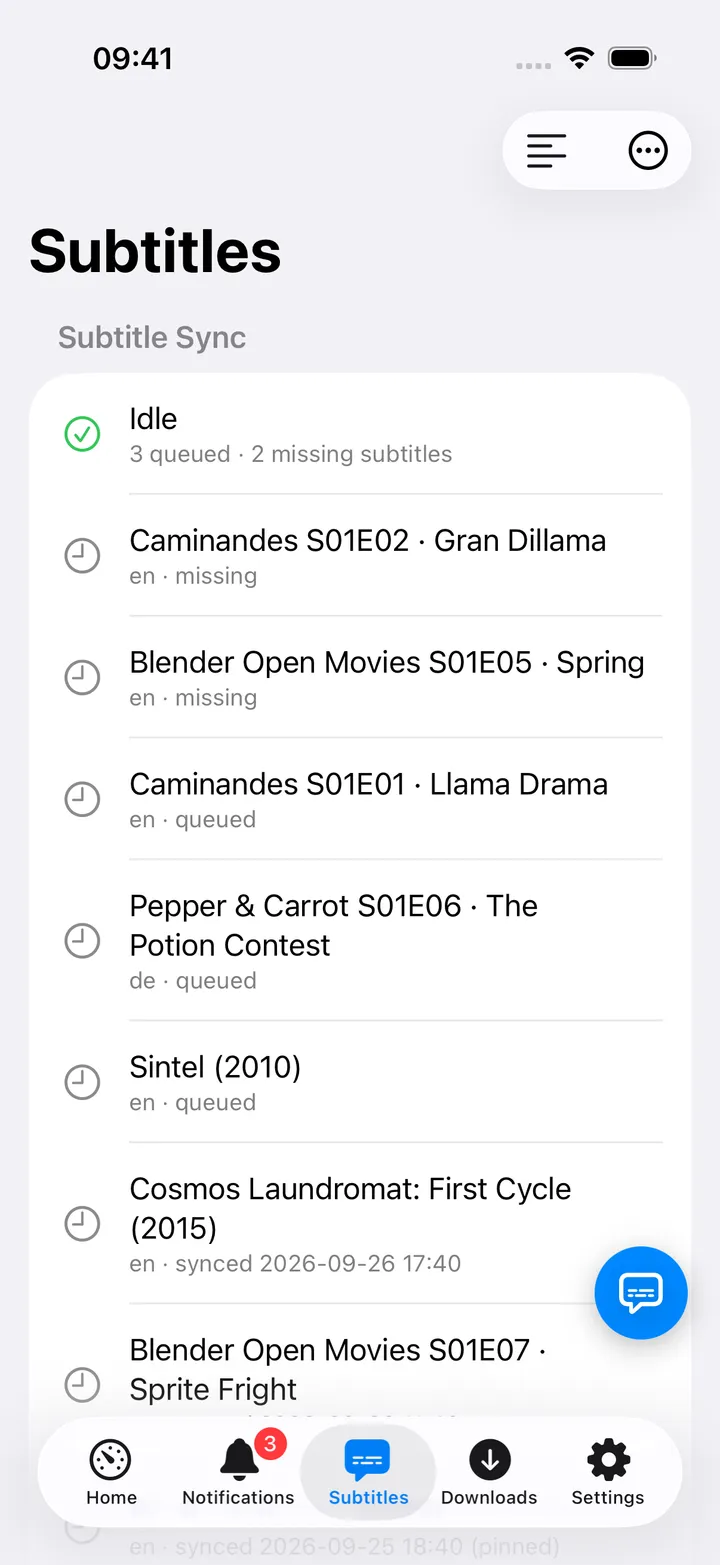
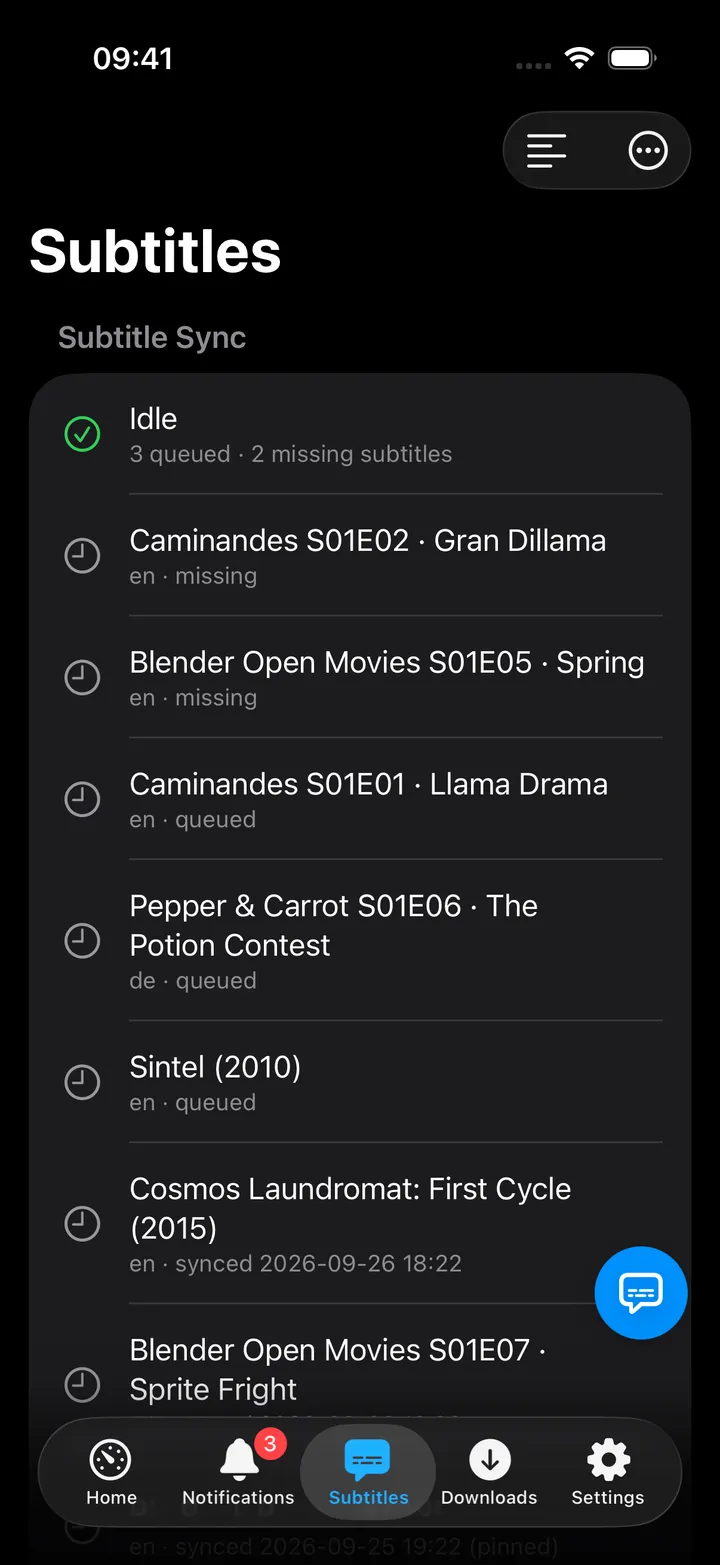
- Toolbar Nudge a Subtitle… opens the Nudge screen; the ⋯ menu holds the four pages, Open Bazarr and Open Pocket Subtitles. The screen action button (the round button beside the +) carries the same.
- After a nudge the notice says how far, how many cues and the net shift, and whether Jellyfin reloaded it; with the older server it still says to restart playback.
- In the Nudge sheet, Verdict, history and more actions opens the file’s page (token only).
Needs attention
Files the engine gave up on, that failed or timed out, or that turned out to be the wrong episode or a machine translation. Rejected lists the downloads the quality gates turned away; swipe one and Put back returns it and pins it.
A file
The verdict with its reason, how far it moved, the method and when it was checked or verified, the pin note and whether it is in the queue. Actions: Sync now (a pinned file asks Unpin and sync), Verify against the audio, Pin with an optional note or Unpin, Restore original download…, the nudge presets, a custom shift and Undo last nudge. Below: its Runs and Changes.
History
Every run, newest first, filtered by All / Adjusted / In sync / Attention / Rejected or a search; Show more loads the next hundred. A run opens its file.
Sync queue
What is Syncing now with its stage, what is Waiting (swipe: To front, Cancel; Clear the queue…), Run the sweep now… (the confirmation says how many files it would check), and the recent sweeps and season tools with their progress (swipe Stop).
Library
Shows and movies with their counts; a show lists its files by season. The ⋯ beside a season runs Verify every file, Sync every file again, Sync again with fresh audio or Reset through Bazarr… (admins only).
On Mac
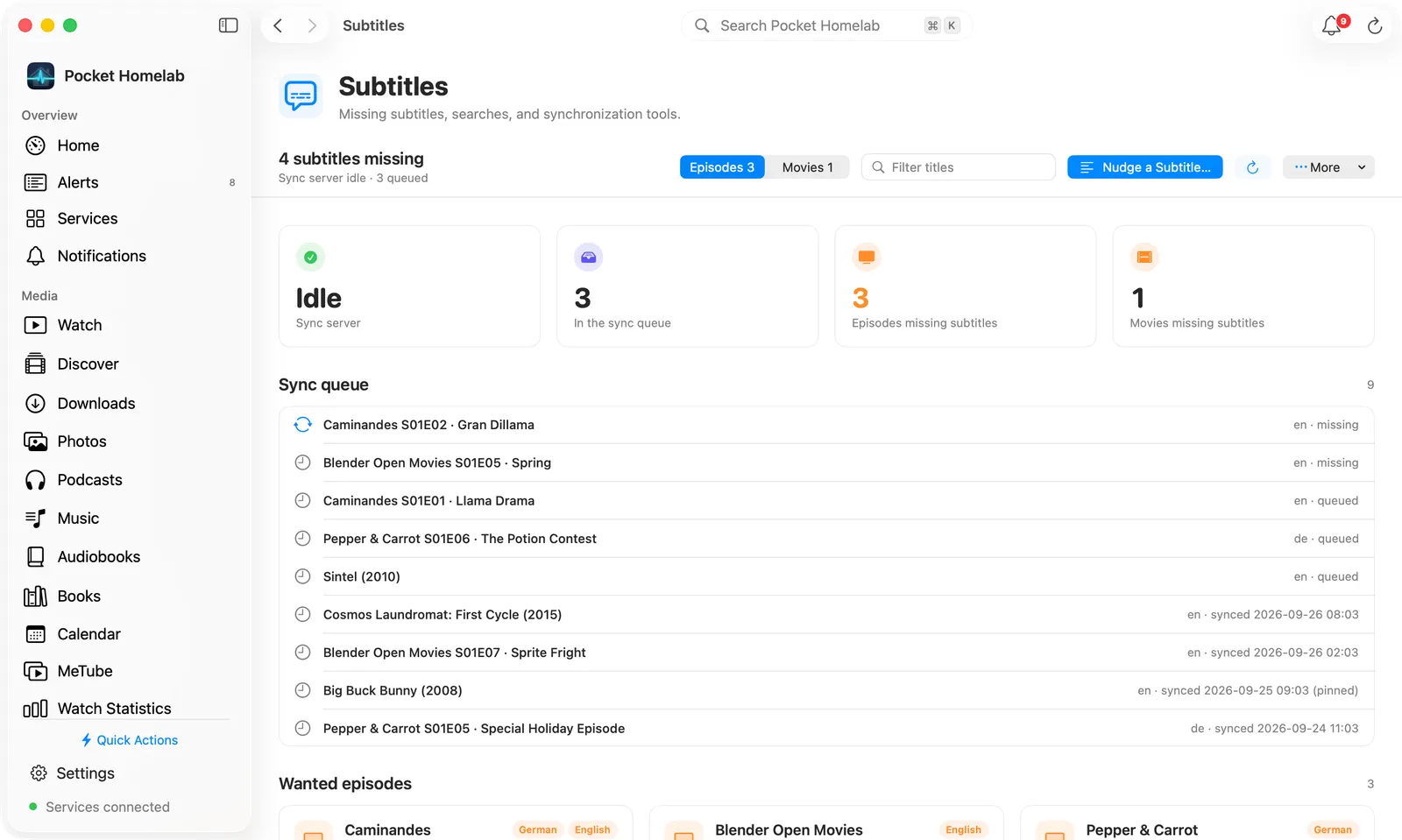
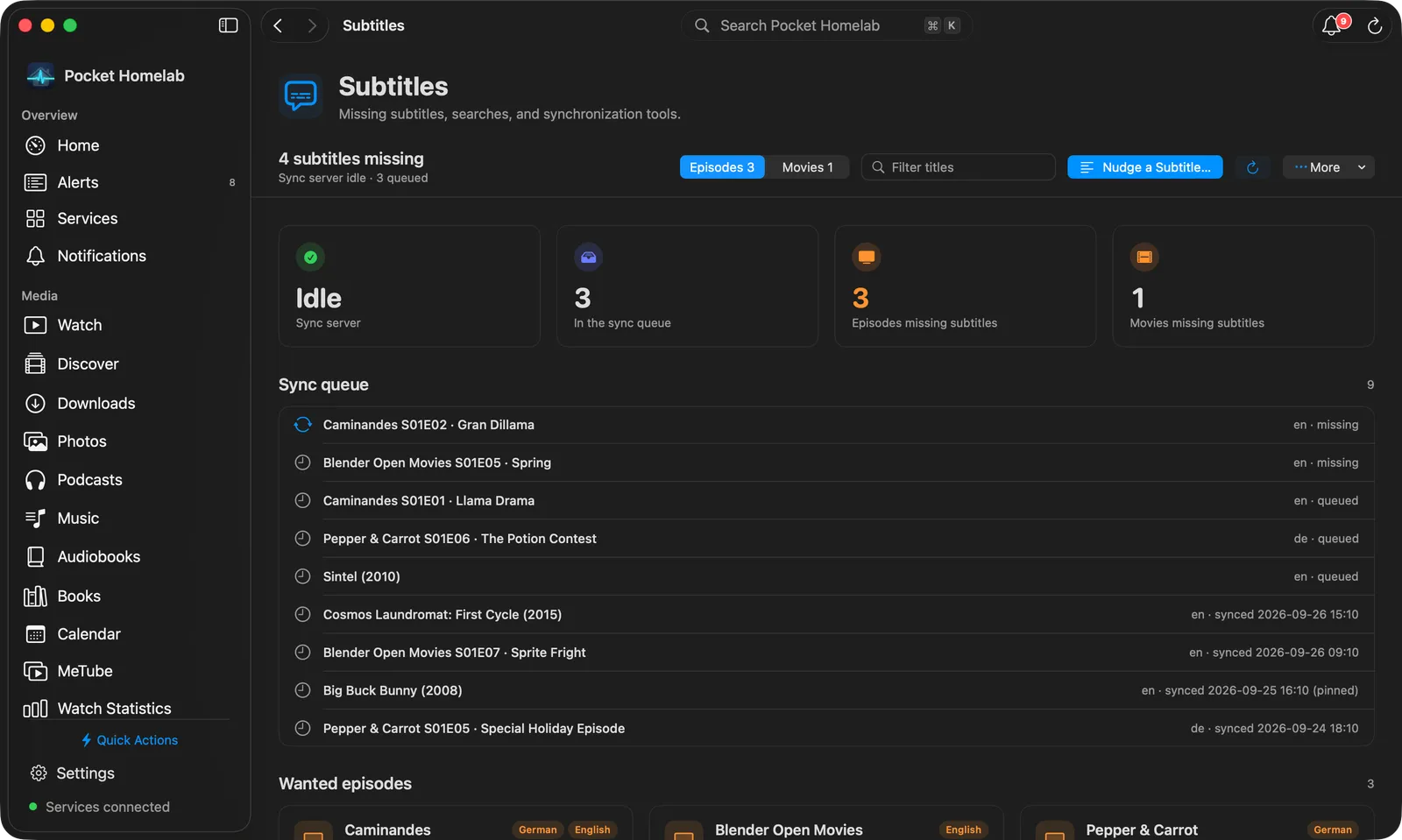
Subtitles sits under Infrastructure in the sidebar. The bar carries the sync line (Sync server idle · N queued · N today), Needs Attention (token only), Nudge a Subtitle…, Refresh and More with the
four pages and the browser links. Tiles show the state, the queue and, with a token, Need attention; a row of
cards opens Needs Attention, History, Sync Queue and Library. Wanted items carry a search menu for
Search now.
⇧⌘U opens the Nudge screen directly as a sheet.
Actions
- Nudge (preset or custom ms), Undo last nudge, Unpin: through
/api/v1/files/{id}with a token, the old endpoints without. - Sync now, Verify, Pin, Restore original download, Put back a rejected download.
- Cancel, To front, Clear the queue, Run the sweep now, Stop a task.
- Season tools: verify, sync again (optionally with fresh audio), reset through Bazarr.
- Search now for a missing language (Bazarr, through Pocket Subtitles).
Works with
- Bazarr: Pocket Subtitles talks to it; see Bazarr for the app’s direct connection.
- Jellyfin: Pocket Subtitles tells Jellyfin after a nudge; the notice says whether it did.
- ntfy alerts mentioning “subtitle” get the “Subtitles” category with a deep link back to this screen.
Tips & troubleshooting
- “the API token was refused”: create a new token in Pocket Subtitles → Settings → API tokens.
- Errors on the sync section without a token on a fresh Pocket Subtitles:
LEGACY_APIisoff; add the token. - “Bazarr is not connected” on the wanted list: connect Bazarr in Pocket Subtitles → Settings → Integrations, or add Bazarr’s URL and key in the app.