
Prowlarr
Search every indexer at once and grab a release straight into your download client, with indexer health at a glance.
iPhoneMacOn this page
Prowlarr manages your indexers. Pocket Homelab gives it an Indexers hub: indexer health, recent grabs, and a search across every indexer at once with a single tap to grab.
What you get
- Home tile (“Indexers”): value
<n> indexers(enabled count), caption shows paused indexers, a health problem, or the most recent grab, red when something is paused or errored, orange for warnings, teal otherwise. - Header widget (“Indexer health”): the same information as a pinned banner.
- Indexers hub: Health section, the indexer list with response times and pause state, and Recent grabs.
- Search: type 3+ characters to ask every enabled indexer at once (or scope to one), with category and sort filters.
- Quick action: Search indexers opens the hub, ready to search.
- Spotlight: typing 3+ characters shows “Search indexers for “…””, the palette never runs the search itself, it just opens the screen with the query filled in.
Set up
- In Prowlarr, open Settings → General and copy the API Key.
- In the app, go to Settings → Services → Prowlarr, paste the URL and key, then press Test connection.
| Key | Field | Required | Secret | Where to get it |
|---|---|---|---|---|
PROWLARR_URL | Prowlarr URL | Required | — | Base URL of your instance. Leave empty to hide Prowlarr features. |
PROWLARR_API_KEY | API key | Required | Secret | Settings → General. |
On iPhone
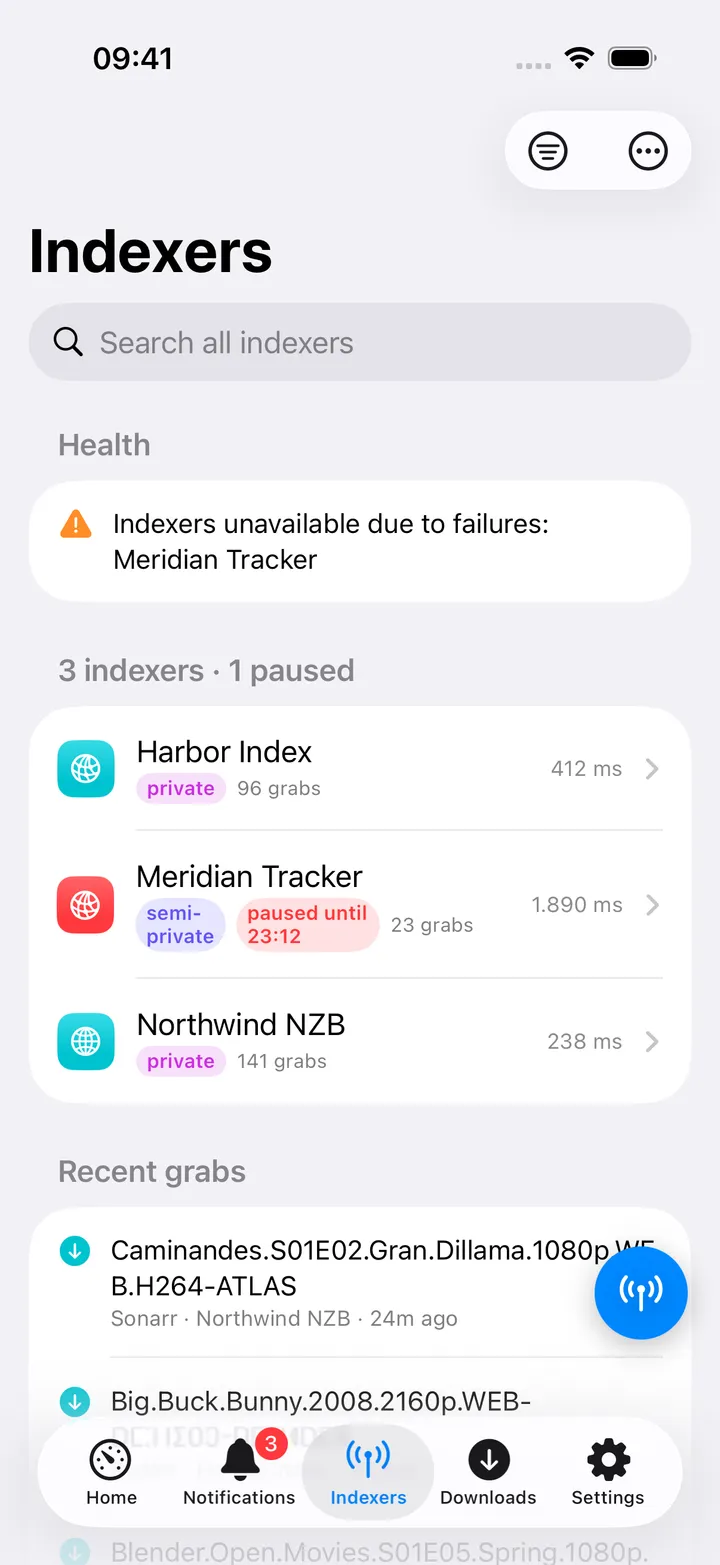
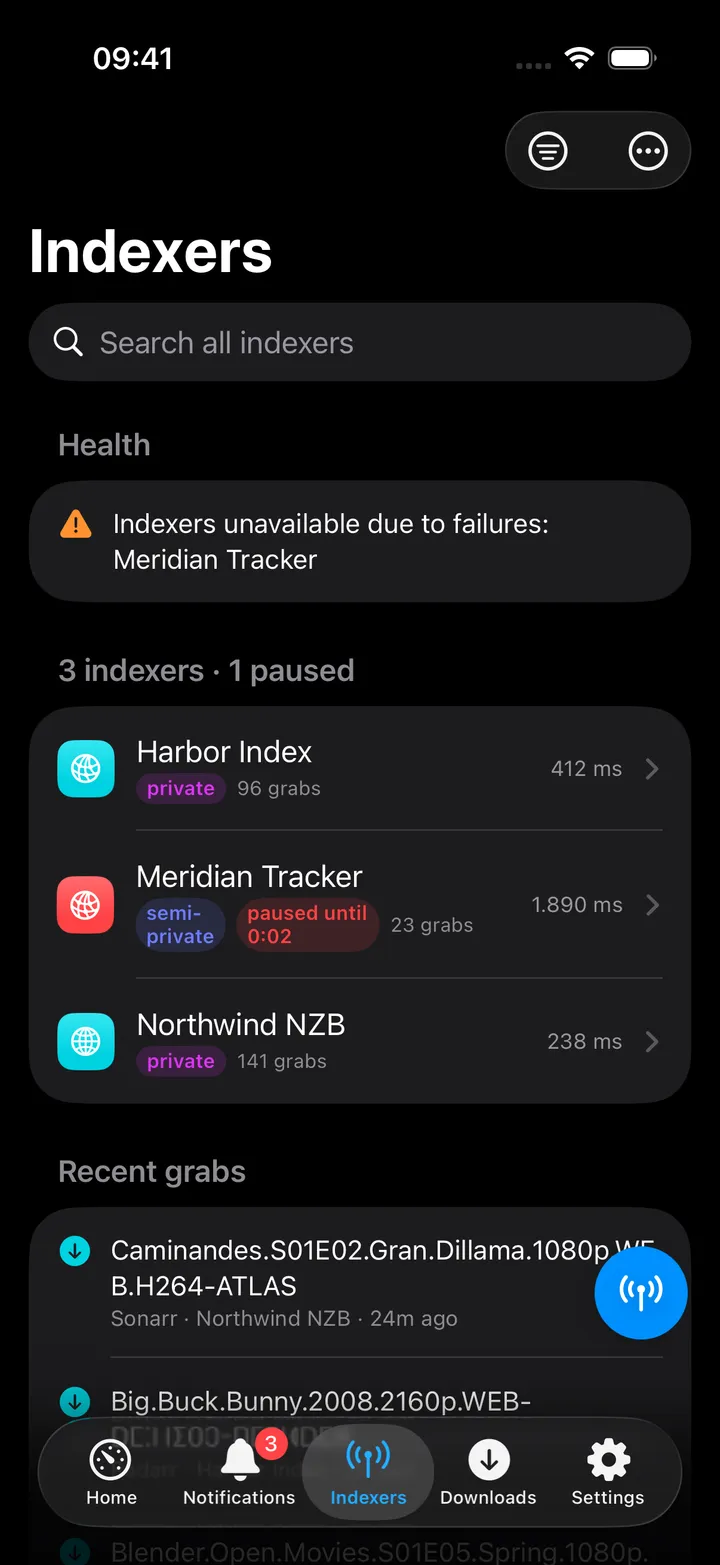
- Each indexer row shows its privacy level (public / semi-private / private), whether it is disabled or paused (with the pause expiry), grab count and average response time.
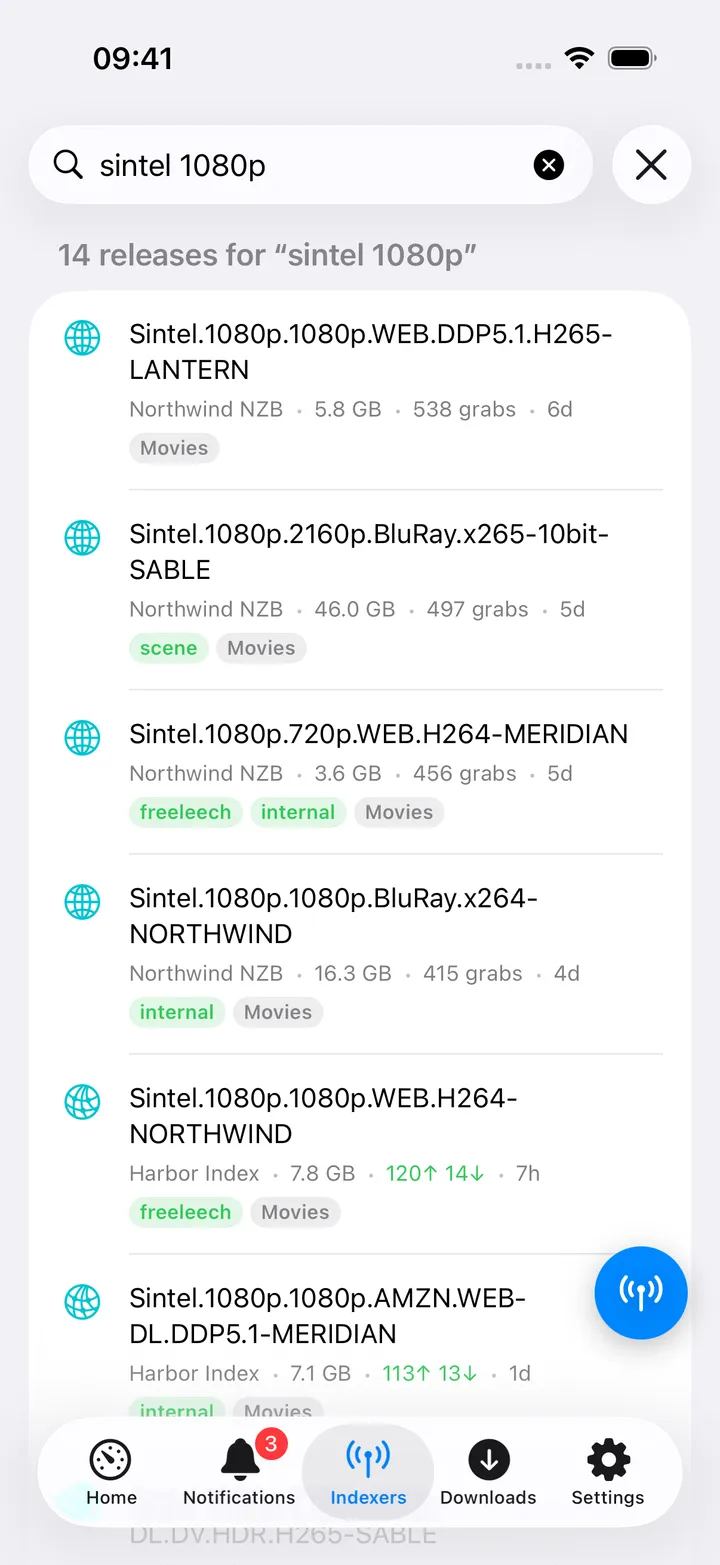
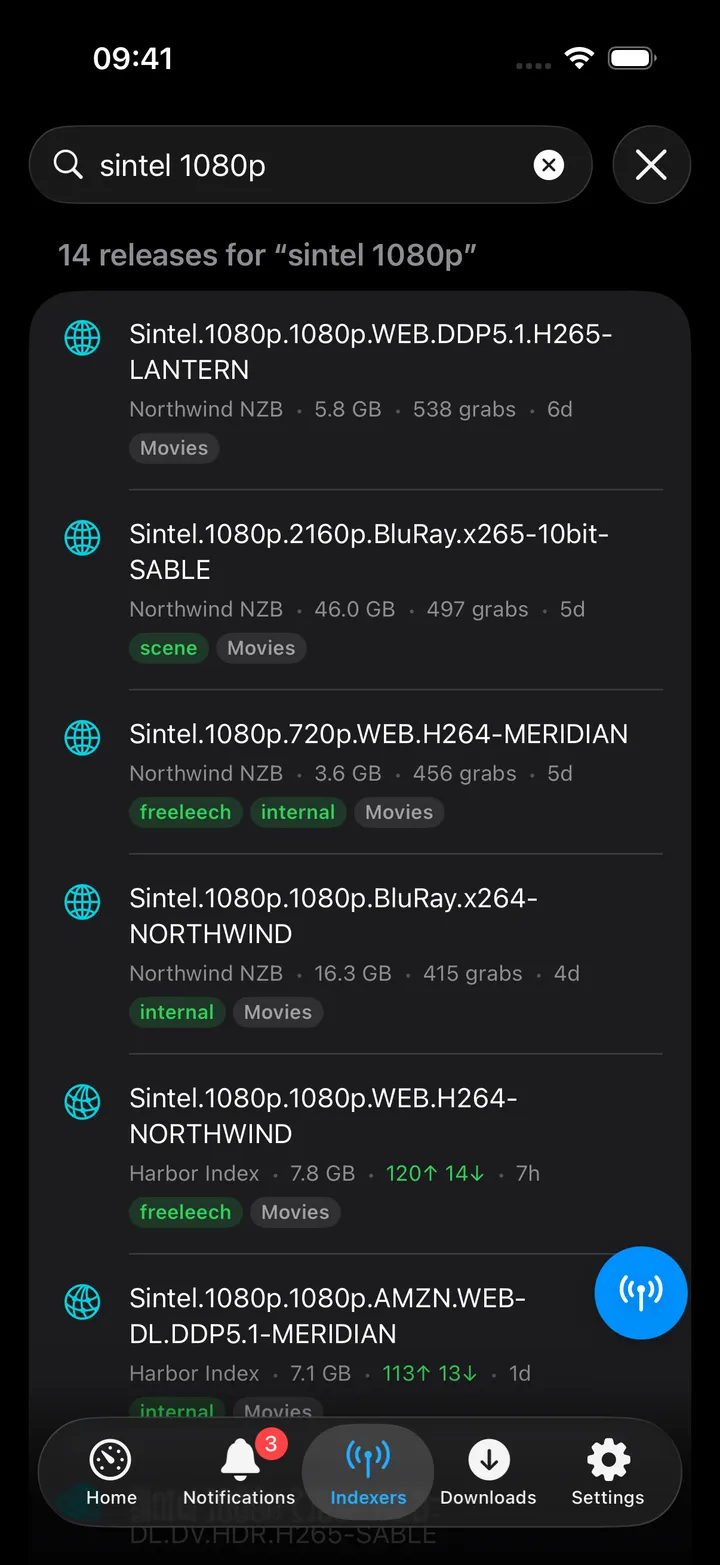
- The Filter menu narrows by category (Movies, TV, Music, Books, PC) and sorts by Most popular, Largest or Newest. Tap a release, swipe it, or use the context menu to Grab release, always behind a confirmation naming the indexer, size, and which client (torrent/Usenet) it is sent to. The context menu also has Open release page and Copy title.
- Tap an indexer for its own page: its row, Search followed by its name (a search limited to that indexer), its failures and when a pause ends, Statistics (searches, grabs and RSS syncs with their failures, average response), its recent grabs, priority, date added and Open in Prowlarr.
- The screen action button (the round button beside the +) holds Search all indexers, the categories, the sorts, Refresh, Open Prowlarr and every indexer, to open its page. The first five show until you choose your own; turn the button off in Settings → Screen action buttons.
- There is no way to copy a magnet link or download a raw
.torrent/.nzbfrom here, grabbing sends it straight to whatever download client Prowlarr itself has configured for that protocol.
On Mac
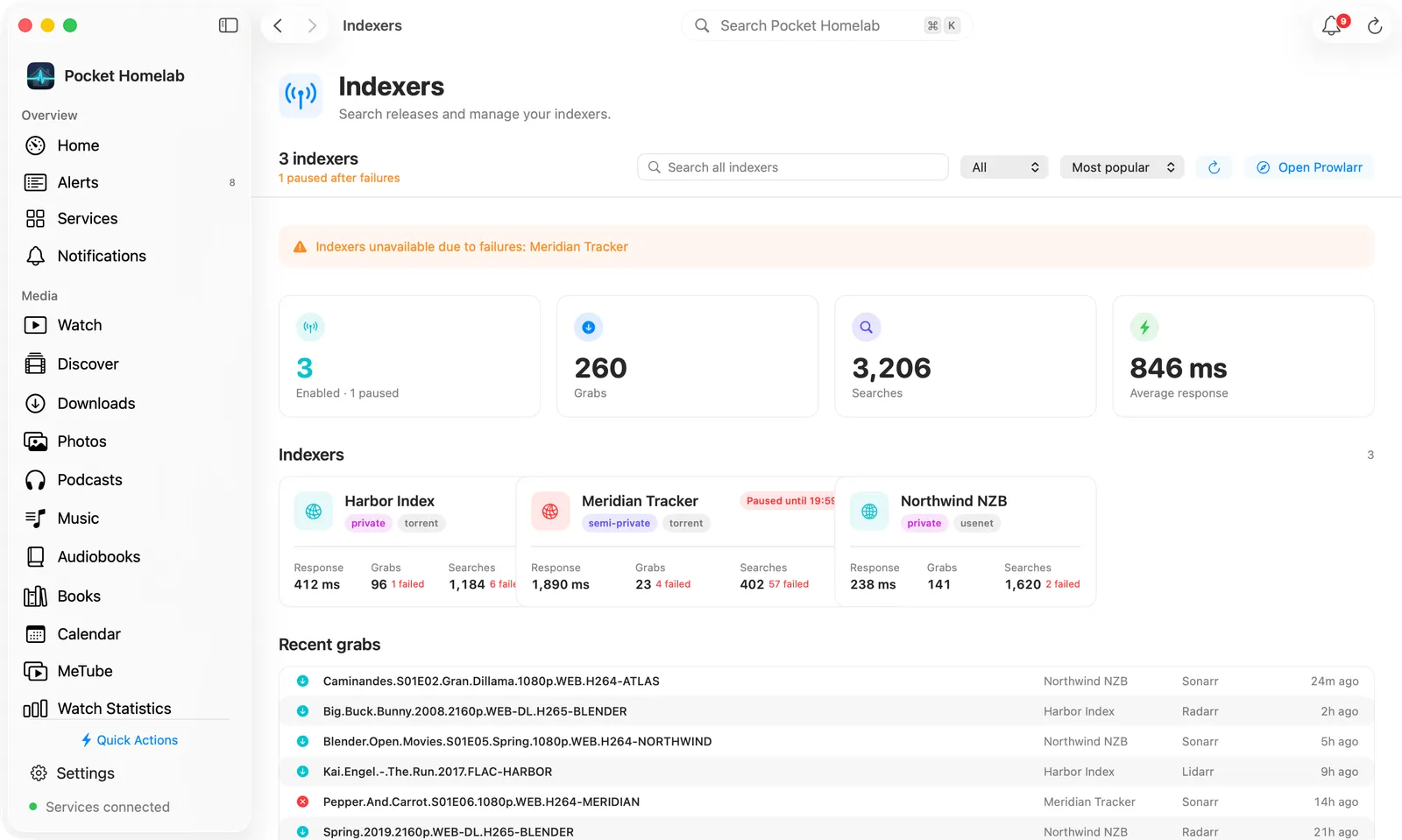
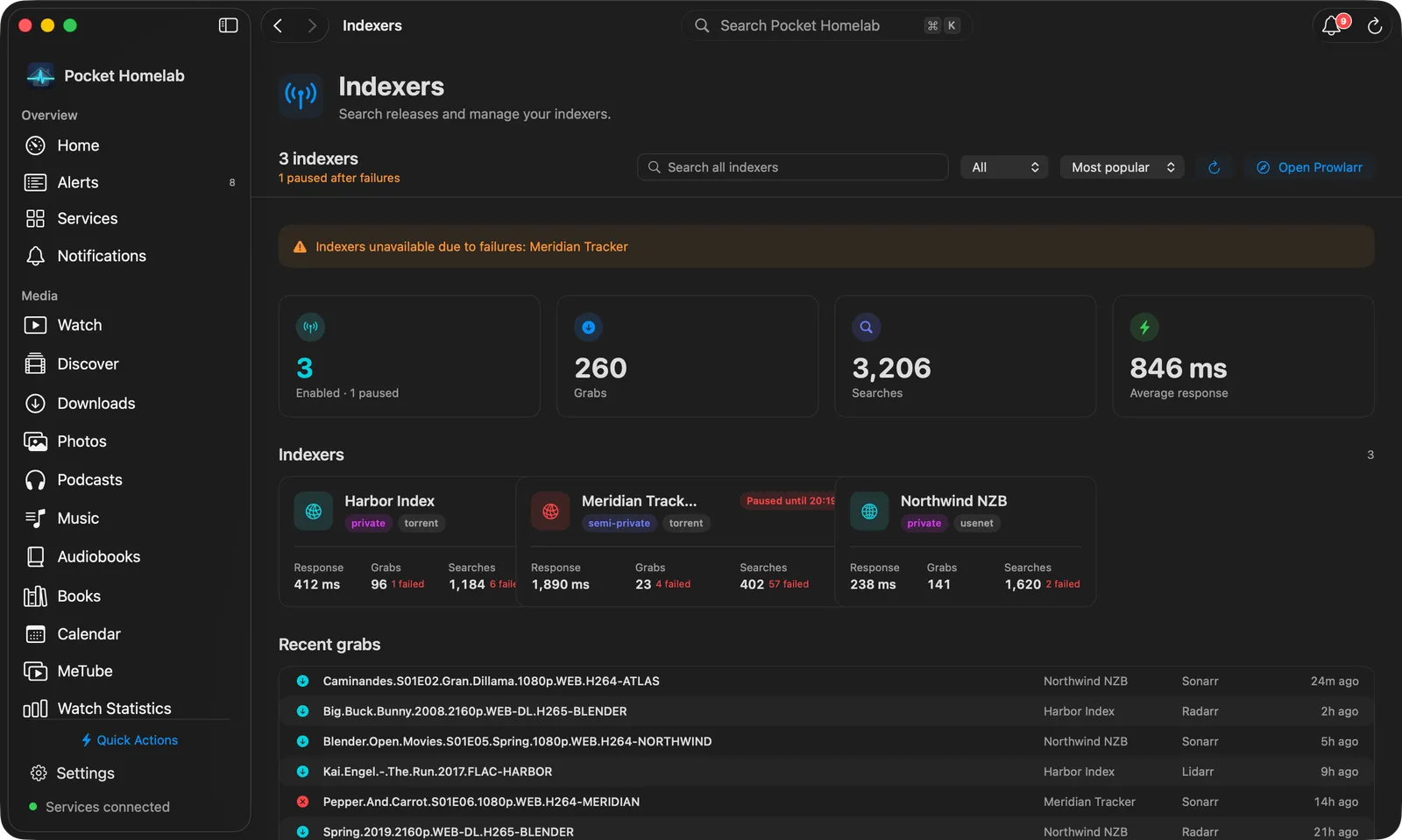
Indexers sits under Infrastructure in the sidebar. A bar at the top shows how many indexers are enabled and whether any are paused or warned, with Search all indexers, a category menu, a sort menu, Refresh and Open Prowlarr. Below it:
- Health warnings, then tiles for the enabled indexers, Grabs, Searches and Average response.
- One card per indexer: privacy and protocol, Paused until… or Disabled, then response time, grabs and searches with their failures. Click a card to open the indexer; right-click it to search only that indexer or copy its name.
- Recent grabs as a table: release, indexer, the app that grabbed it and when.
Type three or more characters and the page turns into a table of releases: title with flags and categories, indexer, size, peers (or grabs for Usenet), age and a Grab pill. Click a row to grab it after the same confirmation as on iPhone; right-click to open the release page or copy the title.
One indexer’s page is a bar with its protocol, name, privacy, priority, date added and state, plus Refresh (⌘R), Open in Prowlarr and a Search button for that indexer alone. Tiles show Searches, Grabs, RSS syncs, Average response and Success rate, each noting failures; its recent grabs sit beside a Status card (state, privacy, protocol, whether it supports search, priority, added, and when it last failed or is paused until).
⇧⌘L opens Indexers as a quick action, and the Mac ⌘K palette offers “Search indexers for “…”” the same way.
Actions
- Grab a release:
POST /api/v1/searchwith the release’s guid; Prowlarr forwards it to the download client configured for that protocol in Prowlarr itself. Your app’s own qBittorrent/SABnzbd/slskd settings are not involved, and no file is downloaded by the app. Always behind a confirmation dialog. - Everything else (search, indexer list, health, stats, history) is read-only. There is no per-indexer enable, disable, test or edit here, indexer configuration stays in Prowlarr’s own UI.
Works with
- Radarr / Sonarr / Lidarr / Chaptarr (Media calendar): a release’s detail screen gains “Search indexers” once Prowlarr is configured, pre-filled with a per-app query and category.
- Downloads (qBittorrent / SABnzbd): no direct link; a grab shows up in the Downloads tab only because Prowlarr sent it to the same client, not because the app tracked it there.
- “Recent grabs” doubles as an activity feed for the whole *arr stack, since grabs made by Radarr/Sonarr/Lidarr via Prowlarr show up here with their source app named.
Tips & troubleshooting
- A search across every indexer can take a while, the request allows up to 40 seconds, much longer than most other screens in the app.
- “Paused” here means Prowlarr’s own automatic backoff after repeated failures, distinct from an indexer you disabled yourself in Prowlarr, disabled indexers are excluded from the paused/problem count entirely.
- “Most popular” sort mixes two different metrics: seeders for torrents, grab count for Usenet.
- Health, stats and recent-grabs can fail independently without hiding the indexer list, only the indexer list itself failing shows a full error.
- A wrong key shows “API key rejected. Copy it from Prowlarr → Settings → General.”