
Pocket Devices
Self-hosted home for your own hardware: add a device, connect it with a token and change its settings from a web UI. Starts with an ESP32 NTP clock (alarm, chime, outdoor temperature): every setting with proper controls, desired vs reported, commands, live status and history.
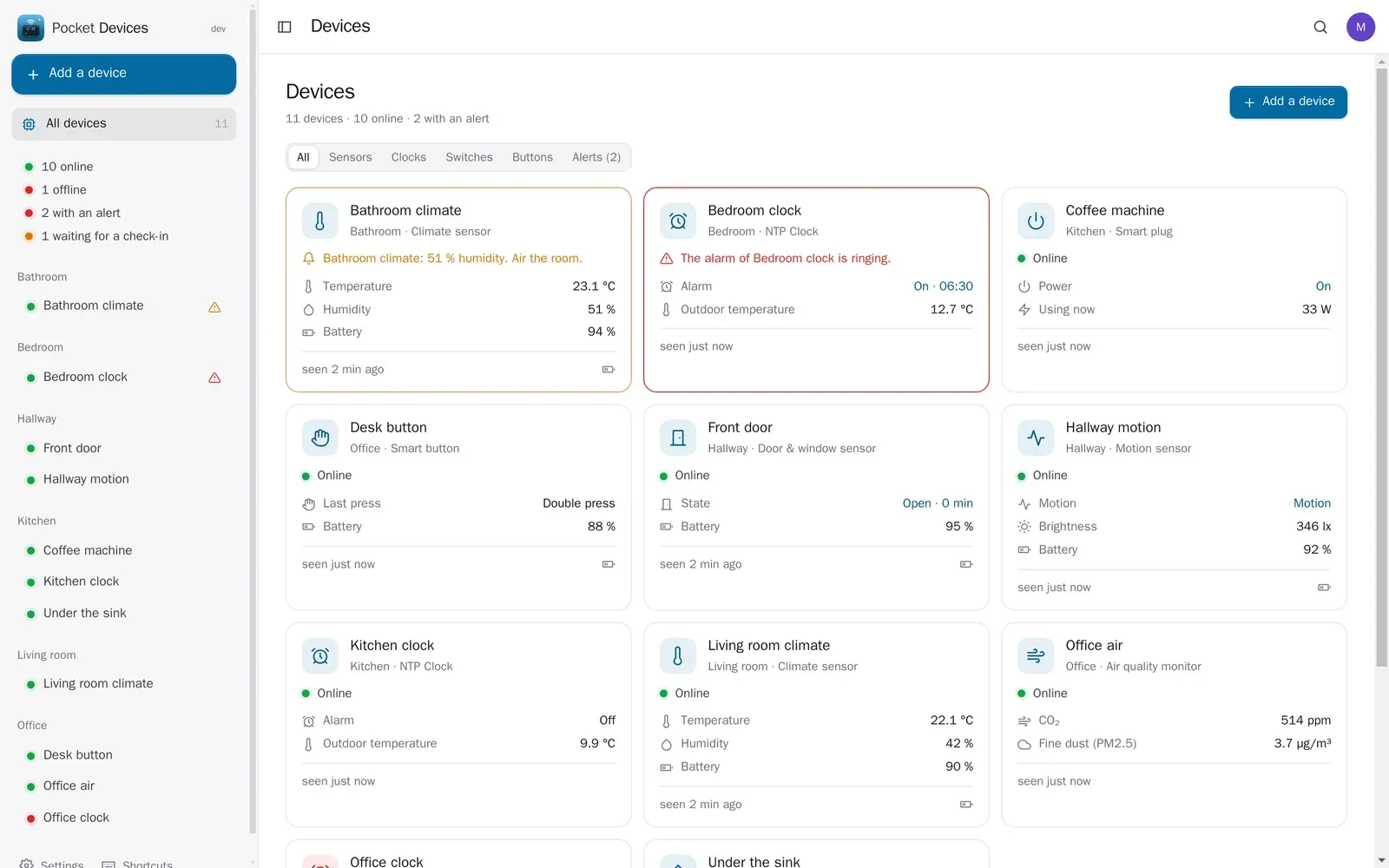
Your own hardware in one place: clocks, climate and air-quality sensors, buttons, door, motion and leak sensors, smart plugs.
- v0.3.0
- On Pocket Box
- MIT licence
What Devices does
Add and connect
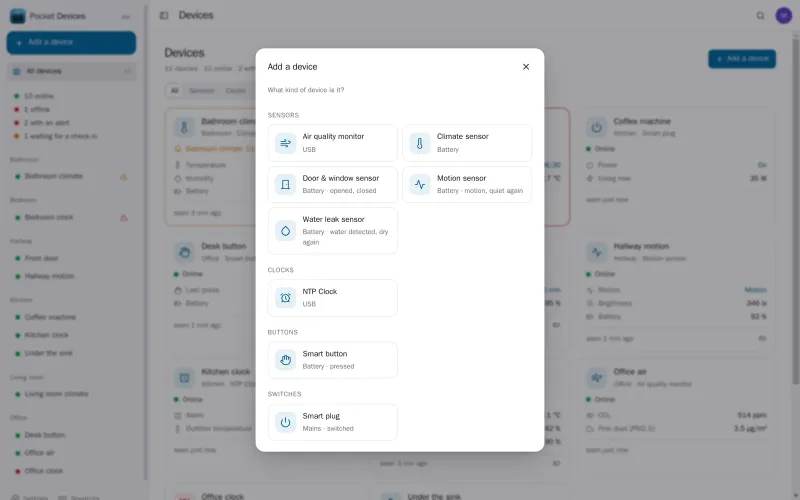
Pick the kind, type the device's id (the clock's WiFi MAC), and get a token, shown once, with the three console lines: cfg set server_url …, cfg set device_token …, cfg set remote on. A lost token is replaced in one click; the old one stops at once.
Settings with proper controls
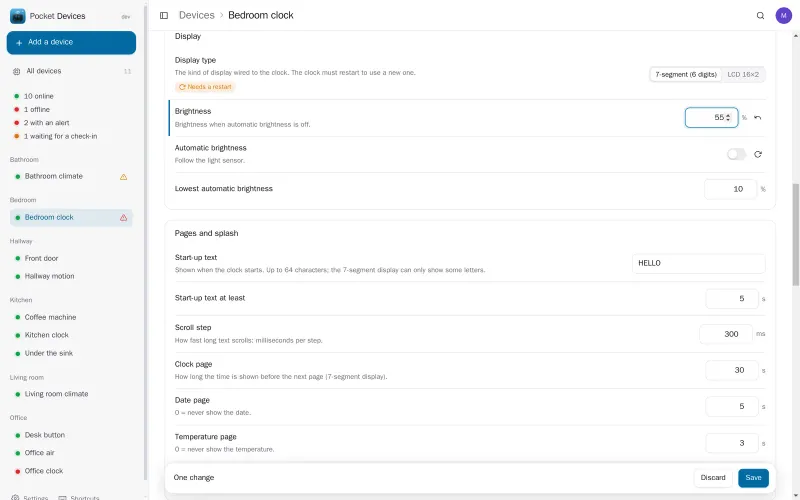
Switches, time pickers, weekday toggles, selects, number fields with their ranges, a time-zone picker that writes the POSIX string the clock wants (from a list, from your browser, or from a Pocket Weather place).
What it has next to what you want
Every change waits as "pending" until the device confirms it. A change made at the device itself is taken over and logged, a refused value comes back with the device's reason.
Commands
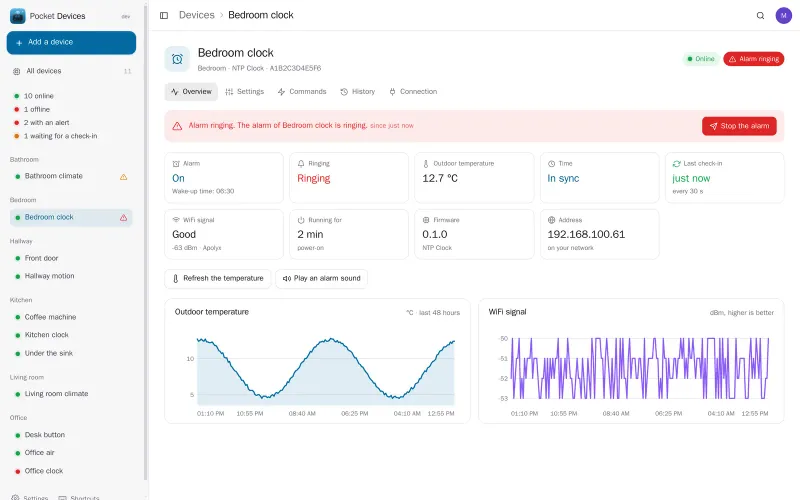
Sync the time, refresh the temperature, stop a ringing alarm, play an alarm sound; restart, setup mode and erase in a danger zone. Delivered at most once, with their result.
Readings
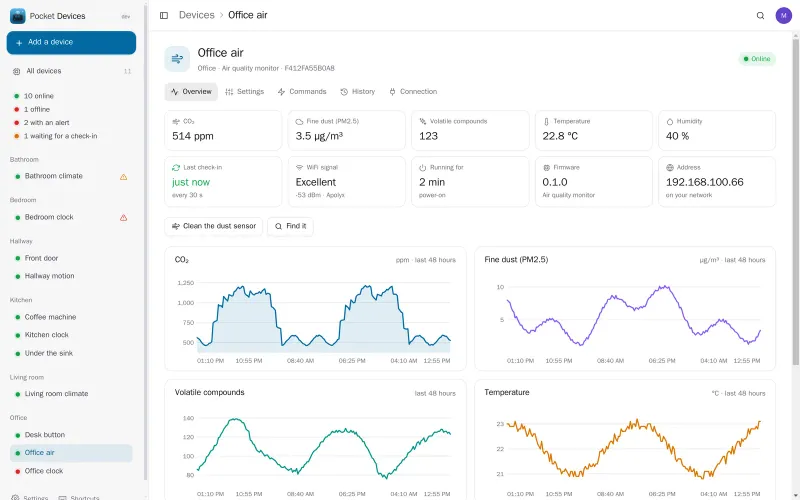
Whatever the kind reports (temperature, CO₂, power, a door open, battery), live and as two days of charts; plus last check-in, online or not (three missed check-ins = offline), firmware, uptime, WiFi signal and address for every device.
Alerts
Water detected, stuffy air, too warm, a door left open, a plug drawing too much, a battery running low, a clock ringing — with your own limits from the device's settings, and the fix one click away (stop the alarm, stop the beeping).
Events
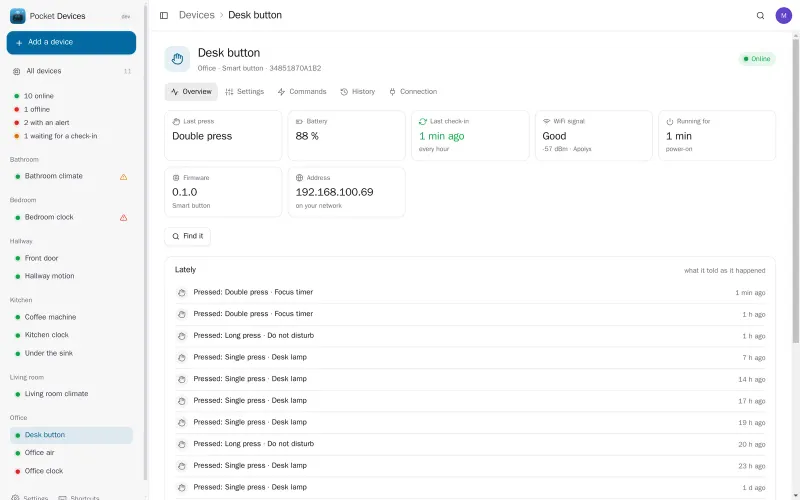
Button presses (single, double, long, each with a name you give it), doors opening and closing, motion, leaks — kept, shown, and sent to the rest of the box through Pocket Core.
History
Who changed what and when, here or at the device.
Notifications
When a device stops checking in, comes back, or refuses a setting (Apprise, ntfy or a webhook).
Run it yourself
One Go binary with the web interface built in and one SQLite file. Install it with Docker or from a release; the repository README has the steps and every setting.
Sign in with Pocket Core
Connect it to Pocket Core and your household signs in with one account. Each person sees only their own data, and other Pocket apps can work with it on your behalf.
Included in Pocket Box
On a Pocket Box it is already installed and waiting at devices.pocket.local, with HTTPS and nightly updates.
More in The server
 Pocket Monitoringv0.8.0Watch your server and other machines live, with a year of history and phone alerts when something goes wrong.
 Pocket Lookoutv0.4.0Watches web pages for you and says, in one sentence, what changed and whether it matters.
 Pocket Errorsv0.4.0Error tracking for your apps and websites on your own server: what broke, where in the code, how often and since which release. Any Sentry SDK sends to it unchanged.
 Pocket Backupsv0.4.0Back up the whole server, copy it off-site, and get a plain answer to whether everything is safe.
 Pocket Networkv0.2.0Every device on your home network in one readable list, with alerts when something new joins.
 Pocket Camerasv0.4.0Your security cameras on your own server: every camera live, what they saw in one sentence from AI, recordings by day, and an alert on your phone only when it matters.
 Pocket Remotev0.6.3Your own computers from a phone or a browser: a Mac, a Windows PC or a Linux terminal over your tailnet, with Wake-on-LAN, file transfers and a log of every session.