

Pocket Cameras
Your security cameras on your own server: every camera live, what they saw in one sentence from AI, recordings by day, and an alert on your phone only when it matters.
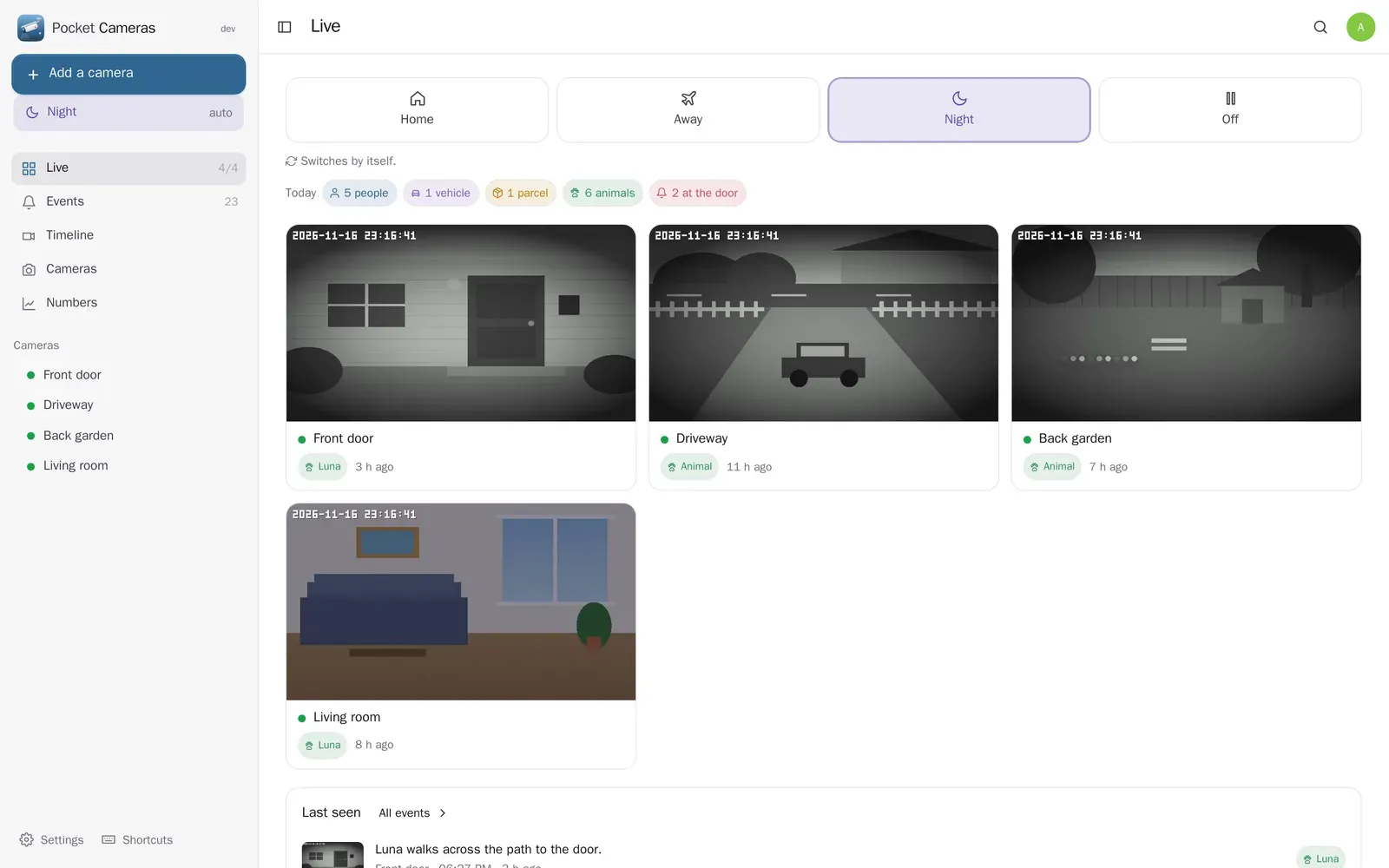
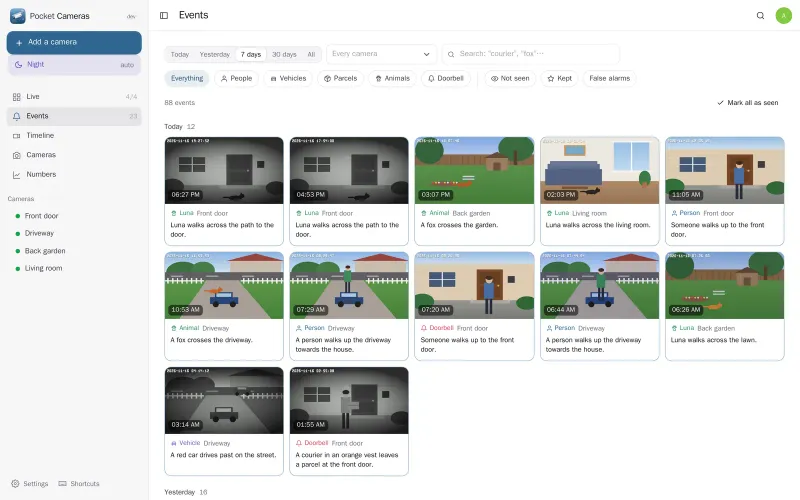
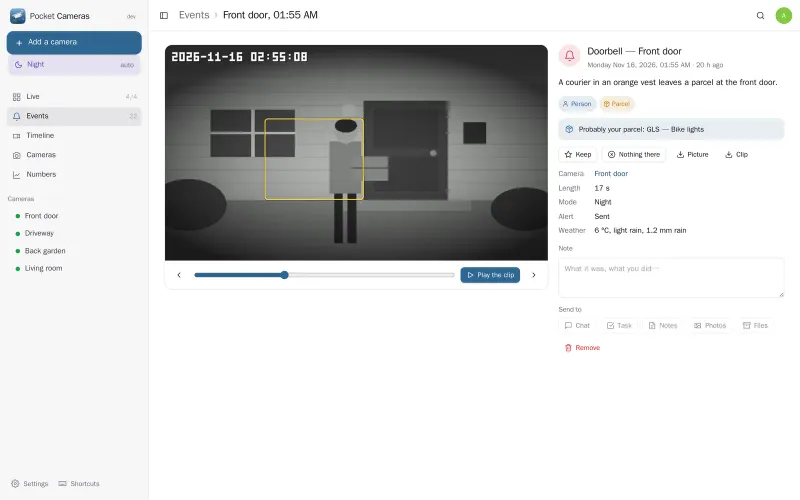
Pocket Cameras watches your cameras for you. Add one by its make and its address on your network and you see it live in a moment. When something moves in the part of the picture you care about, the clearest picture goes to Pocket AI, which says what it is — a person, a car, a parcel, an animal, or nothing at all — in one plain sentence. The house is Home, Away or at Night, and it switches by itself when you leave or go on a trip, so each camera tells you only when it should. Recordings stay on your server, a day at a glance.
- v0.4.0
- On Pocket Box
- Instead of Frigate, Blue Iris
- Works with ffmpeg
- MIT licence
Install Cameras with Pocket Core in one command:
curl -fsSL https://pockethomelab.com/install.sh | sh -s -- --apps camerasOn any Linux machine or a Mac. Already running Pocket Core? Apps → Install app → Cameras. Add more apps to the line →
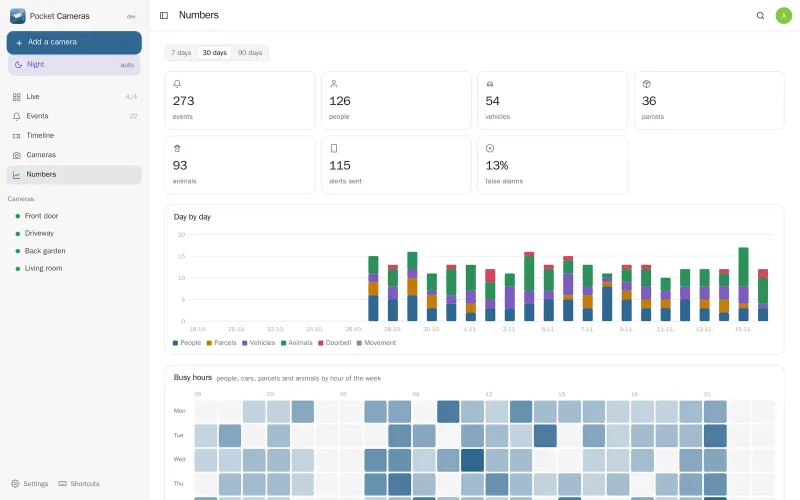
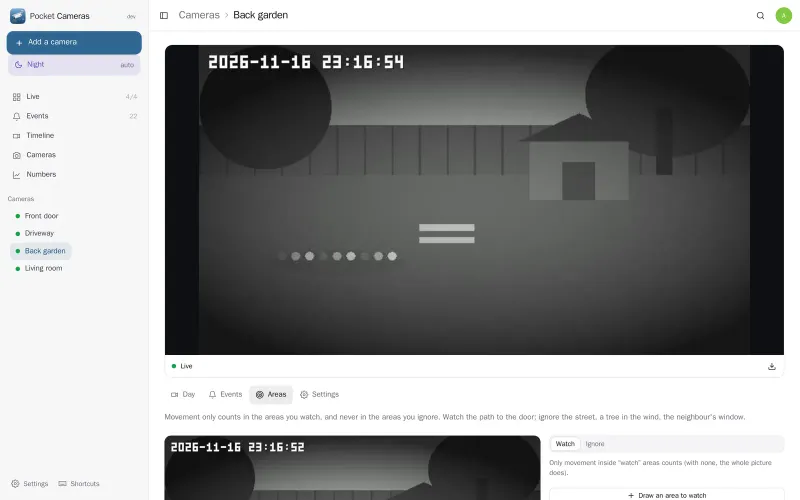
What Cameras does
Any camera, by its make
Reolink, Hikvision, Dahua, Tapo, UniFi, Axis, Uniview, Foscam, eufy, Wyze and Imou are filled in from the make and the address, or paste any RTSP, MJPEG or snapshot address. Try it first: you see the picture, the resolution and the codec before you save.
Found for you
The cameras Pocket Network knows are listed to add with one tap, or Cameras looks through your network for them. Coming from Frigate? Bring the config over: streams, recording, zones and masks.
Only what matters
Draw the areas to watch and the ones to ignore — the street, a tree in the wind. Light switches and night vision do not count, and the AI says when it was nothing, so shadows and rain never wake you.
It knows your home
Your pets by name, so the cat stays quiet; the parcel due today, so a courier at the door is “probably your DHL parcel”; and the weather, so a storm does not set off alerts on its own.
Home, Away, Night
Each camera alerts on what you choose in the modes you choose. The mode switches by itself: Night by the clock, Away on a trip, when you leave home or when nobody's phone is on the Wi-Fi.
Recordings by day
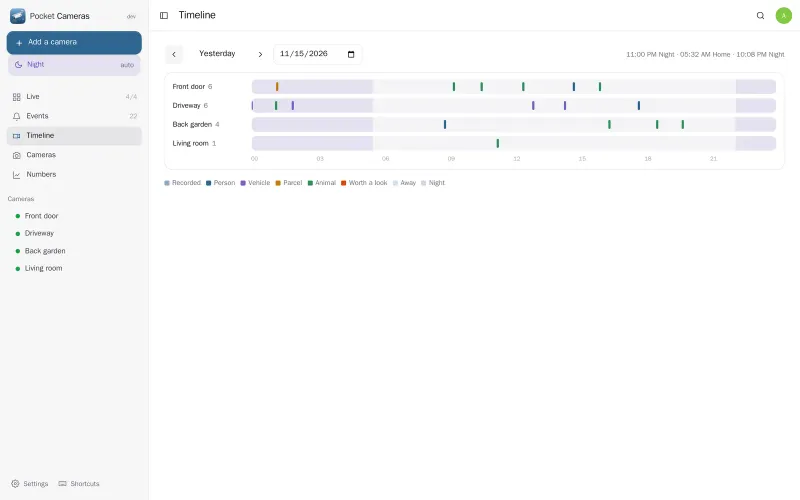
The full-quality video is kept around events or all the time, one minute at a time, for as many days as you say. A timeline of the whole day for every camera: tap to play from any moment.
The doorbell and the family
A ring from a doorbell button or Home Assistant keeps the picture and reaches you in every mode. Share a camera with the household: they watch and get its alerts, they cannot change it.
Works with your other apps
Alerts on your phone through Pocket Alerts, events to Pocket Chat, Tasks, Notes, Photos and Files, visitors and deliveries in your Pocket Day journal, and Pocket AI answers “who came today?” or switches the house to Away.
Run it yourself
One Go binary with the web interface built in and one SQLite file. Install it with Docker or from a release; the repository README has the steps and every setting.
Sign in with Pocket Core
Connect it to Pocket Core and your household signs in with one account. Each person sees only their own data, and other Pocket apps can work with it on your behalf.
Included in Pocket Box
On a Pocket Box it is already installed and waiting at cameras.pocket.local, with HTTPS and nightly updates.
More in The server
 Pocket Monitoringv0.8.0Watch your server and other machines live, with a year of history and phone alerts when something goes wrong.
 Pocket Lookoutv0.4.0Watches web pages for you and says, in one sentence, what changed and whether it matters.
 Pocket Errorsv0.4.0Error tracking for your apps and websites on your own server: what broke, where in the code, how often and since which release. Any Sentry SDK sends to it unchanged.
 Pocket Backupsv0.4.0Back up the whole server, copy it off-site, and get a plain answer to whether everything is safe.
 Pocket Networkv0.2.0Every device on your home network in one readable list, with alerts when something new joins.
 Pocket Remotev0.6.3Your own computers from a phone or a browser: a Mac, a Windows PC or a Linux terminal over your tailnet, with Wake-on-LAN, file transfers and a log of every session.
 Pocket Devicesv0.3.0Self-hosted home for your own hardware: add a device, connect it with a token and change its settings from a web UI. Starts with an ESP32 NTP clock (alarm, chime, outdoor temperature): every setting with proper controls, desired vs reported, commands, live status and history.