
Pocket Rooms
Plan your home to scale: rooms, doors, windows and your own furniture by its real size, layouts side by side and in 3D, and a check that the sofa gets through the door.
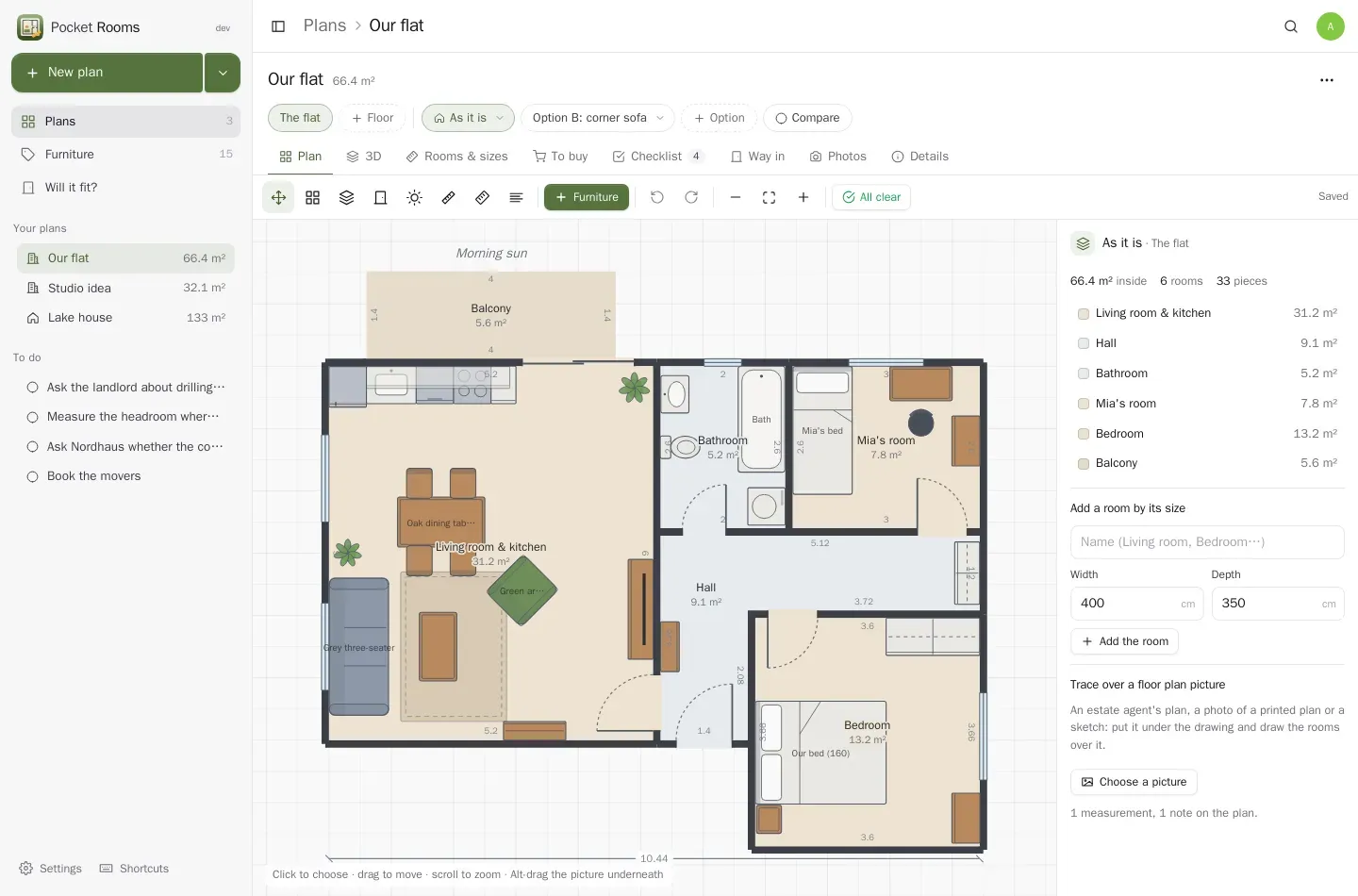
Pocket Rooms draws your flat or house room by room: by dragging, by typing sizes, by tracing a picture, or with Pocket AI reading an estate agent's floor plan. Put in doors, windows and furniture by its real size, try layouts side by side and in 3D, and let the plan point out what you would only find on moving day: a door that cannot open, no room to walk past the bed, a sofa that will not get round the corner.
- v0.3.0
- On Pocket Box
- MIT licence
Install Rooms with Pocket Core in one command:
curl -fsSL https://pockethomelab.com/install.sh | sh -s -- --apps roomsOn any Linux machine or a Mac. Already running Pocket Core? Apps → Install app → Rooms. Add more apps to the line →
What Rooms does
Draw to scale
Rooms by dragging or by typing their size, any shape corner by corner, walls, and doors and windows that snap to a wall. Type 2.4 m, 240 or feet and inches.
Furniture by its real size
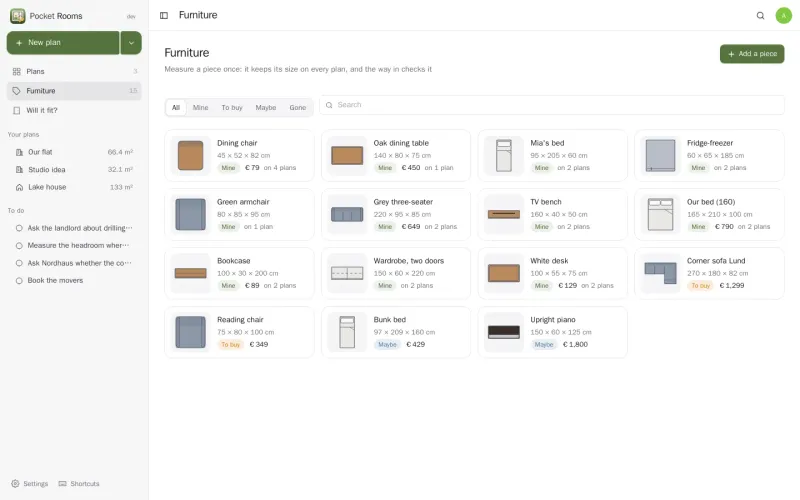
40 kinds of furniture with their usual sizes, and your own measured pieces that keep their size on every plan. Pieces stick to walls and turn in 15° steps.
Layouts to compare
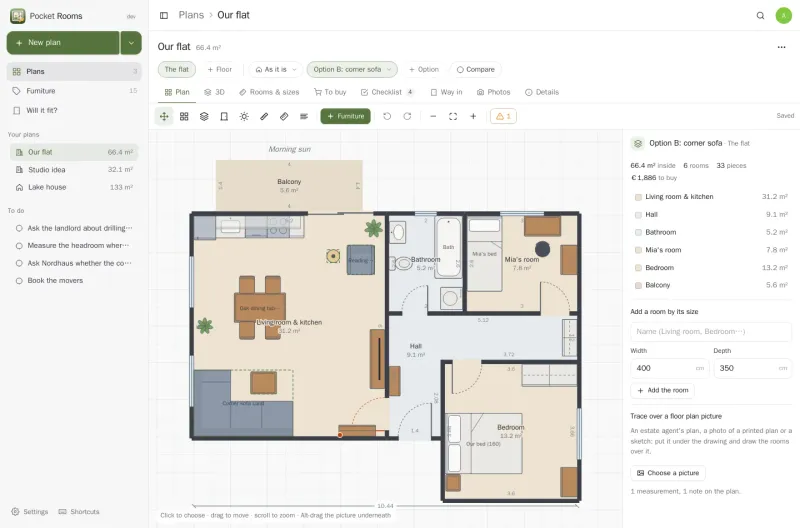
“As it is” and as many options as you like for each floor, compared side by side with what moves, what is new and what it costs. Several floors, each with its own ceiling height.
Checks while you draw
Pieces on top of each other or through a wall, doors that hit furniture when they open, and the room you need around things, like 60 cm beside a bed or room to pull a chair out.
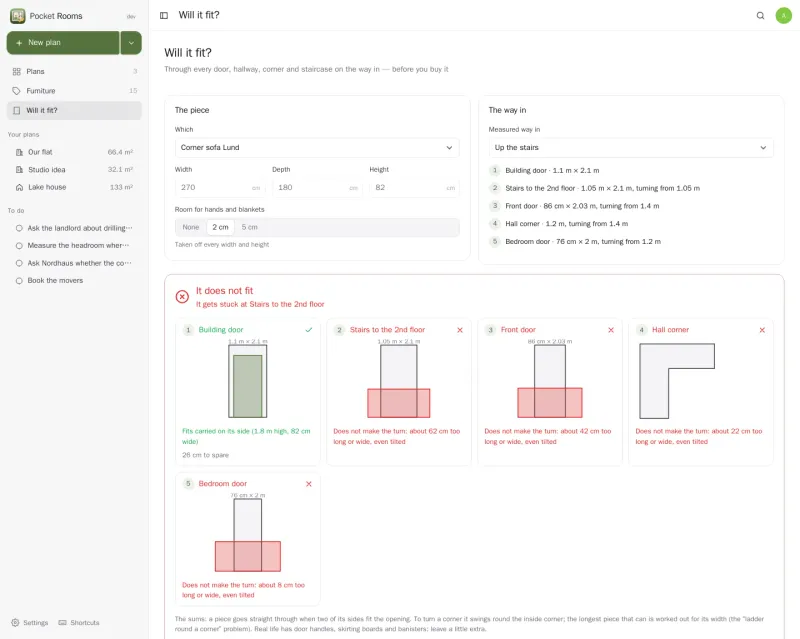
Will it fit?
Measure the way in once, from the building door and stairs to the lift and the hall corner, and every piece is checked: upright, on its side, turned in a doorway or tilted round a corner.
Sizes and shopping
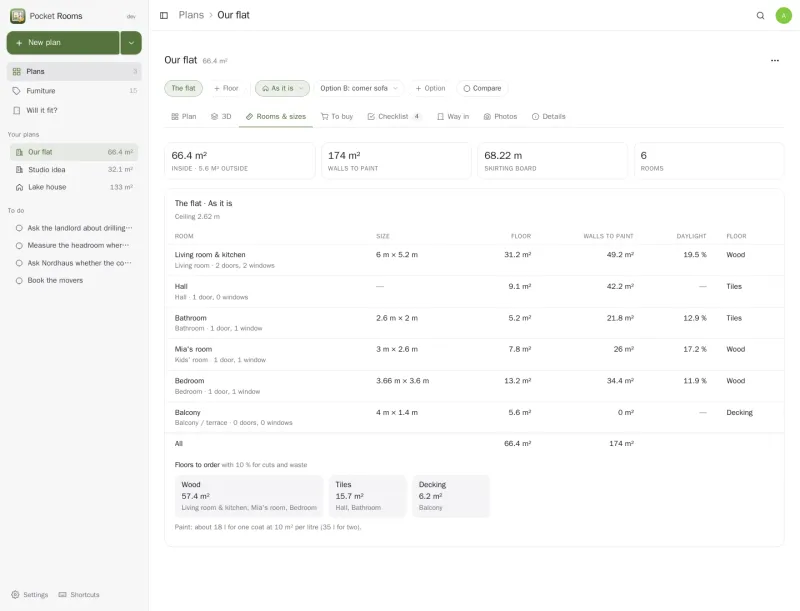
Floor areas, walls to paint with doors and windows taken off, skirting board and floor to order, and every piece still to buy with the budget.
Start from a picture
Pocket AI reads rooms and sizes from an estate agent's plan or a sketch, or you trace any picture yourself. Sweet Home 3D files come in with their walls, doors, windows and furniture.
3D, links and print
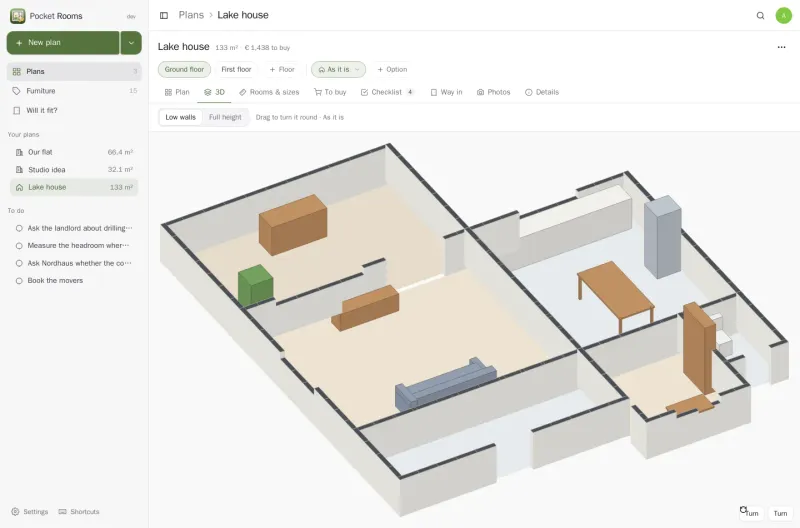
Any layout in 3D, a view-only link for family or the landlord, print, PNG and SVG, a checklist with a reminder the day before, and room photos.
Works with your other apps
Appliances and plants from Pocket Home, furniture you own from Pocket Inventory, planned pieces on Pocket Wishlist, purchases booked in Pocket Money, a plan kept with its unit in Pocket Rentals, and “which layout?” in Pocket Chat.
Run it yourself
One Go binary with the web interface built in and one SQLite file. Install it with Docker or from a release; the repository README has the steps and every setting.
Sign in with Pocket Core
Connect it to Pocket Core and your household signs in with one account. Each person sees only their own data, and other Pocket apps can work with it on your behalf.
Included in Pocket Box
On a Pocket Box it is already installed and waiting at rooms.pocket.local, with HTTPS and nightly updates.
More in Money and things
 Pocket Moneyv0.24.0Personal finance on your own server: quick entry, any currency, bills, budgets and what is safe to spend.
 Pocket Wealthv0.4.0Everything you own and owe in one number: accounts, investments with live prices, pension, the flat and the car, minus the mortgage and loans, and how it moves.
 Pocket Invoicingv0.17.0Invoices, time tracking and payments for freelancers and one-person businesses, on your own server.
 Pocket Splitv0.10.0Split costs for trips, flat shares and dinners: who paid what, in any currency, and who owes whom.
 Pocket Rentalsv0.3.0The homes you rent out in one place: places and units, tenants and leases, rent due, paid and late, deposits, repairs and inspections, and what each place earns.
 Pocket Garagev0.13.0Every vehicle on one page: fuel economy, service history, running costs, reminders and documents.
 Pocket Homev0.5.0Look after your home: appliances, upkeep that reminds you before it is due, repairs and what they cost, and meter readings.
 Pocket Renewalsv0.9.0Everything that runs out, in one list: passports, ID cards, insurance, the car's papers, warranties, domains and subscriptions, each with a reminder in time.
 Pocket Inventoryv0.7.0A home inventory for the household: what you own, how many, where it is and whose it is.
 Pocket Parcelsv0.3.0Every parcel in one place: where it is, when it arrives, a push when it is out for delivery, and the last day to send it back.
 Pocket Walletv0.3.0Loyalty cards, gift cards, tickets, boarding passes and ID papers on your own server, ready to scan at the till or the gate.
 Pocket Wishlistv0.6.0Wishlists and gift ideas that watch prices and stop the family buying the same present twice.