

Pocket Garage
v0.11.2 · Self-hosted · MIT
Every vehicle, on one page.
Pocket Garage keeps fuel, service, repairs, expenses, reminders, a planner, notes and documents for each car, motorbike or van in the household. Economy and cost per km work themselves out, the odometer estimates itself between readings, and every cost can land in Pocket Money.
- Included in Pocket Box
- Sign in with Pocket Core
- Works with Dawarich and LubeLogger
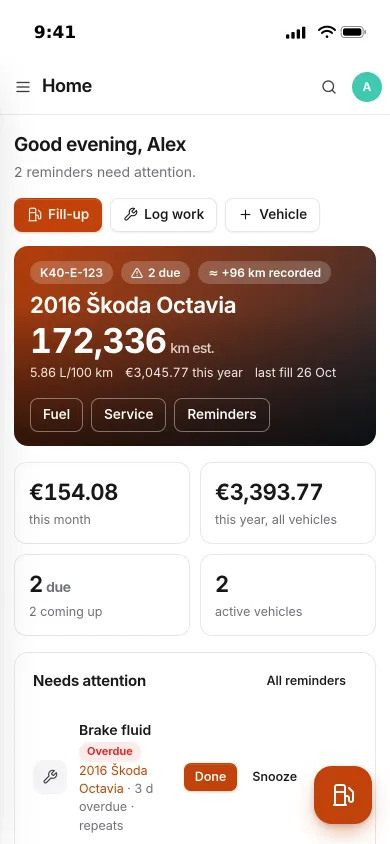
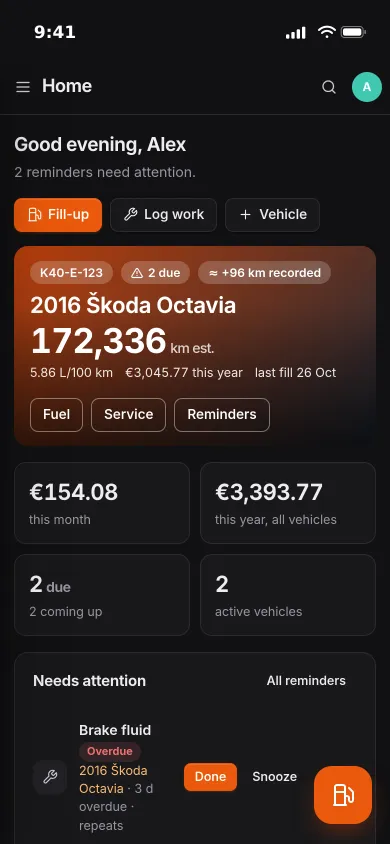
Overview
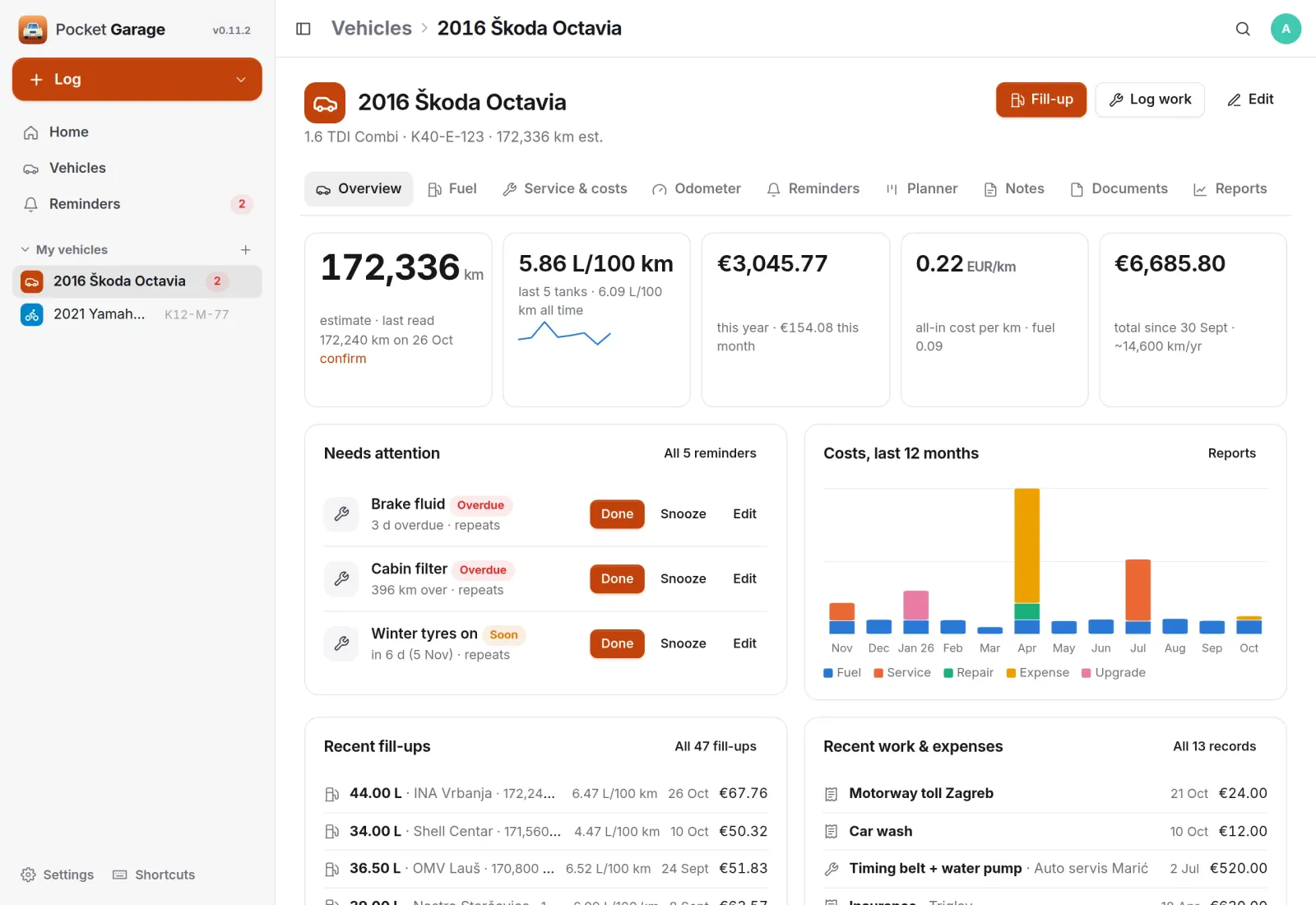
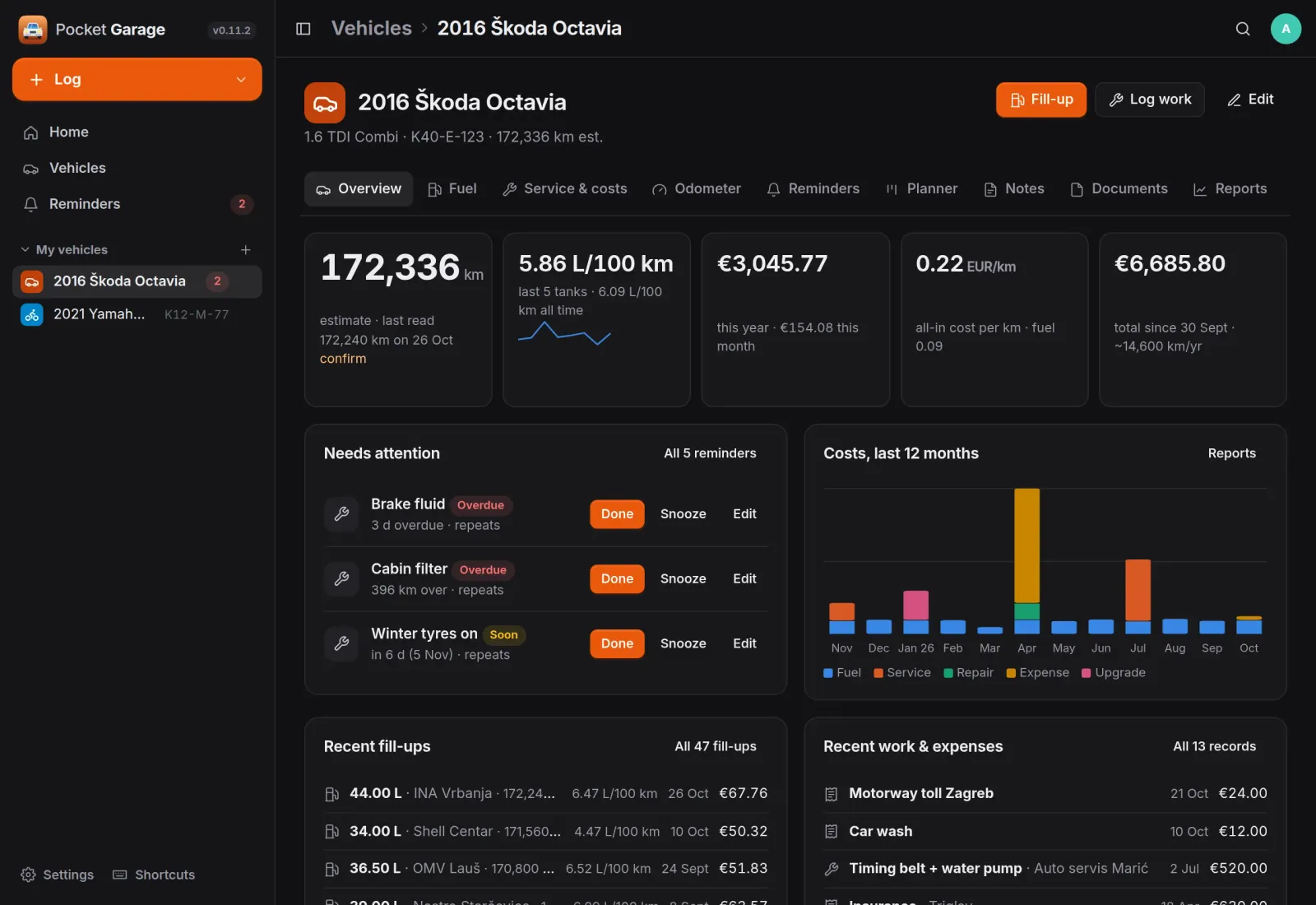
The whole car at a glance.
Odometer estimate, recent economy, cost this year and per km, what needs attention, costs per month and the latest fill-ups and work, all on the vehicle's first tab.
Quick log
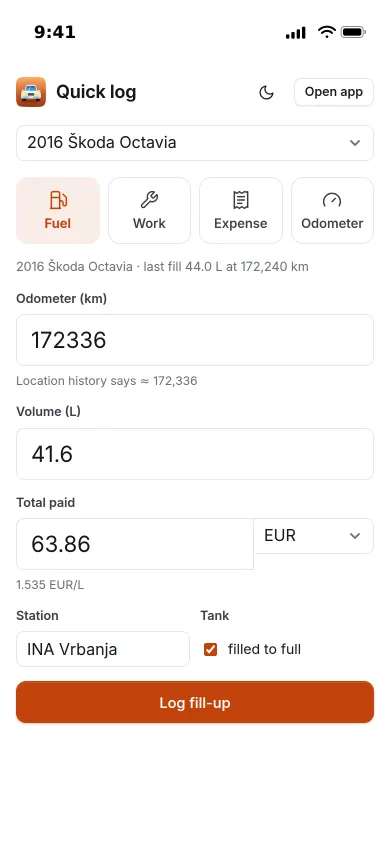
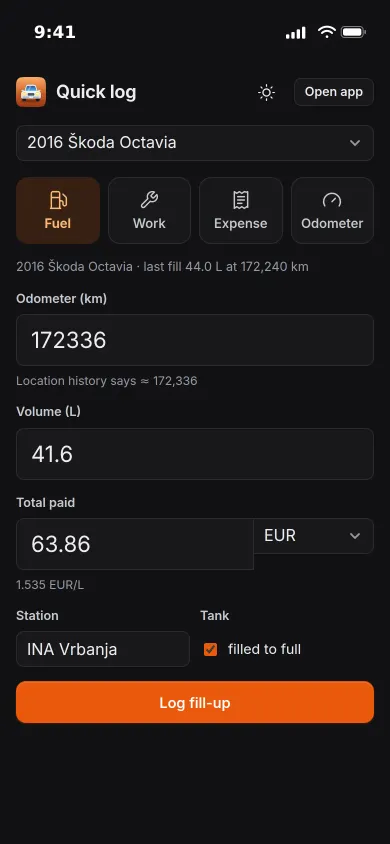
Log the fill-up at the pump.
One screen for fuel, work, an expense or an odometer reading. Type the volume and what you paid, and the price per litre appears straight away. Distance and economy come from the previous full tank.
- Partial fills roll into the next full one
- A missed fill-up flag keeps a gap out of the numbers
- Installable as a shortcut on the phone's home screen
Service & costs
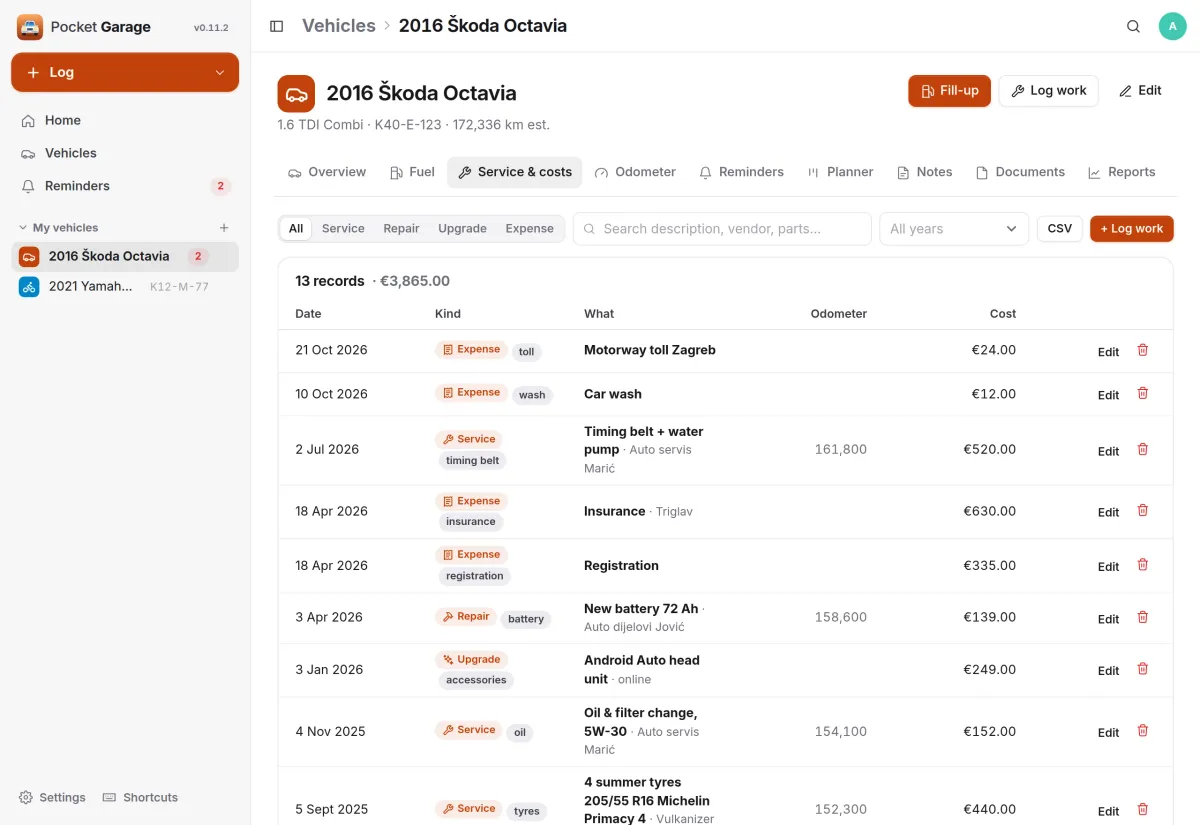
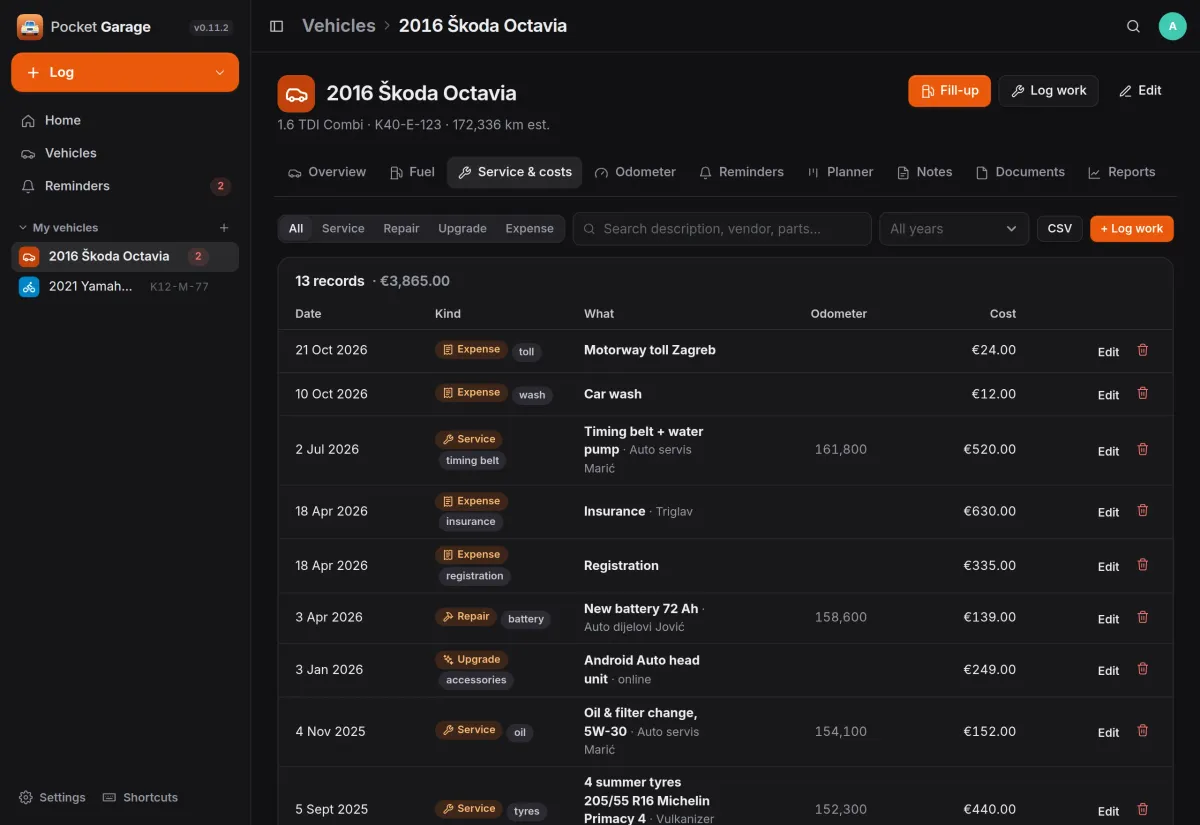
One list for everything you paid.
Service, repairs, upgrades and plain expenses such as insurance, registration, tolls and the car wash, each with a category, the workshop, the odometer and the parts fitted.
- Filter by kind and year, search descriptions, workshops and parts
- Costs in any currency, converted at the day's rate
- Each cost can become a transaction in Pocket Money
Reports
See where the money went.
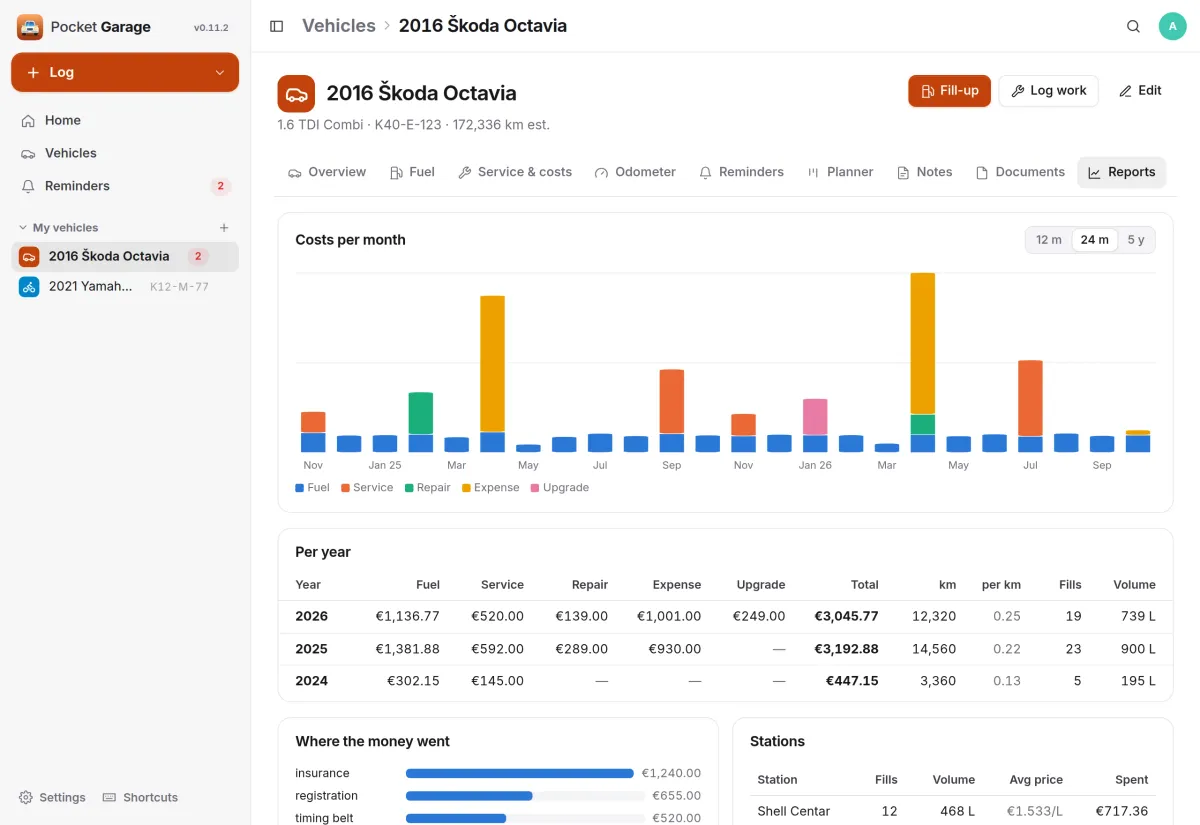
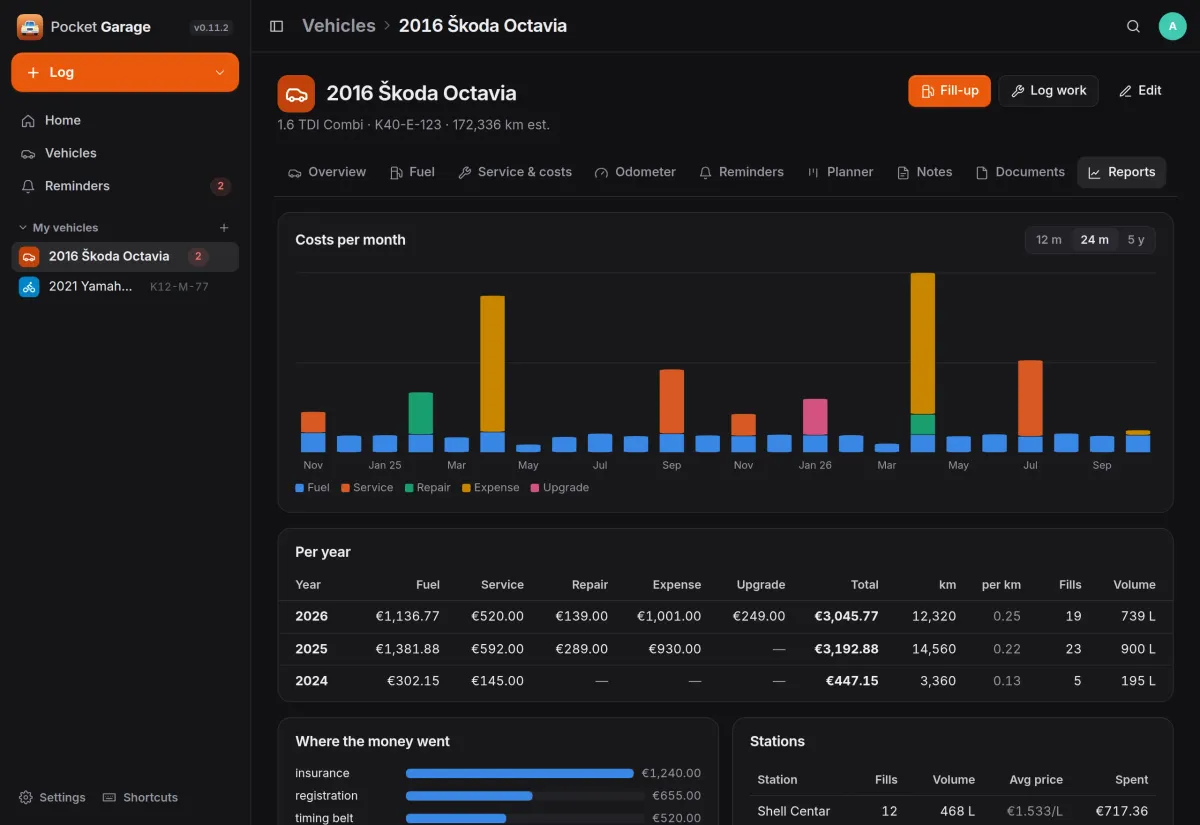
Costs per month stacked by kind over 12 months, 24 months or five years, a table per year with kilometres driven and cost per km, and the totals per category and per station.
- Economy, price per litre and odometer over time
- CSV and JSON exports per vehicle
And the rest of it
Reminders that roll forward
By date, by odometer or whichever comes first, repeating on their own. Logging the matching work completes them. Notifications and an iCal feed for your calendar.
An odometer you never type twice
Every fill-up or record with a reading is the odometer log. Between readings, Dawarich adds the kilometres you actually drove, and you confirm the estimate with one click.
Planner, notes and documents
A board from backlog to done where Log & finish turns a card into a record with the real cost, pinned notes, and documents with expiry dates that warn 30 days ahead.
Coming from LubeLogger
A one-time import brings vehicles, photos, records, fuel, reminders, planner cards and notes across, and a LubeLogger-compatible API keeps existing clients working.
Install
One container, one volume.
Run the container, open port 8080 and create your account. Every vehicle belongs to one person and is shared only with the people they choose. Integrations are optional and set per person under Settings, Integrations.
On a Pocket Box it is already installed, and sign-in and Pocket Money connect through Pocket Core with nothing to set up.
docker run -d --name pocket-garage -p 8080:8080 \
  -v $PWD/data:/data \
  ghcr.io/abjelosevic88/pocket-homelab-garage:latest
# open http://localhost:8080 and create your account
More in Money and things
 Pocket Moneyv0.17.1Personal finance on your own server: quick entry, any currency, bills, budgets and what is safe to spend.
 Pocket Invoicingv0.12.1Invoices, time tracking and payments for freelancers and one-person businesses, on your own server.
 Pocket Splitv0.7.1Split costs for trips, flat shares and dinners: who paid what, in any currency, and who owes whom.
 Pocket Inventoryv0.5.3A home inventory for the household: what you own, how many, where it is and whose it is.
 Pocket Wishlistv0.3.2Wishlists and gift ideas that watch prices and stop the family buying the same present twice.