

Pocket Inventory
v0.5.3 · Self-hosted · MIT
Know what you have, and where it is.
Pocket Inventory is a home inventory for households: what you own, how many, where it lives and whose it is. Add something in one line, tap minus when you use one and plus when you buy more, and let the shopping list fill itself.
- Included in Pocket Box
- Sign in with Pocket Core
Items
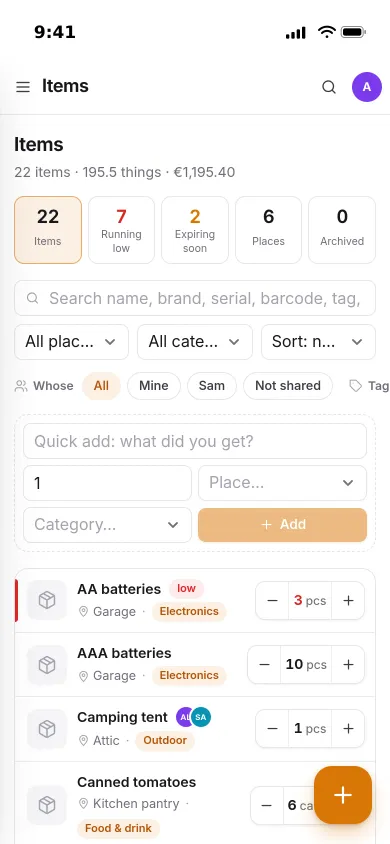
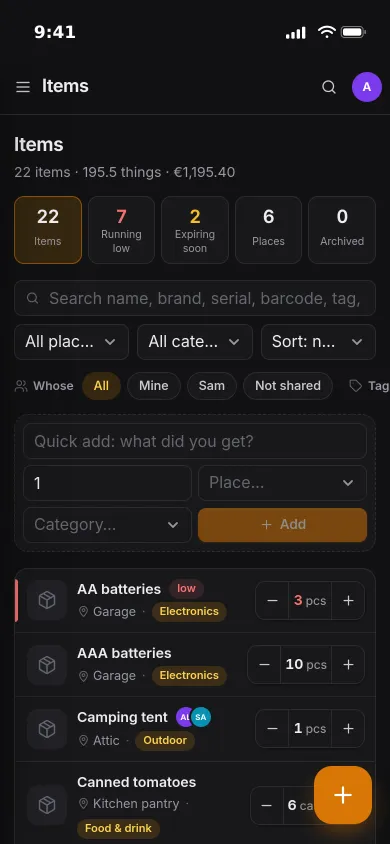
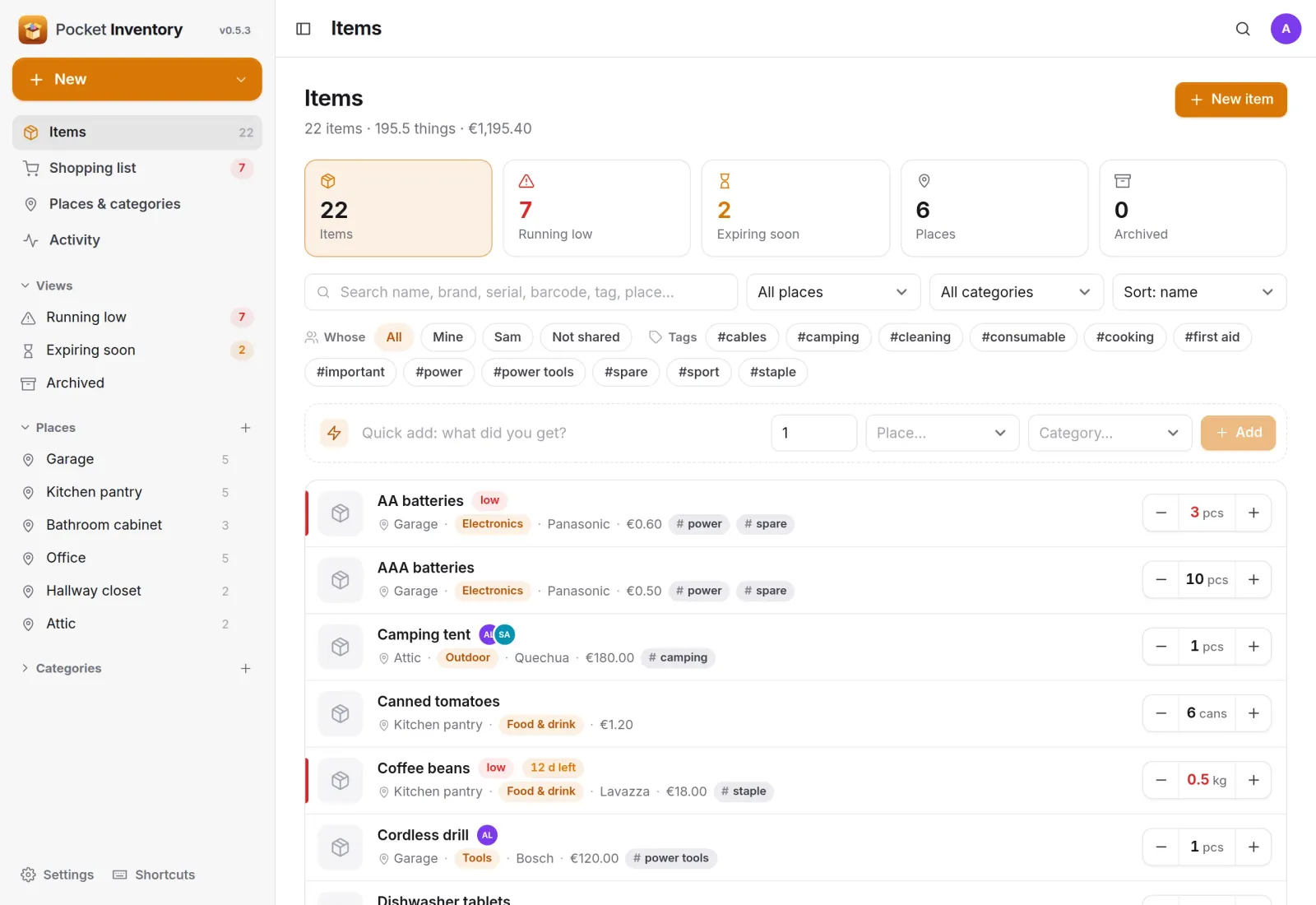
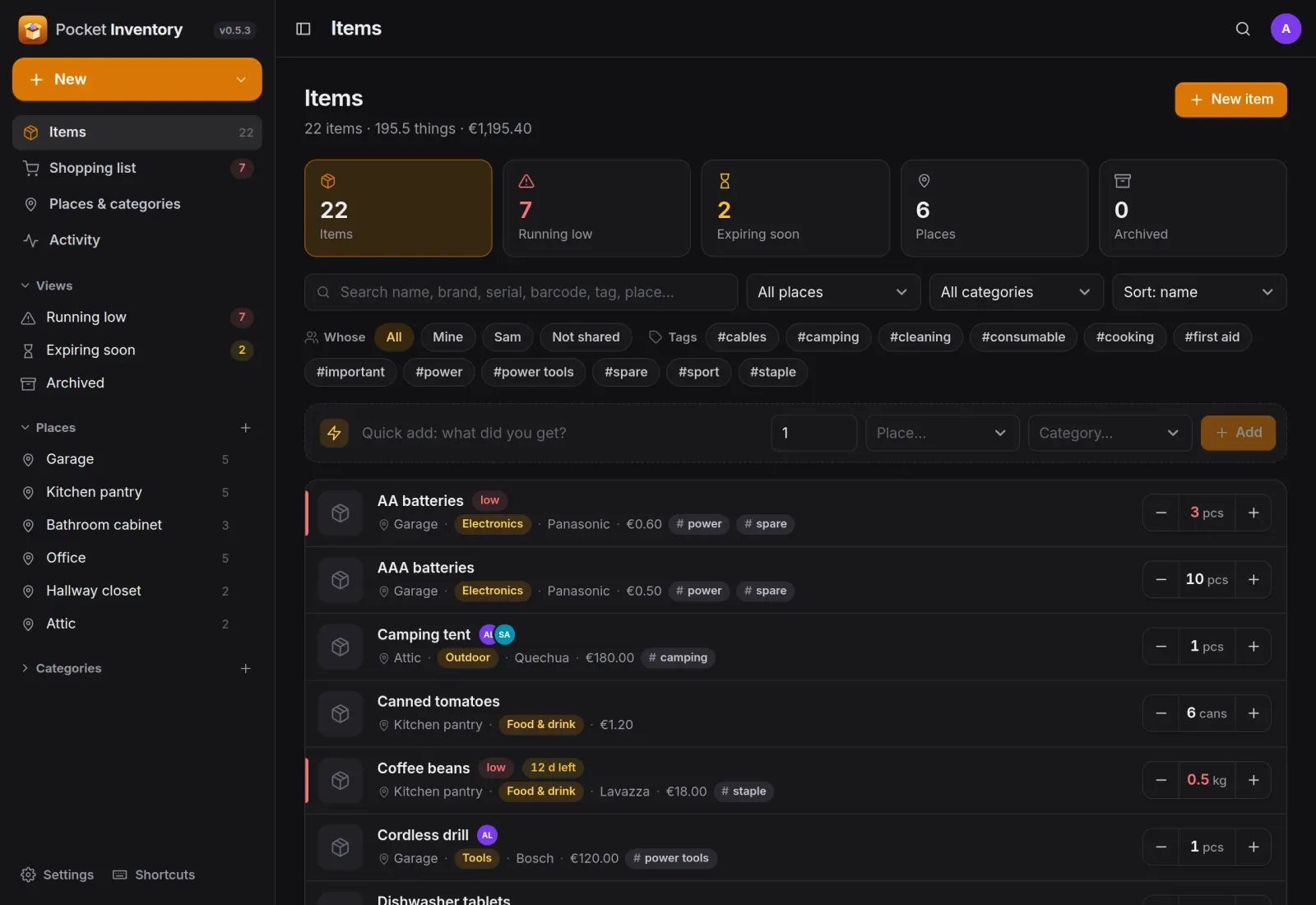
Everything in the house, one row each.
Each row shows the place, category, brand, price and tags, with minus and plus right beside the quantity. Search covers names, serials, barcodes, tags and places, and items running low are marked in red.
Shopping list
A shopping list that writes itself.
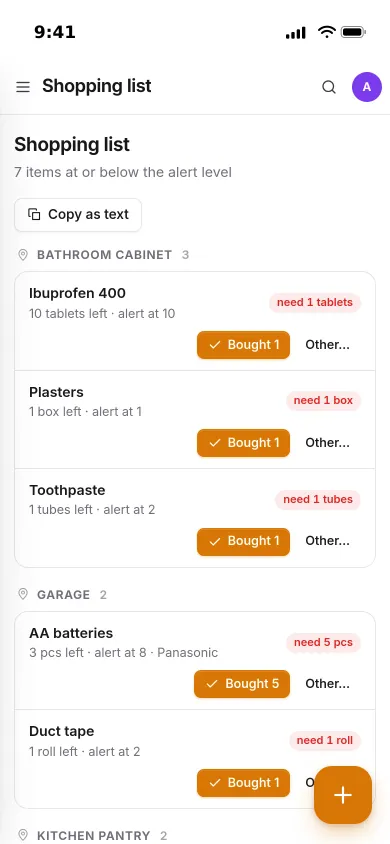
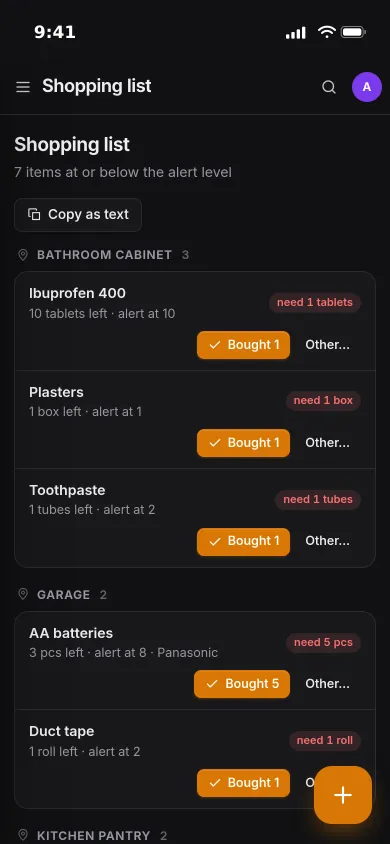
Give an item an alert level and it lands on the shopping list when stock drops to it, grouped by place. Tap Bought and the quantity goes back up.
- Shows how many you need to get back above the alert level
- Items that expire within 30 days are listed underneath
- Copy as text to paste the list into a message or a note
People
Yours, or shared with the household.
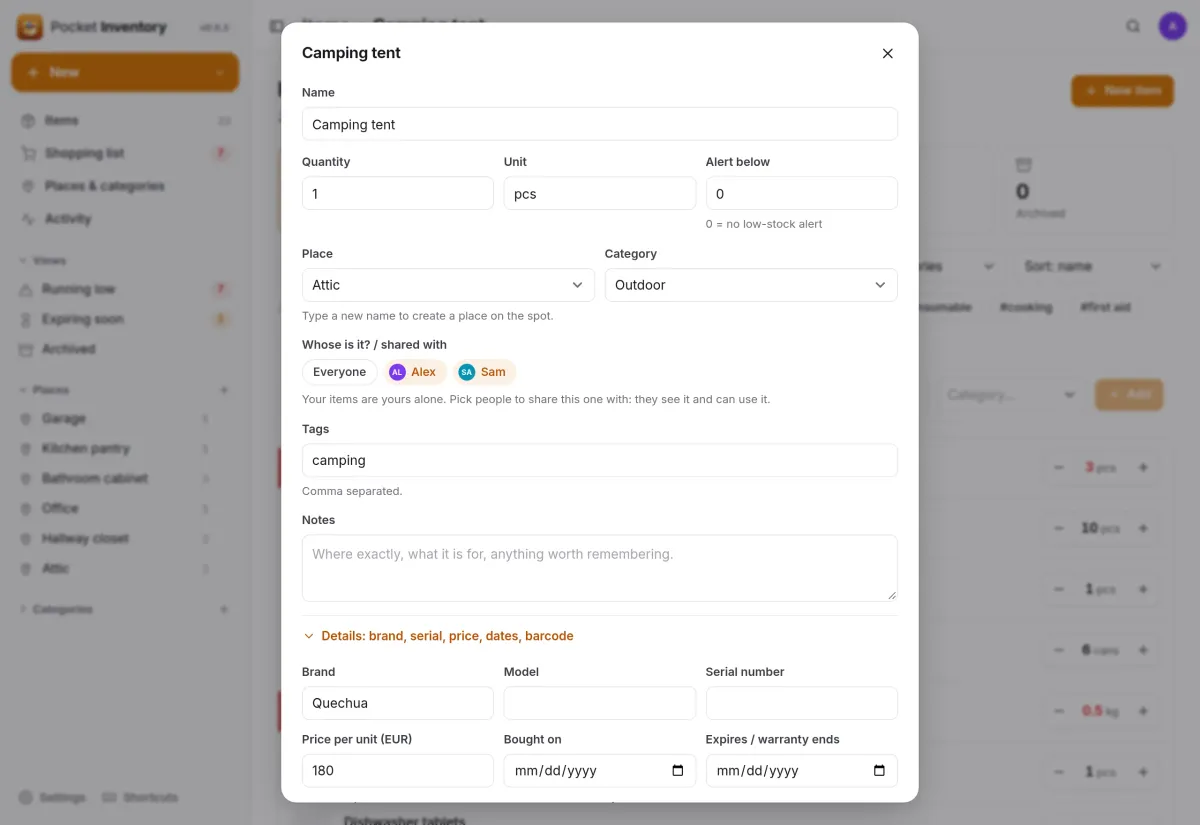
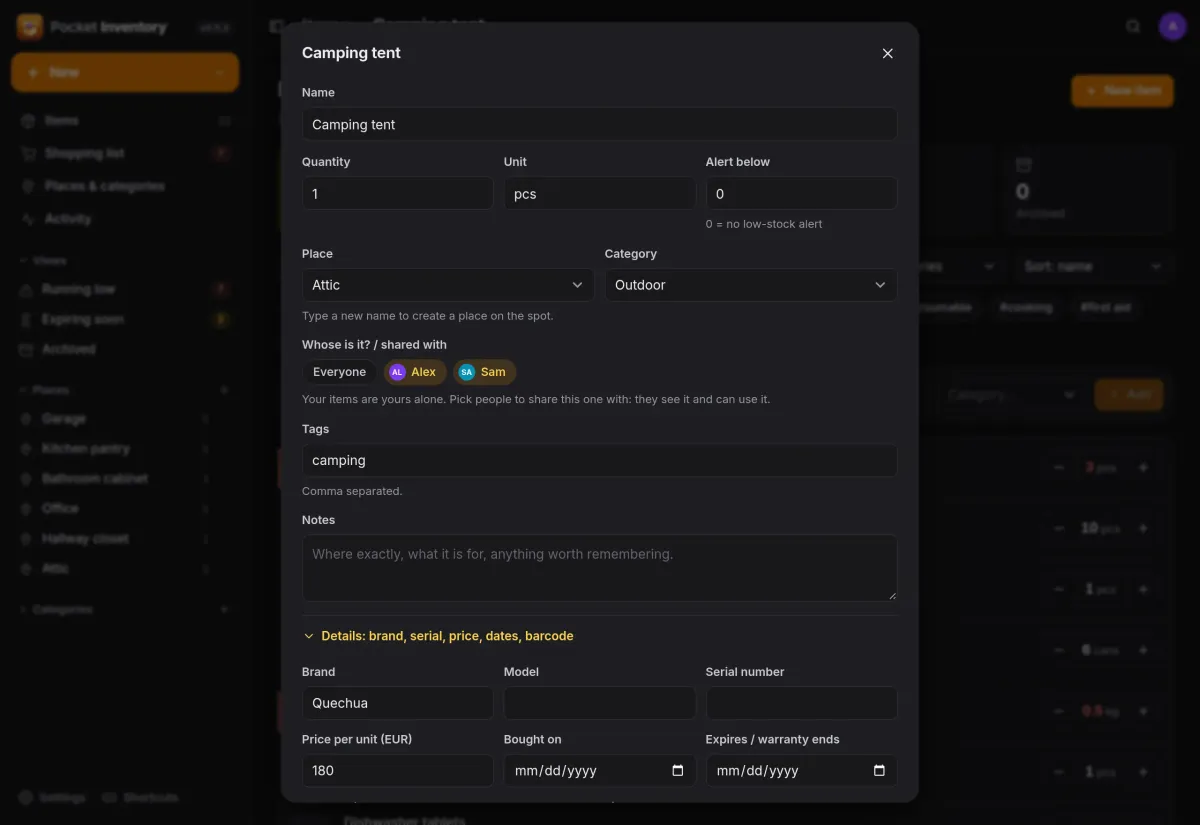
Everyone signs in to their own inventory. Share an item with one or more people and it shows up for them too, and filter the list by Mine, by a name or by Not shared.
- Places and categories can be created right in the form
- Brand, serial, price, warranty date, barcode and photo fold away
- Archive things you no longer have instead of deleting them
Activity
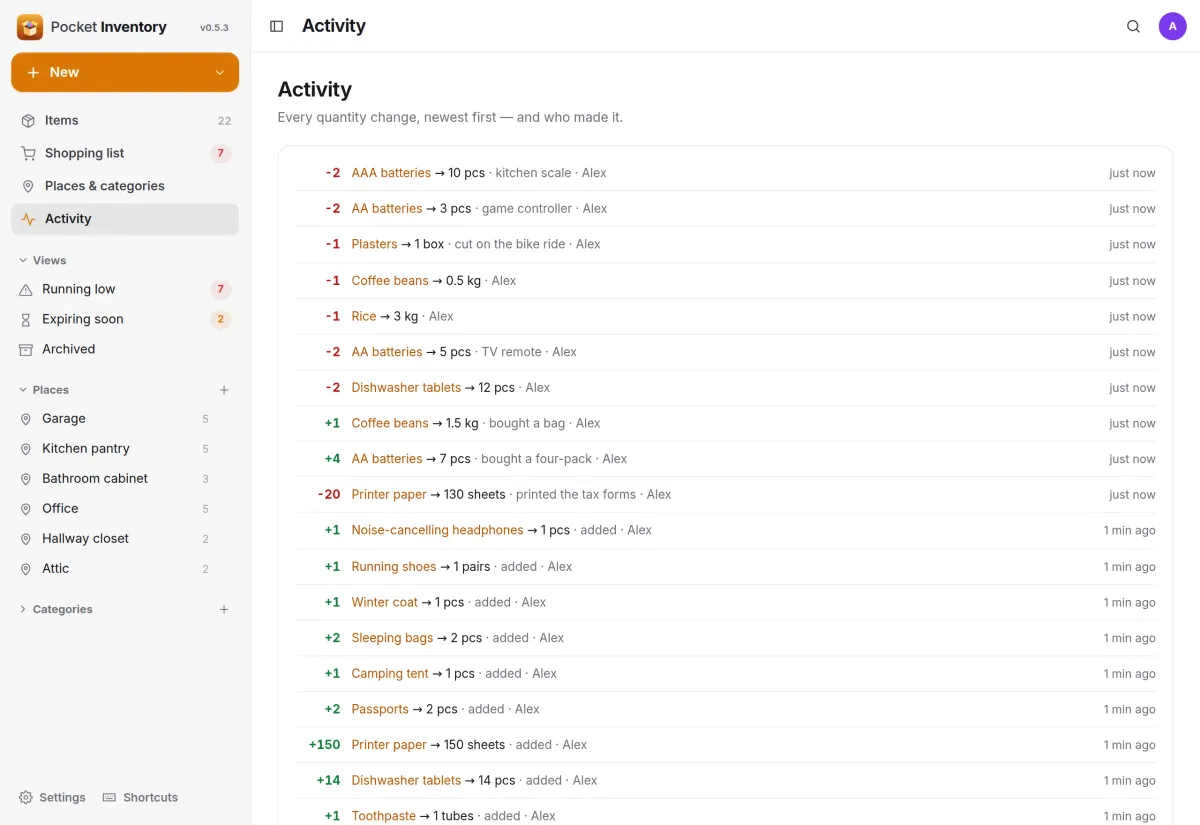
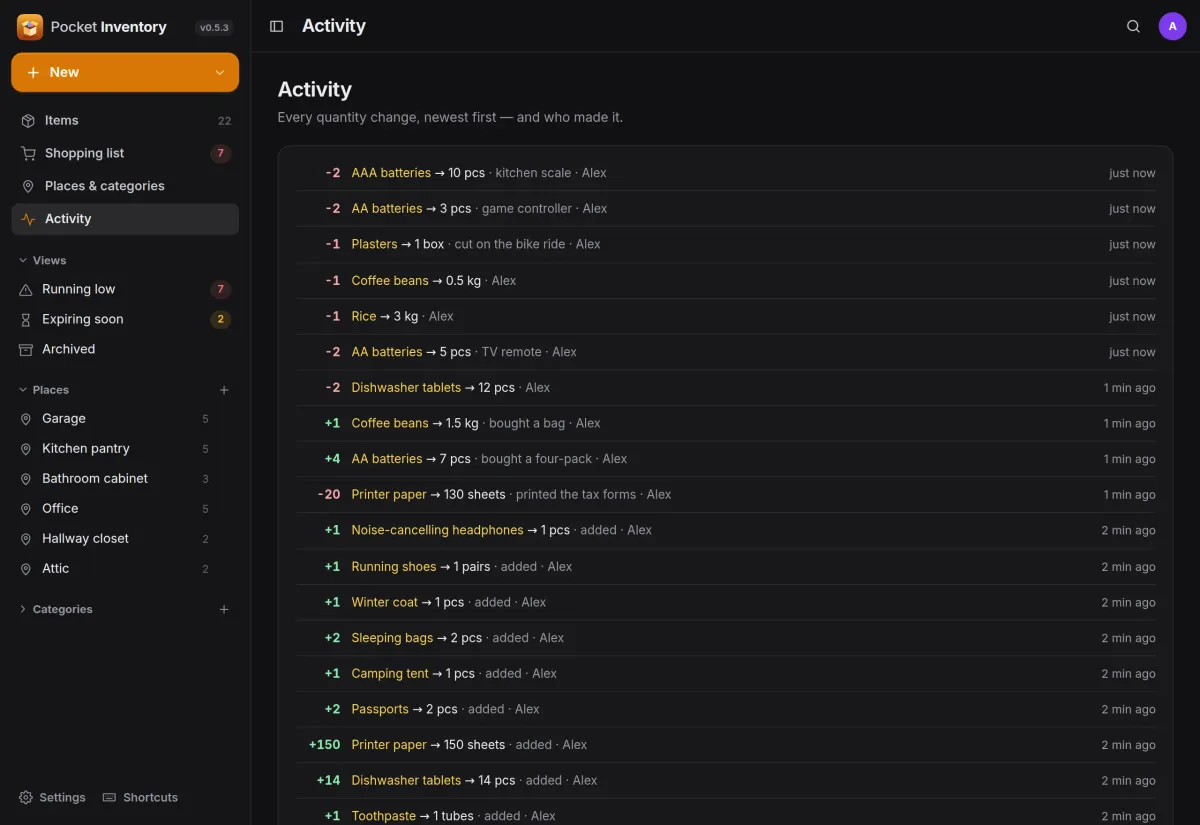
Every change, and who made it.
Each minus and plus is recorded with the amount, the new quantity, an optional note and the person who made it, per item and in one feed for the whole house.
- Add a reason when you change a quantity, such as TV remote
- The same feed is available to other apps through the API
And the rest of it
Automation with tokens
Personal API tokens for iOS Shortcuts, Home Assistant or n8n: adjust a quantity, look up a barcode, or feed a Homepage or Glance widget from the dashboard endpoint.
In the Pocket Homelab app
The companion app for iPhone, iPad, Mac and Android has the items with minus and plus, the quick add and the shopping list.
Works with other Pocket apps
With Pocket Core, people sign in once, and apps they allow can use their inventory: Pocket Garage for parts, Pocket Kitchen for the pantry.
One file to back up
A single binary and one SQLite database. Back up from the settings, the command line or the API, and export or import JSON and CSV.
Install
One container, one volume.
One small container with a data folder, on port 8080. Open it, create your account, add the rest of the household under Settings, People, and start typing into the quick-add box. Set TZ so expiry dates follow your day. A docker-compose.yml is in the repository too.
Already installed on a Pocket Box, with sign-in through Pocket Core.
docker run -d --name pocket-inventory -p 8080:8080 -v $PWD/data:/data \
  -e TZ=Europe/Berlin -e BASE_URL=https://inventory.example.com \
  ghcr.io/abjelosevic88/pocket-homelab-inventory:latest
More in Money and things
 Pocket Moneyv0.17.1Personal finance on your own server: quick entry, any currency, bills, budgets and what is safe to spend.
 Pocket Invoicingv0.12.1Invoices, time tracking and payments for freelancers and one-person businesses, on your own server.
 Pocket Splitv0.7.1Split costs for trips, flat shares and dinners: who paid what, in any currency, and who owes whom.
 Pocket Garagev0.11.2Every vehicle on one page: fuel economy, service history, running costs, reminders and documents.
 Pocket Wishlistv0.3.2Wishlists and gift ideas that watch prices and stop the family buying the same present twice.