

Pocket Invoicing
v0.12.1 · Self-hosted · MIT
Invoicing for one-person businesses, on your own server.
Pocket Invoicing bills by the hour, the day, a monthly retainer, a fixed price or per unit, in each client's own currency. Track time with a timer, turn it into an invoice in one click, record payments and let recurring invoices and reminders run themselves. One small binary and one SQLite file, no PHP, Redis or MySQL.
- Included in Pocket Box
- Sign in with Pocket Core
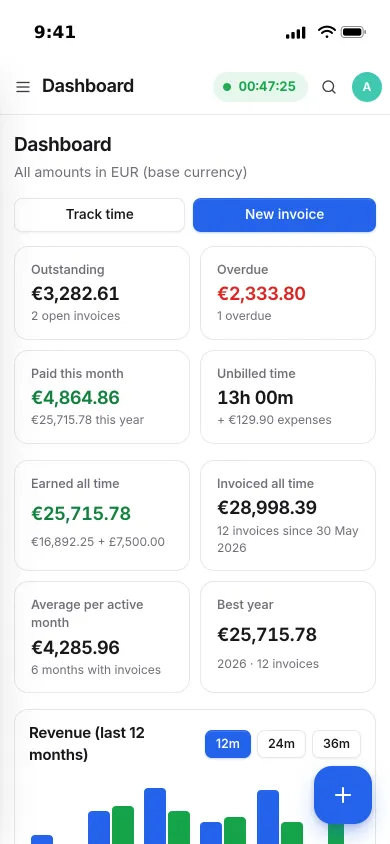
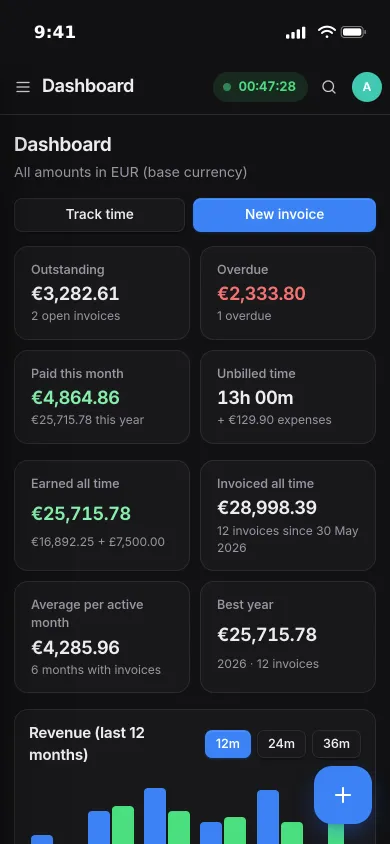
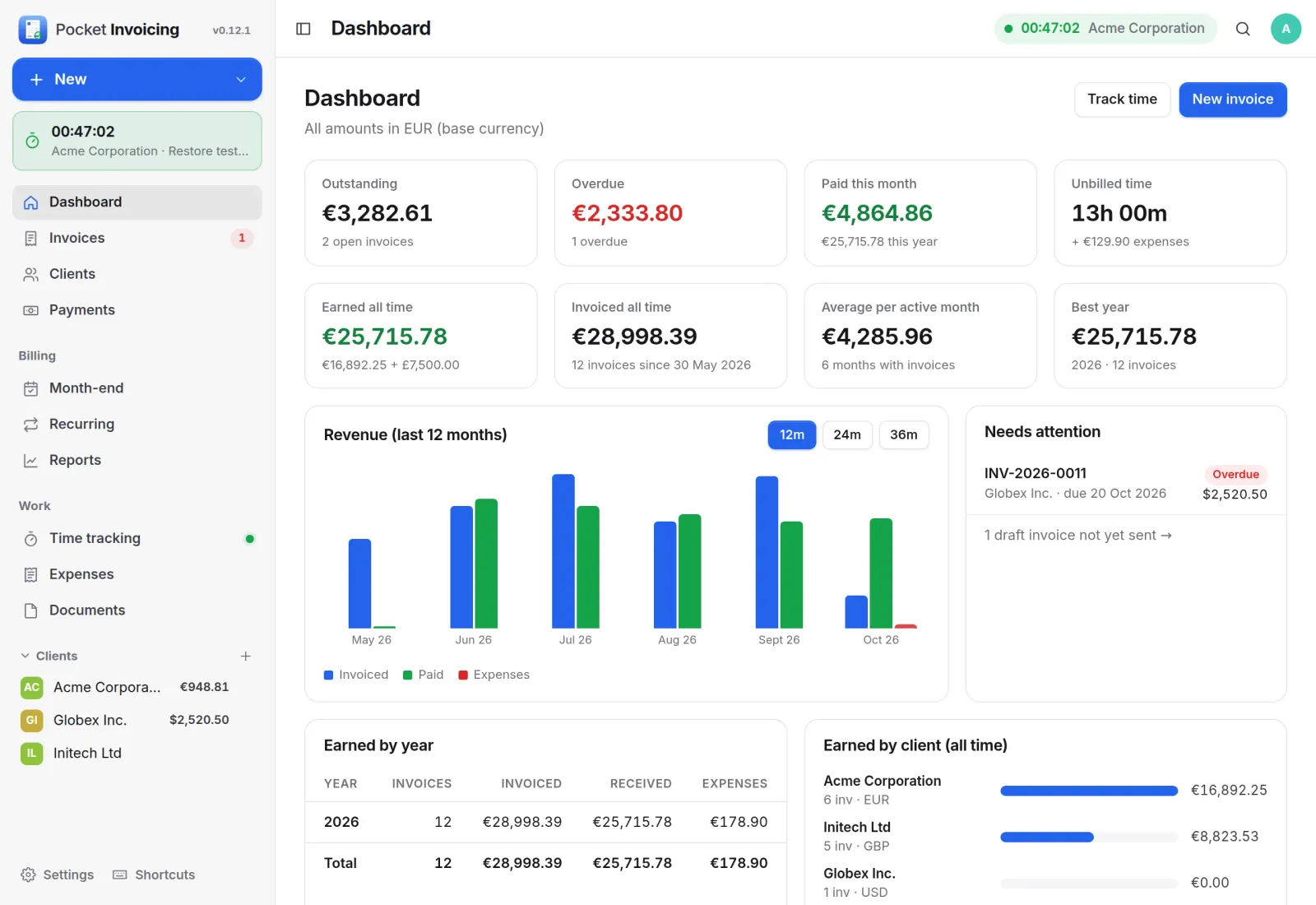
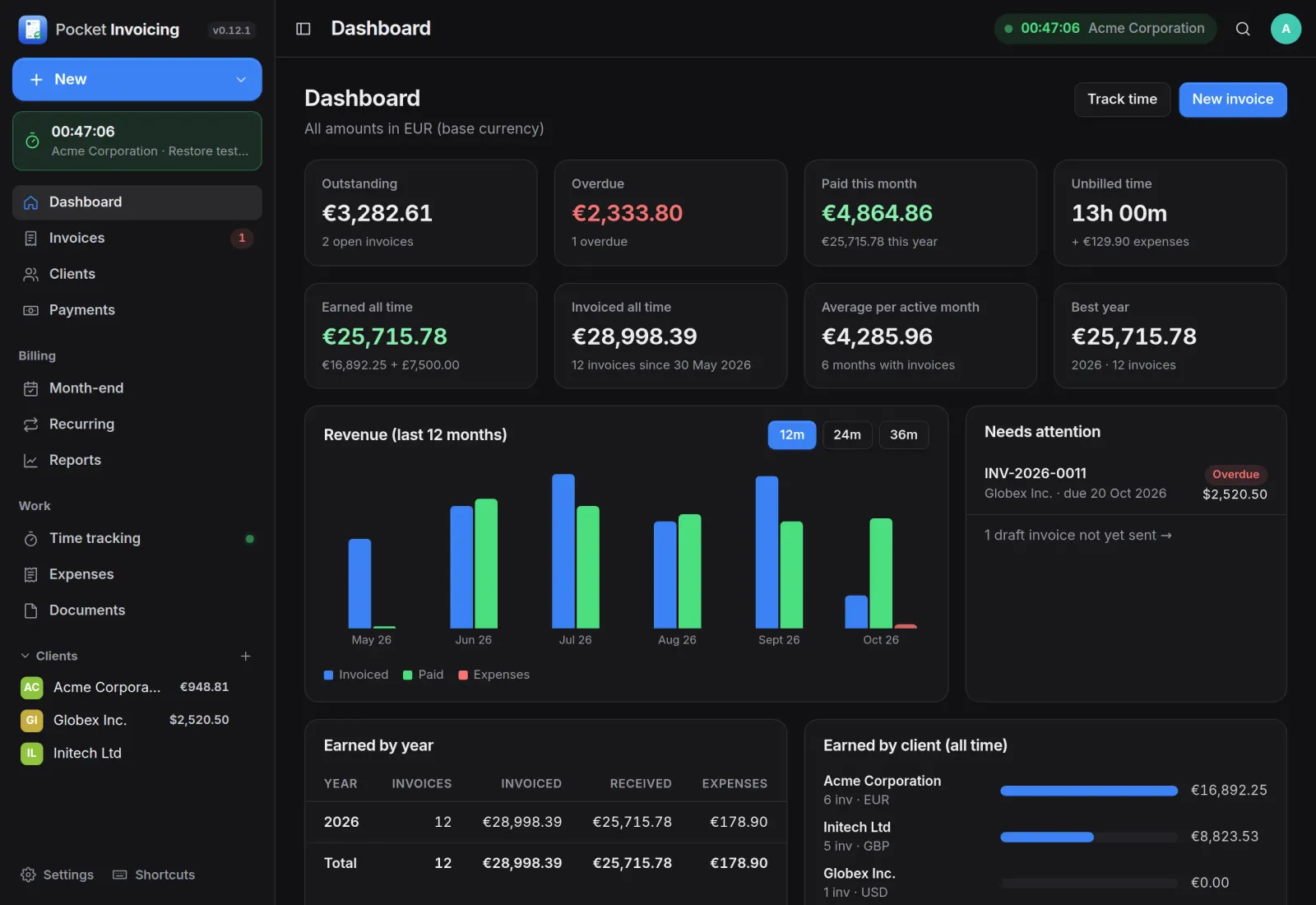
Dashboard
Who owes what, at a glance.
Outstanding, overdue, paid this month and unbilled time on top, revenue by month below, and a short list of what needs your attention. Everything is converted to your base currency at the rate locked on each invoice.
Invoices
From draft to paid.
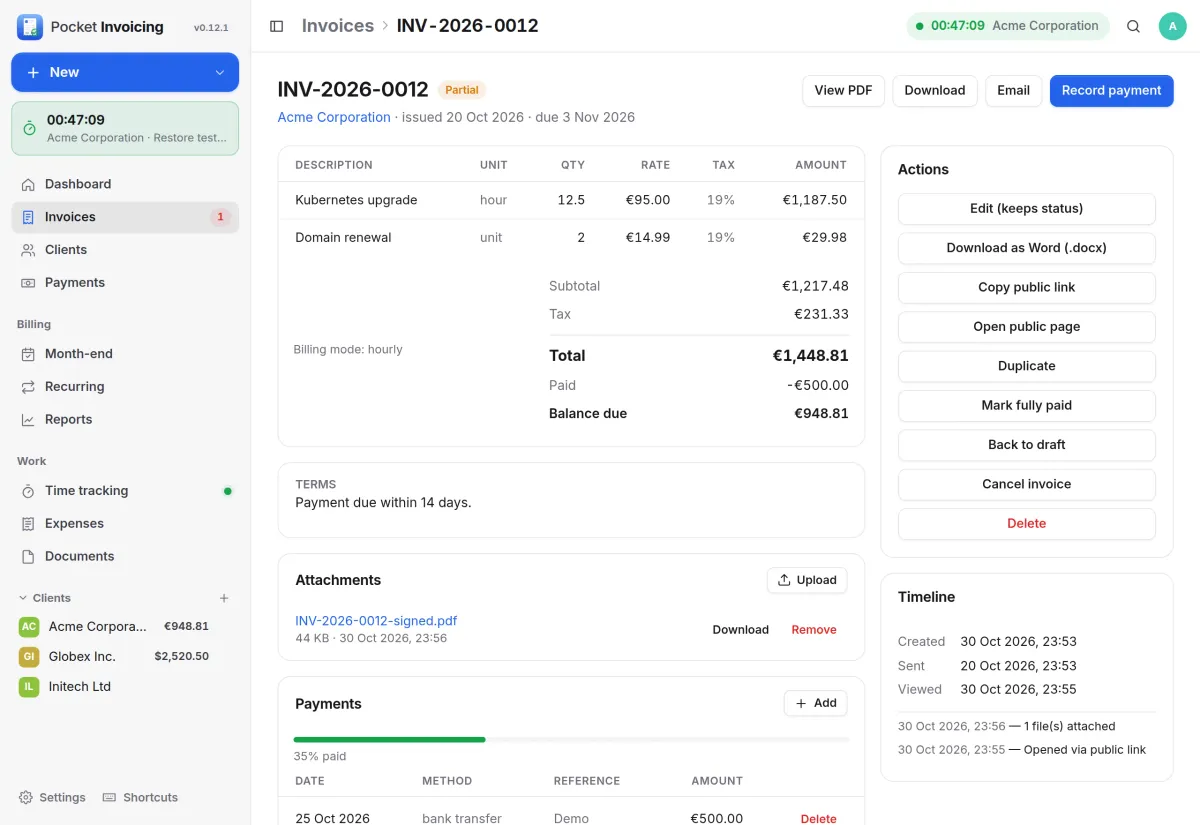
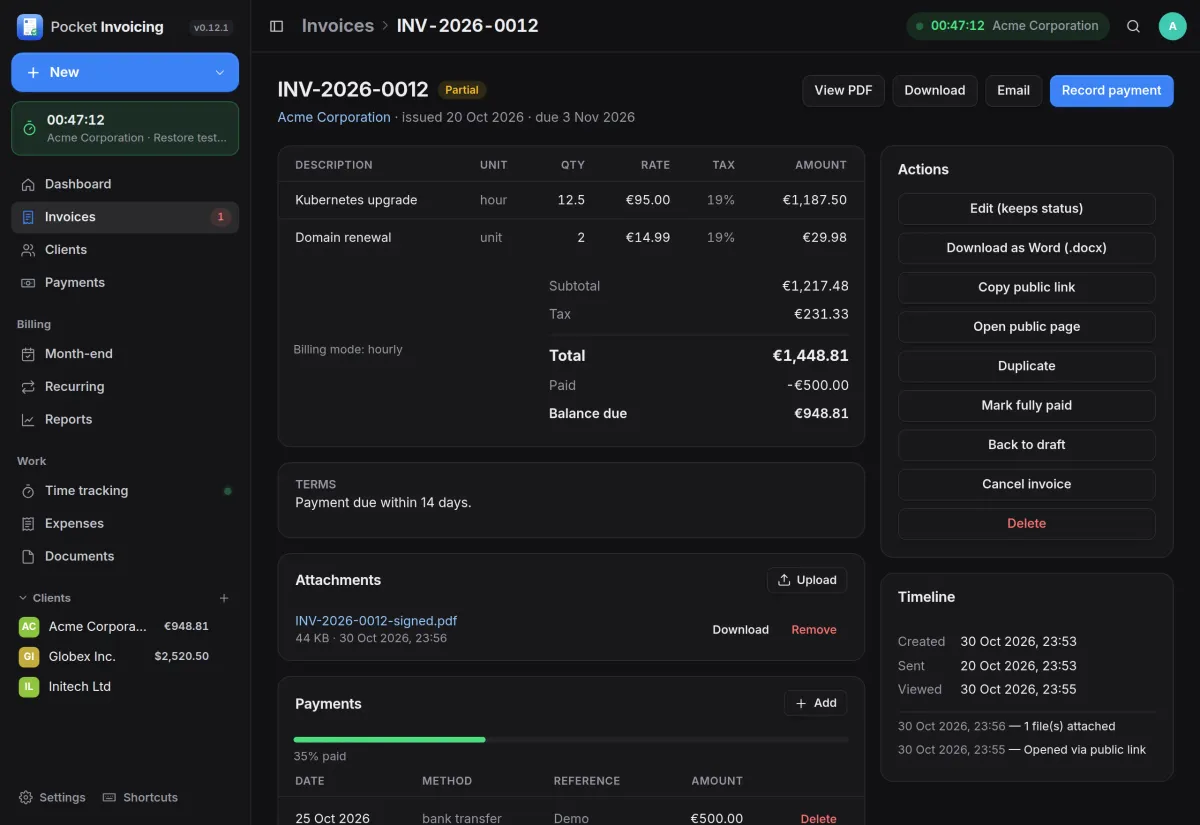
An invoice shows its lines, tax, payments and balance due, with the actions beside it: PDF, Word, email, a public link for the client and record payment. A partial payment moves it to Partial and the timeline records when the client opened it.
- Three PDF layouts, or your own Word template with placeholders
- Attach your own signed or fiscalised PDF and email that instead
- Automatic overdue marking and payment reminders
Time tracking
Track the hours, bill them in one click.
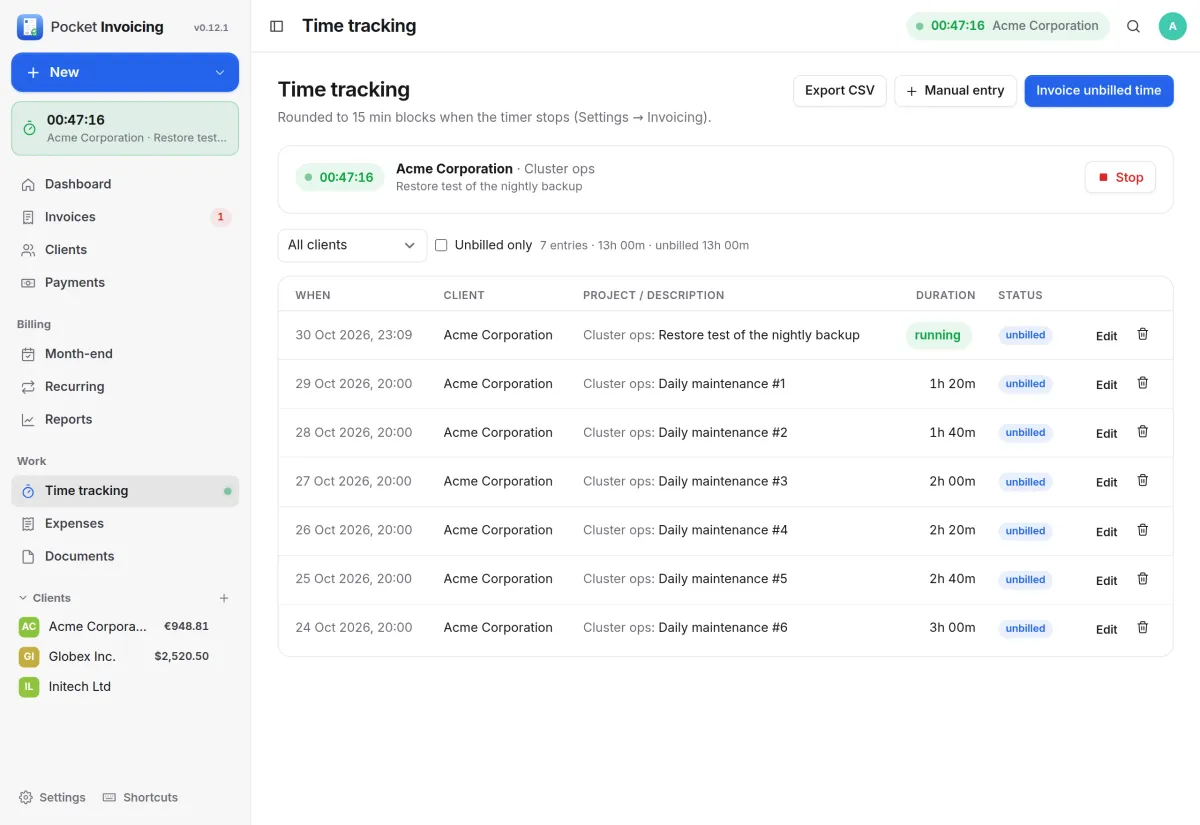
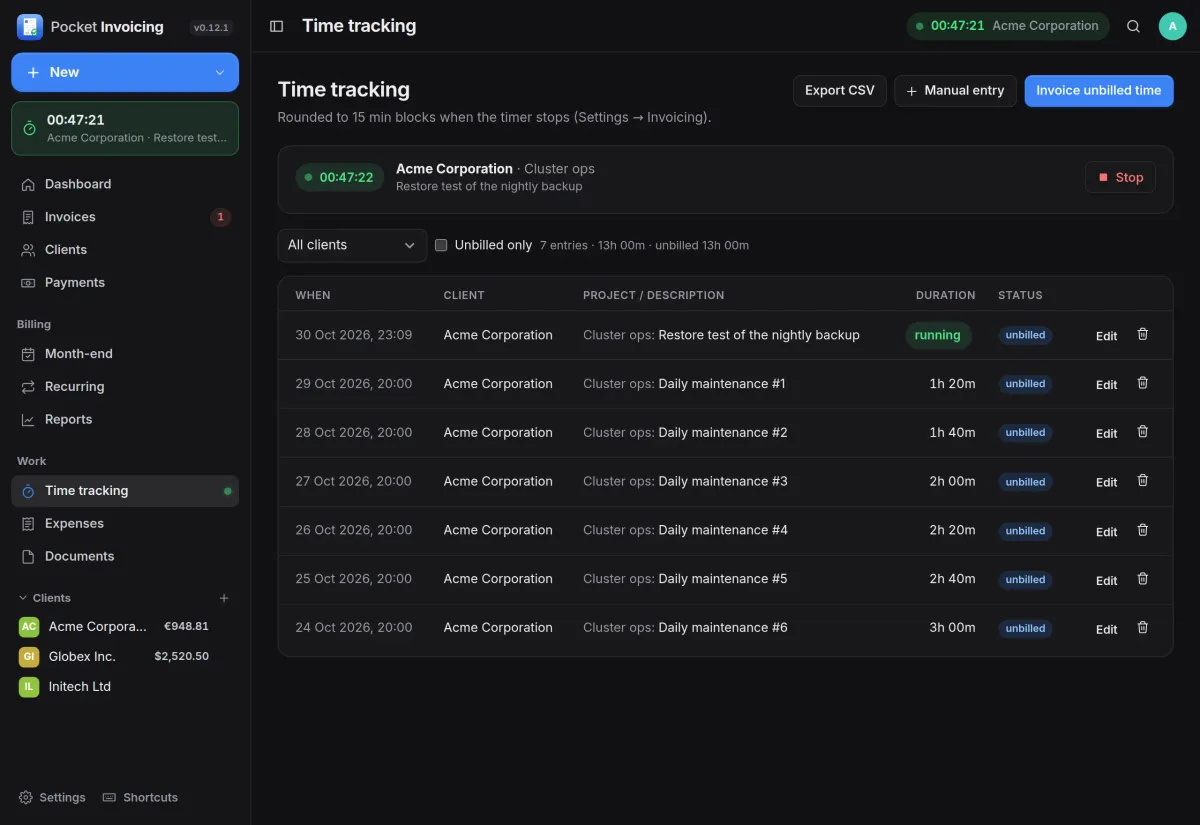
Start a timer for a client and project and it keeps running in the sidebar while you work. Entries are rounded to your block size, and Invoice unbilled time turns them into invoice lines as hours or days.
- Rounding to 15-minute blocks, or any size you choose
- Group lines per entry, day, project or one total
- Manual entries and CSV export
Clients
Every client on its own terms.
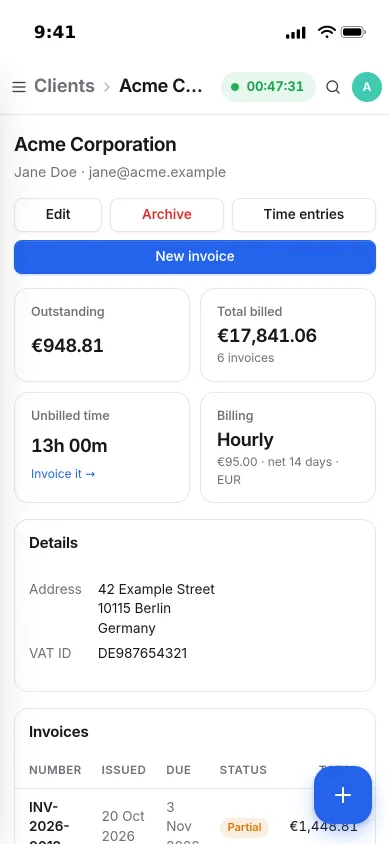
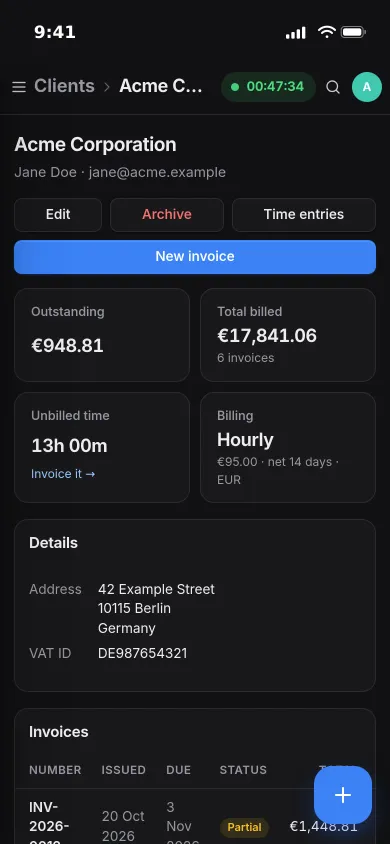
Each client has its own currency, billing mode, rate and payment terms. Its page shows what is outstanding, what you have billed and the time not yet invoiced, with Invoice it one tap away.
- Hourly, daily, monthly retainer, fixed price or per unit
- Rates from the ECB or the Central Bank of BiH, or entered by hand
- Payments can arrive in a third currency
And the rest of it
Recurring invoices
Weekly to yearly schedules with month placeholders, optional auto-send and billing in arrears. Missed runs catch up after downtime.
Month-end on one screen
A proposed invoice per client from working days, tracked hours or a profile, all drafts created at once, then the fiscal PDF and email from the same list.
Reports and the accountant package
Revenue by month and client, aging, tax by rate, an income-tax estimate and a time summary, with CSV exports and a yearly ZIP for your accountant.
Built for automation
A REST API with personal access tokens, HMAC-signed webhooks, Prometheus metrics and health endpoints, and backups from the UI, CLI or API.
Install
One container, one volume.
Pocket Invoicing is a single static binary in a small multi-arch image. Start it, create the admin account in the first-run wizard, and add your company details and logo under Settings. Set DEMO_DATA=true to try it with sample clients first.
On a Pocket Box it is already installed and signs you in through Pocket Core.
docker run -d --name pocket-invoicing -p 8080:8080 -v $PWD/data:/data \
  -e TZ=Europe/Berlin -e BASE_URL=https://invoices.example.com \
  ghcr.io/abjelosevic88/pocket-homelab-invoicing:latest
# open http://localhost:8080 and create your account
More in Money and things
 Pocket Moneyv0.17.1Personal finance on your own server: quick entry, any currency, bills, budgets and what is safe to spend.
 Pocket Splitv0.7.1Split costs for trips, flat shares and dinners: who paid what, in any currency, and who owes whom.
 Pocket Garagev0.11.2Every vehicle on one page: fuel economy, service history, running costs, reminders and documents.
 Pocket Inventoryv0.5.3A home inventory for the household: what you own, how many, where it is and whose it is.
 Pocket Wishlistv0.3.2Wishlists and gift ideas that watch prices and stop the family buying the same present twice.