
Pocket PR Review
v0.2.0 · Self-hosted · MIT
Read a pull request as a story, step by step.
Pocket PR Review puts a pull request's changes in the order to read them: the migration first, then the code that reads it, the logic, the routes, the configuration and the screens. Each step says why it is there and what to check, and every file gets one plain sentence.
- Included in Pocket Box
- Sign in with Pocket Core
- Works with GitHub and Pocket AI and OpenAI-compatible APIs
Walkthrough
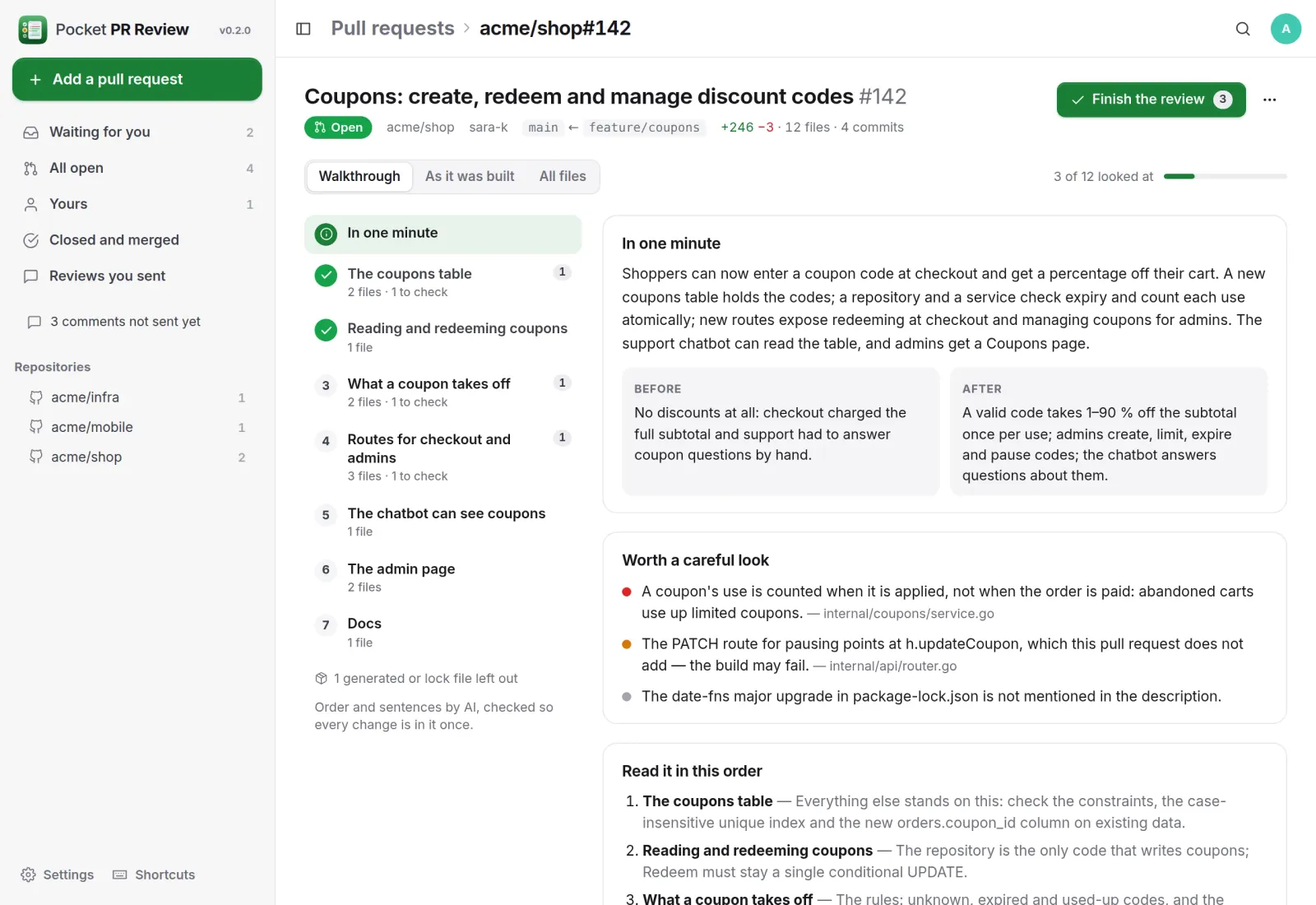
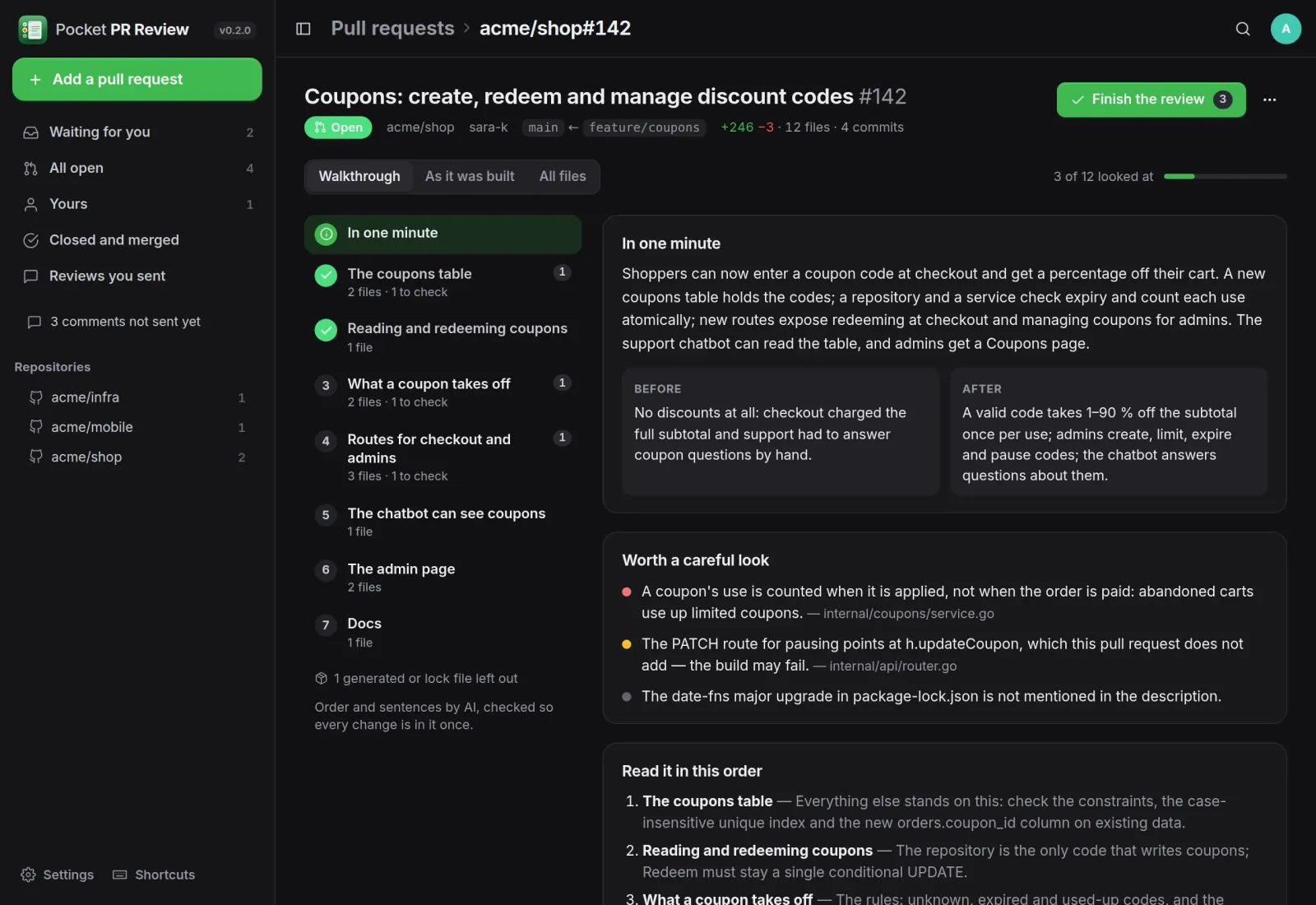
The pull request in one minute.
The steps in reading order on the left. On the right, the problem and the approach, before and after, the risks worth a careful look, and a short guide to the order.
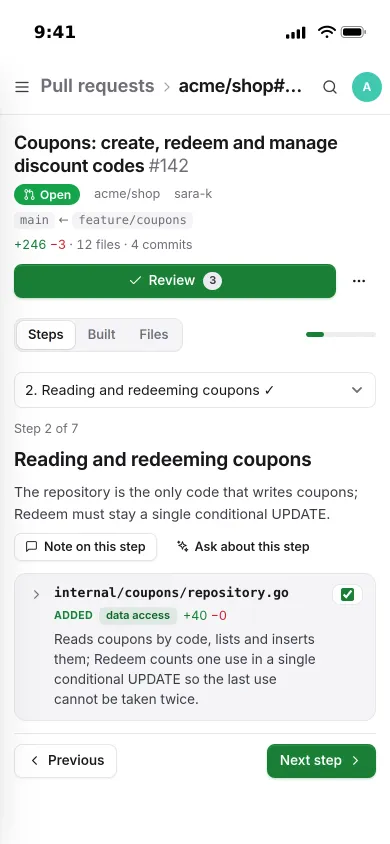
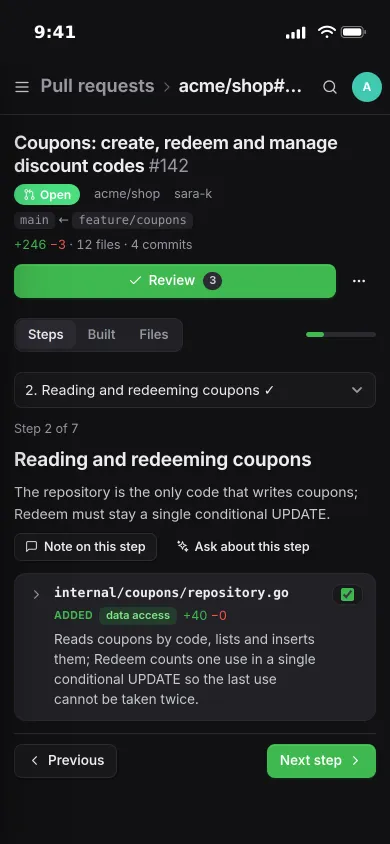
Steps
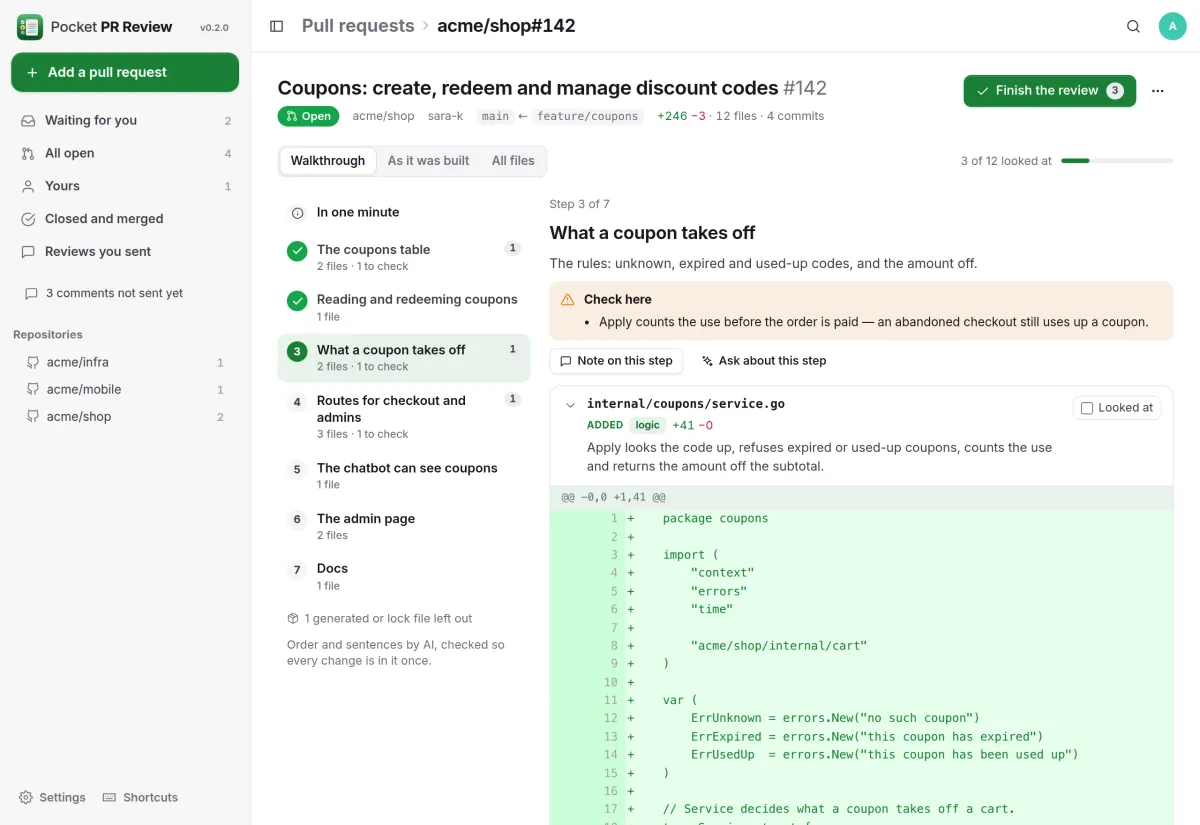
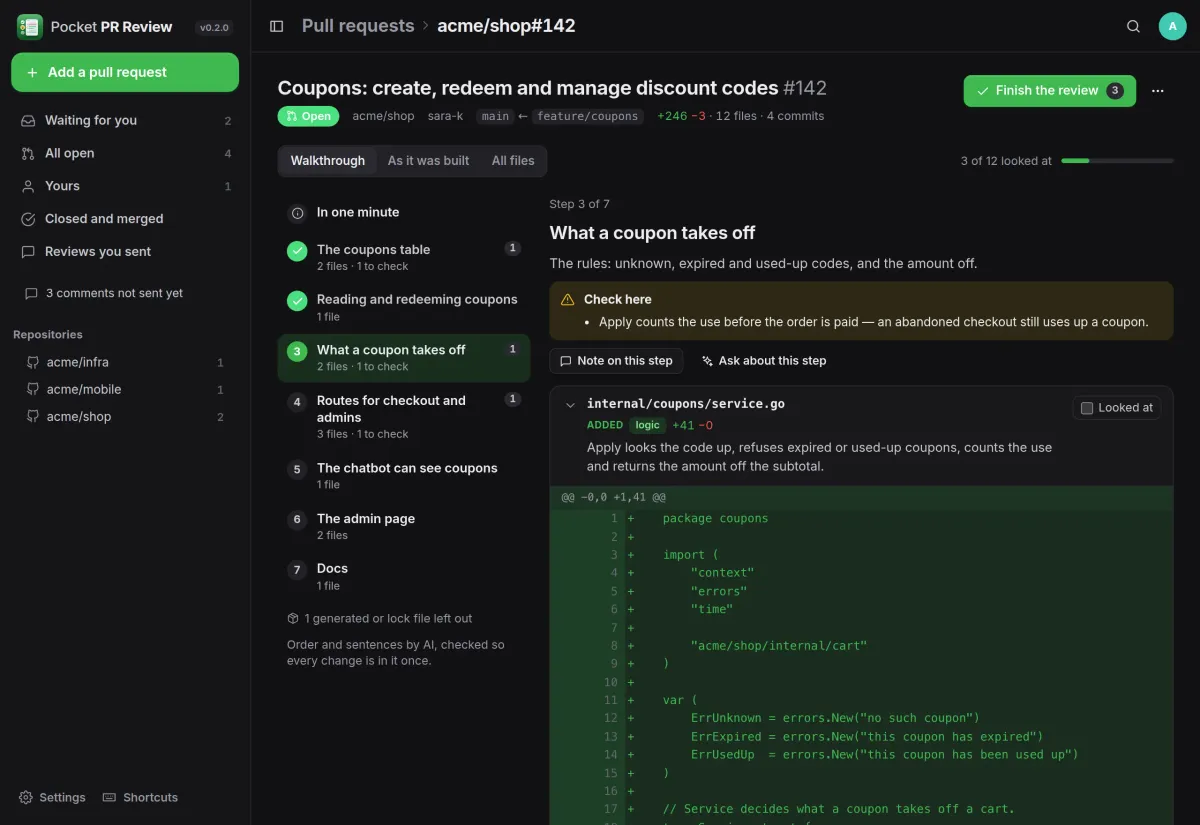
What to check, right above the diff.
Each step names what to look at carefully, and each file says in one sentence what it does before you read the diff. Mark a file or a step as looked at, and a later commit unmarks only what it changed.
- Every changed line is in the walkthrough exactly once
- A .pocket/review.yml sets the order for your codebase
- Without an AI you still get the layered order
History
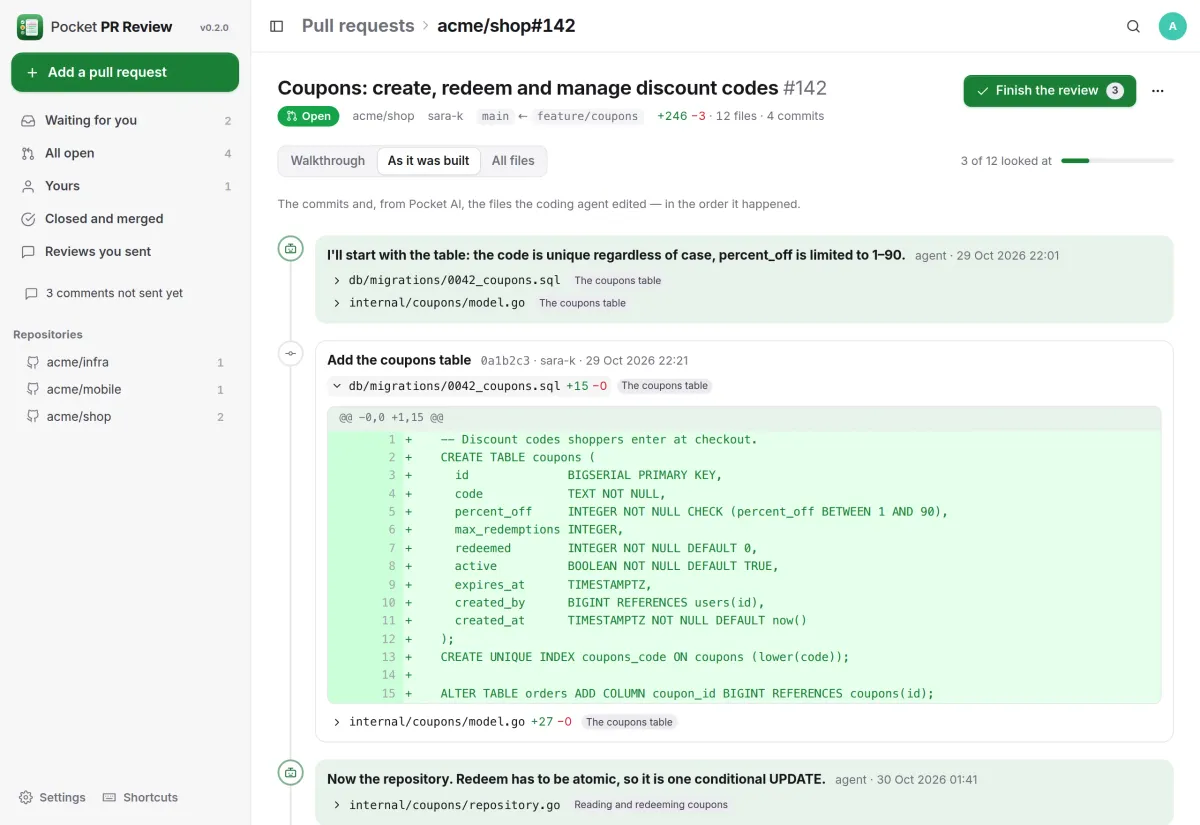
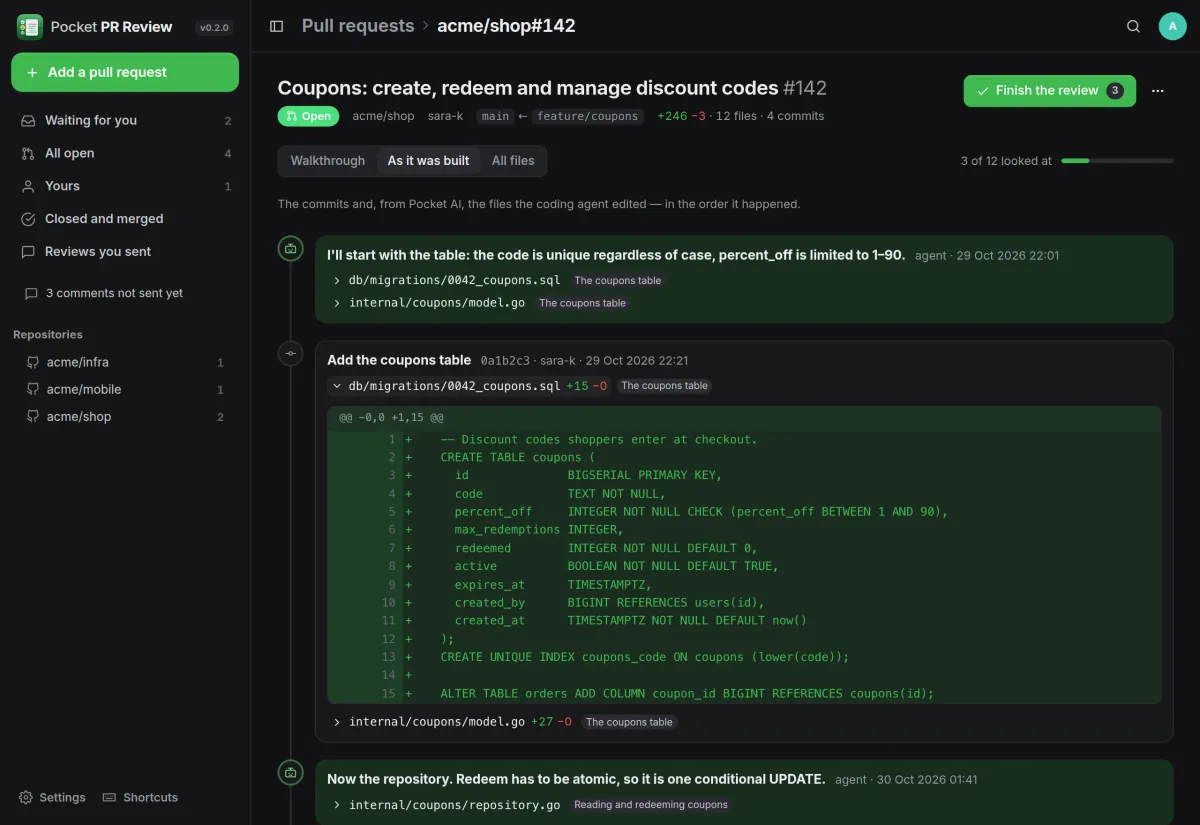
See how it was built.
The commits in order, with what each one changed. When a coding agent in Pocket AI made the pull request, you also see every file it edited and what it said just before.
- Each file is tagged with the step it belongs to
- New commits make a new walkthrough by themselves
- Ask the AI about any step
Finish
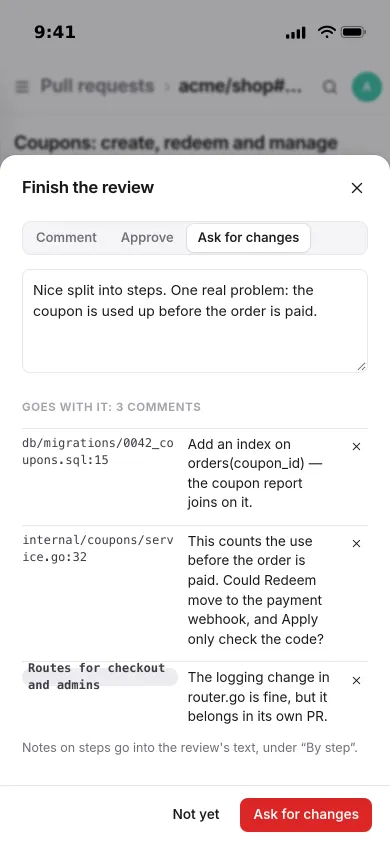
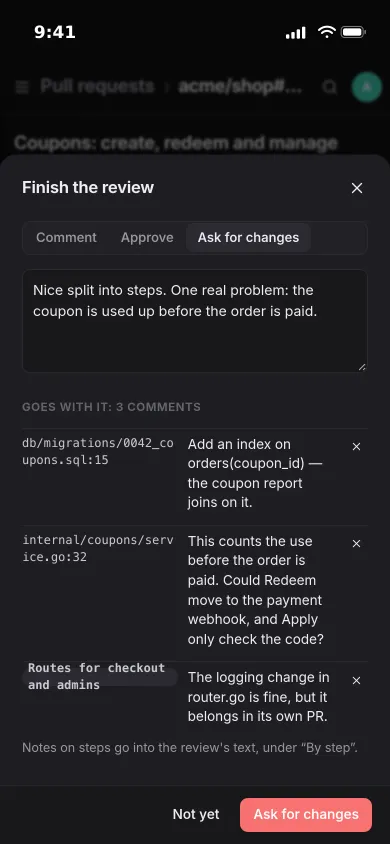
One review, sent from where you read.
Comment on a line or a range and note on a step while you read. Then comment, approve or ask for changes, and everything goes to GitHub as one review.
- Read and answer the GitHub conversation in place
- Hand your comments to Claude Code or Codex through Pocket AI
- Or post the walkthrough on the pull request for the team
And the rest of it
Your list, by itself
Pull requests that ask for your review, yours, and the ones you reviewed come in from GitHub every few minutes, with a push when someone asks for you.
Nothing hidden
Anything the AI left out goes into Everything else. Lock files and generated code are set aside, not dropped.
Any OpenAI-compatible AI
Connect Pocket AI through Pocket Core or add an OpenAI-compatible key for the sentences, summaries and step names.
Everyone their own
Each person uses their own GitHub token, and their pull requests, comments and settings are theirs. Admins see no one else's.
Install
One container, your own token.
Run the image, create the first account and add a fine-grained GitHub token under Settings with read and write access to pull requests and read access to contents. For walkthroughs with sentences, connect Pocket AI or an OpenAI-compatible key.
On a Pocket Box it is already installed; you add your own GitHub token.
docker run -d --name pocket-pr-review -p 8080:8080 -v ./data:/data \
  -e BASE_URL=https://pr.example.com -e SECURE_COOKIES=true \
  ghcr.io/abjelosevic88/pocket-homelab-pr-review:latest
More in Work and code
 Pocket Projectsv0.33.0Linear-style issues, boards, projects and roadmaps for a household or a small team.
 Pocket Timev0.1.1One timer for everything you do, shared by your Pocket apps, with your whole week in one list.
 Pocket Reviewv0.6.0Review a PDF together with pinned comments, tracked issues, a strict sign-off and a report of who read what.
 Pocket Blueprintv0.1.1See how any codebase is built: its structure, who uses what, and every endpoint, table and setting.
 Pocket Databasev0.1.2Browse, query and safely edit every PostgreSQL, MySQL, Redis and SQLite database on your server.